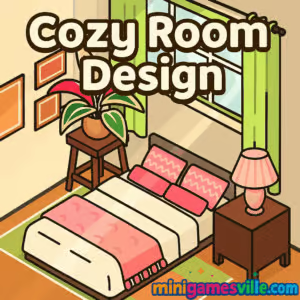
Click Play and start Cozy Room Design on minigamesville.com right now. Cozy Room Design is a relaxing interior design browser game where you decorate a snug space with furniture, textures, plants, and cute companions. If you want a creative online makeover experience that loads fast and plays great in your browser, this cozy decorating game is for you. Build color palettes, place items with satisfying drag and drop, and share screenshots of your dream nook. Ready to chill and create? Press Play above to jump into Cozy Room Design on minigamesville.com, then come back to this review for tips, tricks, and pro strategies for unblocked play at school or work.
About Cozy Room Design
This casual decorating and interior design sandbox focuses on layout, comfort, and vibes over high pressure challenges. In Cozy Room Design you browse themed catalogs, rotate objects, layer rugs and lighting, and craft a mood that feels warm and lived in. Light physics plus grid-free placement make it easy to nudge items into the perfect position, which is why this browser game has become a go-to five minute creative break.
History of Cozy Room Design
Cozy Room Design rides the cozy-core wave of 2024–2025, when low-stress design sandboxes and decorating games gained traction as quick-play creative outlets. The game embraces bite-size sessions, smooth performance in modern browsers, and mobile-friendly controls so anyone can stage a peaceful room without downloads or sign ups.
Style & Vibe
Expect pastel palettes, string lights, plush seating, and natural materials. The catalog blends Scandinavian minimalism with cute cottage accents so your space feels airy and personal. Pet companions and plants add life, while wallpapers and flooring help you lock in a theme fast. Soft textures, warm lighting, and playful decor pieces set the mood in this cozy design sandbox.

Gameplay in Cozy Room Design
Gameplay is refreshingly simple. Browse categories, click to equip an item, then drag to place. A rotate tool lets you angle pieces just right. The lack of strict snapping feels liberating and encourages layering, like overlapping rugs or tucking a stool beneath a desk. The light collision rules keep arranging relaxing, not rigid. When your vision clicks, use the save or snapshot option to capture your design and revisit it later. Cozy Room Design keeps the loop creative, calm, and endlessly replayable.
Game Modes
- Freestyle Sandbox: Unlimited decorating with full access to the catalog.
- Prompt Boards: Optional themes, color prompts, or mood-based tasks for inspiration.
- Daily Ideas: Bite-size suggestions to spark a quick refresh or micro makeover.
How to Play Cozy Room Design
- Tap Play, then pick a base layout or start with an empty room.
- Open the catalog and choose a style direction, like soft neutrals or plant-filled boho.
- Place large anchors first, for example bed or sofa, then layer tables, shelving, and lighting.
- Rotate pieces to align with walls or create intentional angles for a lived-in feel.
- Add color through textiles, wall art, and greenery. Balance both sides of the room.
- Fine tune spacing, check sightlines, and capture a screenshot of your finished vibe.
Controls
- Mouse or touch: Click or tap to equip, drag to place.
- Rotate button: Rotate selected items in small increments.
- Delete or undo: Remove or step back if something feels off.
- Save or camera: Save layouts or take a screenshot of the final scene.
Device Compatibility & Browser Support
The game runs in modern browsers with no download. For the smoothest experience, use the latest versions of Chrome, Edge, Firefox, or Safari. Hardware acceleration and a stable connection help with quick asset loading and crisp visuals.
Mobile vs. Desktop Gameplay
- Mobile: Tap and drag with your finger, great for couch decorating sessions.
- Desktop: Precise mouse placement, bigger canvas visibility for complex layouts.
Can I Play Offline?
No, Cozy Room Design requires an internet connection because assets and saves are handled in-browser.
Can I Play Unblocked?
Yes, Cozy Room Design is an unblocked browser game for most networks since it loads over HTTPS and needs no install. Access still depends on your school or office content rules. If a page is restricted, try a personal device and your own connection.
You can play Cozy Room Design directly in your browser on minigamesville.com. There are no official mobile store versions of this exact game at the moment.
If you want a mobile-first alternative in the same decorating genre, try these official apps:
Tips & Tricks
Beginner Tips
- Start with a color story. Choose two base tones and one accent so your room looks cohesive.
- Anchor the layout. Place the largest piece first, then build around it.
- Use triangles. Group decor in threes at varied heights for pleasing composition.
- Leave negative space. A little breathing room makes designs feel intentional.
- Light it right. Add a ceiling lamp and a table or floor lamp for layered warmth.
Advanced Strategies
- Layer textiles. Stack rugs or drape a throw to add depth without clutter.
- Create zones. Use plants, rugs, or shelves to define reading, work, and lounge areas.
- Balance visual weight. If one side feels heavy, mirror with art or a tall plant.
- Color echo. Repeat your accent color in three places to tie the scene together.
- Micro-rotations. Slightly angle a chair or frame for a natural, lived-in look.
Features
- 🛋️ Grid-free placement for natural layouts
- 🎨 Wall, floor, and palette customization
- 🪴 Plants, pets, and decor accents that bring life
- 💡 Warm lighting and shadow details for mood
- 📸 Quick save and screenshot options
- 🖱️ Smooth mouse or touch controls
- ⚡ Fast-loading assets for instant creativity
- 🔁 Endless replays with fresh styling ideas
Unlockables & Secrets
Some sessions surface fresh colorways and decor categories as you explore. Check the catalog often, since new seasonal textures and cute knickknacks can appear. Try pairing a textured wallpaper with a narrow shelf to make small walls pop.
Cheats & Mods
There are no official cheats or mods. Third-party extensions can hurt performance or break saves. For a better experience, stick to the built-in catalog and focus on composition tricks like color echo and layered lighting.
Walkthrough Summary
Pick a theme, place the largest furniture first, then layer surfaces and textiles. Add one tall element, one mid-height piece, and one low accent per zone. Finish with lighting and a plant, then take a snapshot of your cozy corner.
Scoring, Records & Progression
While Cozy Room Design centers on creative expression, you can treat each snapshot like a milestone. Track personal bests by theme, for example fastest build, cleanest color match, or most layered lighting. Keeping a small gallery helps you refine your style.
Why Play Cozy Room Design
Cozy Room Design delivers a soothing creative loop. It is quick to load, easy to learn, and satisfying for anyone who wants a calm decorating break without grindy gates. The game shines as a bite-size creative outlet between tasks or during study breaks.
Pros & Cons of Cozy Room Design
- Pros: Relaxing sandbox, intuitive controls, great for color and layout practice, no download, plays on almost any device.
- Cons: No deep progression tree, requires internet, catalog focuses on cozy themes rather than hyper-real furniture brands.
- As of August 2025, the game runs smoothly in current Chrome and Edge.
- Enable hardware acceleration in your browser settings.
- Close heavy tabs and background streaming for steadier frame pacing.
- If assets load slowly, clear cache or try a private window to refresh files.
- On mobile, switch to Wi-Fi and disable low power mode for snappier input.
Similar games to Cozy Room Design
- Cozy Garden Design — decorate an outdoor nook with plants, paths, and gentle lighting.
- Cleanscape — tidy, sort, and refresh cluttered rooms to reveal a satisfying glow-up.
- The Sort Agency — object sorting puzzles that scratch the organizer itch.
- Village Builder — grow a tranquil settlement with charming structures and paths.
- Castle Blocks — freeform building with modular blocks to craft picture-book scenes.
- Funny Kitty Care — cozy pet care moments that pair well with calm design vibes.
FAQ
Is Cozy Room Design free to play?
Yes, it is a free online browser game on minigamesville.com with no download required.
Does Cozy Room Design have levels or a campaign?
It focuses on creative sandbox decorating. Use prompts for guided challenges if you want structure.
Can I rotate and layer items?
Yes, use the rotate tool and free placement to layer textiles, plants, and decor for depth.
Will my designs save?
You can capture screenshots and revisit the game for fresh sessions. Keep images in a personal gallery to track progress.
Does Cozy Room Design work on phones and tablets?
Yes, it plays in mobile browsers with tap controls. Desktop offers finer placement with a mouse.
Is Cozy Room Design unblocked at school?
Often yes, since it runs in-browser. Access varies by local network policies.
Conclusion
When you crave calm creativity, Cozy Room Design is a perfect pick. The grid-free placement, warm palettes, and gentle prompts make every session feel like a mini design retreat. Whether you have five minutes or fifty, you will leave with a screenshot worth sharing.
Ready to unwind and style your dream nook? Hit Play above to start Cozy Room Design on minigamesville.com and use the tips in this guide to build a space that feels uniquely yours.


 Loading...
 English
 Shqip
Shqip
 বাংলা
বাংলা
 Български
 简体中文
简体中文
 Hrvatski
 Čeština
 Dansk
Dansk
 Nederlands
 Suomi
Suomi
 Ελληνικά
 हिन्दी
 Magyar
 Bahasa Indonesia
 日本語
日本語
 한국어
한국어
 Lietuvių
 Bahasa Melayu
 Norsk
Norsk
 Polski
 Português do Brasil
 Română
 Slovenčina
 Slovenščina
 Svenska
 ไทย
ไทย
 Türkçe
 Українська
 اردو
اردو
 Tiếng Việt
 isiZulu
 Español
 Français
 Deutsch
 العربية
 Italiano
 فارسی
فارسی
 Русский