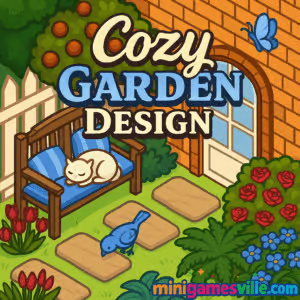
Play Cozy Garden Design right now on minigamesville.com and start building your dream backyard in minutes. Cozy Garden Design is a relaxing online browser game where you arrange plants, paths, and décor to craft the ultimate cozy oasis. If you love garden makeovers and chill puzzle vibes, this unblocked gardening and decorating game is your new comfort play. Jump in, sip something warm, and watch your tiny paradise bloom while you play on any device.
About Cozy Garden Design
Cozy Garden Design blends gentle puzzle challenges with freeform landscaping. You place tiles, rotate decorations, and match themes to earn stars that unlock new plants, planters, and ornaments. Sessions are short, progress is steady, and the whole experience is built for low-stress creativity. Whether you prefer symmetrical zen layouts or lush cottage-core chaos, Cozy Garden Design lets you bring that vision to life.
History of Cozy Garden Design
Garden-building and décor sims have been fan favorites for years, and Cozy Garden Design embraces that trend with a lightweight HTML5 build for instant play in the browser. It focuses on the best bits of the genre, like mood-based sets, seasonal decorations, and gentle goals that reward creativity over perfection.
Style & Vibe
Expect soft colors, hand-painted textures, and relaxing sound effects. The pace encourages mindful placement and small wins, so you can unwind while you tinker with pathways, pergolas, water features, and flowerbeds.

Gameplay in Cozy Garden Design
Each board begins with an empty plot. You drag pieces onto the grid, align plant types for theme bonuses, and complete bite-size objectives to earn stars and coins. Placement physics are friendly, snap-to-grid helps keep lines straight, and combo scoring rewards smart grouping like matching flower colors or connecting path sets. As you progress, new biomes and décor sets appear, keeping layouts fresh without spiking difficulty.
Game Modes
- Zen Build: No timer, no pressure, just decorate and experiment.
- Challenge Contracts: Clear specific goals like color-matching borders or efficiency builds.
- Time Trials: Race the clock to complete layouts with smart sequencing.
- Daily Tasks: Quick objectives for bonus coins and seasonal items.
How to Play
- Pick a plot and review the objectives shown on screen.
- Drag plants and décor from the tray onto the grid, aiming for color, theme, or set bonuses.
- Rotate or reposition pieces for better adjacency and higher combo scores.
- Spend earned stars to unlock new sets, then refine your layout for premium rewards.
- Save your design, snap a screenshot, and move to the next plot.
Controls
- Mouse or touch: tap, drag, and drop pieces.
- Rotate: use on-screen rotate buttons, or try Q/E or R if a keyboard prompt appears.
- Zoom: pinch on mobile or use Ctrl plus mouse wheel on desktop.
- Undo/Redo: on-screen icons for quick fixes and experimentation.
Device Compatibility & Browser Support
Cozy Garden Design runs in modern browsers and requires no download. For best performance, use the latest Chrome, Edge, Firefox, or Safari on desktop or mobile. Close heavy tabs, keep hardware acceleration on, and pause background streams if you notice stutter.
Mobile vs. Desktop Gameplay
On mobile, the game favors tap-and-place precision with larger UI buttons. On desktop, keyboard and a bigger canvas make complex layouts easier. Your choice depends on whether you want couch play or workstation-level control.
Can I Play Offline?
The game loads assets from the web, so a connection is required to play and save progress.
Can I Play Unblocked?
Cozy Garden Design is an unblocked browser game on minigamesville.com in most home and personal networks. If you are on school or work Wi-Fi, access depends on local policies.
- Browser: Play free on minigamesville.com, no install needed.
- Mobile stores: There are no official Google Play or App Store listings for Cozy Garden Design at this time.
- Want a mobile alternative with garden decorating vibes? Try Gardenscapes on
Google Play or
App Store.
Tips & Tricks
Beginner Tips
- Start with edges, then fill inward for cleaner paths and hedges.
- Group plants by color or type to trigger set bonuses early.
- Save stars for unlocks that expand combo potential, like paths and water features.
- Use the undo button freely to test multiple layouts without penalty.
Advanced Strategies
- Chain bonuses: place décor in sequences that complete two or more objectives at once.
- Reserve corners for tall items so sightlines stay open in the center.
- Pre-plan symmetry, then break it with a focal statue or pond for higher style multipliers.
- Rotate shrubs to align borders and avoid micro-gaps that reduce score potential.
Features
- 🌿 Relaxing garden-building with cozy aesthetics
- 🧩 Light puzzle goals that reward creative layouts
- 🎨 Theme sets, color bonuses, and style multipliers
- 🏆 Daily tasks and seasonally refreshed décor
- 📱 Play instantly in your browser, no download
- 💾 Auto-save between sessions
- 🧭 Friendly UI with snap-to-grid placement
- 🔊 Soothing ambience for focus sessions
Unlockables & Secrets
Earn stars to unlock new beds, planters, fences, lighting, and themed sets. Seasonal events can add limited-time pieces like lanterns or festive topiaries. Keep finishing daily tasks to reveal hidden colorways for select décor.
Cheats & Mods
There are no official cheats or mods for Cozy Garden Design. Third-party tools can harm performance and risk your progress, so play fair to keep your garden safe.
Walkthrough Summary
Begin with a small patio plot, lay a clean perimeter path, then position fountains or statues as focal points. Add color-coordinated flowerbeds, use hedges to frame cozy seating, and finish with accent lighting for bonus points. Repeat across larger plots as you unlock more styles.
Scoring, Records & Progression
Score comes from theme alignment, color harmony, adjacency bonuses, and objective completion speed. High scores unlock new sets faster, which in turn increase your potential to reach even higher records. Revisit earlier plots with upgraded décor to push your personal best.
Why Play Cozy Garden Design
It is the perfect quick-play garden game when you want creative flow without grind. You get satisfying decoration, clever micro-puzzles, and a steady stream of unlocks that make every layout feel unique.
Pros & Cons of Cozy Garden Design
- Pros: chill pacing, intuitive controls, creative freedom, instant browser access.
- Cons: requires internet, hardcore min-maxers may crave deeper simulation layers.
- Refresh the page after long sessions to keep memory usage low.
- Close unused tabs or heavy extensions during time trials.
- On laptops, plug in for stable frame rates and enable hardware acceleration.
Similar games to Cozy Garden Design
FAQ
Is Cozy Garden Design free to play?
Yes, the game is free to play online in your browser on minigamesville.com.
Does Cozy Garden Design work on a school Chromebook?
It runs in a browser, so most Chromebooks can play it. Access depends on the network’s site and game policies.
How do I rotate items?
Use the on-screen rotate controls. On desktop, some layouts may also support keyboard rotation prompts like Q, E, or R.
Will my progress save?
The game saves in your browser storage. Using the same device and browser will preserve your designs.
Is Cozy Garden Design unblocked?
It is unblocked for most home networks. School and office networks may block game sites, so availability can vary.
Can I play Cozy Garden Design offline?
No, the game needs an internet connection to load assets and save progress.
What devices are best for the game?
It plays great on modern phones and desktops. Larger screens make complex layouts easier, while touch controls are perfect for quick sessions.
Conclusion
When you crave a calm creative break, Cozy Garden Design delivers with bite-size goals, beautiful assets, and a stress-free flow. Shape paths, curate colors, and unlock fresh décor as your tiny world blossoms one tile at a time.
Ready to unwind and build your dream retreat? Hit play on minigamesville.com, dive into Cozy Garden Design, and start crafting a cozy garden you will be proud to share. Your next five-minute break might turn into your prettiest space yet.

 Loading...
 English
 Shqip
Shqip
 বাংলা
বাংলা
 Български
 简体中文
简体中文
 Hrvatski
 Čeština
 Dansk
Dansk
 Nederlands
 Suomi
Suomi
 Ελληνικά
 हिन्दी
 Magyar
 Bahasa Indonesia
 日本語
日本語
 한국어
한국어
 Lietuvių
 Bahasa Melayu
 Norsk
Norsk
 Polski
 Português do Brasil
 Română
 Slovenčina
 Slovenščina
 Svenska
 ไทย
ไทย
 Türkçe
 Українська
 اردو
اردو
 Tiếng Việt
 isiZulu
 Español
 Français
 Deutsch
 العربية
 Italiano
 فارسی
فارسی
 Русский