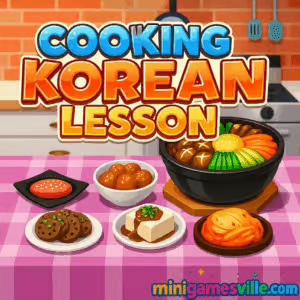
Ready to cook? Click Play above and jump into Cooking Korean Lesson on minigamesville.com. This delightful cooking simulation is a free online browser game that runs smoothly, plays great unblocked in most networks, and teaches you step by step how to prep beloved Korean dishes. If you enjoy casual kitchen challenges with crisp visuals and relaxing ASMR-style interactions, Cooking Korean Lesson is a tasty pick. Hit the big Play button and start slicing, stirring, and serving now.
About Cooking Korean Lesson
Cooking Korean Lesson blends cozy food-game vibes with approachable culinary learning. You will follow on-screen prompts to chop veggies, marinate proteins, fry, boil, and assemble classics like kimchi and bibimbap. Progress is tracked with achievements, repeatable tasks encourage mastery, and every step uses simple tap or click inputs. Whether you have two minutes or twenty, the pick-up-and-play pacing makes this an easy favorite for casual cooks and time-management fans.
History of Cooking Korean Lesson
Created by Go Panda Games, Cooking Korean Lesson has grown into a well-known HTML5 cooking title across the web. The studio’s focus on kid-friendly instructions, vibrant art, and accessible controls keeps the game welcoming for beginners while still rewarding precision and speed for veterans.
Style & Vibe
The art is bright, friendly, and clean, with a calm soundtrack and satisfying sound effects for chopping, sizzling, and mixing. It feels like a mini culinary class in your browser, with each micro-task framed as a quick, stress-free challenge.

Gameplay in Cooking Korean Lesson
Each recipe unfolds as a sequence of interactive steps. You will gather ingredients, slice and grate with timing cues, control heat to avoid burning, and plate the final dish with garnishes. The physics are lightweight and forgiving, yet accuracy still matters. Perfect cuts, steady stirring, and on-time actions earn higher scores and unlock small rewards. The flow makes Cooking Korean Lesson relaxing for casual play, and surprisingly sticky when you start chasing cleaner combos and faster finishes.
Game Modes
- Guided Recipes: Play through structured steps to learn staples like bibimbap and kimchi.
- Mastery Replays: Repeat recipes to improve timing, reduce mistakes, and collect achievements.
- Self-Paced Sessions: Drop in for a quick dish or linger while you perfect every action.
How to Play
- Press Play, then choose a recipe.
- Follow the visual prompts for each step, from chopping to seasoning.
- Watch timing bars and motion arrows to slice, stir, and fry at the right pace.
- Plate your dish with sides and garnishes.
- Review your score, then replay to improve accuracy and speed.
Controls
- Desktop: Left-click to select tools and perform actions. Click-drag for slicing or stirring when prompted.
- Mobile/Tablet: Tap to interact, swipe for cuts, and follow finger-motion cues during prep.
Device Compatibility & Browser Support
Cooking Korean Lesson is built in HTML5, so it runs directly in modern browsers. For best results, use the latest version of Chrome, Edge, Safari, or Firefox with hardware acceleration enabled. Close heavy background tabs, keep your device charged, and switch to full-screen for fewer distractions.
Mobile vs. Desktop Gameplay
- Mobile: Super intuitive taps and swipes. Great for couch play and quick sessions.
- Desktop: Precise mouse control for fast, clean cuts and higher scores on replays.
Can I Play Offline?
No. Cooking Korean Lesson is an online browser game that requires an active internet connection to load and play.
Can I Play Unblocked?
In most networks, yes. Because it runs in-browser over HTTPS, Cooking Korean Lesson typically works unblocked. If your school or workplace restricts gaming sites, you may need to play at home or on a permitted network.
- Browser: Play free on minigamesville.com.
- Mobile stores: There is no official iOS or Android app release of Cooking Korean Lesson. Want something similar on mobile? Try Cooking Mama: Let’s Cook!:
Tips & Tricks
Beginner Tips
- Read the prompt before you act. Most mistakes happen by rushing the first slice or stir.
- Aim for smooth, steady motions. Consistency scores better than speed at the start.
- Turn on sound. Audio cues help with timing and heat control.
- Replay a single step if available to feel the rhythm before committing to a full dish.
Advanced Strategies
- Chain perfect actions early to build momentum for higher end scores.
- On mouse, reduce pointer sensitivity for precise cuts. On touch, use shorter swipes.
- Memorize step orders for each recipe, then pre-position your cursor or finger.
- Plate quickly but cleanly. Fast garnish placement can be the tiebreaker for top ratings.
Features
- 🍲 Step-by-step Korean recipes with friendly, visual guidance
- 🔪 Satisfying slicing, stirring, frying, and seasoning mini-interactions
- 🎯 Achievement targets that reward repeat mastery
- 📱 Seamless mobile and desktop controls
- 🎧 Relaxing ASMR-like sound design
- ⏱ Quick sessions you can finish on a break
- 🌈 Bright, inviting art style for all ages
- 💾 No downloads, instant play in your browser
Unlockables & Secrets
As you replay recipes and tighten your timing, you can earn higher ratings and tick off achievement goals. Keep an eye out for small step variations that appear after multiple successful runs, which can add extra points or a cleaner finish.
Cheats & Mods
There are no official cheats or mods supported on minigamesville.com. For stable performance and fair play, stick to the standard build and hone your timing through practice.
Walkthrough Summary
- Choose a recipe such as kimchi or bibimbap.
- Prep: wash, slice, grate, and marinate ingredients following arrows and timing bars.
- Cook: control heat, flip on cue, and avoid overcooking.
- Assemble: layer the bowl or plate, add sides, and garnish.
- Review score and achievements, then replay to polish any weak steps.
Scoring, Records & Progression
Points hinge on precision, timing, and error-free streaks. You can replay recipes to beat personal bests, collect achievements, and practice until every slice lands in the green. Keep a mental note of where you lost time, then target that step in your next run.
Why Play Cooking Korean Lesson
It is approachable, charming, and genuinely educational about core Korean ingredients and techniques. Cooking Korean Lesson fits busy schedules, satisfies perfectionists, and offers a cozy kitchen escape right in your browser.
Pros & Cons of Cooking Korean Lesson
- Pros: Easy controls, educational recipe flow, short sessions, smooth on mobile and desktop, relaxing sounds.
- Cons: Limited depth compared to full restaurant sims, repetition if you chase achievements for long stretches.
- Keep your browser updated for best input responsiveness.
- Enable hardware acceleration and close heavy background tabs.
- On mobile, switch to full-screen and Do Not Disturb to avoid accidental interruptions.
Similar games to Cooking Korean Lesson
- Cooking Mama — Tap-and-swipe recipes with cozy presentation and simple mini-steps.
- Bubble Pop Adventures — Colorful bubble puzzler that pairs well with chill, snack-sized sessions.
- Candy Jump — Sweet-themed arcade jumping for quick reflex fun between dishes.
- Bubble Shooter — Classic aim-and-pop gameplay for casual breaks.
- Candy Thief — Light puzzle action with a sugary aesthetic and easy pick-up controls.
FAQ
What is Cooking Korean Lesson?
Cooking Korean Lesson is a free online cooking browser game where you prepare iconic Korean dishes through interactive steps.
Is Cooking Korean Lesson safe for kids?
Yes, the visuals and tasks are family friendly, and the instructions use clear, simple prompts.
Do I need to download anything?
No, the game runs in your browser. Just press Play and start cooking.
Does Cooking Korean Lesson work on phones?
Yes, it plays well on modern mobile browsers with responsive touch controls.
Can I play Cooking Korean Lesson offline?
No, an internet connection is required to load and play.
Are there official mobile apps for Cooking Korean Lesson?
No, but you can try Cooking Mama: Let’s Cook! on the App Store and Google Play for a similar mobile experience.
Conclusion
Cooking Korean Lesson is a cozy, confidence-building way to explore Korean cuisine in bite-size steps. The blend of gentle timing challenges, satisfying kitchen sounds, and cheerful presentation makes every session feel rewarding.
Craving a quick culinary win? Press Play above to start Cooking Korean Lesson on minigamesville.com, then replay your favorite recipes until every slice and stir is picture perfect.

 Loading...
 English
 Shqip
Shqip
 বাংলা
বাংলা
 Български
 简体中文
简体中文
 Hrvatski
 Čeština
 Dansk
Dansk
 Nederlands
 Suomi
Suomi
 Ελληνικά
 हिन्दी
 Magyar
 Bahasa Indonesia
 日本語
日本語
 한국어
한국어
 Lietuvių
 Bahasa Melayu
 Norsk
Norsk
 Polski
 Português do Brasil
 Română
 Slovenčina
 Slovenščina
 Svenska
 ไทย
ไทย
 Türkçe
 Українська
 اردو
اردو
 Tiếng Việt
 isiZulu
 Español
 Français
 Deutsch
 العربية
 Italiano
 فارسی
فارسی
 Русский