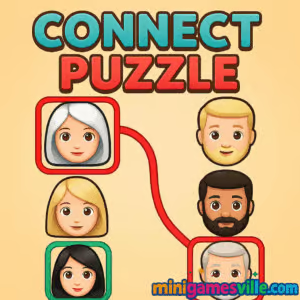
Play Connect Puzzle on Minigamesville now and dive straight into a crisp, brain-teasing experience. Connect Puzzle is a satisfying logic browser game that asks you to link matching tiles, route paths, and clear levels with elegant solutions. If you love playing puzzle games online, this one is fast, unblocked, and friendly on any device. Warm up your fingers, sharpen your strategy, then press Play to start Connect Puzzle right here on Minigamesville.
About Connect Puzzle
Connect Puzzle blends clean visual design with clever level layouts to create a relaxing, thinky rhythm. Each board challenges you to connect pairs and complete lines without crossing paths, all while keeping move counts low. Whether you are new to link-and-line puzzlers or a seasoned solver, Connect Puzzle serves tight grids, pleasing animations, and that one-more-level pull that makes a great online puzzle shine.
History of Connect Puzzle
Connect-style puzzles trace back to classic numberlink and pathfinding paper puzzles. Over time they evolved into touch-friendly games, perfect for browsers and mobile screens. Connect Puzzle distills that lineage into accessible stages that scale from easy warmups to knotty, multi-path layouts, keeping the core idea pure: connect matching nodes in the most efficient way.
Style & Vibe
Minimal UI, bright colors, and silky transitions make every solve feel rewarding. You get instant feedback when paths snap into place and subtle sounds that never distract from focus.

Gameplay in Connect Puzzle
Each level presents a grid dotted with matching symbols or colors. Your job is to draw a continuous path that links pairs, fills the board, and avoids overlaps. Early levels teach the basics, then the game adds obstacles, narrow corridors, and cramped corners that force smarter routing. The flow feels crisp: scan the grid, spot anchors, draw obvious lines, then resolve tight intersections. Expect optional star goals for perfect clears, low move counts, or time targets that keep you replaying levels to improve.
Game Modes
- Level Progression: A curated path of increasingly complex grids.
- Relax Mode: Take your time without pressure, great for quick sessions.
- Time Challenge: Beat the clock by solving several boards in a row.
- Perfect Runs: Earn extra credit for minimal moves and clean boards.
How to Play
- Look for pairs or distinct colors that have limited routing options.
- Draw a line to connect each pair, keeping turns smooth and paths short.
- Fill the entire grid. If two lines would cross, rethink your route.
- Refine to reduce moves or finish within the target time for bonus stars.
Controls
- Mouse: Click and drag from one tile to its match to draw a path.
- Touch: Tap and hold, then swipe to connect pairs.
- Undo/Reset: Use the on-screen buttons to step back or restart a board.
Device Compatibility & Browser Support
Connect Puzzle runs in modern browsers like Chrome, Edge, Safari, and Firefox. It loads quickly, uses minimal resources, and works great on desktops, laptops, Chromebooks, tablets, and phones. No download. No sign-up. Just instant play.
Mobile vs. Desktop Gameplay
- Mobile: Natural swipes and short sessions. Great for solving on the go.
- Desktop: Precision mouse drags, bigger view of complex grids, and speedy retries.
Can I Play Offline?
Connect Puzzle is a browser game, so an internet connection is required to load the page and assets. Once loaded, some browsers may cache content, but reliable play requires an active connection.
Can I Play Unblocked?
On Minigamesville, Connect Puzzle is available as an unblocked online game for most networks since it runs in-browser over secure HTTPS. If your school or office restricts gaming sites, access may vary by policy. For the smoothest experience, keep your browser updated and disable aggressive content blockers on the game page.
- Browser: Play free on Minigamesville in Chrome, Edge, Safari, or Firefox.
- Mobile apps: There is currently no official Connect Puzzle app. Want a similar feel on your phone? Try Flow Free:
Tips & Tricks
Beginner Tips
- Start with forced moves such as pairs near corners and edges.
- Claim narrow hallways early to prevent future blockages.
- Draw quick rough paths, then refine for shorter routes.
- Leave open spaces around junctions to keep options flexible.
Advanced Strategies
- Work backward from tight endpoints to reveal the only viable path.
- Use parity thinking: even spaces between pairs often hint at a snake-like route.
- Partition the grid mentally into zones, then solve each zone without isolating cells.
- When stuck, reset one bottleneck path rather than the entire board to explore alternatives.
Features
- 🧩 Clean, minimalist look that keeps focus on the puzzle
- ⚡ Fast loads and instant restarts for rapid iteration
- 📈 Smooth difficulty curve from gentle to devious
- 🏆 Stars for perfect clears and efficient routes
- 📱 Touch and mouse friendly controls
- 🔊 Subtle sound cues for satisfying feedback
- ☁️ Progress saves in the session to keep you playing
- 🔁 Replay value with time and move challenges
Unlockables & Secrets
Expect cosmetic flourishes like new color themes or backgrounds tied to streaks or star totals. Hidden efficiencies are the real secret, such as discovering a shorter loop that shaves off a move and unlocks a perfect badge.
Cheats & Mods
There are no legitimate cheats for Connect Puzzle, and using unauthorized mods can break performance or introduce security risks. Stick with smart routing, practice, and the tips above to improve fairly.
Walkthrough Summary
Begin by clearing corners and single-lane corridors. Next, connect mid-grid anchors that reduce branching complexity. Finally, reroute any crossing lines by tracing around edges and using turns to avoid collisions. If your board deadlocks, undo to the last decision point and try the other branch.
Scoring, Records & Progression
Most levels score you on completion and efficiency. Perfect clears come from meeting move targets or time goals. Track personal records by replaying earlier grids and optimizing one path at a time, not the entire board at once.
Why Play Connect Puzzle
Connect Puzzle is easy to learn and satisfying to master. It is quick to launch, runs anywhere, and rewards clear thinking. If you want a free, unblocked browser game that keeps your brain engaged, this one checks every box.
Pros & Cons of Connect Puzzle
- Pros: Slick feel, clean visuals, instant play, smart difficulty, replay goals.
- Cons: Requires internet to load, later levels can feel tough without hints.
- Use an up-to-date browser and enable hardware acceleration.
- Close heavy tabs and extensions during timed runs.
- On mobile, switch to full screen and disable battery saver for smoother input.
- If input feels laggy, reduce system animations in your OS settings.
Similar games to Connect Puzzle
- Robot Awake — laser-and-mirror logic puzzles where you light up robots with perfect planning.
- Green — a minimal color puzzle with clever rules that change each level.
- Mini Train — physics-based puzzling, place parts to connect tracks and guide the train.
- Word City Uncrossed — connect letters to solve relaxing word challenges.
- Sudoblocks — Sudoku logic meets block placement for brainy board clears.
- Tap It Away — satisfyingly clear 3D blocks by tapping in the right order.
FAQ
What is Connect Puzzle?
Connect Puzzle is a free browser puzzle game where you draw paths to link matching tiles and fill the board without crossings.
Is Connect Puzzle free to play?
Yes, you can play Connect Puzzle online for free on Minigamesville with no download required.
Can I play Connect Puzzle on my phone?
Yes, it runs in mobile browsers. For an app with a similar feel, try Flow Free via the official Google Play and App Store links above.
Does Connect Puzzle work on Chromebooks?
Yes, it plays smoothly in Chrome on Chromebooks, making it a great quick-break brain teaser.
How do I get three stars or perfect clears?
Solve with fewer moves and clean, non-crossing paths. Tackle forced routes first, then optimize remaining lines.
Why do my paths keep colliding?
You may be locking the grid too early. Reserve space around intersections and route longer pairs along the edges.
Are there hints?
Some builds include gentle guidance, but the best hint is to undo to your last fork and try the alternate route.
Conclusion
Clean visuals, clever layouts, and quick restarts make Connect Puzzle a standout online brain game you can enjoy in any free moment. Whether you crave chill problem solving or tight time chases, there is always another satisfying route to discover.
Ready to connect the dots like a pro? Hit Play and start solving Connect Puzzle on Minigamesville right now. Your perfect path is waiting.

 Loading...
 English
 Shqip
Shqip
 বাংলা
বাংলা
 Български
 简体中文
简体中文
 Hrvatski
 Čeština
 Dansk
Dansk
 Nederlands
 Suomi
Suomi
 Ελληνικά
 हिन्दी
 Magyar
 Bahasa Indonesia
 日本語
日本語
 한국어
한국어
 Lietuvių
 Bahasa Melayu
 Norsk
Norsk
 Polski
 Português do Brasil
 Română
 Slovenčina
 Slovenščina
 Svenska
 ไทย
ไทย
 Türkçe
 Українська
 اردو
اردو
 Tiếng Việt
 isiZulu
 Español
 Français
 Deutsch
 العربية
 Italiano
 فارسی
فارسی
 Русский