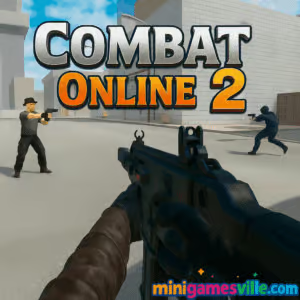
Jump in now and play Combat Online 2 free on MiniGamesVille.com to test your aim, reflexes, and tactics in seconds. This fast, online first person shooter is the perfect browser game when you want instant action with no downloads. Combat Online 2 drops you into tight arenas, clean map layouts, and snappy gunplay that feels great on both desktop and mobile. If you’re hunting for an unblocked multiplayer FPS you can launch in a tab, you’re in the right place. Lock, sprint, and frag your way to the top of the scoreboard, then hit replay to chase your next clutch round.
About Combat Online 2
Combat Online 2 is a lightweight, skill-forward shooter that focuses on quick matchmaking, responsive controls, and readable arenas. The pacing leans toward crisp movement and aim duels, so every peek, slide, and jump matters. Weapons feel punchy, recoil is learnable, and time-to-kill rewards precision. With private rooms and public lobbies, you can warm up solo or squad with friends for team wins. Whether you’re a veteran of classic arena shooters or brand new to browser FPS, Combat Online 2 makes it easy to hop in and play.
History of Combat Online 2
Built as a modern, web-first sequel to the fan favorite Combat Online series, Combat Online 2 refines the formula with smoother movement, cleaner UI, and more varied maps. It keeps the spirit of pick-up-and-play firefights while adding polish for today’s browsers and mobile devices. If you enjoyed Combat Reloaded or earlier entries, this iteration will feel familiar, faster, and more accessible.
Style & Vibe
Readable arenas, bold silhouettes, and bright projectiles keep the action easy to track even in chaotic team fights. Visual clarity supports competitive play, while the sound mix highlights footsteps, reloads, and directional shots so you can make smarter pushes and rotations.

Gameplay in Combat Online 2
The core loop is pure FPS: spawn, gather your bearings, and pressure angles to secure picks. Movement carries momentum, jumping and strafing feel tight, and recoil patterns reward short, controlled bursts. Smart utility use, head-height crosshair placement, and timing your peeks around enemy reloads are your keys to win more duels. Maps mix open lanes for snipers with cover-rich corridors for SMG and rifle plays, so every loadout has a role.
Game Modes
- Team Deathmatch: Coordinate pushes, trade kills, and control mid for consistent spawns.
- Free For All: Pure aim practice. Stay mobile and third-party distracted fights.
- Capture the Flag: Anchor defense with rifles, send a speedy entry for flag runs.
- Gun Game: Level through weapons by scoring eliminations. Pace and positioning are everything.
- Snipers Only: Long-lane discipline and shoulder peeks shine here.
- Parkour and Race challenges: Movement-focused courses to sharpen mechanics between matches.
How to Play
- Press Play to join a lobby or create a private room to invite friends.
- Pick a map and mode, then scan the minimap and sound cues as you spawn.
- Keep crosshair at head level, shoulder peek corners, and clear angles one by one.
- Use sprint to rotate quickly, then walk near enemies to hide footstep audio.
- On defense, hold power positions. On attack, trade and swing together.
- Adapt your weapon choice to the map lanes and your team’s roles.
Controls
- Move: WASD or Arrow Keys
- Aim: Mouse
- Shoot: Left Mouse Button
- Aim Down Sights or Zoom: Right Mouse Button
- Jump: Space
- Sprint: Shift
- Crouch: C
- Reload: R
- Switch Weapons: 1–9
- Scoreboard or Menu: Tab or Esc
Mobile: Use the left thumbstick for movement, swipe to aim, tap to shoot, and on-screen icons for jump, sprint, and reload.
Device Compatibility & Browser Support
Combat Online 2 runs in modern browsers that support WebGL and WebAssembly. For the smoothest experience, use the latest Chrome, Edge, Firefox, or Safari on Windows, macOS, Linux, Android, or iOS. Enable hardware acceleration in your browser settings for higher FPS.
Mobile vs. Desktop Gameplay
Desktop offers the highest precision with mouse aim and full key bindings. Mobile shines for quick sessions and warmups, with optimized touch controls and scalable graphics. If you swap between devices, keep sensitivity consistent with a simple cm-per-360 reference.
Can I Play Offline?
Combat Online 2 is an online multiplayer browser game, so you need an active internet connection. Some practice or custom rooms may be available, but matchmaking and stats rely on live servers.
Can I Play Unblocked?
MiniGamesVille hosts the game over HTTPS, which works on most networks. If your school or office blocks gaming sites, policies may vary. Try a different browser, turn off aggressive privacy extensions, or ask your network admin about access. Avoid any risky workarounds.
- Browser: Best played directly on MiniGamesVille.com with no download.
- Official mobile stores for Combat Online 2: no official iOS or Android app at this time.
- Want a similar mobile FPS on the go? Try Bullet Force:
Tips & Tricks
Beginner Tips
- Lower your sensitivity until you can track a strafing target smoothly.
- Pre-aim common angles and hold head height as you move.
- Burst fire at medium range to control recoil and keep accuracy high.
- Trade kills. Peek with a teammate so you secure refrags.
- Play TDM to learn maps, then branch into CTF and Gun Game.
Advanced Strategies
- Sound bait: fake a rotate, then re-peek when you hear a reload.
- Off-angles: hold unexpected positions to catch entries off guard.
- Utility timing: swing while enemies are mid animation like jumping or reloading.
- Anchor power spots on defense and let enemies walk into your crosshair.
- Use movement tech on parkour maps to transfer momentum through jumps.
Features
- 🎯 Tight, responsive gunplay with learnable recoil
- 🗺️ Varied arenas for rifles, SMGs, and snipers
- 👥 Solo, team, and private room play
- ⚡ Low load times and quick respawns
- 📱 Runs in your browser on desktop and mobile
- 🏁 Extra modes like Gun Game, Snipers, Parkour, and Race
- 🔧 Adjustable settings for sensitivity and graphics
- 🏆 Scoreboard tracking for K/D, streaks, and wins
Unlockables & Secrets
Look for jump routes that chain boxes and railings to reach high ground, then lock down sightlines. Some maps reward creative jumps that open faster flag runs. Test your routes in a quiet lobby to master them.
Cheats & Mods
There are no official cheats or mods. Third-party tools can hurt performance, trigger bans, or expose your device to risk. Play fair and keep your account secure with unique passwords.
Walkthrough Summary
Start in Team Deathmatch to learn spawns and callouts. Set your sensitivity, FOV, and graphics to a stable FPS target. Practice shoulder peeks and jiggle shots on common angles. Once you’re comfortable, queue Capture the Flag or make a private room with friends to scrim and drill executes.
Scoring, Records & Progression
Each match tracks kills, deaths, streaks, and objective actions like flag captures. Consistent multi-kills, top damage, and low deaths push you to the top of the lobby. Use custom rooms to run aim routines and benchmark your improvement week to week.
Why Play Combat Online 2
It’s instant, accessible, and competitive without the heavy install. You get clean visuals, clear audio, and just-right time-to-kill that rewards micro-adjust aim, not random spray. Whether you have five minutes or fifty, Combat Online 2 always has a lobby ready.
Pros & Cons of Combat Online 2
- Pros: Instant access in a tab, smooth controls, readable maps, private rooms, great for quick aim practice.
- Cons: Online only, touch controls are less precise than mouse, match quality can vary by region and time of day.
- Close heavy tabs and background streams before queueing up.
- Enable hardware acceleration and keep your GPU drivers updated.
- Set in-game graphics to Medium if your FPS dips during gunfights.
- Use Ethernet or sit near your router for a stable ping.
- Conflicts with extensions? Try an incognito window with extensions disabled.
Similar games to Combat Online 2
FAQ
What is Combat Online 2?
Combat Online 2 is a fast multiplayer FPS browser game that runs in a tab on desktop and mobile with no download.
Is Combat Online 2 free?
Yes, you can play free on MiniGamesVille in your browser.
Does Combat Online 2 have private matches?
Yes, you can create a private room, pick a map and mode, then invite friends.
Which browsers work best?
Current Chrome, Edge, Firefox, and Safari deliver the smoothest performance when hardware acceleration is enabled.
Can I use a controller?
Mouse and keyboard offer the best precision. Some browsers map controllers, but support can vary by device.
Why is my ping high?
Your distance to server, Wi-Fi congestion, and background downloads can raise ping. Use wired internet or sit closer to your router.
Is Combat Online 2 unblocked?
It usually works on personal networks. School or office networks may restrict gaming sites based on local policy.
Does it save my progress?
Match stats reset per game, while your settings can be saved in the same browser profile.
Conclusion
When you want pure FPS fun with zero friction, Combat Online 2 is a great pick. It loads fast, feels crisp, and turns a spare minute into a highlight reel. The mix of Team Deathmatch, Gun Game, and parkour challenges keeps sessions fresh and competitive.
Ready to drop in? Click Play on MiniGamesVille.com, join a lobby, and make your first peek count. Add Combat Online 2 to your bookmarks, warm up your aim, and we’ll see you on the scoreboard.

 (9 votes, average: 4.22 out of 5)
 Loading...
 English
 Shqip
Shqip
 বাংলা
বাংলা
 Български
 简体中文
简体中文
 Hrvatski
 Čeština
 Dansk
Dansk
 Nederlands
 Suomi
Suomi
 Ελληνικά
 हिन्दी
 Magyar
 Bahasa Indonesia
 日本語
日本語
 한국어
한국어
 Lietuvių
 Bahasa Melayu
 Norsk
Norsk
 Polski
 Português do Brasil
 Română
 Slovenčina
 Slovenščina
 Svenska
 ไทย
ไทย
 Türkçe
 Українська
 اردو
اردو
 Tiếng Việt
 isiZulu
 Español
 Français
 Deutsch
 العربية
 Italiano
 فارسی
فارسی
 Русский