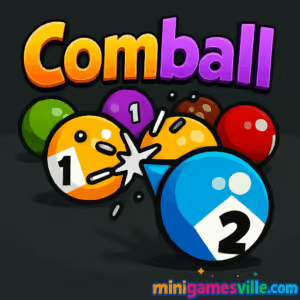
Ready to play Comball on Minigamesville? Tap the Play button above and dive straight into this quick-hit arcade puzzle. Comball is a slick, physics-driven browser game where you aim, bank, and merge colorful balls to chase a higher score. It feels like pool meets 2048, making it perfect for short sessions or all-night streaks. Play Comball online on minigamesville.com, enjoy a clean interface, and keep your momentum going with fast restarts. If you’re looking for an unblocked challenge that runs in your browser, you’re in the right place.
About Comball
Comball blends billiards physics with a satisfying merge mechanic. You shoot numbered balls onto a table, coaxing collisions to combine matching values, clear space, and push your high score. Shots matter, angles matter, and patience pays off. As the board fills, clever placement and gentle bumps turn near-misses into chain reactions. Whether you’re chasing leaderboard-worthy runs or just relaxing with a smart arcade puzzler, Comball hits that sweet spot of easy to learn and rewarding to master.
History of Comball
Comball has quickly found a following among fans of pool-style puzzlers and number-merge games. Its streamlined presentation, responsive ball physics, and one-more-try pacing make it a natural fit for modern browser game sessions on desktop or mobile.
Style & Vibe
Minimal UI, crisp colors, and clean sound effects keep your focus on the table. The balls pop, rolls feel weighty, and merges are punchy without getting in your way.

Gameplay in Comball
Each round starts simple: line up a shot, release, and watch the ball glide across the felt. Collide matching colors and numbers to merge them, free up space, and nudge your score higher. The board slowly crowds, so you’ll use walls for bank shots, thread tight lanes, and set up future merges two or three moves ahead. Expect satisfying cascades when planned contacts chain into multiple combos.
Game Modes
- Classic High Score: The core endless chase. Keep merging to stay alive and push your record.
- Challenge Play: Aim for target merges or score thresholds within limited moves. Great for focused practice.
- Time Attack: Race the clock with quick decisions and clean angles.
How to Play
- Check the next ball in the queue and scan the board for two or more matches you can set up.
- Drag to aim. Use walls to bank into tight spots.
- Release to shoot and watch for merges. Plan the next shot while the table settles.
- Create space, then build toward higher-value merges for big score pops.
- If available, use limited helpers like a gentle shake or a ball swap when the board jams.
Controls
- Desktop: Click and drag to aim, release to shoot. Optional hotkeys if shown on screen.
- Mobile: Tap and hold to aim, lift to shoot. Haptic feedback and portrait play make it comfy on the go.
Device Compatibility & Browser Support
Comball runs smoothly in modern browsers on desktop and mobile. For best results, use the latest Chrome, Edge, Safari, or Firefox with hardware acceleration on. The game loads fast, works on most school or work networks, and performs well even on older laptops.
Mobile vs. Desktop Gameplay
- Mobile: Quick thumb shots, great for rapid sessions between tasks.
- Desktop: Mouse precision for longer runs and tighter bank shots.
Can I Play Offline?
Comball is a browser game, so it needs an active internet connection to load and save your run data.
Can I Play Unblocked?
Comball is designed for web play and usually works on filtered networks. If your network restricts gaming, try a different browser or device, or play from a home connection.
- Browser: Play Comball directly on minigamesville.com. No downloads, no installs.
- Official mobile apps: No official App Store or Google Play listing for this exact game at the moment.
- Want a similar mobile fix? Try 2048 on mobile for a clean merge-puzzle experience:
Tips & Tricks
Beginner Tips
- Keep one corner open so fresh shots have room to roll and settle.
- Build from low numbers upward instead of chasing big merges too early.
- Bank shots off walls to reach tight lanes without disturbing your setup.
- Look two moves ahead. If a direct merge is risky, stage it over two placements.
Advanced Strategies
- Create merge funnels by lining pairs along a wall, then send a matching ball through the lane.
- Use soft angles to slow the ball and control where it kisses a target.
- When space gets tight, prioritize clearing the board edge first to reopen flow.
- Save limited helpers for when a single shake or swap unlocks multiple merges.
Features
- 🎯 Skill-based aim with real pool-style physics
- 🧠 Smart merge puzzle loops that reward planning
- ⚡ Quick restarts and fast load times for rapid sessions
- 📈 Endless score chase with satisfying combos
- 📱 Seamless play on desktop and mobile browsers
- 🔊 Clean, minimal audio that keeps you in the zone
- 🧩 Optional challenges for focused goals
- 🌈 Crisp visuals that make merges pop
Unlockables & Secrets
Some builds surface cosmetic variations or milestone badges as you reach higher merges. If your version focuses on pure high score play, treat each new best as the trophy and experiment with different opening angles to discover your personal meta.
Cheats & Mods
There are no official cheats. Third-party mods or extensions can break gameplay or harm performance. For a fair challenge and stable runs, stick with the standard online version right here on minigamesville.com.
Walkthrough Summary
Early game: Create space, set easy pairs, and learn how hard or soft you must flick to land beside a target. Mid game: Maintain a clear lane, chain two or three merges per shot when possible, and avoid scattering high values. Late game: With the table crowded, turn to gentle banks and surgical shots to trigger one big cascade that resets the board.
Scoring, Records & Progression
Merges raise the value on the table and accelerate your score. Consistent two-merge shots stack momentum, while careful staging primes massive chains that spike your record. Track your personal bests and refine an opening pattern that gets you to high values sooner.
Why Play Comball
Comball is quick to pick up and loaded with replay value. Its mix of pool physics, number merges, and neat visual feedback makes every good angle feel earned. It is perfect for fans of online puzzle skill games and anyone who loves a clean unblocked browser game that respects your time.
Pros & Cons of Comball
- Pros: Satisfying physics, tight controls, instant restarts, great for both short and long sessions.
- Cons: Space gets tight fast, and a single awkward bounce can snowball without careful setups.
- Use an up-to-date browser and keep one tab focused for smoother frame pacing.
- Enable hardware acceleration in settings, then relaunch the browser.
- Close heavy background apps, especially on older laptops or phones.
- On mobile data, give the game a second after loading before your first shot to let assets cache.
Similar games to Comball
- 2048 — iconic number-merge puzzle with clean swipes and endless score chasing.
- Suika-style Watermelon — drop and merge juicy fruits while managing gravity and space.
- Pool Rush — quick-fire pool challenges that reward angles and shot planning.
- Merge Numbers — calm, strategic merges where placement and order drive big combos.
- Ball Merge 3D — satisfying collisions with a physics twist and escalating targets.
FAQ
What is Comball?
Comball is an arcade merge puzzle you play online where you shoot balls with pool-like physics and combine matching values to score higher.
Is Comball free?
Yes, Comball is free to play as a browser game on minigamesville.com.
Does Comball save progress?
Your best scores and settings can persist in the same browser. Clearing cache or switching devices may reset local data.
Can I play Comball unblocked at school or work?
Many networks allow it, since it runs in the browser. If blocked, try a different browser or play from a home connection.
What are the best beginner strategies?
Keep space on one side, build merges from low to high, and learn soft banks to slide beside targets without scattering pieces.
Which browsers work best?
Modern Chrome, Edge, Safari, and Firefox work well. Update to the latest version for the smoothest physics and input response.
Conclusion
Comball delivers pure arcade joy in the browser. The moment-to-moment play is simple, yet the physics give every merge a satisfying kick. Whether you have a minute or an hour, it is an easy game to start and a hard one to put down.
Hit Play above to try Comball on minigamesville.com, chase a new high score, and share the table with friends. Angle, bank, merge, repeat. Your best run is one clean shot away.

 Loading...
 English
 Shqip
Shqip
 বাংলা
বাংলা
 Български
 简体中文
简体中文
 Hrvatski
 Čeština
 Dansk
Dansk
 Nederlands
 Suomi
Suomi
 Ελληνικά
 हिन्दी
 Magyar
 Bahasa Indonesia
 日本語
日本語
 한국어
한국어
 Lietuvių
 Bahasa Melayu
 Norsk
Norsk
 Polski
 Português do Brasil
 Română
 Slovenčina
 Slovenščina
 Svenska
 ไทย
ไทย
 Türkçe
 Українська
 اردو
اردو
 Tiếng Việt
 isiZulu
 Español
 Français
 Deutsch
 العربية
 Italiano
 فارسی
فارسی
 Русский