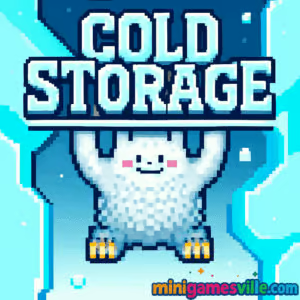
Ready to play Cold Storage right now? Click the iframe above and dive into Cold Storage on minigamesville.com for a chill, high-skill platforming challenge. This online browser game blends icy physics, swing timing, and precision jumps into a fast, replayable climb. If you love skill-based platformers you can play unblocked on many networks, Cold Storage is the perfect quick-hit fix. Stick around for tips, controls, and strategies to help you master every pole and ring.
About Cold Storage
Cold Storage is a classic action platformer where you guide a determined yeti up a towering frozen larder. The core loop is simple, the execution is not. You chain swings from metal poles, time jump releases, avoid hazards, free frozen friends for score, and reach the exit. Because runs are short and skill driven, Cold Storage is ideal for quick browser sessions or speedrun attempts on desktop. Expect crisp pixel art, punchy sound effects, and an addictive “one more try” rhythm that defines great retro-style browser games.
History of Cold Storage
Cold Storage first landed on the web as a level-based platformer in 2009, and later received an HTML5 revival so fans could enjoy it without legacy plugins. That means you can play it today in modern browsers with responsive performance and the original charm intact.
Style & Vibe
The game pairs a cool, arctic palette with chunky pixel art and a playful, slightly mischievous tone. The yeti’s swings feel athletic, hazards feel fair, and the vertical level design keeps your eyes locked upward toward the goal.

Gameplay in Cold Storage
Each level is a vertical gauntlet. You latch onto poles, build momentum, and tap at the right moment to launch. Different poles change your movement: some are slippery, some tip, some spin and grant a temporary attack boost that smashes ice blocks and defeats certain enemies. Yellow booster rings punch you upward if you enter from below, while spikes, falling icicles, and goo spitters demand clean routing. You can also free frozen characters for extra points. The flow is about rhythm, timing, and adjusting angles so your next grab lines up perfectly.
Game Modes
- Main campaign: 16 handcrafted levels that steadily ramp difficulty.
- Score chase: replay cleared stages to rescue more frozen pals, chain boosts, and push high scores.
- Speedrun practice: no formal timer, but the design invites self-imposed PB attempts for faster clears.
How to Play
- Start at the bottom of the icy shaft and grab the first pole.
- Swing to build momentum, then release when your arc points toward the next safe grab.
- Use special poles to go into attack mode and break obstacles.
- Enter yellow rings from below to rocket upward, but watch for hazards mid-flight.
- Rescue frozen characters for score, then reach the exit at the top.
Controls
- Left and Right arrows or A/D: move or adjust swing on poles.
- Up arrow or W: jump or release from a pole to launch.
- R: quick restart of the level if available on your version.
Device Compatibility & Browser Support
Cold Storage runs in modern browsers on desktop and many laptops. For best results use the latest Chrome, Edge, Firefox, or Safari with hardware acceleration enabled. A keyboard makes the precision releases feel most consistent.
Mobile vs. Desktop Gameplay
Desktop offers the tightest control with physical keys. Mobile browsers may run the game, but touch inputs are less precise for swing timing. If you try on a phone, rotate to landscape and close background apps for smoother performance.
Can I Play Offline?
Cold Storage is an online browser game, so a live internet connection is required to load and play.
Can I Play Unblocked?
If minigamesville.com is allowed on your network, you can play Cold Storage unblocked in the browser without downloads. If your network restricts gaming sites, try a different connection outside that network’s rules.
- Browser: Play Cold Storage directly here on minigamesville.com.
- Mobile stores: There is no official iOS or Android release of Cold Storage.
- Want a high-quality mobile alternative with a similar chilly vibe? Try Alto’s Adventure:
Tips & Tricks
Beginner Tips
- Release at the peak of your swing to maximize distance and grab width.
- Plan two grabs ahead. Always know your next pole and the backup if you overshoot.
- Use yellow rings only when your path above is clear. Treat them like springboards, not shortcuts.
- Rescue nearby frozen characters on safe routes, then return later to optimize score-heavy paths.
Advanced Strategies
- Abuse momentum stacking. Small angle corrections mid-swing set up longer, safer launches.
- Enter attack mode before dense obstacle clusters to carve a clean line.
- Bait falling icicles, then pass through their cleared space on the return arc.
- On tipping or slippery poles, stand near the fulcrum to stabilize before releasing.
Features
- ❄️ Precision swinging and timing-based platforming
- 🧊 Multiple pole types, each with unique physics
- ⚡ Booster rings that launch you skyward
- 👾 Enemies and hazards that reward clean routing
- 🧍 Rescue targets to boost score and replay value
- 🎨 Crisp pixel art with a cool arctic aesthetic
- 🔁 Short, addictive, skill-first runs perfect for browsers
- 🧠 Level design that encourages speedrun and score-chase play
Unlockables & Secrets
While Cold Storage keeps progression straightforward, you can uncover safer alternate lines, hidden rescue targets, and pole setups that chain into high-score routes. Replaying earlier stages to perfect these lines is part of the fun.
Cheats & Mods
There are no official cheats or mods for Cold Storage. For a fair challenge and stable performance, avoid third-party modifications and play the standard browser version here.
Walkthrough Summary
Early levels teach clean releases between standard poles. Mid-game introduces slippery and tipping poles, plus ice blocks you can break while in attack mode. Later levels mix booster rings with tight enemy patterns, so trigger attack mode before obstacle clusters and route through safe arcs. Treat each climb as a puzzle of momentum.
Scoring, Records & Progression
Score comes from rescues, enemy smashes while empowered, and efficient routes that minimize resets. Push personal bests by combining precise swing timing with booster rings, keeping your vertical flow steady and controlled.
Why Play Cold Storage
If you crave a pure skill platformer you can launch in your browser, Cold Storage delivers. It is quick to learn, tough to master, and perfect for score chasing or casual climbs between tasks.
Pros & Cons of Cold Storage
- Pros: Tight skill ceiling, punchy level design, instant restarts, no bloat.
- Cons: Keyboard is strongly preferred, later levels can feel punishing without practice.
- Use the latest browser version and enable hardware acceleration.
- Close extra tabs and heavy extensions to reduce input lag.
- If performance dips, try resizing the game frame smaller or switching to a different browser.
Similar games to Cold Storage
FAQ
What genre is Cold Storage?
Cold Storage is a physics-infused action platformer that you can play online in your browser.
Is Cold Storage free to play?
Yes, you can play Cold Storage for free here in your browser.
Does Cold Storage have a timer?
No, there is no strict timer. You can take your time planning routes while still chasing faster clears for personal bests.
Can I play Cold Storage unblocked at school?
If your network allows access to minigamesville.com, you can play unblocked. Access depends on your network’s policies.
What are the best controls for Cold Storage?
Use a keyboard. Arrows or WASD for movement and Up/W to release from poles feel most precise.
Is there an official mobile app for Cold Storage?
No official app exists. For a polished mobile alternative with snowy vibes, try Alto’s Adventure on iOS and Android using the store links above.
Conclusion
Cold Storage is a compact, high-skill browser game that rewards clean timing, smart routing, and a little bravery on every jump. Whether you are pushing high scores or simply enjoying the climb, its crisp physics and quick restarts make it a perfect desk break.
Hit Play above to start your ascent in Cold Storage on minigamesville.com. Warm up those fingers, line up your swings, and see how high you can climb today.

 Loading...
 English
 Shqip
Shqip
 বাংলা
বাংলা
 Български
 简体中文
简体中文
 Hrvatski
 Čeština
 Dansk
Dansk
 Nederlands
 Suomi
Suomi
 Ελληνικά
 हिन्दी
 Magyar
 Bahasa Indonesia
 日本語
日本語
 한국어
한국어
 Lietuvių
 Bahasa Melayu
 Norsk
Norsk
 Polski
 Português do Brasil
 Română
 Slovenčina
 Slovenščina
 Svenska
 ไทย
ไทย
 Türkçe
 Українська
 اردو
اردو
 Tiếng Việt
 isiZulu
 Español
 Français
 Deutsch
 العربية
 Italiano
 فارسی
فارسی
 Русский