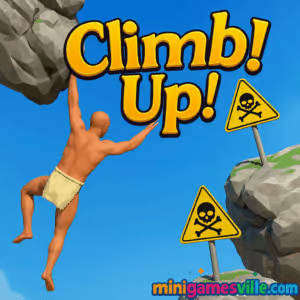
Ready to play right now? Click the button above and jump into Climb Up! on minigamesville.com. Climb Up! is a fast, skill-based physics platformer built for quick sessions and “one more try” marathons. This online browser game drops you at the bottom of a towering course and dares you to scale it, one precise move at a time. If you love precision platformers, vertical climbers, and unblocked arcade challenges that test timing and control, you are in the right place. Hit Play, chase a new personal best, and share your score with friends.
About Climb Up!
Climb Up! is a lightweight HTML5 climbing challenge where every jump matters. The goal is simple: keep ascending without slipping, while learning the course’s physics, bounce windows, and safe ledges. It loads instantly in your browser, no downloads or sign-ups, which makes Climb Up! perfect for quick breaks and competitive speedruns. If you enjoy compact, high-replay platformers with tight inputs, Climb Up! will hook you fast.
History of Climb Up!
Climb Up! follows the proud tradition of physics-driven climbing games where mastery comes from repetition and smart movement. As an agile web title, it focuses on short, replayable runs and a clean presentation so you can hone technique without distractions. Expect a minimal UI, readable obstacles, and a course that rewards patience and consistent inputs.
Style & Vibe
The look is crisp and modern. Contrasting colors highlight platforms and hazards, while subtle effects amplify motion and height. The soundtrack keeps things energetic without stressing your focus, helping you settle into a comfortable rhythm during long climbs.

Gameplay in Climb Up!
Every run starts at the base. You build momentum with short hops, chain precise landings, and use ledge geometry to gain height. The platform physics favor controlled bursts: tap for micro-hops, hold a bit longer for arcs that clear wider gaps. Slopes, bumpers, and skinny ledges add risk and reward. Miss a landing and you might drop multiple screens, so each new section becomes a miniature puzzle of trajectory and timing. Climb Up! feels great once you find the cadence, and chasing consistency becomes the real challenge.
Game Modes
- Endless Climb: Ascend as high as you can and set a new height record.
- Time Attack: Reach target checkpoints under a par time for bragging rights.
- Checkpoint Practice: Rehearse tricky segments to improve success rate.
How to Play
- Start your run and scan the next three platforms, not just the next jump.
- Use short taps for tight hops and longer presses for gap-clearing arcs.
- Land feet-first on flat edges whenever possible to avoid slide-offs.
- Bank safe ledges as recovery points, then push for higher-risk shortcuts.
- Repeat, adapt, and climb until you set a new personal best.
Controls
- Arrow keys or A/D: Move and fine-tune positioning.
- Space: Jump, hold to adjust power.
- R: Quick restart when you want a fresh attempt.
- Esc/P: Pause menu.
Tip: feather the movement keys right before landing to stick to small platforms. It reduces slide risk and makes the next takeoff cleaner.
Device Compatibility & Browser Support
Climb Up! runs directly in modern browsers on desktop and mobile. For the smoothest performance, use the latest version of Chrome, Edge, Safari, or Firefox. Close extra tabs, keep hardware acceleration on, and disable heavy extensions during play if you notice stutter.
Mobile vs. Desktop Gameplay
- Desktop: Best for precision, thanks to keyboard control and bigger view.
- Mobile: Great for quick sessions. Rotate to landscape and reduce motion settings if your device offers those options.
Can I Play Offline?
Climb Up! requires an internet connection to load. After assets are cached you may continue a session, but refreshing or opening a new tab needs a connection again.
Can I Play Unblocked?
Climb Up! is an HTML5 browser game that usually works on standard networks. If you are on a restricted connection, try using minigamesville.com over HTTPS, keep only one game tab open, and avoid VPNs that your network blocks.
- Browser: Play Climb Up! on minigamesville.com.
- Mobile apps: There are no official App Store or Google Play listings for this browser version of Climb Up! at this time. Want a similar mobile challenge? Try the acclaimed climbing hit Getting Over It with Bennett Foddy on App Store and Google Play.
Tips & Tricks
Beginner Tips
- Start slow. Learn consistent 2 to 3 tile jumps before attempting long arcs.
- Use platform edges. Taking off near the lip gives extra clearance.
- Plan two moves ahead. Visualize where you land and the next takeoff spot.
- Reset on bad momentum. A quick restart beats salvaging a messy run.
- Take breaks. Short pauses keep your inputs crisp.
Advanced Strategies
- Route optimizations: identify safe backups while practicing faster, riskier lines.
- Micro-corrections midair: tiny taps can realign your landing on skinny platforms.
- Buffer jumps: hold jump slightly before landing to pop off the frame you touch down.
- Cycle management: some obstacles have movement cycles, time your approach to reduce waiting.
- PB mindset: if a run falls behind, use it to practice the hardest segment cleanly.
Features
- 🎯 Tight physics that reward precision and rhythm
- 🏁 Endless climb with time attack goals
- 📈 Persistent local bests and height records
- 🧩 Segment practice for mastering tough sections
- 📱 Smooth on mobile, razor-sharp on desktop
- ⚡ Instant restarts that keep you in the flow
- 🎵 Focused audio that supports, not distracts
- 🌈 Clean visuals with readable platform silhouettes
Unlockables & Secrets
Climb Up! keeps the core loop lean. Expect a focus on clean platforming and record chasing. If cosmetic unlocks or seasonal themes appear in updates, you will find them in the main menu. Keep an eye on special platforms that hint at hidden routes.
Cheats & Mods
There are no official cheats or mod support for the browser version of Climb Up!. Third-party extensions can hurt performance or cause saves to fail, so play fair and keep your browser clean for best results.
Walkthrough Summary
Opening stretch: Chain low hops to settle your timing. Favor flat landings and avoid angled edges early on. Middle layers: Learn the two-jump rhythm for spread platforms and memorize one safe bailout ledge per section. Upper tiers: Use momentum carries from slopes and practice the long arc that bridges the final wide gap. A calm approach beats panic after slips.
Scoring, Records & Progression
Your primary stat is peak height, with optional timers for checkpoint splits. Personal bests save to your browser storage, so clearing cache or switching devices can reset records. Many players treat Climb Up! like a speedrun: master segments, then stitch them together for a clean PB.
Why Play Climb Up!
If you love quick-loading challenges that are easy to learn and hard to master, Climb Up! should be on your playlist. It nails that satisfying loop where each attempt teaches a better line. Whether you have five minutes or an hour, Climb Up! delivers a focused, unblocked browser game experience with real depth.
Pros & Cons of Climb Up!
- Pros: responsive physics, instant retries, clear readability, great for short play sessions, strong skill ceiling.
- Cons: simple visuals may feel minimal to some, drops can cost big time, keyboard precision is recommended over touch.
- Keep your browser up to date for smoother frame pacing.
- Enable hardware acceleration in settings if disabled.
- Close heavy tabs and screen recorders during runs.
- If input feels delayed, switch to a wired keyboard and reduce background apps.
Similar games to Climb Up!
- Big Tower Tiny Square — Precision platforming up a massive vertical gauntlet with tight jumps and sharp hazards.
- Big Tower Tiny Square 2 — A tougher sequel with new traps and even narrower timing windows.
- Slime Laboratory — Squishy physics platforming where momentum and stickiness rule each stage.
- Kori Walk — Careful step-by-step movement and puzzle-like layouts reward patience and planning.
- Klung — Swingy physics and grapples create a rhythmic ascent with stylish momentum.
- Double Bounce — Timing-based hops where consecutive bounces build speed and score.
- Fire Road — One-touch arcade dodging through tight lanes that sharpen your reaction time for climbs.
FAQ
Is Climb Up! free to play?
Yes, Climb Up! is a free online browser game on minigamesville.com.
Does Climb Up! work on school or work networks?
It often does, since it runs in-browser with standard ports, but access depends on local rules.
Can I use a controller for Climb Up!?
Keyboard gives the best precision, though some controllers may work through browser APIs depending on your setup.
Will my records carry across devices?
Records are saved in your browser storage, so switching devices or clearing data can reset them.
What makes Climb Up! different from other climbers?
Fast loads, responsive physics, and a clean layout keep the focus on learning routes and beating your best time.
Conclusion
Short on time, big on challenge, and endlessly replayable, Climb Up! shines as a lean physics platformer that respects your schedule. You get pure climbing, instant restarts, and the satisfaction of real skill growth with every attempt.
Ready to set a new height record? Scroll up, press Play, and climb higher in Climb Up! on minigamesville.com. Your best run starts now.

 Loading...
 English
 Shqip
Shqip
 বাংলা
বাংলা
 Български
 简体中文
简体中文
 Hrvatski
 Čeština
 Dansk
Dansk
 Nederlands
 Suomi
Suomi
 Ελληνικά
 हिन्दी
 Magyar
 Bahasa Indonesia
 日本語
日本語
 한국어
한국어
 Lietuvių
 Bahasa Melayu
 Norsk
Norsk
 Polski
 Português do Brasil
 Română
 Slovenčina
 Slovenščina
 Svenska
 ไทย
ไทย
 Türkçe
 Українська
 اردو
اردو
 Tiếng Việt
 isiZulu
 Español
 Français
 Deutsch
 العربية
 Italiano
 فارسی
فارسی
 Русский