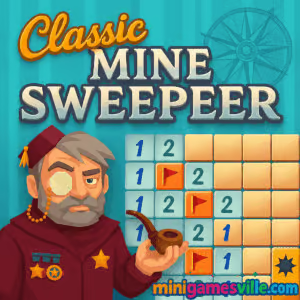
Jump in and play Classic Minesweeper right now on minigamesville.com! Classic Minesweeper is the iconic logic puzzle reborn as a slick online browser game that runs instantly in your tab, unblocked and free to play. Whether you are clearing your first 9×9 grid or speedrunning an expert board, the satisfying reveal of safe tiles never gets old. Click to open, flag to mark, and use pure deduction to beat the clock. Ready to test your nerve and your logic on Classic Minesweeper? Hit Start and sweep those mines.
About Classic Minesweeper
Classic Minesweeper is a timeless single-player puzzle where numbers are clues, mistakes are explosive, and every victory feels earned. This modern online version keeps the familiar look and rules, with smooth animations, clean visuals, and quick restarts for one-more-game sessions. It is perfect for short mental breaks, logic training, and competitive time attacks. Play Classic Minesweeper as an unblocked browser game on desktop or mobile, no installs required.
History of Classic Minesweeper
The roots of Minesweeper stretch back to early grid-logic experiments of the 80s, but it became a global phenomenon in the 90s when it shipped with popular operating systems. Its elegant rules, tiny footprint, and razor-sharp difficulty curve made it a staple on school, office, and home computers. Today, Classic Minesweeper thrives as an online game, still teaching pattern recognition, probability, and risk management with every click.
Style & Vibe
Minimalist tiles, crisp digits, and quick visual feedback keep your focus on deduction. This version favors clarity over flair so you can scan counts, plan flags, and chord confidently at speed.

Gameplay in Classic Minesweeper
The board hides mines. Reveal safe tiles to expose numbers that tell you how many mines touch each square. Use those counts to infer where mines must be, place flags on danger spots, then keep clearing. The tension spikes when logic narrows to a 50-50 guess, and the release when a big zero-cluster cascades is endlessly satisfying. Classic Minesweeper rewards careful scanning, shape recognition, and disciplined clicking under time pressure.
Game Modes
- Beginner: 9×9 grid with a light mine count, ideal for learning patterns.
- Intermediate: 16×16, tighter spacing and more branching logic.
- Expert: Wide board with dense risks for true sweep pros.
- Custom: Set your own width, height, and mine total for tailored practice.
- Time Attack: Chase faster clears using the built-in timer and personal bests.
How to Play
- Click any covered tile to start. Your first reveal is safe by design.
- Read the number. It equals how many mines touch that tile, corners included.
- Use logic to mark flags where mines must be, based on surrounding counts.
- Open safe tiles to expand information. Zeroes auto-clear neighboring empties.
- Chord: when your flags equal a number, open the rest around it to speed up.
- Clear every non-mine tile to win. One wrong open on a mine ends the run.
Controls
- Desktop: Left click to open, Right click to place or remove a flag, Double click or both-buttons to chord when safe.
- Mobile: Tap to open, Long-press to flag, Quick double-tap near a number to chord.
- Quality of life: R key to restart, F to toggle flag mode, M to mute sounds if available.
Device Compatibility & Browser Support
Classic Minesweeper runs in modern browsers like Chrome, Firefox, Edge, and Safari. It plays smoothly on laptops, desktops, Chromebooks, and mobile devices. For the best performance, keep one game tab open, enable hardware acceleration, and update your browser.
Mobile vs. Desktop Gameplay
Desktop gives you precise clicking for expert-level speed and tight chording. Mobile play shines for quick sessions on the go, with long-press flagging and responsive tap targets. Both deliver that classic puzzle flow.
Can I Play Offline?
You need an internet connection to load Classic Minesweeper in the browser. After loading, some sessions may continue if the tab remains open, but plan to be online for consistent saves and restarts.
Can I Play Unblocked?
Yes, Classic Minesweeper is an unblocked online browser game on minigamesville.com, so there are no downloads or installs. If you are on a restricted network, access depends on local policies. Try a different browser or a personal connection if your administrator blocks gaming sites.
- Browser: Play Classic Minesweeper instantly here on minigamesville.com.
- Mobile: This browser version does not have an official mobile app. Prefer a phone app? Try a similar, high-quality option:
Tips & Tricks
Beginner Tips
- Start in the middle to maximize zero-cascades and early info.
- Memorize the 1-1, 1-2, 1-1 edge patterns. They appear constantly.
- Flag only when certain. Over-flagging blocks safe chords.
- Use corners and borders to limit mine placements quickly.
Advanced Strategies
- Chording discipline: chord only when flags exactly match the number.
- Count parity: compare two touching numbers to deduce shared mines.
- Box math: treat 2×2 and 3×2 clusters as shapes to rule out impossibles.
- Endgame odds: in a forced 50-50, follow edges where zero-expands are most likely next.
Features
- 🧠 Pure logic gameplay with instant restarts
- ⏱️ Built-in timer and personal best tracking
- ⚑ Fast flagging and safe chording
- 📱 Responsive on mobile and desktop
- 🎨 Clean numbers, high contrast tiles
- 🎯 Beginner, Intermediate, Expert, and Custom boards
- 🔊 Optional sound cues for actions
- 💾 Persistent settings between rounds
Unlockables & Secrets
While Classic Minesweeper keeps it purist, you can unlock mastery by pushing custom boards, chasing sub-minute clears on Beginner, and learning no-flag techniques to improve speed.
Cheats & Mods
No cheats are built into this Classic Minesweeper. The real path to faster clears is pattern study and efficient chording. For practice, set Custom boards with fewer mines to rehearse scanning routes, then scale difficulty back up.
Walkthrough Summary
Open center, read zeros, expand from safe borders, flag certainties, chord to accelerate, then re-scan any ambiguous pockets. Approach each numbered cluster as a mini-puzzle. When stuck, shift to a distant area to reveal fresh info before returning to the hard spot.
Scoring, Records & Progression
Your best metric is time to clear. Track PBs per difficulty and aim for consistent improvements. Many players also count 3BV-per-second as a skill measure, but simple PB chasing is plenty for casual competition.
Why Play Classic Minesweeper
It is pure, fast, and always fair. Classic Minesweeper teaches patience, probability, and pattern recognition in minutes, then keeps sharpening your focus every run. Few puzzle games scale from coffee-break casual to razor-edge mastery as well as this one.
Pros & Cons of Classic Minesweeper
- Pros: Instant play in the browser, perfect logic loop, deep skill ceiling, great for quick breaks.
- Cons: Expert endgames can force guesses, right-click reliance is tougher on small screens.
- Close extra heavy tabs while speedrunning to keep inputs crisp.
- Enable hardware acceleration in browser settings for smoother animations.
- Use a wired mouse on desktop for precise chording and fewer misclicks.
- On mobile, reduce motion in device settings if you prefer steadier visuals.
Similar games to Classic Minesweeper
- Robot Awake – laser-logic puzzler where you program bots to hit switches.
- Green – clever one-screen brainteasers from the Bonte series with delightful twists.
- Sudoblocks – a relaxing blend of Sudoku logic and block placement strategy.
- Mini Train – physics puzzles where you draw supports to guide a train safely.
- Diff – spot-the-difference with sharp visuals and escalating challenges.
- Wordsmith – connect letters to craft words, a clean and satisfying word puzzle.
- Tap It Away – tap blocks in the right order to clear stages with smart planning.
FAQ
What makes Classic Minesweeper still fun in 2025?
It delivers a perfect loop of information, deduction, and payoff, and this online version loads fast, plays smooth, and respects your time.
Is Classic Minesweeper a good brain game?
Yes, it trains logic, attention, and pattern recognition, making it ideal for short daily sessions.
Does Classic Minesweeper require downloads?
No, it runs as a browser game on minigamesville.com with no installs.
Can I switch difficulties mid-session?
Finish or restart your current run to swap difficulty, then pick Beginner, Intermediate, Expert, or a Custom board.
How do I avoid misclicks on mobile?
Use long-press to flag, zoom if available, and slow slightly near tight clusters to keep accuracy high.
Why did I lose on my first click?
Your first open is safe. If you lost instantly, you likely flagged then opened that same tile by mistake. Toggle flag mode and try again.
What is chording and when should I use it?
Chording opens all unflagged neighbors of a number when your flags equal that number. Use it to accelerate once you are certain.
Conclusion
Classic Minesweeper is the ultimate coffee-break puzzle, built on clean rules and clutch moments. It feels great on keyboard and mouse, yet it is equally snappy as an online game on your phone.
Ready to put your logic to the test? Fire up Classic Minesweeper on minigamesville.com, chase a new personal best, and enjoy the most satisfying numbers game in your browser.

 Loading...
 English
 Shqip
Shqip
 বাংলা
বাংলা
 Български
 简体中文
简体中文
 Hrvatski
 Čeština
 Dansk
Dansk
 Nederlands
 Suomi
Suomi
 Ελληνικά
 हिन्दी
 Magyar
 Bahasa Indonesia
 日本語
日本語
 한국어
한국어
 Lietuvių
 Bahasa Melayu
 Norsk
Norsk
 Polski
 Português do Brasil
 Română
 Slovenčina
 Slovenščina
 Svenska
 ไทย
ไทย
 Türkçe
 Українська
 اردو
اردو
 Tiếng Việt
 isiZulu
 Español
 Français
 Deutsch
 العربية
 Italiano
 فارسی
فارسی
 Русский