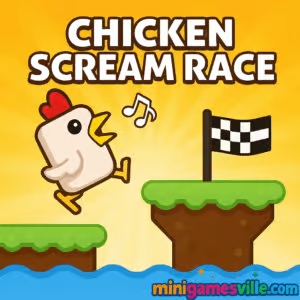
Play Chicken Scream Race right now on minigamesville.com and see how far your feathered speedster can run without you losing your voice. Chicken Scream Race is a hilarious voice-controlled arcade runner and reaction browser game you can play online free, unblocked in most networks. Whisper to walk, talk to trot, and get loud to leap over traps. If you prefer quiet, switch to keyboard play and sprint for the leaderboard. Hit Play, grant mic access, and start clucking your way to a new personal best.
About Chicken Scream Race
Chicken Scream Race blends precision platforming with playful voice physics. The goal is simple, the execution is delightfully chaotic: time your movement and jumps to cross platforms, avoid spikes, and outpace hazards. Designed for quick sessions in the browser, it is perfect for school breaks, study intervals, or coffee runs, with instant restart and no downloads.
History of Chicken Scream Race
Voice-controlled chicken runners first exploded on mobile, turning microphones into jump buttons and making living rooms echo with laughs. Chicken Scream Race brings that same vibe to the web with an HTML5 version that runs smoothly in modern browsers and adds optional keyboard controls so you can keep things quiet when needed.
Style & Vibe
Cute, chunky visuals and bright hazards keep the tone light while the challenge ramps up fast. The sound-reactive movement makes every attempt feel a little different, which is exactly why you say “one more run” and play five.

Gameplay in Chicken Scream Race
- Core loop: stay quiet to idle, speak softly to move, raise your voice to jump. In keyboard mode, tap or press to hop across gaps and dodge traps.
- Flow: short levels and instant restarts keep the pace quick. The physics reward smooth volume control or crisp tap timing.
- Challenge: moving platforms, surprise spikes, and sneaky timing windows test your rhythm and patience.
- Progression: chase distance, time, and level clears to push your records and brag to friends.
Game Modes
- Endless: Run as far as you can. The course speeds up, obstacles stack, and your voice control gets a real workout.
- Adventure/Levels: Fixed stages that teach mechanics, then crank the difficulty with tricky jumps and timing.
- Race/Duel: Compete for fastest finishes and clean execution, great for hot‑seat bragging rights.
How to Play
- Launch Chicken Scream Race on minigamesville.com and press Play.
- If using voice, allow microphone access, then test your volume: quiet for walk, medium for trot, loud for jump.
- If using keys, learn the cadence: move, pause, hop. Keep your jumps short and on rhythm.
- Watch platform edges and spikes. Count beats between moving platforms before committing.
- Chase a goal per run: farther distance, faster clear, or a flawless level.
Controls
- Voice Mode: silence to stop, talk to move, raise voice to jump.
- Keyboard/Mouse: Space, W, or Up Arrow to jump. Click or tap to hop on mobile if touch prompts appear.
- Tip: keep your mic 6–12 inches from your mouth and speak clearly to avoid clipping.
Device Compatibility & Browser Support
Chicken Scream Race is an HTML5 online browser game that runs on modern Chromium browsers and Safari. For best results, use the latest Chrome, Edge, or Firefox on desktop, and Safari or Chrome on iOS and Android. Headphones help you hear subtle cues while keeping your mic input clean.
Mobile vs. Desktop Gameplay
- Mobile: Quick taps and built‑in mic make it easy to play anywhere. Keep your device stable to avoid accidental tilts.
- Desktop: Most precise for record runs. A USB or laptop mic offers smoother voice detection, and keyboard mode is perfect for quiet play.
Can I Play Offline?
No. Chicken Scream Race runs in the browser and requires an internet connection to load the game and assets. Play online for the best experience.
Can I Play Unblocked?
In many schools or workplaces, this game loads unblocked because it is a lightweight HTML5 title. Some networks restrict microphone access or game sites. If you see a permissions prompt or a block page, try a different browser, switch to keyboard controls, or check with your network admin.
- Browser: Play Chicken Scream Race on minigamesville.com with no download.
- Mobile stores: There are no official Google Play or App Store pages for the browser version Chicken Scream Race.
- Want a similar mobile fix? Try Crossy Road on:
Google Play and
App Store.
Tips & Tricks
Beginner Tips
- Calibrate your voice: say “walk, walk, jump” to learn the threshold for each action.
- Edge discipline: land near platform centers, not on edges where micro‑slides cause falls.
- Pause often: brief silence re‑centers timing and saves runs.
- One obstacle at a time: wait for clean windows on moving hazards.
Advanced Strategies
- Feather jumps: use medium volume or quick taps to do short hops across tight gaps.
- Cycle counting: memorize platform cycles in Adventure to clear levels consistently.
- Momentum chaining: in Endless, string short hops to maintain flow without overshooting.
- Clutch recovery: if you miss a beat, hard stop, then reset timing rather than panic jumping.
Features
- 🐔 Voice or keyboard play for flexible control
- ⚡ Snappy runs with instant restart
- 🎯 Multiple modes, from Endless to level challenges
- 🎵 Sound‑reactive movement that feels unique every run
- 📊 Local records to chase distance and time goals
- 📱 Smooth in browser on desktop and mobile
- 🔧 Simple settings with mic sensitivity tips
- 🎮 Low learning curve, high skill ceiling
Unlockables & Secrets
Depending on the build, you may see cosmetic swaps and themed stages in challenge playlists. The real “secret” is mastering the mic threshold and learning when to pause for clean platform cycles.
Cheats & Mods
There are no official cheats for Chicken Scream Race. Avoid third‑party mods or injector tools since they can break your browser or compromise accounts. Practice and smart pacing are the safest ways to climb the board.
Walkthrough Summary
Start with Adventure levels to learn timing, then grind Endless to dial in voice control. Use silence to line up jumps, hop in short bursts over small gaps, and save high volume for must‑clear spikes. When ready, try Race mode and chase fast clears.
Scoring, Records & Progression
- Endless: score by distance traveled and obstacles cleared.
- Adventure: level stars or clear times showcase consistency.
- Race: fastest finish wins, so cut pauses and minimize jump airtime.
Why Play Chicken Scream Race
Few online runners deliver this much personality. Whether you whisper or tap, the game’s tight timing, silly theme, and short sessions make it a perfect browser game break.
Pros & Cons of Chicken Scream Race
- Pros: unique voice mechanic, instant restarts, clean level design, works across devices.
- Cons: noisy environments can confuse the mic, later stages demand precise timing.
- Update your browser, then enable hardware acceleration in settings for smoother frames.
- Close heavy tabs, ad blockers, or screen recorders that can delay mic input.
- Grant mic permission, then reduce input gain if jumps trigger too easily.
- On mobile, lock orientation and reduce background audio apps.
Similar games to Chicken Scream Race
- Canabalt — minimalist endless runner where a single jump saves the day.
- Color Tunnel — high‑speed tunnel dodger with hypnotic obstacles.
- Color Tunnel 2 — faster patterns and tighter gaps for reflex pros.
- Swerve — zigzag timing challenge that punishes hesitation.
- Dino Game — the classic T‑Rex runner rebuilt with smooth browser controls.
- Geometry Dash Lite — rhythm platforming that drills perfect jump timing.
- Subway Surfers Bali — iconic 3‑lane runner with slick lane‑switching flow.
- Flip Runner — parkour flips and precise landings across rooftops.
FAQ
Is Chicken Scream Race free to play?
Yes, it is a free online browser game on minigamesville.com with no download required.
Do I have to use my microphone?
No, you can switch to keyboard or touch controls if you prefer silent play.
Why doesn’t my jump trigger in voice mode?
Lower background noise, bring the mic closer, and speak clearly. If it still misfires, reduce microphone sensitivity or use keyboard mode.
Does Chicken Scream Race save my progress?
Your best runs and settings can persist in your browser cache. Clearing cookies or switching devices may reset local records.
Is Chicken Scream Race unblocked at school?
Many networks allow it since it is HTML5, but some restrict game sites or microphone access. Try another browser or use keyboard controls if blocked.
Which browser works best?
Chrome and Edge on desktop are great picks, while Safari or Chrome work well on phones.
Conclusion
Ready to test your timing and your pipes? Chicken Scream Race turns your voice and your reflexes into a laugh‑out‑loud obstacle course that fits perfectly into a short break or an evening grind.
Click Play above to start Chicken Scream Race on minigamesville.com, pick voice or keyboard, and go set a record worth clucking about. If you need a mobile fix later, grab Crossy Road from the official stores and keep the streak alive.

 Loading...
 English
 Shqip
Shqip
 বাংলা
বাংলা
 Български
 简体中文
简体中文
 Hrvatski
 Čeština
 Dansk
Dansk
 Nederlands
 Suomi
Suomi
 Ελληνικά
 हिन्दी
 Magyar
 Bahasa Indonesia
 日本語
日本語
 한국어
한국어
 Lietuvių
 Bahasa Melayu
 Norsk
Norsk
 Polski
 Português do Brasil
 Română
 Slovenčina
 Slovenščina
 Svenska
 ไทย
ไทย
 Türkçe
 Українська
 اردو
اردو
 Tiếng Việt
 isiZulu
 Español
 Français
 Deutsch
 العربية
 Italiano
 فارسی
فارسی
 Русский