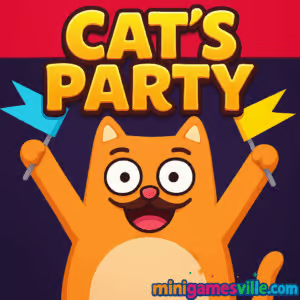
Play Cat’s Party on MiniGamesVille right now and see how high your fearless feline can climb. Cat’s Party is a physics-based browser game that mixes skill, timing, and a dash of chaos. It is free to play online, runs in your browser, and feels great on both desktop and mobile. If you are hunting for a cute cat arcade challenge with quick retries and satisfying progress, this is it. Tap to launch, cling to ledges, dodge hazards, and keep moving toward the rooftop bash. Ready to join the fun in Cat’s Party? Hit Play above and start your climb.
About Cat’s Party
Cat’s Party drops you into a stylized night city where every balcony, pipe, sign, and window frame can be your next handhold. The goal is simple, reach the rooftop party. The feel is pure arcade: drag to set power, release to leap, stick the landing, and chain upward. You will collect tasty food to unlock cosmetic skins, learn safe routes, and master tricky rhythms. Whether you call it a cat platformer, physics jumper, or skill-based online climb, Cat’s Party nails that one-more-run loop.
History of Cat’s Party
Cat’s Party gained traction across web portals in 2025 as a fast, accessible vertical climber built for quick sessions. Its simple drag-and-release input and expressive kitty animations made it a favorite for bite-size play during study breaks or commute downtime. Ongoing tweaks have focused on smoother physics, cleaner collisions, and fresh cosmetics while keeping the core arcade challenge intact.
Style & Vibe
The mood blends cozy neon nights with playful mischief. Each successful grab sends tiny screen shakes and meows that make every ascent feel alive. The soundtrack leans upbeat and bouncy, and the skins range from cute to downright silly so you can personalize your climber.

Gameplay in Cat’s Party
Every run starts at street level. Drag to set your jump angle and strength, release to launch, then hold your breath as the cat reaches for a ledge. Grab it, reposition, and chain another jump. Miss a hold and you will tumble, sometimes bouncing off lower platforms for a second chance. Expect disappearing tiles, moving shafts, swinging signs, and grumpy humans who can nudge you off course. Between attempts, spend collected snacks to unlock fresh skins that keep the grind feeling new.
Game Modes
- Classic Climb: Scale as high as you can, chasing personal bests and rooftop glory.
- Time Sprint: Beat the clock to a checkpoint. Perfect for speedrunners.
- Challenge Cards: Short handcrafted sections that teach tight techniques.
- Endless Ascent: Procedural segments that test consistency and risk management.
Note: Available modes can vary by build, but the core loop remains the same, jump, latch, and climb.
How to Play
- Press and drag to set your launch angle and power.
- Release to jump toward your target ledge or object.
- When you connect, stabilize the cat and plan the next jump.
- Time moves and disappearing platforms. Watch patterns before you leap.
- Collect snacks on safer routes, then invest in skins between runs.
Controls
- Mouse or Touch: Press, drag, and release to jump.
- R key or on-screen button: Quick restart after a fall.
- Esc or Pause icon: Pause and access settings.
Device Compatibility & Browser Support
Cat’s Party runs in modern browsers with WebGL enabled. For best results, use the latest Chrome, Edge, Firefox, or Safari. On mobile, close heavy background apps for smoother performance.
Mobile vs. Desktop Gameplay
Desktop offers precision with a mouse, ideal for tight angles and speed climbs. Mobile touch controls feel natural for relaxed play and quick retries. If you care about records, try desktop. If you want comfy sessions, go mobile.
Can I Play Offline?
Cat’s Party is a browser game, so an internet connection is required to load the game and assets. After initial load, staying connected is recommended for stability.
Can I Play Unblocked?
Many schools and workplaces restrict gaming. Cat’s Party on minigamesville.com is lightweight and served over HTTPS, but access depends on your network rules. If you encounter a block, try a home connection or approved device. Avoid third-party proxies to keep your device secure.
- Browser: Play on minigamesville.com, no download required.
Official mobile versions of Cat’s Party are not available on the App Store or Google Play as of August 18, 2025. Want a similar cat-themed mobile title instead?
- Try Neko Atsume 2: Kitty Collector on
App Store
and
Google Play.
Relaxed collection gameplay with adorable cats and steady progression.
Tips & Tricks
Beginner Tips
- Start with shorter, safer jumps to learn ledge sizes and hitboxes.
- Pause a moment on each hold to watch moving obstacles and plan the timing.
- Collect snacks on easy branches first, then return for riskier paths.
- Use quick restarts to iterate. Muscle memory builds fast in Cat’s Party online.
Advanced Strategies
- Master micro drags for tight angle control to thread narrow gaps.
- Chain physics. Bounce off signs or pipes to change momentum midair.
- Route scout. Sometimes dropping one level lets you approach a safer line.
- Set personal goals, height milestones or time splits, to refine consistency.
Features
- 🐾 Physics-first jumping with precise drag-and-release control
- 🌃 Stylish neon city climbs with interactive signs, pipes, and windows
- 🍣 Snack pickups that unlock fun cosmetic cat skins
- ⚡ Quick resets for rapid improvement and short sessions
- 🎯 Challenge segments that sharpen timing and accuracy
- 📈 Personal best tracking that keeps you chasing higher rooftops
- 📱 Plays in your browser on desktop or mobile, no install
- 🔊 Cheerful sound and tactile feedback for satisfying grabs
Unlockables & Secrets
Snacks you collect can be exchanged for new skins. Look for side paths with safer platforms to stock up. Occasional hidden routes behind signs or under platforms can help you bypass difficult sections and reach extra pickups.
Cheats & Mods
There are no official cheats for Cat’s Party unblocked. Browser extensions or modded files can harm performance or compromise your device. For fair play and best stability, stick to the official version here on MiniGamesVille.
Walkthrough Summary
Break the climb into zones, street, mid-balconies, billboard cluster, and rooftop approach. In early zones, prioritize clean jumps and easy snacks. In the billboard cluster, learn the swing rhythm and jump at the apex of motion. For the final approach, commit to longer arcs and trust your timing, small hesitations cause slips.
Scoring, Records & Progression
Your height acts as the primary measure of success, with snacks as secondary progression for cosmetics. Track personal bests, then route plan to shave seconds or add consistency. Cat’s Party rewards practice with tangible improvements to angle control and rhythm.
Why Play Cat’s Party
If you love quick sessions that sharpen skill and timing, Cat’s Party is an easy recommendation. It is approachable for casual play yet deep enough for speed chasers and score hunters. The city climb theme, simple input, and forgiving physics make it a perfect browser game break.
Pros & Cons of Cat’s Party
- Pros: snappy controls, instant restarts, charming skins, great for short bursts.
- Cons: high sections can be punishing, some obstacles require trial and error.
- Use the latest browser version and enable hardware acceleration.
- Close heavy tabs and background streams before long climbs.
- On laptops, plug in power and switch to a high-performance mode.
- On mobile, disable battery savers for smoother frame pacing.
Similar games to Cat’s Party
- Poor Bunny, frantic arcade survival with a super cute bunny and traps everywhere.
- Duck Life, train and race your duck through charming mini challenges.
- Candy Jump, one-tap vertical jumping with sweet collectibles and tight timing.
- Bubble Pop Adventures, relaxed aim-and-pop puzzle bursts for quick wins.
- Labubu Mini Games, a playful bundle of bite-size challenges for casual fun.
- Color Circles, precision tapping and color matching that tests your focus.
- Suika Sort, physics-based sorting with satisfying merges and combos.
FAQ
What is Cat’s Party?
Cat’s Party is a free online physics jumper where you launch a cat from ledge to ledge to reach a rooftop party.
Is Cat’s Party really free to play?
Yes, Cat’s Party runs in your browser on minigamesville.com with no download required.
Does Cat’s Party work on mobile?
Yes, it plays well on modern iOS and Android browsers with touch controls.
Can I play Cat’s Party unblocked at school?
Access depends on your network’s policies. If it is blocked, try from home Wi-Fi or a personal device.
Are there official Cat’s Party apps?
No, there are no official App Store or Google Play releases as of August 18, 2025.
What are the best beginner settings?
Use a desktop browser with hardware acceleration on and play in fullscreen for easier aiming.
How do I unlock skins?
Collect snacks during runs and spend them in the in-game shop to equip new looks.
Is there a way to save progress?
Cosmetic unlocks persist in your current session. Keep the tab open if you are mid-grind.
Conclusion
Cat’s Party turns a simple idea into a wonderfully addictive browser game. Short runs, instant retries, and expressive cat animations keep you smiling even when you slip. As you learn safe routes and smarter timings, every new rooftop feels earned.
Whether you are here for a quick break or an evening of PB chasing, Cat’s Party online delivers pure, skill-forward fun. Jump in on MiniGamesVille, climb higher than last time, and make that rooftop party purr.

 Loading...
 English
 Shqip
Shqip
 বাংলা
বাংলা
 Български
 简体中文
简体中文
 Hrvatski
 Čeština
 Dansk
Dansk
 Nederlands
 Suomi
Suomi
 Ελληνικά
 हिन्दी
 Magyar
 Bahasa Indonesia
 日本語
日本語
 한국어
한국어
 Lietuvių
 Bahasa Melayu
 Norsk
Norsk
 Polski
 Português do Brasil
 Română
 Slovenčina
 Slovenščina
 Svenska
 ไทย
ไทย
 Türkçe
 Українська
 اردو
اردو
 Tiếng Việt
 isiZulu
 Español
 Français
 Deutsch
 العربية
 Italiano
 فارسی
فارسی
 Русский