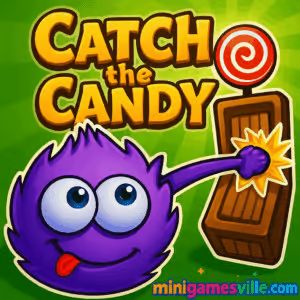
Play Catch the Candy right now on Minigamesville and feed that adorable blue fluff his favorite treat. Catch the Candy is a physics puzzle browser game that blends rope-swinging mechanics with clever level design, perfect for quick online sessions or longer brain-teasing marathons. If you want a friendly challenge with sticky grabs, moving platforms, and smart obstacles, hit Play and dive in. Enjoy smooth performance, simple controls, and the option to play unblocked wherever your network allows. Ready to grab that sweet red lollipop? Start Catch the Candy on minigamesville.com today.
About Catch the Candy
This charming physics puzzler stars a candy-obsessed creature with a stretchy tongue that works like a grappling rope. Your mission is simple, get the candy. The fun is in the how, timing swings, nudging objects, and using momentum to solve compact environmental puzzles. It is quick to learn and surprisingly deep, making it one of the most replayable online puzzle experiences around. Catch the Candy rewards experimentation, clean inputs, and a bit of playful curiosity.
History of Catch the Candy
Catch the Candy began life as a popular Flash-era web title, then made the jump to modern platforms with a remastered treatment and mobile releases. The core idea never changed, use a sticky rope-like tongue to traverse levels and snag the treat, but visuals, polish, and level sets expanded across versions. Today, you can enjoy it as a convenient browser game on desktop or phone, or grab official mobile editions for on-the-go puzzling.
Style & Vibe
Cute, colorful, and friendly. Levels pop with bright shapes and toy-like props, while the soundtrack keeps things upbeat. The star is your fluffy protagonist, whose reactions make every success feel sweet.

Gameplay in Catch the Candy
Each stage is a compact physics scene. You extend the tongue toward surfaces, hook on, and either pull yourself or tug objects to create paths. Expect seesaws, boxes, ice, fans, gears, and breakables. The challenge ramps gently, encouraging clean aim and momentum management. Many levels award stars based on efficiency, clicks or time, so mastering routes and conserving grabs adds long-term depth. It is a satisfying loop for a bite-size browser game.
Game Modes
- Level-by-level puzzles: clear stages in sequence, with escalating mechanics.
- Star chasing: replay for higher star ratings using fewer moves or faster clears.
- Achievement hunting: complete optional goals like perfect runs or hidden interactions.
How to Play
- Start a level and locate the red candy.
- Aim the tongue at a surface within reach.
- Latch on, then use the pull to swing, climb, or shift objects.
- Create a path, avoid hazards, and reach the treat.
- Replay to reduce moves and improve your star rating.
Controls
- Mouse or touch: tap or click to shoot the tongue, hold to pull, release to detach.
- Keyboard optional: R to restart, P or Esc to pause when available.
- Mobile: single-finger taps to grapple, drag holds to manage pull strength.
Device Compatibility & Browser Support
Plays smoothly in modern browsers like Chrome, Edge, Firefox, and Safari. The game runs on desktop, Chromebook, and most mobile devices. Enable hardware acceleration in your browser settings for the best frame rate, and close extra tabs if your device is resource-constrained.
Mobile vs. Desktop Gameplay
Desktop gives pixel-precise mouse aiming, great for speed runs. Mobile touch is comfy for casual sessions, with on-screen taps making the rope action intuitive. Both feel responsive, so pick what fits your play style.
Can I Play Offline?
The browser version needs a connection. If you want offline play, grab an official mobile edition and download level data first, then you can enjoy it without constant internet on most phones or tablets.
Can I Play Unblocked?
Catch the Candy runs in-browser on minigamesville.com. Whether it is unblocked depends on your school or workplace network filters. Try HTTPS, use a modern browser, and consider mobile data if Wi-Fi blocks gaming sites.
If a store page is not available in your region, you can still enjoy the online browser game here.
Tips & Tricks
Beginner Tips
- Short pulls beat long drags. Use quick grabs to micro-adjust position without overshooting.
- Anchor above the candy, then descend in a controlled swing to avoid hazards.
- Reset often. A fast restart can be quicker than salvaging a messy run.
- Test surfaces. Some materials are slippery or breakable, so plan backup anchors.
Advanced Strategies
- Chain momentum. Release at the arc apex to convert vertical swings into lateral distance.
- Preload objects. Nudge boxes or levers into near-solution states before the final pull.
- Route for stars. Plot paths that minimize grabs and backtracking.
- Buffered inputs. Tap to soft-cancel a pull and snap into a new grapple line quickly.
Features
- 🎯 Tight rope-grapple physics that feel great on mouse or touch
- 🧩 Bite-sized levels with layered solutions and star challenges
- 🍬 Candy-chasing objective that is instantly understandable
- 🧠 Smart obstacles, from fans and gears to ice and breakables
- 🔁 Quick restarts for no-friction learning and mastery
- 🏆 Achievements and star ratings to chase perfection
- 🎨 Bright, friendly art style with a lovable main character
- 📱 Smooth performance across desktop, Chromebook, and mobile
Unlockables & Secrets
Many versions include star thresholds and hidden interactions. Aim for three-star clears to open later level packs. Keep an eye out for optional objects that reveal playful animations when nudged or pulled in just the right way.
Cheats & Mods
There are no official cheats. We recommend avoiding modded builds or extensions that alter game code, since they can harm performance or risk your device. If you struggle with a level, learn the anchor points and practice shorter, cleaner pulls.
Walkthrough Summary
Spot the candy, trace an efficient anchor path, clear blockers, then execute a final controlled swing. If a direct route is risky, create a safe platform with boxes or levers. Save one clean grapple for the finish to lock in a top star rating.
Scoring, Records & Progression
Progression is usually level-based with stars for efficiency. Stars unlock additional stages, and achievements reward clean clears or unique interactions. Personal records come from minimizing moves and time while maintaining consistent, accurate swings.
Why Play Catch the Candy
It is fast, friendly, and endlessly snackable. The physics feel satisfying, the levels are compact, and each success delivers a sweet payoff. If you love clever rope mechanics and clean puzzle design, this browser game belongs in your rotation.
Pros & Cons of Catch the Candy
- Pros: responsive rope physics, quick restarts, star-chasing depth, great on both mouse and touch.
- Cons: some stages can feel precision-heavy on small screens, and star goals may require retries to perfect.
- Mobile editions receive periodic fixes and level polish. If you prefer offline or on-the-go play, keep your app updated for the best experience.
- In browser, enable hardware acceleration, set site permissions to high performance, and close extra tabs. If input feels sluggish, try a fresh tab or restart the browser.
Similar games to Catch the Candy
- Slime Laboratory — squishy physics platforming with traps, fans, and tight movement challenges.
- Mini Train — build stable paths and use physics pieces to guide a train to safety.
- Robot Awake — grid-based logic puzzles where lasers and mirrors power up sleeping bots.
- Green — minimalist color-based puzzles from the Bonte series with clever rules each level.
- Circloo XL — momentum-driven circular platforming that rewards precision and flow.
- Big Tower Tiny Square — tough-as-nails platformer where learning cycles and clean inputs win the day.
FAQ
Is Catch the Candy free to play online?
Yes, you can play the browser game free on minigamesville.com, with optional mobile versions available on app stores.
Does Catch the Candy have an ending?
The level-based browser version includes multiple sets to clear, and you can replay for better star ratings even after finishing.
What genre is Catch the Candy?
It is a physics puzzle browser game with rope mechanics and light platforming elements.
Can I speedrun Catch the Candy?
Absolutely. The quick restart and precise rope aiming make it a great candidate for routing and time trials.
Why does a level feel slippery?
Some surfaces reduce friction by design. Try shorter grapples, different anchor points, or create a platform with movable objects.
Is there controller support?
The browser version is designed for mouse or touch. If you use a gamepad mapper, results may vary.
Conclusion
Candy, physics, and a lovable blue fluff make Catch the Candy a sweet little obsession. Whether you play online in your browser or grab a mobile edition, the rope-swinging puzzles stay fresh with star chasing and creative routes.
Ready to feed that sweet tooth again and again? Click Play above to start Catch the Candy on Minigamesville, swing with style, and claim every last red lollipop.


 Loading...
 English
 Shqip
Shqip
 বাংলা
বাংলা
 Български
 简体中文
简体中文
 Hrvatski
 Čeština
 Dansk
Dansk
 Nederlands
 Suomi
Suomi
 Ελληνικά
 हिन्दी
 Magyar
 Bahasa Indonesia
 日本語
日本語
 한국어
한국어
 Lietuvių
 Bahasa Melayu
 Norsk
Norsk
 Polski
 Português do Brasil
 Română
 Slovenčina
 Slovenščina
 Svenska
 ไทย
ไทย
 Türkçe
 Українська
 اردو
اردو
 Tiếng Việt
 isiZulu
 Español
 Français
 Deutsch
 العربية
 Italiano
 فارسی
فارسی
 Русский