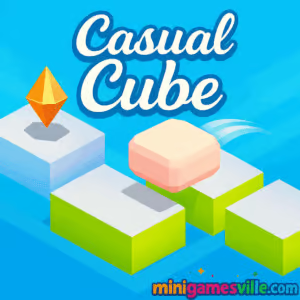
Press Play to start Casual Cube right here on minigamesville.com. Casual Cube is a sleek puzzle platformer browser game that drops you into a minimalist world of cubes, traps, and quick split-second choices. If you enjoy fast reactions, simple controls, and surprisingly deep challenge, you will love playing Casual Cube online. Get warmed up, pick a lane, and chase your next high score. Ready to keep your run alive and your jumps clean? Hit the button above and try Casual Cube unblocked in your browser now.
About Casual Cube
Casual Cube balances relaxing visuals with reactive, skill-based gameplay. Your cube can only hop left or right, yet every tile, gap, and surprise power-up turns that tiny decision into an addictive rhythm. The flow feels great on both keyboard and touch, so it is perfect for quick coffee-break sessions or longer score hunts. Expect tight physics, fair patterns, and that just-one-more-run pull that defines a great online arcade puzzler.
History of Casual Cube
Casual Cube began as a compact web project from indie creator Akos Makovics. Built for instant play and quick restarts, it found an audience among fans of lightweight platform challenges and precision timing. What started as a minimalist experiment has grown into a favorite pick for players who want pure reflex fun without a long learning curve.
Style & Vibe
Clean lines, soft gradients, and readable hazards make each level snappy and satisfying. Subtle effects keep your focus on timing, not clutter, and the interface stays out of the way so you can dial in your rhythm.

Gameplay in Casual Cube
The core loop is elegantly simple. Tap or press to jump left or right, thread through moving tiles, and snag helpful power-ups while avoiding spikes and voids. Momentum is instant, so every hop is binary, clear, and crisp. Mistime a jump and you reset fast, which keeps runs brisk and encourages experimentation. The challenge ramps steadily, introducing new obstacle patterns and surprise helpers that reward patience and pattern recognition.
Game Modes
- Main Run: Continuous stage progression with escalating hazards and power-ups.
- Score Chasing: Replay to push distance, clean hops, and streaks for personal records.
- Self-imposed Challenges: Speed runs, no-power-up attempts, or perfect-path goals.
How to Play
- Press Play above to load Casual Cube on minigamesville.com.
- Watch the first seconds to read the tile rhythm and hazard timing.
- Jump left or right to land on safe tiles and collect power-ups.
- Chain clean hops to keep momentum and open safer paths.
- When in doubt, pause for one beat, then commit to the next tile.
Controls
- Desktop: A or Left Arrow to hop left, D or Right Arrow to hop right.
- Mobile: Tap the left or right side of the screen to jump that direction.
- Menu: Use mouse or touch to navigate and restart quickly.
Device Compatibility & Browser Support
Casual Cube runs in modern browsers with HTML5 support. For the smoothest experience, use the latest version of Chrome, Edge, Firefox, or Safari. Enable hardware acceleration, close heavy tabs, and consider full-screen for better focus.
Mobile vs. Desktop Gameplay
On desktop you get precise key taps that suit high-speed sequences. On mobile, thumb taps feel natural for short runs and relaxed play. Both handle quick restarts well, so pick what fits your mood.
Can I Play Offline?
The game requires an internet connection to load and save progress. Once the page is closed, you will need to reconnect to play again.
Can I Play Unblocked?
Casual Cube is a lightweight HTML5 browser game. If your network allows gaming sites, it should play unblocked. If you hit a filter, try a different approved browser at your location or play outside restricted networks.
- Browser: Play free on minigamesville.com.
- Mobile Apps: No official Casual Cube app on the App Store or Google Play at this time.
- Similar pick on mobile: Try Stack by Ketchapp
— App Store |
Google Play.
Tips & Tricks
Beginner Tips
- Count the beat. Most hazards follow a simple rhythm. Jump on the off-beat to slip through.
- Favor safety over speed. A short wait can open a cleaner path.
- Use edges. Landing near a tile edge gives you room to pivot the next hop.
- Grab power-ups only when safe. Do not force a risky angle.
Advanced Strategies
- Read two tiles ahead. Plan left-right sequences in pairs to avoid dead ends.
- Buffer taps. Light, early inputs reduce panic hops when patterns speed up.
- Route fishing. Restart early if your opening pattern is messy and chase a cleaner seed for high scores.
- Streak mindset. Aim for clusters of perfect hops rather than one long gamble.
Features
- 🎯 One-tap, two-direction controls that feel great instantly
- 🧩 Smart puzzle platformer patterns with fair difficulty ramps
- ⚡ Quick resets for snappy, no-friction retries
- 🎨 Minimalist cubes, clean UI, and readable hazards
- 🔁 Infinite replay value with score chasing and self-challenges
- 📱 Plays in your browser on desktop and mobile
- 💎 Surprise power-ups that open new lines
- 🔊 Optional sound cues that help timing
Unlockables & Secrets
Keep an eye out for hidden routes and safe pockets between hazards. Power-ups often appear near risky tiles, so learn patterns that let you snag them without breaking your rhythm.
Cheats & Mods
There are no built-in cheats. Third-party mods or extensions can harm performance and remove the fun of learning patterns. For the best runs, stick to the default build and sharpen your timing.
Walkthrough Summary
Start by hopping toward wider tiles to stabilize. Use the first power-up to clear a tricky segment, then settle into a left-right cadence that matches the pattern speed. When hazards bunch up, pause a beat, reset your footing, and resume the cadence. Finish the segment, review what tripped you up, and jump back in for a cleaner PB.
Scoring, Records & Progression
Your performance is measured by distance, survival time, and clean hop streaks. Personal bests come from consistent rhythm over flashy risks. Log a stable middle section, then press for extra distance when the layout opens up.
Why Play Casual Cube
If you crave instant play and satisfying mastery, Casual Cube delivers. It is approachable in seconds, yet deep enough to hold your focus for long sessions. Clean visuals, quick restarts, and reliable physics make it a go-to online time killer that respects your time.
Pros & Cons of Casual Cube
- Pros: snappy controls, readable level design, quick retries, great on both keyboard and touch.
- Cons: simple presentation, focus on a single core mode, no long-term unlock tree.
- Keep your browser updated to the latest version for smoother frame pacing.
- On laptops, plug in for steady performance and disable battery saver during long runs.
- Close heavy extensions or streaming tabs that can add input delay.
- Use full-screen to minimize distractions and improve timing.
Similar games to Casual Cube
- Big Tower Tiny Square — precision platforming with square-sharp jumps and tight traps.
- Big Tower Tiny Square 2 — a tougher sequel that doubles down on timing and patience.
- Arrower — tile-based path puzzles where arrows steer your moves.
- Tap It Away — satisfying block-clearing taps with a clean minimalist vibe.
- Sudoblocks — a smart blend of block placement and number logic.
- Mini Train — physics-based track building that rewards careful planning.
- Drive Mad — crunchy physics challenges where balance and throttle control are the whole game.
FAQ
Is Casual Cube free to play?
Yes, you can play Casual Cube free in your browser on minigamesville.com.
Does Casual Cube support mobile touch controls?
Yes, tap the left or right side of the screen to hop in that direction.
What browsers work best for Casual Cube?
Modern versions of Chrome, Edge, Firefox, and Safari offer the best performance.
Can I play Casual Cube unblocked at school or work?
If your network allows gaming sites, the HTML5 build should run. Network policies vary, so access may differ by location.
Are there multiple modes in Casual Cube?
The focus is a main continuous run. Players create extra goals like time challenges or no-power-up runs.
Does Casual Cube have saves or checkpoints?
It is designed for quick sessions. Treat each run as a fresh attempt and chase new personal bests.
Conclusion
Casual Cube proves how far a simple idea can go. Two buttons, clean tiles, and sharp timing add up to an arcade puzzle loop that feels great in short bursts and rewards consistency over risky hero plays.
Ready to hop in? Click Play above and enjoy Casual Cube on minigamesville.com. Keep your rhythm steady, collect smart power-ups, and set a new personal best today.

 Loading...
 English
 Shqip
Shqip
 বাংলা
বাংলা
 Български
 简体中文
简体中文
 Hrvatski
 Čeština
 Dansk
Dansk
 Nederlands
 Suomi
Suomi
 Ελληνικά
 हिन्दी
 Magyar
 Bahasa Indonesia
 日本語
日本語
 한국어
한국어
 Lietuvių
 Bahasa Melayu
 Norsk
Norsk
 Polski
 Português do Brasil
 Română
 Slovenčina
 Slovenščina
 Svenska
 ไทย
ไทย
 Türkçe
 Українська
 اردو
اردو
 Tiếng Việt
 isiZulu
 Español
 Français
 Deutsch
 العربية
 Italiano
 فارسی
فارسی
 Русский