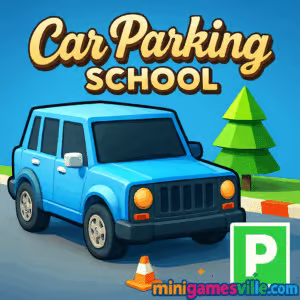
Ready to practice precision driving? Click Play above to jump into Car Parking School right here on Minigamesville and start threading bumpers through tight city lots. Car Parking School is a quick-to-learn, skill-based parking simulator that runs online in your browser, no installs required. If you love realistic handling, close calls, and satisfying perfect-parks, this unblocked parking game is your new go-to. Settle in, beat tricky cones and ramps, and come back to shave seconds off your best times.
About Car Parking School
Car Parking School puts you behind the wheel in short, replayable levels where precision rules. The goal is simple, park the car in the highlighted bay without scraping walls or clipping traffic cones. Tight layouts, moving obstacles, and pressure from the timer turn every attempt into a mini driving exam. Because it is an online browser game, Car Parking School loads fast on desktop and mobile, and it rewards clean lines, good throttle control, and smart camera use. Expect responsive physics, clear feedback, and plenty of opportunities to flex those parallel parking skills.
History of Car Parking School
Parking sims grew from early web mini-games into full-blown physics sandboxes. Car Parking School follows that lineage with streamlined browser performance and a focus on technique over speed. It borrows the best parts of the genre, like star ratings, tight urban layouts, and progressive challenge, then packages them in a fast, no-friction format you can play anywhere.
Style & Vibe
Clean 3D visuals and readable markings make every parking target pop. Courses escalate from calm training lots to busy multi-level garages, with a soundtrack that keeps the tempo up without distracting your focus.

Gameplay in Car Parking School
Each run starts at a spawn point and ends when your car is fully within the bay, oriented correctly, and stopped. Collisions add time or fail the attempt, so you will learn to feather the throttle, swing wide when needed, and straighten early. Levels often require multi-point turns, reverse parking, and ramp approaches. The physics feel grounded, so weight transfer and speed affect turning radius. That makes nailing a perfect three-point reverse into a tight spot incredibly satisfying.
Game Modes
- Career Levels Finish bite-size scenarios that escalate in complexity with new obstacles and tighter timing windows.
- Time Attack Replay unlocked levels to set cleaner lines and chase personal records.
- Practice Warm up on earlier stages to refine steering sensitivity and camera angles.
How to Play
- Press Play and let the level load in your browser.
- Scan the route from spawn to the striped parking bay, then adjust the camera for a clear rear view.
- Accelerate smoothly, swing wide where needed, and align early.
- Use small steering corrections while reversing into tight angles.
- Stop inside the bay, straighten the wheels, and hold the brake to lock in a clean park.
Controls
- Desktop: Arrow keys or WASD to steer, accelerate, and brake; Space for handbrake; C to switch camera; R to restart level.
- Mobile: On-screen arrows for steering; gas and brake pedals; tap camera icon to change view; tap reset to retry.
- Pro tip: Lower steering sensitivity in the pause menu if you over-correct in reverse.
Device Compatibility & Browser Support
Car Parking School runs in modern browsers like Chrome, Edge, Firefox, and Safari. For the smoothest frame rate, keep only one tab of the game open, disable heavy extensions, and ensure hardware acceleration is on in your browser settings.
Mobile vs. Desktop Gameplay
Desktop offers finer control for micro-corrections with a keyboard. Mobile touch controls feel great for short sessions and quick retries. If you chase records, desktop precision usually wins; for casual practice, mobile is super convenient.
Can I Play Offline?
The game needs an internet connection to load assets and track progress. After a fresh load, some browsers may cache a level or two, but reliable offline play is not supported.
Can I Play Unblocked?
Car Parking School is an online browser game that often works on school and office networks. Access depends on local policies. If a network blocks gaming categories, check back from a home or mobile connection.
- Browser: Play free on Minigamesville in your desktop or mobile browser.
- Mobile: There is no official iOS or Android app for this exact web version of Car Parking School.
- Similar mobile picks with working store links:
Tips & Tricks
Beginner Tips
- Stop earlier than you think, then inch forward. Small inputs beat last-second saves.
- Set the camera so the bay lines fill your screen edges. It is easier to judge angles.
- Use the handbrake to pivot the rear when lining up a reverse park.
- Memorize cone positions on your first attempt, then commit on the second.
Advanced Strategies
- Approach tight bays with a shallow angle, then counter-steer to straighten as you roll in.
- Feather throttle in reverse to control swing, avoiding pendulum corrections.
- Pre-visualize a three-point sequence before moving. Cuts retries in half.
- Hunt for curb cuts or ramp edges that widen your turning radius without touching obstacles.
Features
- 🚗 Snappy, realistic driving physics that reward smooth inputs
- 🅿️ Dozens of compact lots, multi-level garages, and angled bays
- ⏱️ Time Attack replays to sharpen routes and beat PRs
- 🎯 Star ratings for clean, contact-free parks
- 📷 Adjustable camera with rear-view friendly angles
- 📶 Instant online play in your browser, no downloads
- 📈 Gradual difficulty curve that builds real parking skills
- 🔁 Fast restarts for practice-heavy improvement
Unlockables & Secrets
As you complete levels cleanly, expect tougher layouts and new obstacle combinations. Some stages offer alternate lines that cut a turn or two. Try wider entries, late apexes, and shallow reverse angles to uncover faster routes.
Cheats & Mods
There are no official cheats for Car Parking School. Browser extensions and third-party mods can break performance or progress. For consistent results, play the vanilla version on Minigamesville and adjust only in-game sensitivity.
Walkthrough Summary
Visualize your path, set the camera, roll forward to align, stop early, reverse with micro-corrections, then straighten and settle in the bay. If a turn requires more space, tap the handbrake to pivot. Missed it by a hair? Restart fast and apply the new line while it is fresh.
Scoring, Records & Progression
Clean parks earn higher ratings and faster times. Chase personal records in Time Attack by cutting steering inputs and minimizing three-point turns. Track your best runs and revisit earlier stages with sharper lines to see big gains.
Why Play Car Parking School
Car Parking School is perfect for bite-size sessions that still feel rewarding. The handling teaches real-world fundamentals, and the browser-based format means you can play anywhere in seconds. Whether you are training reverse entries or just relaxing, it delivers satisfying wins fast.
Pros & Cons of Car Parking School
- Pros: Tight physics, quick retries, clear visual targets, runs on almost any device, unblocked-friendly format.
- Cons: Requires internet, advanced levels can be punishing, keyboard finesse has a learning curve on mobile.
- Keep your browser updated for smoother input timing and better WebGL performance.
- Close high-CPU tabs like streaming video while you play.
- If frames drop, lower display scaling in your OS or use a smaller browser window.
Similar games to Car Parking School
- Parking Fury 3D: Night Thief A stealthy night-time driving challenge that mixes parking precision with getaway thrills.
- Drive Mad Physics-forward off-road runs where throttle control and timing keep you upright.
- Midnight Drive Minimalist neon cruising with smooth handling and checkpoint chasing.
- Stock Car Hero Fast oval racing that rewards clean lines and draft management.
- Speed King Classic arcade racing vibes with tight turns and quick reflex tests.
FAQ
Is Car Parking School free to play?
Yes, you can play Car Parking School free in your browser here on Minigamesville.
Does Car Parking School work on a school Chromebook?
It runs in modern Chrome, so many Chromebooks handle it well. Access still depends on your network’s content rules.
How do I improve reverse parking consistency?
Enter shallow, make early counter-steers, and use gentle throttle. Stop, straighten, then ease into the bay.
Why did I fail even though I reached the bay?
You must be fully inside the marked area, facing the correct direction, and completely stopped.
Can I use a gamepad?
Some browsers support controllers. If detected, steer with the left stick, use triggers for gas and brake, and map handbrake to a shoulder button.
Conclusion
Car Parking School nails the sweet spot between quick retries and real skill-building. Each perfect park feels earned, and every retry teaches a cleaner line or smarter angle. If you love short challenges with big payoffs, this is a must-play.
Hit the Play button above to start Car Parking School on Minigamesville, set a personal best, and come back to beat it again. Tight spaces, zero installs, all skill. See you in the bay.

 Loading...
 English
 Shqip
Shqip
 বাংলা
বাংলা
 Български
 简体中文
简体中文
 Hrvatski
 Čeština
 Dansk
Dansk
 Nederlands
 Suomi
Suomi
 Ελληνικά
 हिन्दी
 Magyar
 Bahasa Indonesia
 日本語
日本語
 한국어
한국어
 Lietuvių
 Bahasa Melayu
 Norsk
Norsk
 Polski
 Português do Brasil
 Română
 Slovenčina
 Slovenščina
 Svenska
 ไทย
ไทย
 Türkçe
 Українська
 اردو
اردو
 Tiếng Việt
 isiZulu
 Español
 Français
 Deutsch
 العربية
 Italiano
 فارسی
فارسی
 Русский