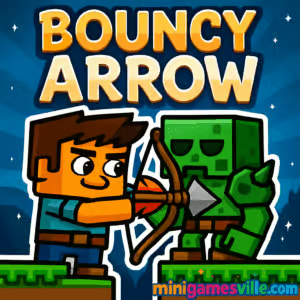
About Bouncy Arrow
Bouncy Arrow blends minimalist level design with crisp physics. The goal is simple, hit all targets with as few arrows as possible. The twist, arrows ricochet. Every wall, crate, or bumper becomes a tool for creative shot shaping, turning each stage into a compact geometry puzzle. It is easy to learn, yet it rewards patience, timing, and smart angles.
History of Bouncy Arrow
Bank-shot archery has been a staple of casual web play for years. Bouncy Arrow carries that tradition into a slick HTML5 format, tuned for instant loading, touch input, and smooth performance in modern browsers.
Style & Vibe
Clean backgrounds, crisp hit sparks, and a punchy sound when your arrow tags a target keep the feedback tight. Simple visuals let the physics shine, so your focus stays on aim, angle, and rebound paths.

Gameplay in Bouncy Arrow
You line up the shot, set power, and release. Arrows fly true, bounce off surfaces, and keep momentum until they collide with a target or fizzle out. Early stages teach bank shots. Later layouts add moving targets, tight corridors, and hazards that punish sloppy angles. The scoring loop rewards accuracy and creativity, nudging you to find fewer-shot solutions or riskier bounce routes for bigger totals.
Game Modes
- Level Mode Solve handcrafted stages with fixed layouts and escalating difficulty.
- Endless Survive as layouts remix, maintaining a streak while arrow counts tighten.
- Time Attack Clear targets before the clock expires, encouraging faster, bolder lines.
- Practice Range Free-shoot to learn angles and power without pressure.
How to Play
- Scan the arena. Note walls, corners, and any hazards.
- Drag or move the aim reticle to set your angle.
- Adjust power, then release to fire your arrow.
- Use walls to ricochet into hard-to-reach targets.
- Clear all targets to finish the stage and log your score.
Controls
- Mouse Click and drag to aim, release to shoot.
- Touch Tap, hold, and drag to set angle and power, then lift to fire.
- Keyboard Some builds support arrow keys or A/D to fine-tune aim before shooting.
Device Compatibility & Browser Support
Bouncy Arrow runs in modern browsers on desktop and mobile. For best results, use the latest Chrome, Edge, Safari, or Firefox with hardware acceleration on. The game uses HTML5, so no plugins are needed.
Mobile vs. Desktop Gameplay
- Mobile Great for quick shots with intuitive touch aiming. Perfect for short sessions.
- Desktop Precise mouse control makes tight bank shots easier and speeds up level grinding.
Can I Play Offline?
The game is online and loads assets in your browser. Keep an active connection to start and to save progress reliably.
Can I Play Unblocked?
Many schools and workplaces allow HTML5 titles like Bouncy Arrow, but network rules vary. If a firewall blocks games, try a personal connection or play at home. Minigamesville uses secure HTTPS and requires no downloads, which helps on stricter networks.
- Browser Play Bouncy Arrow on minigamesville.com.
- Mobile stores We could not find an official Bouncy Arrow app on iOS or Android as of August 19, 2025.
- Try a similar mobile hit If you want archery physics on the go, grab Bowmasters here:
Tips & Tricks
Beginner Tips
- Start shallow. Small angle changes produce big path differences after a bounce.
- Use the back wall. Banking behind a target often creates an easier line than shooting straight.
- Count bounces. One clean bank beats three random ricochets that kill momentum.
- Watch rebounds. Don’t stand in your own line of fire on tight maps.
- Replay levels to learn safe default lines before you chase riskier routes.
Advanced Strategies
- Plan for multi-tag shots by lining up a first bounce that carries through two targets.
- Feather the power to park the arrow behind cover, then tag a moving target on the return path.
- Use opposite walls for symmetrical banks when center shots are blocked.
- Create soft glancing hits to preserve speed for chained ricochets.
- Memorize anchor pixels on your screen for repeatable aim at tricky layouts.
Features
- 🎯 Precision ricochet shooting with clean, predictable physics
- 🧠 Compact puzzle layouts that reward creativity
- ⚡ Fast load times, perfect for short browser sessions
- 📱 Touch friendly on phones and tablets
- 🖱️ Mouse-perfect aim on desktop
- 🏆 Score chasing with risk-versus-reward bounce routes
- 🔁 Instant resets to practice lines without downtime
- 🔊 Satisfying hit effects that make bullseyes feel great
Unlockables & Secrets
Some builds add cosmetic swaps like new arrow trails or background themes. Look out for bonus targets tucked behind corner banks. If a level seems impossible, there is usually a sneaky double-bank solution hiding in plain sight.
Cheats & Mods
Bouncy Arrow is balanced around practice and clean angles. Third-party cheats or modded clients can break saves and hurt performance. For stable play and fair leaderboards, stick with the official version on minigamesville.com.
Walkthrough Summary
Early on, prioritize single-bank clears. Midgame, route two-target chains by bouncing behind enemies, then through them on the return. Late layouts often need a setup shot that puts the arrow on a slow drift, catching a moving target after a second wall kiss. When in doubt, reduce power and shorten angles to regain control.
Scoring, Records & Progression
Stages typically score on targets cleared, arrows used, and stylish bounces. Fewer shots raise your rank, while extra banks boost style totals. Track personal bests and try to shave a shot or convert a safer line into a two-for-one bank. That is where big gains happen.
Why Play Bouncy Arrow
It is instantly accessible, deeply replayable, and perfect for brainy coffee-break fun. If you like aim-and-shoot challenges, ricochet physics, and quick unblocked browser games, Bouncy Arrow sits right in your wheelhouse.
Pros & Cons of Bouncy Arrow
- Pros Snappy physics, quick restarts, clean puzzles, works great on both touch and mouse.
- Cons Later stages can be punishing without patience, perfectionists may chase the same shot for a while.
- Use a recent browser build and close heavy tabs to keep input latency low.
- Enable hardware acceleration in your browser settings for smoother frames.
- On mobile, disable battery saver during play for steadier performance.
- If input feels sticky, clear cache or switch from Wi-Fi to cellular, then reload.
Similar games to Bouncy Arrow
- Tiny Archer — classic aim and shoot archery with satisfying trajectories.
- Knife Jump — tap-timing and physics flips that reward clean arcs.
- Flip Knife — precision throws and bounce logic in bite-size trials.
- Raft Wars — artillery-style water battles with arcing shots and obstacles.
- Bubble Shooter — bank colored shots off walls to set up big clears.
- Shot Trigger — stylish slow-mo shooting with tight timing windows.
FAQ
Is Bouncy Arrow free to play?
Yes, it runs free in your browser with no downloads required.
What genre is Bouncy Arrow?
It is a physics archery puzzle arcade game with ricochet-based aiming.
Does Bouncy Arrow work on my phone?
Yes, it supports modern mobile browsers and touch controls.
Can I save my progress?
Progress generally saves to your browser’s local storage, so use the same device and browser for consistency.
Is Bouncy Arrow unblocked at school?
Many networks allow it, but access depends on local rules. If blocked, try a different connection outside that network.
Are there ads or in-app purchases?
The browser version focuses on instant play. Any promotions will appear in-game if used.
What is the best way to land multi-target shots?
Plan a first bank that preserves speed, then angle a second wall touch to sweep through two targets in one line.
Conclusion
Bouncy Arrow hits that sweet spot where simple inputs meet clever physics. You will learn the basics in seconds, then spend hours refining bank shots and shaving arrows off your best routes.
Ready to line up the perfect ricochet? Fire up Bouncy Arrow above and start stacking clean clears on minigamesville.com. One more bounce, one more bullseye, one more high score.

 Loading...
 English
 Shqip
Shqip
 বাংলা
বাংলা
 Български
 简体中文
简体中文
 Hrvatski
 Čeština
 Dansk
Dansk
 Nederlands
 Suomi
Suomi
 Ελληνικά
 हिन्दी
 Magyar
 Bahasa Indonesia
 日本語
日本語
 한국어
한국어
 Lietuvių
 Bahasa Melayu
 Norsk
Norsk
 Polski
 Português do Brasil
 Română
 Slovenčina
 Slovenščina
 Svenska
 ไทย
ไทย
 Türkçe
 Українська
 اردو
اردو
 Tiếng Việt
 isiZulu
 Español
 Français
 Deutsch
 العربية
 Italiano
 فارسی
فارسی
 Русский