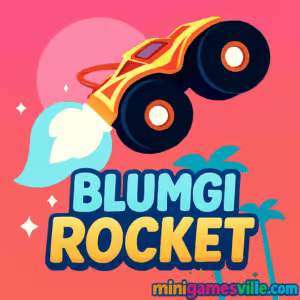
Ready to launch? Click Play above and start blasting through levels in Blumgi Rocket on minigamesville.com. This fast, physics-driven browser game mixes stunt driving with rocket-boost precision, perfect for quick online sessions or marathon score-chasing. If you love momentum puzzles, car stunts, and arcade speedruns, dive into Blumgi Rocket now and see how far you can fly unblocked and free.
About Blumgi Rocket
Blumgi Rocket is a stylish physics platformer where you pilot a tiny car with a massive rocket strapped to it. The goal is simple: reach the finish as fast as possible while chaining boosts, flips, and clever landings. Every level teaches a new trick, from timing midair bursts to using explosive props for extra launch. It is a smart pick for players craving a bite-size challenge loop that still rewards mastery. Whether you are on laptop or phone, this online game loads quickly and plays smoothly in the browser.
History of Blumgi Rocket
Part of the fan-favorite Blumgi line of web games, Blumgi Rocket embraces short, replayable levels and satisfying physics. The series is known for clean visuals, punchy sound effects, and skill-based challenges that are easy to pick up and hard to put down. This entry leans into speedrunning with tight tracks, booster pads, and explosive props that double as shortcuts.
Style & Vibe
Expect bold colors, chunky silhouettes, and instant readability. Tracks are compact, hazards are clear, and the camera keeps your vehicle center stage so you can focus on timing and angles.

Gameplay in Blumgi Rocket
Each run starts with a standing roll, then the rocket engine becomes your best friend. Tap or hold to boost, pitch the car to control your arc, and use the terrain to recharge momentum. Land cleanly to keep speed. Chain midair boosts to skip sections. Bounce off explosives to slingshot over gaps. Perfect lines can shave seconds and unlock faster medals. Fail fast, reset faster, and chase that perfect time in Blumgi Rocket.
Game Modes
- Level Challenge: Progress through handcrafted stages with time targets for bronze, silver, and gold.
- Speedrun: Replay unlocked levels to beat your personal bests and refine your route.
- Practice: Restart instantly to test angles, learn prop timing, and lock in muscle memory.
How to Play
- Press Play and load into the first track on minigamesville.com.
- Roll forward, then activate the rocket to clear the initial gap.
- Tilt the car in the air to set your landing angle and preserve speed.
- Use explosives and booster pads to skip sections and find faster lines.
- Cross the finish, check your time, and replay to improve your medal.
Controls
- Desktop: Arrow keys or WASD to drive and tilt, Space to rocket boost, R to quick restart.
- Mobile: On-screen buttons to tilt left or right, dedicated boost button to fire the rocket, tap pause to restart.
Device Compatibility & Browser Support
Blumgi Rocket runs in the browser on modern Chrome, Edge, Firefox, and Safari. It scales well to mobile screens, and instant restarts keep play sessions snappy on any device.
Mobile vs. Desktop Gameplay
On desktop you get finer tilt control, great for tight speedrun lines. On mobile the touch UI makes short sessions easy, perfect for quick retries between tasks.
Can I Play Offline?
Blumgi Rocket is an online browser game, so it requires an internet connection to load and play.
Can I Play Unblocked?
Yes, in most cases you can enjoy Blumgi Rocket unblocked at school or work because it runs directly in the browser without downloads. If your network restricts games, try a different browser or device, or play at home on minigamesville.com.
- Browser: Play instantly on minigamesville.com, no install required.
- Mobile stores: There are no official App Store or Google Play links for Blumgi Rocket at this time.
- Similar mobile pick: Want a physics driving fix on your phone? Try Hill Climb Racing, available on
Google Play and
App Store.
Tips & Tricks
Beginner Tips
- Feather the boost instead of holding it. Short bursts give better control.
- Always land on a slight downhill to keep momentum.
- Use small pre-jumps to set your rotation before a big boost.
- Restart fast after a mistake. The next run will be cleaner.
Advanced Strategies
- Route planning: identify two or three time saves, then chain them in one clean run.
- Prop tech: explode from the edge of TNT for a flatter, longer launch.
- Air control: tilt forward during boost to convert vertical thrust into forward speed.
- Micro hops: tap the ground to reset angle and re-engage boost timing.
Features
- 🚀 Snappy rocket-boost physics that reward precision
- 🧠 Bite-size levels built for quick learning and mastery
- 🏁 Time medals and personal-best chasing for replay value
- 🎯 Instant restarts to keep the flow going
- 📱 Smooth performance on mobile and desktop
- 🎨 Clean, colorful aesthetic with crisp effects
- 🔁 Multiple routes and creative shortcuts
- 🔊 Punchy audio cues that help with timing
Unlockables & Secrets
Advance through level sets to open new stages and visual themes. Keep an eye out for off-path ramps and explosive setups that hide faster routes. Chasing gold medals often reveals the game’s clever shortcuts.
Cheats & Mods
There are no official cheats or mods for Blumgi Rocket. For the best experience, avoid third-party extensions, and use the in-game restart to practice tough sections safely.
Walkthrough Summary
- World 1: Learn boost timing and basic tilts. Aim for controlled landings.
- World 2: Introduces explosives and longer gaps. Practice edge launches.
- World 3: Mixed elevation with midair course corrections. Feather the engine.
- Later Worlds: Route-finding and chained shortcuts for top medal times.
Scoring, Records & Progression
Your performance is measured by clear time. Beat target thresholds to earn better medals, unlock the next levels, and set personal records. Most improvement comes from cleaner lines rather than raw boosting.
Why Play Blumgi Rocket
Blumgi Rocket nails the loop of learn, retry, and master. It is quick to start, satisfying to optimize, and endlessly replayable for players who love physics challenges and speedrun-friendly design.
Pros & Cons of Blumgi Rocket
- Pros: Responsive controls, quick restarts, creative shortcuts, great for short sessions.
- Cons: Precise timing can feel tough at first, touch tilting may take a few runs to dial in.
- Enable hardware acceleration in your browser settings.
- Close heavy tabs and background downloads before playing.
- On mobile, switch to landscape and disable power saver for steadier frames.
- If inputs feel laggy, try a different browser or clear cached files.
Similar games to Blumgi Rocket
- Moto X3M Bike Race Game — fast motorcycle trials with big-air stunts and tricky traps.
- Moto Maniac 2 — balance-focused bike physics across obstacle-packed courses.
- Short Ride — hilarious ragdoll bike runs where precision avoids painful hazards.
- Stickman Biker — side-scrolling driving with momentum and timing challenges.
- Drift Boss — one-button cornering that rewards rhythm and focus.
- Swerve — tap-to-turn reflex driving on a narrow, endless road.
FAQ
What is Blumgi Rocket?
Blumgi Rocket is a physics-based browser game where you rocket-boost a tiny car through compact levels to hit the finish as fast as possible.
Is Blumgi Rocket free to play?
Yes, it is free to play online on minigamesville.com with no download required.
Can I play Blumgi Rocket on my phone?
Yes, the game runs in mobile browsers and supports touch controls.
Does Blumgi Rocket support controllers?
It is designed around keyboard and touch. If your browser maps a controller to keys, it may work, but keyboard or touch is recommended.
How do I get better times?
Feather boosts, aim for downhill landings, and find explosive shortcuts. Replay levels to refine your route.
Is Blumgi Rocket unblocked at school?
Many networks allow it because it is a browser game. If blocked, try another device or play from a non-restricted connection.
Conclusion
If you love momentum, precision, and clever physics, Blumgi Rocket delivers pure arcade joy. Short levels make it perfect for quick breaks, while speed medals keep the chase addictive.
Hit Play and launch Blumgi Rocket on minigamesville.com right now. Fire up the rocket, thread the perfect line, and set a new personal best today.

 Loading...
 English
 Shqip
Shqip
 বাংলা
বাংলা
 Български
 简体中文
简体中文
 Hrvatski
 Čeština
 Dansk
Dansk
 Nederlands
 Suomi
Suomi
 Ελληνικά
 हिन्दी
 Magyar
 Bahasa Indonesia
 日本語
日本語
 한국어
한국어
 Lietuvių
 Bahasa Melayu
 Norsk
Norsk
 Polski
 Português do Brasil
 Română
 Slovenčina
 Slovenščina
 Svenska
 ไทย
ไทย
 Türkçe
 Українська
 اردو
اردو
 Tiếng Việt
 isiZulu
 Español
 Français
 Deutsch
 العربية
 Italiano
 فارسی
فارسی
 Русский