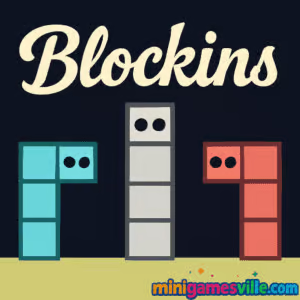
Ready to play Blockins on minigamesville.com? Hit Play and jump in. Blockins is a clever online puzzle platformer built for quick sessions and brainy fun. You guide stackable, Tetris-like blocks through compact levels to reach the glowing exit, solving logic puzzles with tight platforming moves. If you want a fast, frictionless browser game that feels great on desktop and mobile, Blockins delivers. Try the unblocked version right here and see how many levels you can clear in a row.
About Blockins
Blockins blends platforming and spatial reasoning. Each stage hands you a small set of geometric blocks and a compact arena full of switches, gaps, and hazards. You can move, rotate, and swap between shapes, then use momentum and smart stacking to carve a path to the portal. It is a streamlined, no-download browser game that loads instantly, rewards inventive problem solving, and keeps difficulty ramping smoothly as you learn.
History of Blockins
Blockins grew out of the modern wave of minimalist HTML5 puzzle platformers that favor tight levels, crisp controls, and zero clutter. The game focuses on short, satisfying challenges where each new mechanic gets introduced with care, so you always feel like you are learning a fresh trick without hitting a wall.
Style & Vibe
The presentation is clean and playful: bold shapes, readable silhouettes, and satisfying animation snaps when your blocks lock into place. Every level feels like a mini diorama that invites experimentation.

Gameplay in Blockins
At its core, Blockins is about manipulating shapes to build routes. You can hop between blocks, push or stack them to make temporary stairs, and rotate pieces to squeeze through tight passages. Winning often means thinking one or two moves ahead: set a piece, move your character, then reclaim the piece to reuse it somewhere smarter. Expect timing gates, pressure plates, and light physics challenges. Failures are quick and painless, so you can iterate fast and chase cleaner solutions. Blockins shines when you chain actions together, creating elegant routes that feel like little speedrun lines.
Game Modes
- Main Campaign: A hand-crafted sequence of bite-size levels that steadily introduces new ideas.
- Challenge Levels: Trickier stages that test mastery of rotations, swaps, and precision jumps.
- Speedrun Targets: Go for faster clears and minimal-move routes to set personal bests.
How to Play
- Press Play, then scan the level for the exit and any switches or hazards.
- Plan your block order. Decide which shape lets you bridge the first gap or reach the first switch.
- Place, rotate, and stack blocks to create temporary platforms.
- Swap to another block, reuse pieces, and refine until the path to the portal opens.
- If you get stuck, reset and try a different sequence or rotation.
Controls
- Move: Arrow keys or WASD
- Jump or Confirm: Up arrow or W or Space
- Switch Block: X or Space
- Rotate Block: Q and E, or Z and C depending on your setup
- Undo/Back: B or Esc
- Restart Level: R
- Mobile: On-screen buttons or swipe controls, depending on your device
Device Compatibility & Browser Support
Blockins runs in modern browsers on desktop and mobile. Chrome and Edge on Windows, Safari and Chrome on iOS, plus Chrome and Firefox on Android all work well. Since Blockins is an HTML5 browser game, there are no downloads and no plugins needed.
Mobile vs. Desktop Gameplay
- Mobile: Perfect for quick breaks. Tap and hold to position, then rotate with on-screen controls.
- Desktop: Best for precision. Keyboard inputs make rotations and swaps snappier for tight challenges.
Can I Play Offline?
Blockins requires an internet connection to load and save your progress in the browser. Once a level is loaded it can feel instant, but plan to be online to play reliably.
Can I Play Unblocked?
Blockins is a lightweight online game that runs over standard HTTPS, which helps it work on many networks. If you are on a restricted connection like school or work, always follow local rules and IT guidelines. When allowed, you can play Blockins unblocked directly in your browser on minigamesville.com.
No official App Store or Google Play versions of Blockins exist at this time. Want a mobile-friendly puzzle with a similar chill vibe? Try Two Dots here:
Tips & Tricks
Beginner Tips
- Look for the last move first. Identify how you will reach the portal, then plan backward.
- Reuse blocks. Many levels expect you to place, cross, then reclaim a shape for the next obstacle.
- Rotate early. A single rotation can turn an impossible gap into a clean staircase.
- Reset fast. If your plan collapses, hit restart and try a new order. Iteration wins.
Advanced Strategies
- Minimal moves: Challenge yourself to clear stages in fewer placements by combining jumps with rotations mid flow.
- Control space: Use tall blocks to block hazards or to pin moving parts in place.
- Pivot points: L-shapes often double as hinges. Rotate around edges to slide into tight slots.
- Route compaction: Stack in ways that let you traverse two objectives before reclaiming a key block.
Features
- 🧩 Smart shape-stacking puzzles that reward creative thinking
- ⚡ Snappy controls with instant resets for fast iteration
- 🎯 Short, bite-size levels that fit any schedule
- 📱 Seamless desktop and mobile play in the browser
- 🔁 Rotations, swaps, and reuses that turn simple shapes into multi-step routes
- ⏱️ Optional speed targets and personal bests to chase
- 🎧 Clean visuals and satisfying movement cues
- ☁️ No downloads, no installs, just play online
Unlockables & Secrets
While Blockins keeps things minimal, you can set personal goals like fastest time, fewest moves, or no-mistake clears. Some levels hide cheeky alternate routes that let you bypass obstacles with clever rotations.
Cheats & Mods
There are no official cheats or mods for Blockins. Third-party plugins can break performance or introduce security risks. Your best path to mastery is practicing minimal-move routes and learning where rotations save the most time.
Walkthrough Summary
Approach each level in three passes: scout the exit and switches, plan a route using the fewest placements, then refine for speed. Most solutions rely on reusing a key block twice, once to reach a switch and again to build the final staircase to the portal.
Scoring, Records & Progression
Blockins tracks level completion, and many players chase self-imposed records like fastest clear or fewest placements. Try recording your best segments, then replay to shave a move or two by rotating earlier or reclaiming a block mid jump.
Why Play Blockins
If you enjoy puzzle platformers that feel fair, fast, and inventive, Blockins belongs in your rotation. It is perfect as a coffee-break challenge or an evening of route optimization, all playable online with zero setup.
Pros & Cons of Blockins
- Pros: Crisp controls, smart level design, instant browser play, great for both quick sessions and deep optimization.
- Cons: Some late puzzles can feel tricky until the core rotation and reuse patterns click.
- Keep your browser updated for best input latency.
- Enable hardware acceleration in browser settings.
- Close heavy tabs or streaming apps to minimize stutter.
- If you use extensions that inject overlays, try an incognito window for a clean run.
Similar games to Blockins
- Sudoblocks — blend of sudoku logic and block placement that scratches the same spatial-planning itch.
- Tap It Away — satisfying 3D block-clearing puzzler with quick, tactile levels.
- Robot Awake — laser-routing brainteaser where you plan sequences to activate a sleeping bot.
- Mini Train — physics puzzle about placing tracks and shapes so your cute train reaches the goal.
- Big Tower Tiny Square — precision platforming gauntlet with compact, skill-based stages.
- Arrower — tile-direction puzzles where arrows steer your way to the exit.
FAQ
What is Blockins?
Blockins is an online puzzle platformer where you move, rotate, and stack blocks to reach a portal across compact, hand-crafted levels.
Is Blockins free to play?
Yes, Blockins is a free browser game you can play on minigamesville.com without downloads.
Does Blockins work on mobile?
Yes, it runs in mobile browsers, with touch controls for movement, rotation, and swapping blocks.
Can I play Blockins unblocked at school?
Many networks allow HTML5 games over HTTPS. Always follow local rules. When permitted, you can play Blockins unblocked in your browser.
How long are Blockins levels?
Most stages take under a couple of minutes once you know the route, making it perfect for quick sessions.
Are there hints or guides?
If you get stuck, reset and try a different block order or rotation. The design encourages experimentation until the route clicks.
Is there an official Blockins app?
No, there is no official App Store or Google Play app for Blockins. For a mobile-friendly alternative, try Two Dots on iOS and Android using the links above.
Conclusion
Blockins is the kind of smart, minimalist browser game that hooks you fast. Its shape-stacking puzzles feel tactile and rewarding, the learning curve is friendly, and every reset brings a new aha moment. If you are craving a compact challenge you can play online anywhere, Blockins is a perfect pick.
Ready to stack, rotate, and route your way to victory? Press Play and start Blockins on minigamesville.com now, then come back to shave moves off your best levels. Happy puzzling.


 Loading...
 English
 Shqip
Shqip
 বাংলা
বাংলা
 Български
 简体中文
简体中文
 Hrvatski
 Čeština
 Dansk
Dansk
 Nederlands
 Suomi
Suomi
 Ελληνικά
 हिन्दी
 Magyar
 Bahasa Indonesia
 日本語
日本語
 한국어
한국어
 Lietuvių
 Bahasa Melayu
 Norsk
Norsk
 Polski
 Português do Brasil
 Română
 Slovenčina
 Slovenščina
 Svenska
 ไทย
ไทย
 Türkçe
 Українська
 اردو
اردو
 Tiếng Việt
 isiZulu
 Español
 Français
 Deutsch
 العربية
 Italiano
 فارسی
فارسی
 Русский