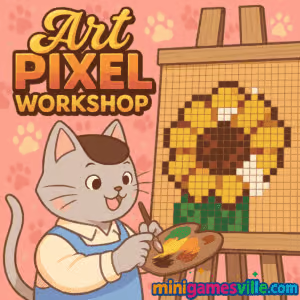
Play Art Pixel Workshop online on MiniGamesVille
Ready to relax and create? Click Play above to jump into Art Pixel Workshop on MiniGamesVille.com and start painting pixel-perfect masterpieces right in your browser. Art Pixel Workshop is a cozy, creativity-first browser game that blends color-by-pixel fun with simple drawing tools. Whether you are five minutes into a break or winding down for the night, this online pixel art game delivers calm vibes, zero downloads, and instant gratification. Prefer school or work devices? It plays as an unblocked web experience for most networks. Hit Play, pick a design, and watch your art come to life one satisfying click at a time.
About Art Pixel Workshop
Art Pixel Workshop turns your screen into a tiny studio where each pixel is a brushstroke. Choose from guided templates or free-form doodles, fill tiles with color, and save the results to share. The focus is stress-free creation, clean visuals, and a friendly loop that rewards patience and attention to detail. It is approachable for beginners, yet surprisingly deep for anyone who loves patterns, palettes, and relaxing browser games.
History of Art Pixel Workshop
Pixel painting has been a feel-good staple of web gaming for years. Art Pixel Workshop follows that tradition with a streamlined, modern interface, bite-size projects, and charming themes that invite daily play. The result is a casual creative space you can open in a tab, create something you are proud of, and close the tab feeling refreshed.
Style & Vibe
Expect soft color palettes, satisfying click sounds, and a clean grid that makes every placement feel intentional. It is equal parts coloring book and tiny art studio, wrapped in a relaxing, minimalist aesthetic.

Gameplay in Art Pixel Workshop
Each session begins by picking a canvas or template. You zoom into the grid, select a color, and click or tap to fill individual pixels. Larger artworks introduce multi-color layers and small areas that reward careful zooming. The loop is quietly satisfying: outline big shapes, polish the details, then export or screenshot your finished piece. Expect gentle goals like finishing a set, trying a new theme, or improving speed and accuracy as you get in the flow. Art Pixel Workshop keeps you present without pressure, which is why so many players return daily.
Game Modes
- Template Gallery: Pick from curated designs, from cute critters to simple landscapes, and complete them at your own pace.
- Free Paint: Prefer to improvise? Start from a blank grid and sketch with pixels like a tiny sprite editor.
- Daily Pick: A rotating recommended canvas for a quick, low-commitment creative break.
- Timed Focus: Set your own timer for a productivity sprint and see how much you can finish in one session.
How to Play
- Press Play, then choose a template or blank canvas.
- Use the color palette to select your hue.
- Click or tap individual pixels to fill them. Drag to pan, scroll to zoom.
- Work large shapes first, then zoom in to tidy edges and highlights.
- Save or screenshot your finished artwork and start a new one.
Controls
- Mouse: Left click to paint, right click or palette to switch colors, scroll to zoom, click-drag to pan.
- Touch: Tap to paint, pinch to zoom, two-finger drag to pan, long-press to sample color where available.
- Quality-of-life: Look for undo, erase, and eyedropper icons near the palette.
Device Compatibility & Browser Support
Art Pixel Workshop runs smoothly in modern browsers like Chrome, Edge, Firefox, and Safari on desktop and mobile. For best performance, enable hardware acceleration, keep a few tabs open, and ensure your browser is up to date.
Mobile vs. Desktop Gameplay
- Mobile: Pinch-zoom feels natural, and tapping pixels is relaxing on the couch.
- Desktop: Precision clicks, quicker zooming, and bigger canvas viewing for detailed pieces.
Can I Play Offline?
Art Pixel Workshop is an online browser game. You need an internet connection to load the canvas and assets. After loading, some short sessions may continue if the tab stays open, but a stable connection is recommended.
Can I Play Unblocked?
Yes, Art Pixel Workshop on MiniGamesVille is designed to run in-browser with no installs, which helps it work on most school and office networks. Access always depends on your local policy, so check with your admin if needed.
- Browser: Play instantly on desktop or mobile at MiniGamesVille, no download required.
- iOS and Android: No official mobile app version of Art Pixel Workshop at this time.
If you want a mobile alternative, try a similar color-by-number app with working store links:
Tips & Tricks
Beginner Tips
- Start with small templates to build rhythm and accuracy.
- Block in large shapes first, then zoom in for edges and details.
- Use the eyedropper to match colors from finished areas without hunting the palette.
- Try a limited palette of 3 to 5 colors to keep pieces cohesive.
- Take short breaks to spot stray pixels before exporting.
Advanced Strategies
- Work in layers: background gradients first, midground shapes next, highlights last.
- Create symmetry by sketching a center line, then mirroring shapes by hand on each side.
- Build a personal palette of go-to skin tones, metals, and foliage greens for faster flow.
- Use checkerboard shading on curves to suggest depth with limited colors.
- Experiment with anti-aliasing by alternating neighboring colors on edges.
Features
- 🎨 Relaxing pixel-by-pixel painting with clean, responsive controls
- 🧩 Template gallery for quick-start creativity
- 🖌️ Free paint mode for blank-canvas doodling
- 🔍 Smooth zoom and pan for precision detailing
- 💾 Easy saving or screenshots to share your art
- 📱 Plays online in your browser on desktop and mobile
- 🌈 Friendly palettes and soothing visuals for chill sessions
- ⏱️ Great for short breaks or longer creative sprints
Unlockables & Secrets
Complete a handful of starter canvases to feel comfortable with brushes and zoom levels, then tackle larger, multi-color scenes. Keep an eye out for seasonal or themed sets if you enjoy finishing collections. Many players also build custom palettes for consistent aesthetics across multiple pieces.
Cheats & Mods
There is no need for cheats. Art Pixel Workshop is about patient creation and flow. Third-party mods or scripts can harm performance or cause loss of progress, so stick to the built-in tools for the best experience.
Walkthrough Summary
Pick a template, choose a base color, and fill broad regions to establish the silhouette. Add midtones to define volume, then finish with highlights and tiny accents. Zoom out often to judge balance before you save.
Scoring, Records & Progression
There is no traditional score. Your milestones are finished canvases, smoother workflows, and a growing gallery of shareable art. If you time yourself, you can track personal bests on familiar templates to measure improvement.
Why Play Art Pixel Workshop
If you crave a soothing creative break, Art Pixel Workshop delivers a low-friction, high-satisfaction loop. It is quick to open, simple to learn, and endlessly replayable with different color choices and styles.
Pros & Cons of Art Pixel Workshop
- Pros: Calming flow, instant browser access, friendly tools, great for short or long sessions.
- Cons: No competitive scoring for leaderboard chasers, complex shading still takes practice on small screens.
- Keep your browser updated for smoother zoom and canvas handling.
- Enable hardware acceleration in settings for better performance.
- Close heavy tabs or resource-hungry extensions before long sessions.
- On mobile, disable low power mode while drawing for more responsive touch input.
Similar games to Art Pixel Workshop
- Cozy Garden Design — gentle decorate-and-relax play that scratches the same creative itch with a chill vibe.
- Dana: Relics for Sale — narrative-flavored puzzling with collectible items and shopkeeping flair.
- Robot Awake — grid-based logic puzzles that reward careful planning and pattern recognition.
- Green — minimalist color puzzles that feel meditative and clever, perfect for short sessions.
- Castle Blocks — build delightful structures piece by piece, leaning into creativity and symmetry.
- Village Builder — isometric tile placing that turns small choices into charming scenes.
- Diff — spot-the-difference with crisp visuals, great for training your eye for detail.
FAQ
What is Art Pixel Workshop?
Art Pixel Workshop is a relaxing online pixel art browser game where you paint one tile at a time to complete cute, shareable artworks.
Where can I play Art Pixel Workshop?
You can play Art Pixel Workshop directly in your browser on MiniGamesVille with no downloads required.
Is Art Pixel Workshop free to play?
Yes, you can play for free in your browser and start creating in seconds.
Does Art Pixel Workshop work on phones and tablets?
Yes, it runs on modern mobile browsers, and touch controls make zooming and tapping pixels feel natural.
Can I play Art Pixel Workshop unblocked at school?
In most cases yes, since it is a lightweight web game, but access depends on your school’s network rules.
Is there an official mobile app for Art Pixel Workshop?
No official app currently exists. If you want a mobile alternative, try Pixel Art – Color by Number on iOS and Android using the store links above.
How do I save my artwork?
Use the in-game save or your device’s screenshot tools, then share your creation with friends.
Conclusion
Art Pixel Workshop makes creativity effortless. Open a tab, pick a palette, and unwind as your design snaps together one pixel at a time. It is the kind of calm, satisfying online game you can revisit any day of the week.
Ready to make something beautiful? Press Play and start Art Pixel Workshop on MiniGamesVille now. Try a quick template, share your art, then come back tomorrow for another relaxing session.

 Loading...
 English
 Shqip
Shqip
 বাংলা
বাংলা
 Български
 简体中文
简体中文
 Hrvatski
 Čeština
 Dansk
Dansk
 Nederlands
 Suomi
Suomi
 Ελληνικά
 हिन्दी
 Magyar
 Bahasa Indonesia
 日本語
日本語
 한국어
한국어
 Lietuvių
 Bahasa Melayu
 Norsk
Norsk
 Polski
 Português do Brasil
 Română
 Slovenčina
 Slovenščina
 Svenska
 ไทย
ไทย
 Türkçe
 Українська
 اردو
اردو
 Tiếng Việt
 isiZulu
 Español
 Français
 Deutsch
 العربية
 Italiano
 فارسی
فارسی
 Русский