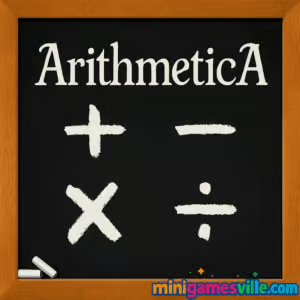
Play ArithmeticA on Minigamesville now. Click the big Play button above to jump straight into ArithmeticA on minigamesville.com and start sharpening your mental math. This fast, free online browser game blends arcade speed with brain training, perfect for a quick challenge or a focused study break. If you want an unblocked math puzzle you can launch from school, work, or home, ArithmeticA delivers instant, no-install gameplay and easy controls. Beat the timer, stack streaks, and climb your personal best while enjoying an educational number game that actually feels fun.
About ArithmeticA
ArithmeticA is a rapid-fire arithmetic game built for browsers, where correct answers push your timer up and mistakes shave it down. Each round throws simple equations or comparisons on screen, and you tap or click the right result before the clock runs out. It is equal parts math drill and arcade survival, which makes ArithmeticA a natural fit for anyone who enjoys quick, skill-based challenges. Whether you are warming up your brain before class, practicing mental math, or hunting high scores, this online number game hits that just-one-more-run sweet spot.
History of ArithmeticA
Arcade math games have been a staple of web gaming for years, evolving from simple flash drills into responsive HTML5 experiences with crisp visuals and touch support. ArithmeticA follows that lineage with a clean, speed-focused design that favors fast decisions, readable equations, and satisfying score feedback.
Style & Vibe
ArithmeticA features a clean, minimalist interface with bold numbers and clear visual feedback. The design keeps the focus on the math, with a color palette that remains easy on the eyes. Every correct answer provides satisfying feedback, reinforcing the game’s arcade-like feel. The audio is subtle, with minimal sound effects that enhance the experience without distracting from the gameplay.

Gameplay in ArithmeticA
Rounds begin with a countdown. You will see an equation or a math prompt and multiple answer choices. Pick the correct option quickly to add precious seconds back to the timer. Maintain accuracy to build streaks that boost score gain. Miss, and the timer dips. When time hits zero, your run ends and your score gets saved locally, ready to be beaten next session.
Game Modes
- Classic Survival: The core mode. Answer correctly to extend time, survive as long as you can, and set a new high score.
- Time Attack 60: Race to earn the most points in one minute. Great for quick practice sessions.
- Focus Practice: Warm up on the operation set you prefer, like addition only or mixed ops, when available.
- Daily Challenge: A short preset run that’s perfect for a daily streak, when available.
Note: Available modes can vary by build. Classic Survival is always the centerpiece of ArithmeticA.
How to Play
- Press Play to start the round.
- Read the on-screen equation or rule, such as 7 × 6 or Pick the largest value.
- Click or tap the correct answer from the options. Speed matters.
- Keep a streak going to grow your score while boosting the timer.
- When time runs out, review your score and retry instantly.
Controls
- Mouse or touch: Click or tap the correct answer.
- Optional keyboard: If enabled, number keys can select answers faster.
- Pause/Retry: Use on-screen buttons between rounds.
Device Compatibility & Browser Support
ArithmeticA is an HTML5 browser game that plays great on modern Chrome, Firefox, Edge, and Safari. No downloads, no sign-ups, just hit Play and go. Touch controls feel snappy on phones and tablets, and desktop users get pixel-perfect responsiveness with mouse or trackpad.
Mobile vs. Desktop Gameplay
- Mobile: Bigger tap targets and portrait-friendly layouts make answering on the go feel natural.
- Desktop: Precision clicking and larger viewport help with faster scanning and fewer mis-taps.
Can I Play Offline?
ArithmeticA runs in your browser, so an active internet connection is recommended. Load times are fast, and there is nothing to install.
Can I Play Unblocked?
Yes, ArithmeticA is a free browser game on Minigamesville. If your school or office allows gaming sites, you can play unblocked without VPNs or extensions. Always follow your local network rules.
Tips & Tricks
Beginner Tips
- Scan choices first, then the prompt. Pre-locating numbers speeds reaction time.
- Use quick math patterns: 9 × 6 is 9 × 3 × 2, or 27 × 2 = 54.
- Eliminate implausible answers to reduce options to two.
- Prioritize accuracy early to build a time cushion.
Advanced Strategies
- Chunk numbers: 48 ÷ 6 is 24 ÷ 3 after halving both, giving 8.
- Exploit complements of 10 for fast addition, like 8 + 7 becomes 10 + 5.
- Keep a steady cadence. Over-tapping causes avoidable misses and time loss.
- Practice a single operation set to master its speed curve, then expand to mixed.
Features
- ⚡ Real-time timer that rewards quick, correct answers
- 🧠 Brain-training focus with arcade pacing
- 📱 Seamless mobile and desktop play
- 🎯 Accuracy streaks that multiply your score
- 🔢 Supports addition, subtraction, multiplication, division
- 💾 Local high scores for ongoing progression
- 🎚️ Optional operation filters for targeted practice
- 🔇 Minimal noise so you can focus on the numbers
Unlockables & Secrets
ArithmeticA keeps the loop tight and skill-based. The real unlock is speed and consistency. Watch for subtle difficulty ramps tied to streaks and time remaining, which can push you into a rewarding flow state.
Cheats & Mods
There are no legitimate cheats for ArithmeticA. Browser scripts hurt the experience and your learning. If you want to improve, use practice runs and the focus tips above.
Walkthrough Summary
Start with Classic Survival. Answer the first five prompts slowly to bank time, then increase pace once you are in rhythm. If a prompt feels sticky, skip to a confident choice next round rather than forcing a guess that could drain your timer. End each run with a short review of any stumble patterns, then queue another attempt.
Scoring, Records & Progression
High scores save to your browser storage, so you can track improvement over time. Accuracy streaks and quick responses add the biggest score gains. If you ever clear cookies, your local records will reset.
Why Play ArithmeticA
It is a rare educational browser game that is simultaneously useful and exciting. ArithmeticA turns everyday arithmetic into a reflex challenge that pays off in sharper mental math, better focus, and a satisfying chase for new personal records. Whether you have two minutes or twenty, it fits your schedule.
Pros & Cons of ArithmeticA
- Pros: Instant play in browser, crisp UI, rewarding streak system, great for short sessions, skill-based scoring.
- Cons: Timer pressure can feel intense at first, no long-form progression meta, offline play not supported.
- Keep your browser updated for the best input latency.
- Close heavy tabs and pause streaming during high-score runs.
- Enable hardware acceleration in browser settings.
- On mobile, switch to Do Not Disturb to avoid accidental interruptions.
Similar games to ArithmeticA
- Brain Test: Tricky Puzzles – cheeky visual riddles that stretch logic and lateral thinking.
- Sudoblocks – a relaxing blend of sudoku logic with block-placement strategy.
- Robot Awake – route lasers through mirrors to activate bots in tidy grid puzzles.
- Mini Train – draw, place, and nudge physics pieces to guide a train safely.
- SwipePi – swipe numbers and target values to complete quick math challenges.
- Geography Quiz: Flags and Capitals – fast world trivia to test recall under time pressure.
- Wordsmith – build words from letters in a clean, satisfying word puzzle.
FAQ
Is ArithmeticA free to play?
Yes, ArithmeticA is free in the browser on Minigamesville with no downloads and no sign-ups.
Does ArithmeticA work on mobile?
Yes, it runs in mobile browsers with responsive touch controls.
Is there a way to turn off certain operations?
Some builds offer operation filters like addition only or mixed ops. Classic Survival always uses simple arithmetic suitable for quick play.
How do I save my scores?
High scores are stored locally in your browser. Clearing cookies or using a different device resets them.
Can I play ArithmeticA unblocked at school?
If your network allows gaming sites, you can play the unblocked browser game right away. Always follow school or workplace policies.
What is the best browser for the game?
Chrome, Edge, Firefox, and Safari all run ArithmeticA well. Keep your browser updated for smoother input and timing.
Does ArithmeticA have a pause?
Rounds are time based, so pausing mid-run is typically disabled to keep leaderboards fair. You can pause between runs.
Any controller support?
ArithmeticA is designed around mouse, touch, and sometimes number keys for rapid selection.
Conclusion
If you want a quick, satisfying math challenge that actually improves your number sense, ArithmeticA is a perfect pick. It combines clean visuals, tight feedback, and a rewarding timer system that makes every correct answer count.
Ready to race the clock and push your best score higher? Hit Play and enjoy ArithmeticA on Minigamesville. Keep your streak alive, keep the timer green, and turn everyday arithmetic into your favorite browser game habit.

 Loading...
 English
 Shqip
Shqip
 বাংলা
বাংলা
 Български
 简体中文
简体中文
 Hrvatski
 Čeština
 Dansk
Dansk
 Nederlands
 Suomi
Suomi
 Ελληνικά
 हिन्दी
 Magyar
 Bahasa Indonesia
 日本語
日本語
 한국어
한국어
 Lietuvių
 Bahasa Melayu
 Norsk
Norsk
 Polski
 Português do Brasil
 Română
 Slovenčina
 Slovenščina
 Svenska
 ไทย
ไทย
 Türkçe
 Українська
 اردو
اردو
 Tiếng Việt
 isiZulu
 Español
 Français
 Deutsch
 العربية
 Italiano
 فارسی
فارسی
 Русский