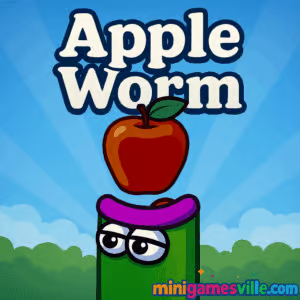
Ready to play right now? Click the big Play button above to jump into Apple Worm on minigamesville.com. Apple Worm is a clever logic puzzle browser game where your chonky worm grows with every apple, turning each move into a brain teaser. If you love smart online puzzles with simple controls and deep challenge, this is your next obsession. Hit Play, wiggle through the portal, and see how far you can go in this unblocked classic.
About Apple Worm
Apple Worm blends the satisfying growth loop of snake games with tight, grid-based platform puzzles. Each level is a compact logic challenge, asking you to plan routes, eat apples to extend your worm, then use that new length to cross gaps without trapping yourself. Short sessions, instant restarts, and tactile movement make Apple Worm online perfect for quick brain workouts or long marathons.
History of Apple Worm
First rising to fame in the late 2010s as a web title, Apple Worm earned a loyal following for its minimalist look, intuitive physics, and surprisingly devious level design. Its approachable concept, eat to grow then use your body as a bridge, turned it into a shareable puzzle hit that still shines in modern browsers.
Style & Vibe
Bright, clean visuals and a playful tone keep the focus on thoughtful, satisfying puzzles.

Gameplay in Apple Worm
The goal is always the same, reach the portal. The trick is how you get there. Every apple you chomp makes you longer, which lets you span pits, climb ledges, or turn tight corners. Growth also limits movement, so poor planning leads to a cozy but tragic self-trap. The physics are consistent and fair, which rewards careful sequencing, edge hugging, and smart use of corners. Expect a steady difficulty curve, quick restarts, and lots of ohhh that was the move moments. Apple Worm unblocked delivers pure puzzle flow in the browser with zero fluff.
Game Modes
- Main Levels: A handcrafted set of increasingly tricky stages that teach and then test core mechanics.
- Self‑Timed Speedrun: Race your own best times by completing full runs without resets. Great for streamlining your routes.
- Practice: Replay levels to master specific setups, like long-body stair climbs or corner pivots.
How to Play
- Survey the level. Spot apples, pits, one-tile drops, and the portal.
- Plot the order you will grab apples, thinking two or three moves ahead.
- Use your length as a bridge, a step, or a hook to wrap around ledges.
- Avoid belly drops into single-tile wells where turning becomes impossible.
- If you trap yourself, restart instantly and adjust the sequence.
Controls
- Desktop: Arrow keys or WASD to move, R to restart, P or Esc to pause.
- Mobile: Tap on-screen arrows or swipe in the intended direction.
Device Compatibility & Browser Support
Apple Worm runs smoothly in all modern Chromium, Firefox, and Safari browsers. It loads fast, uses very little memory, and supports keyboard on desktop plus touch on phones and tablets.
Mobile vs. Desktop Gameplay
- Desktop: Precision with arrow keys makes tight turns and edge setups easier. Great for speedruns and late-game puzzles.
- Mobile: Tap or swipe controls are perfect for casual sessions. Zoom the page if you like bigger buttons.
Can I Play Offline?
Apple Worm is a browser game, so it requires an active internet connection to load and save your progress in-session. Once the tab closes, you will need a connection again to replay.
Can I Play Unblocked?
Yes, Apple Worm is playable online at minigamesville.com. If you are on a restricted network, try another modern browser, use an HTTPS connection, and close extensions that interfere with game content. School or work policies vary, so always follow local rules.
- Browser: Play directly on minigamesville.com, no download needed.
- iOS: Official mobile version on the App Store, Apple Worm: Logic Puzzle.
- Android: No official Google Play listing is available at the moment. Use the browser version on mobile for the best experience.
Tips & Tricks
Beginner Tips
- Before moving, visualize where your tail will end up two moves later.
- Grab apples only when they help you span a gap or climb. Growth is a tool, not a goal.
- Avoid dropping your middle segments into one-tile pits. Enter pits tail-first if you must.
- Use corners as pivots to rotate your body without consuming extra space.
- Restart quickly to iterate. Fast retries are how you learn patterns.
Advanced Strategies
- Create temporary bridges by laying your body across edges, then slither off in reverse.
- Order apples to control final length near the portal. Being shorter often helps at the end.
- Snake around 90-degree corners to compress your body and free space for a turn.
- Practice tail-leading maneuvers to escape tight corridors.
- When speedrunning, memorize micro-routes, then buffer inputs on straightaways.
Features
- 🧩 Tight, logic-first level design that rewards planning
- 🍎 Growth mechanic that doubles as your bridge and your biggest hazard
- ⌛ Instant restarts for rapid iteration and flow
- 🎯 Clean visuals that keep attention on the puzzle
- 🎮 Keyboard and touch controls tuned for quick moves
- 📈 Smooth difficulty curve with real aha moments
- 🧠 Teaches spatial thinking and sequencing
- 🌐 Lightweight HTML5 for quick, cross-device play
Unlockables & Secrets
Apple Worm focuses on pure level progression rather than cosmetic unlocks. The real secrets are efficient apple orders and clever tail pivots that turn impossible layouts into clean exits. Challenge yourself to find routes that stay short until the last moment.
Cheats & Mods
There are no official cheats or sanctioned mods. To keep the puzzle intent intact, play the standard browser build and use restarts to refine your path. That way, every clear feels earned.
Walkthrough Summary
Think in phases. Phase 1, map the route and mark danger tiles. Phase 2, eat only the apples that enable a safe bridge or step. Phase 3, compress around corners to create turning room. Final phase, approach the portal at minimal length, then take the last apple only if it creates the final step. Repeat with small variations until the route feels smooth.
Scoring, Records & Progression
There is no global score, which keeps the focus on clean solutions. Track your personal milestones by the lowest number of moves, fewest restarts, or fastest time per level. Many players also aim for full no-mistake runs for a satisfying personal record.
Why Play Apple Worm
If you enjoy puzzle purity, Apple Worm delivers. It is approachable, replayable, and loaded with elegant problems that stay fair while pushing your spatial reasoning. Short levels fit any schedule, and the controls are instantly familiar.
Pros & Cons of Apple Worm
- Pros: Smart level design, crisp controls, fast loads, perfect for quick sessions.
- Cons: No cosmetic progression, later levels can be tough without a hint system.
- Use the latest version of Chrome, Edge, Firefox, or Safari for the best frame pacing.
- Close heavy tabs and extensions, especially ad or video utilities that hog memory.
- On laptops, plug in power or enable high performance mode for smoother input.
- If inputs feel sticky, refresh the page to clear any throttled state and reload assets.
Similar games to Apple Worm
- Snake Game, classic grid snake with clean controls for pure routing practice.
- Blocky Snakes, voxel-style snake challenges with tight turns and growing bodies.
- Puzzle Blocks Classic, relaxing block-fitting brain teasers to reset between tough worm levels.
- Level Devil, tricky platform setups where timing and awareness are key.
- Thief Puzzle, stretchy-arm logic puzzles that reward creative sequencing.
- 2048 Game Online, number-merging strategy that builds planning skills similar to worm routing.
FAQ
What is Apple Worm?
Apple Worm is a logic puzzle browser game where you eat apples to grow, then use your length to reach the portal without trapping yourself.
Is Apple Worm free to play?
Yes, you can play Apple Worm online for free in your browser on Minigamesville.
How many levels are in Apple Worm?
Expect a compact set of handcrafted levels with a steady difficulty climb, perfect for short sessions and speedruns.
Does Apple Worm save my progress?
Progress is saved in your active browser session. Keep the tab open to continue where you left off.
Can I play Apple Worm on my phone?
Yes, play directly in your mobile browser or get the official iOS version from the App Store.
Are there hints in Apple Worm?
There is no built-in hint system, which is why quick restarts and experimentation are part of the fun.
Is Apple Worm unblocked at school?
It depends on your network policies. Try a modern browser with HTTPS and follow local rules.
Conclusion
Short, smart, and satisfying, Apple Worm nails that sweet spot where one simple rule creates endless variety. If you crave fair puzzles that reward planning and tight movement, this browser game will keep you hooked apple after apple.
Ready to solve another one? Press Play and dive back into Apple Worm on minigamesville.com. Share it with a friend and compare routes, or challenge yourself to a no-restart run. Your next aha moment is one move away.

 Loading...
 English
 Shqip
Shqip
 বাংলা
বাংলা
 Български
 简体中文
简体中文
 Hrvatski
 Čeština
 Dansk
Dansk
 Nederlands
 Suomi
Suomi
 Ελληνικά
 हिन्दी
 Magyar
 Bahasa Indonesia
 日本語
日本語
 한국어
한국어
 Lietuvių
 Bahasa Melayu
 Norsk
Norsk
 Polski
 Português do Brasil
 Română
 Slovenčina
 Slovenščina
 Svenska
 ไทย
ไทย
 Türkçe
 Українська
 اردو
اردو
 Tiếng Việt
 isiZulu
 Español
 Français
 Deutsch
 العربية
 Italiano
 فارسی
فارسی
 Русский