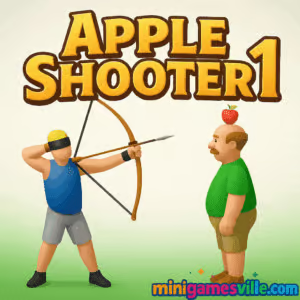
Ready to test your aim? Click Play above and jump into Apple Shooter 1 on minigamesville.com right now. Apple Shooter 1 is a classic physics-based archery browser game where every arrow counts. Line up the perfect shot, keep your cool as the distance increases, and try not to nick your brave buddy. Play Apple Shooter 1 online free, enjoy quick rounds, and chase high scores. If you came looking for an unblocked archery game that runs instantly in your browser, you’re in the right place.
About Apple Shooter 1
Apple Shooter 1 distills archery into its purest form. You stand a set distance away from a character with an apple perched on their head, then gauge angle and power to land a safe, satisfying bullseye. As you progress, distances grow, wind-like sway and timing add tension, and a single mistake ends the run. It’s the kind of pick up and play skill challenge that rewards patience, precision, and a steady mouse hand.
History of Apple Shooter 1
The Apple Shooter idea took off in the early web gaming era with simple archery experiments that spread across Flash portals. As browsers evolved, the format moved to lightweight HTML5 so fans could keep playing without plugins. Apple Shooter 1 continues that tradition, keeping the iconic William Tell vibe while embracing modern, fast-loading performance in today’s browsers.
Style & Vibe
Minimal UI, clear targets, and crunchy hit feedback keep the focus on feel. A clean art style and quick resets mean you’re back lining up the next shot in seconds. It’s tense, a little cheeky, and endlessly replayable.

Gameplay in Apple Shooter 1
Each round starts with your archer and the apple-wearing partner at a set distance. You drag to choose angle, hold to build power, then release to fire. Arrows follow believable physics, so tiny changes in angle can mean a huge difference downrange. Clearing a stage pushes the target farther back, shrinking your margin for error. Miss the apple and you risk hitting your friend, ending the run. Apple Shooter 1 is all about micro-adjustments and learning how power scales with distance.
Game Modes
- Classic Levels Beat a sequence of increasingly long shots, one perfect arrow at a time.
- Distance Challenge Keep landing hits to push the apple farther and set a personal best.
- Practice Warm up with forgiving distances to dial in your angle and power.
- Time Attack Optional variants give you a countdown to sink as many apples as you can.
How to Play
- Press and hold to draw the bow.
- Move your cursor or finger to set the angle. Small changes matter, especially at long range.
- Watch your power meter or line length, then release to shoot.
- Hit the apple to advance. A body shot ends your run, so aim steady.
- Repeat, adjust, and try to beat your longest safe distance.
Controls
- Desktop Click and hold to draw, move the mouse to aim, release to fire.
- Mobile/Tablet Tap and hold anywhere on the play area, drag to set angle and power, release to shoot.
- Quick Reset Use the on-screen restart between shots to retry fast.
Device Compatibility & Browser Support
Apple Shooter 1 runs in modern browsers on Windows, macOS, Linux, Chromebook, Android, and iOS. For best results, use the latest Chrome, Edge, Firefox, or Safari. The game is lightweight, loads quickly, and responds well to both mouse and touch.
Mobile vs. Desktop Gameplay
On desktop, a mouse gives ultra-fine angle control. On phones, touch aiming feels natural and portable, great for short sessions. Tablets strike a nice balance with a bigger touch surface for precision shots.
Can I Play Offline?
No. Apple Shooter 1 is an online browser game, so you need an internet connection to load it.
Can I Play Unblocked?
Apple Shooter 1 runs over HTTPS and uses standard HTML5, so it often works on school and workplace networks that allow gaming content. If your network blocks games, you may need to switch to a permitted connection or ask your admin about access.
- Browser Play Apple Shooter 1 free here on minigamesville.com.
- Mobile There is no official iOS or Android app for Apple Shooter 1. If you want a mobile archery alternative with store listings, try Bowmasters on the App Store or Google Play. Android users can also check out Archery Master 3D on Google Play.
Tips & Tricks
Beginner Tips
- Start with low power and shorter angles, then scale up gradually.
- Use a consistent reference point on the background to repeat your aim.
- If you overshoot, reduce angle first before dialing back power.
- Take a breath and release smoothly to avoid sudden flicks.
Advanced Strategies
- Memorize two anchor shots, one for mid distances and one for long. Adjust from those baselines.
- At extreme range, tiny angle changes beat big power swings.
- Track your last miss high or low and correct half the error to center on the next shot.
- Use the practice mode to build a personal angle chart for common distances.
Features
- 🎯 Tight, skill-based archery physics that reward consistency
- 🍎 Rising difficulty with longer distances and razor-thin margins
- ⚡ Instant restarts for rapid practice loops
- 📱 Smooth play on desktop, phone, and tablet
- 🔊 Crisp hit sounds and clean visual feedback
- 🏆 Distance chase and personal best tracking
- 🕹️ Simple controls, deep mastery ceiling
- ☁️ No downloads, just play in your browser
Unlockables & Secrets
Some versions include cosmetic changes or hidden milestones for streaks of perfect hits. Focus on consistent apples in a row to trigger bonus prompts when available.
Cheats & Mods
There are no official cheats for Apple Shooter 1. Third-party hacks can break saves or introduce security risks. The best route is practice, learning stable angles, and building a simple distance chart.
Walkthrough Summary
Early game Get comfortable with a reliable mid-range angle. Aim slightly below your instinct to prevent overshooting. Mid game Distances grow, so favor micro changes in angle while keeping power consistent. Late game Only razor-precise adjustments work. Make small corrections and commit to smooth releases.
Scoring, Records & Progression
Each clean apple hit advances you, with points or distance milestones recorded as your personal best. Misses end the attempt, so the climb is about minimizing error and locking in repeatable aim references. Keep notes on angles and power for your longest consistent hits, then push the next threshold.
Why Play Apple Shooter 1
If you love physics shooters and quick skill loops, Apple Shooter 1 is pure satisfaction. Sessions are short, the ceiling is high, and every perfect shot feels great. It’s a timeless archery challenge that fits any coffee break.
Pros & Cons of Apple Shooter 1
- Pros Snappy physics, instant restarts, easy to learn, deep mastery.
- Cons One-hit failure is punishing, and long-range shots can be unforgiving without practice.
- Keep your browser current and close unused tabs for steadier frame times.
- Enable hardware acceleration in browser settings for smoother animations.
- On laptops, plug in or use performance mode to avoid CPU throttling.
- Mobile players can switch to landscape, raise brightness, and use Do Not Disturb to avoid input hiccups.
Similar games to Apple Shooter 1
- White Archer — Minimalist archery with precise, timing-based shots.
- Raft Wars — Turn-based physics shooting with funny water battles and upgrades.
- Shot Trigger — One-tap slow motion marksmanship that rewards perfect timing.
- Flip Knife — Angle and power management meet satisfying knife flips.
- Penalty Shooters 2 — Soccer penalties with placement and power control under pressure.
- Funny Shooter 2 — Fast-paced shooting chaos with quirky enemies and upgrades.
- Crazy Shooters 2 — Multiplayer FPS action for players who want a faster shooter fix.
FAQ
Is Apple Shooter 1 free to play?
Yes, Apple Shooter 1 is free to play in your browser on minigamesville.com.
Does Apple Shooter 1 work on mobile?
Yes, it plays in modern mobile browsers. For the best control, rotate to landscape and use a steady finger drag.
How do I get better at long-distance shots?
Use a repeatable mid-range angle as your baseline, then make tiny angle adjustments while keeping power consistent.
Is there an undo or rewind?
No, a miss ends the run. Quick restarts keep practice loops short so you can improve fast.
Can I mute the sounds?
Yes, use the in-game sound toggle or your device volume controls to mute while playing.
Conclusion
Apple Shooter 1 takes a simple idea and turns it into a gripping test of aim and nerves. With crisp physics, instant restarts, and satisfying apple pops, it’s the perfect browser game when you want a quick challenge that keeps you coming back.
Ready to claim a new personal best? Hit Play above and try Apple Shooter 1 on minigamesville.com right now. Line up that shot, breathe, and let the arrow fly.

 Loading...
 English
 Shqip
Shqip
 বাংলা
বাংলা
 Български
 简体中文
简体中文
 Hrvatski
 Čeština
 Dansk
Dansk
 Nederlands
 Suomi
Suomi
 Ελληνικά
 हिन्दी
 Magyar
 Bahasa Indonesia
 日本語
日本語
 한국어
한국어
 Lietuvių
 Bahasa Melayu
 Norsk
Norsk
 Polski
 Português do Brasil
 Română
 Slovenčina
 Slovenščina
 Svenska
 ไทย
ไทย
 Türkçe
 Українська
 اردو
اردو
 Tiếng Việt
 isiZulu
 Español
 Français
 Deutsch
 العربية
 Italiano
 فارسی
فارسی
 Русский