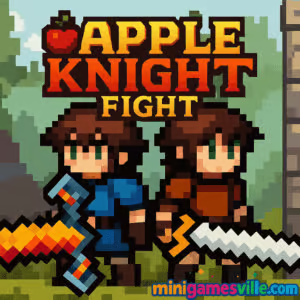
Ready to play right now? Click the Play button above to jump into Apple Knight: Fight on minigamesville.com. This fast, skill-based arena platformer is built for quick matches and clutch victories, all in your browser. Whether you are looking for an online duel, an unblocked study-break session, or a pixel-perfect 2 player brawl, Apple Knight: Fight delivers classic action with modern responsiveness. Smash crates, time your dashes, and use apples in hilarious ways to outplay your rival. Press start and try Apple Knight: Fight today.
About Apple Knight: Fight
Apple Knight: Fight is a bite-sized, arena-style spin on the beloved Apple Knight universe. It keeps the tight movement, satisfying swordplay, and clean pixel art while shifting the focus to short, explosive rounds. You can face a smart AI solo or go head-to-head in local 2 player matches. The browser game format keeps things instant and accessible, perfect for quick bursts of arcade combat. If you enjoy platform brawlers with readable physics and creative power-ups, Apple Knight: Fight belongs in your favorites.
History of Apple Knight: Fight
The Apple Knight series began as a polished action platformer on mobile, then expanded with new modes and spin-offs. Apple Knight: Fight channels that core feel into compact duels that highlight mobility, parries, apples, and environmental hazards. What you get is a streamlined, browser-first take that still feels true to the brand’s agile combat and secret-packed arenas.
Style & Vibe
Expect bright pixel art, snappy animations, and crunchy hit sounds that make every clash satisfying. Stages feature layered platforms, cannons, crates, and wizard drops that shake up the meta each round. The tone is playful and competitive at the same time, so it is perfect for friendly rivalries or short breaks between classes.

Gameplay in Apple Knight: Fight
Each match drops you into a compact arena with clear goals: outmaneuver, out-damage, and outsmart your opponent. Movement is king. You will weave short hops, wall slides, and dashes to bait attacks, then punish with sword strikes or creative item use. Expect random loot from wizards, timing-based cannon shots, throwable apples, and explosives. Health bars drain quickly if you mistime a dodge, so awareness matters. Rounds are brisk and momentum swings are common, which makes Apple Knight: Fight extremely replayable as an online browser game.
Game Modes
- Single Player: Battle an AI opponent, great for warming up and practicing routes.
- 2 Player Versus: Local competitive mode on one keyboard. Fast, fair, and ideal for bragging rights.
How to Play
- Press Play above, pick Single Player or 2 Player.
- Learn the arena: note cannon timing, crate spawns, and safe escape lanes.
- Use your dash to bait swings. Counter with quick sword hits or apples.
- Grab wizard drops for abilities, then convert pressure into a health lead.
- Finish the round, reset, and adapt. Each match rewards smart routes and timing.
Controls
Player 1
- Move: A and D
- Jump: W
- Attack: S
- Ability: C
- Dash or Dodge: V
Player 2
- Move: Left and Right Arrow
- Jump: Up Arrow
- Attack: Down Arrow
- Ability: K
- Dash or Dodge: L
Device Compatibility & Browser Support
Apple Knight: Fight runs in modern browsers with hardware acceleration enabled. It plays smoothly on Chrome, Edge, Firefox, and Safari. Laptops and desktops offer the best precision with keyboards. Touch controls work on many mobile browsers, but for competitive play a keyboard is recommended.
Mobile vs. Desktop Gameplay
- Desktop: Most precise. Keyboard inputs make dashes and micro-adjustments easier.
- Mobile: Convenient for quick matches. Great for practicing routes, though touch inputs are less exact for 2 player duels.
Can I Play Offline?
The game loads assets from the web, so you need an internet connection to start. Once loaded, it may continue for a bit if the page stays open, but true offline support is not guaranteed. For stable play, stay online.
Can I Play Unblocked?
Apple Knight: Fight on minigamesville.com is designed for quick access through a secure HTTPS connection. Many networks allow it, although school or workplace filters vary. If it is blocked, try a personal network, switch devices, or ask your administrator about access to educational-friendly browser game sites.
- Browser: Play Apple Knight: Fight right here on minigamesville.com.
- Mobile, official series entries:
Tips & Tricks
Beginner Tips
- Dash first, strike second. Bait a whiff, then counter with a short combo.
- Use elevation. Drop through platforms to reset angles and break line of sight.
- Time the cannon. Firing when your rival commits to a jump secures free damage.
- Grab apples on the way. They set up ranged pokes and fun finishers.
- Practice routes in Single Player before challenging a friend.
Advanced Strategies
- Corner control: herd the opponent toward cannons or crates to force bad trades.
- Ability discipline: save abilities to punish jumps, not neutral footsies.
- Micro-spacing: short taps instead of full runs make your dash cancels safer.
- Tempo swaps: alternate slow play with sudden burst dashes to break patterns.
- Mind games: fake a retreat, pivot back with an apple toss to provoke a panic jump.
Features
- ⚔️ Tight, responsive sword combat with clean hit feedback
- 🍎 Apples, explosives, and wizard drops that remix each round
- 🧠 Smart AI for solo practice, great for learning routes
- 👬 Local 2 player battles on one keyboard
- 🎯 Precise movement, wall slides, and quick dashes
- 🎨 Crisp pixel art and lively VFX in the browser
- 🚀 Instant load, no installs, unblocked-friendly format
- 🔁 Short, replayable matches designed for best of three sets
Unlockables & Secrets
While Apple Knight: Fight focuses on quick matches, each arena hides opportunistic plays. Watch for timed wizard drops, use crates as pop-up shields, and learn safe paths that flow into cannon pressure. Small optimizations compound into round wins.
Cheats & Mods
No built-in cheats or mod support in the browser version. Third-party tools can harm performance or cause bans. If you want a progression grind with unlocks, try the official mobile entries linked above.
Walkthrough Summary
- Open Single Player and learn one safe route per arena.
- Drill dash timing near edges to avoid trading damage.
- Master cannon timing windows.
- Add apples to force jumps, then punish landings.
- Move to 2 Player and adapt your reads to a human opponent.
Scoring, Records & Progression
Matches resolve through health bars. Keep track of your win streaks with friends or set personal time-to-win goals. The real progression is your execution speed and matchup knowledge. Replays are quick, which makes skill growth noticeable session to session.
Why Play Apple Knight: Fight
It is instant, fair, and endlessly learnable. Apple Knight: Fight gives you classic action platformer feel in an online, unblocked-friendly browser game you can play anywhere. Easy to start, rewarding to master, and perfect for short competitive bursts.
Pros & Cons of Apple Knight: Fight
- Pros: snappy combat, readable physics, zero install, great 2 player mode, quick rounds.
- Cons: limited long-term progression in-browser, touch controls are less precise than keyboard.
- Keep your browser updated and enable hardware acceleration.
- Close heavy tabs and screen recorders during matches.
- If input feels delayed, switch to a wired keyboard or reduce high-refresh overlays.
Similar games to Apple Knight: Fight
FAQ
Is Apple Knight: Fight free to play?
Yes, you can play Apple Knight: Fight free in your browser on minigamesville.com with no download.
Does Apple Knight: Fight support 2 player?
Yes, there is a local 2 player mode that lets two people share one keyboard.
What genre is Apple Knight: Fight?
It is a fast action platformer with arena fighting elements and short, skill-based rounds.
Can I play Apple Knight: Fight on mobile?
Yes, it runs in many mobile browsers. For the best precision, desktop with keyboard is recommended.
Are there official mobile versions of Apple Knight?
Yes, try Apple Knight on iOS and Android, and Apple Knight 2 on Download on iOS and Get it on Android.
Is Apple Knight: Fight unblocked?
Access depends on your network. Many users can play it unblocked at school or work, but filters vary by organization.
Does Apple Knight: Fight have saves or long campaigns?
No long campaign here. It focuses on quick matches and local competitive play.
Conclusion
For players who love pure movement and reaction tests, Apple Knight: Fight is a perfect pick. It turns platforming fundamentals into a tight duel where every dash and jump matters, all in a lightweight browser game that launches instantly.
Grab a friend, pick sides, and see who masters apples, cannons, and clutch dodges. Click Play above to start Apple Knight: Fight on minigamesville.com, then queue up a rematch and keep the rivalry rolling.

 (2 votes, average: 4.50 out of 5)
 Loading...
 English
 Shqip
Shqip
 বাংলা
বাংলা
 Български
 简体中文
简体中文
 Hrvatski
 Čeština
 Dansk
Dansk
 Nederlands
 Suomi
Suomi
 Ελληνικά
 हिन्दी
 Magyar
 Bahasa Indonesia
 日本語
日本語
 한국어
한국어
 Lietuvių
 Bahasa Melayu
 Norsk
Norsk
 Polski
 Português do Brasil
 Română
 Slovenčina
 Slovenščina
 Svenska
 ไทย
ไทย
 Türkçe
 Українська
 اردو
اردو
 Tiếng Việt
 isiZulu
 Español
 Français
 Deutsch
 العربية
 Italiano
 فارسی
فارسی
 Русский