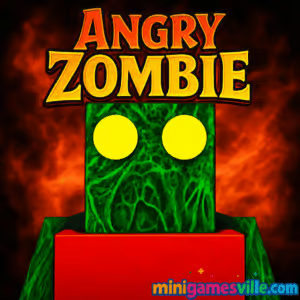
Click Play and jump straight into Angry Zombie on Minigamesville.com right now. Angry Zombie is a fast, arcade-style survival browser game where you dodge, blast, and outsmart swarms of undead in short, addictive bursts. If you love quick reflex challenges, this online action experience is easy to learn and hard to put down. Play in your browser, no download needed, and enjoy unblocked fun wherever your network allows. Hit the big Play button above to start Angry Zombie, rack up high scores, and chase that just-one-more-run feeling.
About Angry Zombie
Angry Zombie blends classic wave survival with modern HTML5 polish. Expect tight controls, crunchy hit feedback, clean UI, and bite-sized sessions perfect for study breaks or coffee runs. The core loop is simple, yet the difficulty curve, enemy mix, and power-ups keep every run fresh. Whether you are a casual player or a score chaser, this online browser game gives you rapid action with zero barriers to entry.
History of Angry Zombie
Built for instant, in-browser play, Angry Zombie follows the lineage of arcade shooters that prioritize fast starts and quick restarts. Designed for HTML5 and modern web engines, it runs smoothly across desktop and mobile browsers so you can play anywhere with an internet connection.
Style & Vibe
Expect a punchy, cartoon-horror vibe. Clear silhouettes make enemies easy to read, while bold impact effects and satisfying sound cues sell every hit. The palette leans dark with neon accents, which helps power-ups and hazards stand out during hectic moments.

Gameplay in Angry Zombie
Each run drops you into a compact arena swarming with zombies that grow faster and tougher over time. Collect coins and pickups, unlock temporary weapons, and chain combos to push your score multiplier. Movement and positioning are everything. Learn enemy tells, kite the horde, and route toward power-ups without getting cornered. Expect environmental hazards, elite zombies with special patterns, and timed waves that demand risk-reward decisions. The physics are crisp, collisions are readable, and run resets are instant so you get right back into the action.
Game Modes
- Endless Survival: Outlast escalating waves and chase global-worthy scores.
- Challenge Runs: Pre-set modifiers like limited ammo, faster elites, or tiny arena.
- Time Attack: Score as high as possible before the clock hits zero.
- Boss Rush: Face elite variants back to back with minimal resources.
How to Play
- Press Play above to launch Angry Zombie on Minigamesville.
- Move to avoid early hits and grab your first power-up.
- Circle the map, kite mobs, and keep escape lanes open.
- Use heavy weapons on elites, save single-shot tools for cleanup.
- Bank coins, survive the spike waves, and push your multiplier safely.
Controls
- Desktop: WASD or Arrow Keys to move, Mouse to aim, Left Click to fire, Space to dash, P to pause.
- Mobile: Virtual stick to move, on-screen button to shoot, swipe to dash, tap pause icon.
Device Compatibility & Browser Support
Angry Zombie runs in modern browsers on Windows, macOS, Android, and iOS. For best performance use the latest Chrome, Edge, Firefox, or Safari. Enable hardware acceleration, keep only a few tabs open, and make sure your device’s battery saver is off during play.
Mobile vs. Desktop Gameplay
Desktop offers pixel-precise mouse aim and easy kiting in tight arenas. Mobile touch controls are smooth and tuned for short sessions, great for quick runs on the go.
Can I Play Offline?
Angry Zombie is an online browser game and requires an internet connection to load. After loading, some devices may cache assets, but a stable connection is recommended for consistent performance.
Can I Play Unblocked?
Angry Zombie is an online browser game and requires an internet connection to load. After loading, some devices may cache assets, but a stable connection is recommended for consistent performance.
- Browser: Play Angry Zombie directly on Minigamesville.com in your web browser.
- Mobile Apps: There is no official Angry Zombie app on Google Play or the App Store at this time. Want a mobile-friendly alternative? Try Plants vs. Zombies 2 here:
Tips & Tricks
Beginner Tips
- Prioritize survival over kills. A live run always scores more than a risky wipe.
- Learn spawn rhythms. New waves often open a safe lane opposite the last cluster.
- Grab dash refills and invulnerability pickups before the wave spike.
- Use corners to reset aggro, then cut through gaps to escape.
- Keep your crosshair at mid-range to catch flankers.
Advanced Strategies
- Route planning: weave in figure eights to farm power-ups while keeping space.
- Elite control: tag tough zombies first to avoid late-wave body blocks.
- Multiplier management: stop shooting for a split second to reposition, not to camp.
- Ammo economy: burst fire into lines for pierce value, save heavy shots for clusters.
- Risk windows: take calculated risks right after a big pickup spawns.
Features
- 🧟 Tight zombie-swarm action with escalating difficulty
- 🎯 Crisp mouse and touch aiming for instant precision
- ⚡ Snappy dashes, power-ups, and score multipliers
- 🧩 Multiple modes for speedruns and endurance grinds
- 🔊 Punchy SFX and clean visual readability
- 📱 Seamless browser play on desktop and mobile
- 🏆 High-score chasing with fast restarts
- 🔒 No installs, no paywalls, just play
Unlockables & Secrets
Expect cosmetic skins, weapon variants, and occasional event modifiers that change spawn rates or add elite-only rounds. Keep an eye on challenge runs to reveal hidden achievements.
Cheats & Mods
There are no built-in cheats in Angry Zombie, and third-party mods can break performance or compromise your device. For a fair, stable experience, stick to the official version on Minigamesville.
Walkthrough Summary
Open with safe circles to gather early power-ups, then start thinning the horde. When elites spawn, rotate toward open space and use heavy tools. During late waves, preserve dash charges for emergencies and funnel enemies through narrow lanes to stack multi-kills.
Scoring, Records & Progression
High scores come from survival time, kill chains, and bonus pickups. Avoid hit resets that drop your multiplier. Session-based progression unlocks cosmetics and optional weapon variants so you can tweak your loadout for future runs.
Why Play Angry Zombie
It is quick to start, extremely replayable, and tuned for pure browser fun. Whether you want a five-minute break or a one-hour score grind, Angry Zombie delivers satisfying, unblocked action without friction.
Pros & Cons of Angry Zombie
- Pros: Fast load times, crisp controls, short sessions, great for score chasing.
- Cons: Minimal story, hectic late-game can feel punishing for newcomers.
- Keep your browser updated for the best WebGL performance.
- Close extra tabs and background-heavy apps before long runs.
- On laptops, plug in power to avoid CPU throttling during intense waves.
Similar games to Angry Zombie
- Base Defense — Build turrets and hold your ground against relentless waves.
- Base Defense 2 — Sequel with tougher waves, bigger maps, and new upgrades.
- Stick Defenders — Merge units, unlock weapons, and fend off stick-figure hordes.
- Horror Dungeon 3D — First-person dungeon crawler with spooky encounters.
- Blumgi Castle — Physics-based siege shots against enemy strongholds.
- Neon War — Bright arcade shooter packed with power-ups and combos.
- Plane Wars — Command aerial units and capture nodes in quick strategy bouts.
FAQ
Is Angry Zombie free to play?
Yes, Angry Zombie is free to play as an online browser game on Minigamesville.
Do I need to download anything to play Angry Zombie?
No, the game runs in your browser and starts instantly after you press Play.
Does Angry Zombie have controller support?
Play is optimized for keyboard, mouse, and touch. Some controllers may work via browser mapping, but keyboard and mouse are recommended on desktop.
Can kids play Angry Zombie?
It features cartoon zombie themes. Parents should review and decide based on the player’s comfort with light horror visuals.
How do I save progress in Angry Zombie?
Session stats and unlocked cosmetics may save locally in your browser storage. Clearing cookies or switching devices can reset local data.
Why is my game lagging?
Close other tabs, disable battery saver, and update your browser. On mobile, switch to Wi-Fi for smoother performance.
Is Angry Zombie unblocked at school or work?
Access depends on local network policies. If it is blocked, try playing at home or on a personal connection.
Conclusion
For fast, skill-based action in your browser, Angry Zombie nails the essentials. Snappy restarts, clean visuals, and escalating pressure make every run a fresh challenge.
Ready to test your nerves and reflexes? Scroll up, hit Play, and dive into Angry Zombie on Minigamesville. Survive the swarm, climb the leaderboard, and come back for one more run.

 Loading...
 English
 Shqip
Shqip
 বাংলা
বাংলা
 Български
 简体中文
简体中文
 Hrvatski
 Čeština
 Dansk
Dansk
 Nederlands
 Suomi
Suomi
 Ελληνικά
 हिन्दी
 Magyar
 Bahasa Indonesia
 日本語
日本語
 한국어
한국어
 Lietuvių
 Bahasa Melayu
 Norsk
Norsk
 Polski
 Português do Brasil
 Română
 Slovenčina
 Slovenščina
 Svenska
 ไทย
ไทย
 Türkçe
 Українська
 اردو
اردو
 Tiếng Việt
 isiZulu
 Español
 Français
 Deutsch
 العربية
 Italiano
 فارسی
فارسی
 Русский