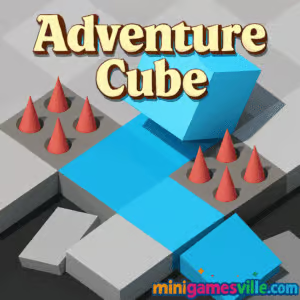
Click Play to jump into Adventure Cube on minigamesville.com. This fast, isometric runner browser game drops you into a lane full of traps, tight turns, and clutch pickups. Adventure Cube blends arcade reflexes with clean visuals and one-tap rhythm, perfect for quick online sessions or long score chases. If you love precision dodging, unblocked play at school or work, and lightweight HTML5 games that load fast, you are in the right place. Hit Start, weave through hazards, and chase a new personal best.
About Adventure Cube
Adventure Cube is a minimalist skill runner where your cube auto-moves forward while you steer left or right to avoid gaps, spikes, and moving blocks. The physics feel snappy, the arenas scroll smoothly, and coin pickups unlock new skins that keep runs fresh. It is an easy-to-learn, hard-to-master browser game with instant restarts and no clutter between attempts.
History of Adventure Cube
Adventure Cube follows the wave of HTML5 arcade runners that took off when modern browsers got fast enough for slick animation without plugins. The formula is timeless: quick runs, clear hitboxes, and escalating speed that rewards focus. On minigamesville.com, it keeps that spirit intact with smooth performance and simple, satisfying progression.
Style & Vibe
Expect clean shapes, bright lanes, and subtle effects that highlight hazards rather than hide them. Audio cues are crisp, so near misses feel rewarding and coins sound punchy. It is a calming look wrapped around tense split-second decisions.

Gameplay in Adventure Cube
Each run starts at a steady pace, then ramps up as obstacles stack and the path narrows. You will thread moving walls, time jumps across gaps, and read patterns to grab coins on safe lines. Precision matters. Tiny early corrections prevent late corrections that often send your cube into danger. The loop is tight: survive, collect, unlock skins, then repeat for a higher score.
Game Modes
- Endless: Core mode. Survive as long as you can and push your high score.
- Time Attack: Some builds offer timed sprints where distance and coins in a short window determine rank.
- Challenges: Optional objectives like flawless sections or coin quotas that sharpen fundamentals.
How to Play
- Press Play to start your run.
- Watch the next two tiles ahead. Read patterns early.
- Tap or press to switch lanes before obstacles pinch your path.
- Grab coins on safe lines to bank unlock progress.
- When you fall, restart instantly and apply what you learned.
Controls
- Desktop: Left and Right Arrow keys, or A and D, to steer.
- Mobile: Tap left side to move left, tap right side to move right. Some browsers also support swipe left or right.
- Menu: Mouse or touch.
Device Compatibility & Browser Support
Adventure Cube runs in modern Chromium browsers like Chrome and Edge, plus Firefox and Safari. It plays well on Windows, macOS, Linux, Android, and iOS. Performance tips: close heavy tabs, keep your browser updated, enable hardware acceleration, and pause streaming in the background.
Mobile vs. Desktop Gameplay
Desktop gives the most precise steering with keys and a wide field of view. Mobile taps feel snappy for short sessions, and portrait mode keeps your thumbs near the action. If you chase top scores, desktop precision helps. If you want bite-size runs, mobile feels great.
Can I Play Offline?
You need an active connection to load the game page. After loading, some browsers let you continue a short session, but progress and saves may not persist offline. For the best experience, stay connected.
Can I Play Unblocked?
Adventure Cube on minigamesville.com is an unblocked online experience for most networks that allow gaming content. If your school or office restricts access, try HTTPS in a modern browser, use an incognito window, or switch to a personal hotspot where allowed.
- Browser: Play Adventure Cube free on minigamesville.com in your web browser.
- Mobile stores: No verified official App Store or Google Play listing for Adventure Cube at this time.
- Want a similar mobile option? Try Cube Rush Adventure:
Tips & Tricks
Beginner Tips
- Look two tiles ahead. Early reads prevent panic turns.
- Center your cube on straightaways to keep both lanes available.
- Skip risky coins. A live run scores higher than a greedy mistake.
- Ease into moves. Small nudges beat last-second swings.
- Warm up with three short runs to lock in the rhythm.
Advanced Strategies
- Learn obstacle rhythms. Many patterns repeat in cycles you can memorize.
- Chain safe coins. Route planning beats reactive coin grabs.
- Buffer inputs. Tap just before openings rather than on them.
- Use audio. Hazard and coin sounds help you time without over-focusing your eyes.
- Practice recovery lines. After a near miss, re-center quickly to avoid a second mistake.
Features
- ⚡ Instant restarts for zero downtime
- 🧠 Easy controls with high skill ceiling
- 🎨 Unlockable cube skins and color themes
- 📈 Endless score chase with smooth difficulty ramp
- 🔊 Clean sound design that supports timing
- 📱 Plays in-browser on desktop and mobile
- 💾 Local save for skins and top scores
- 🕹️ Low-latency input feel for precise dodging
Unlockables & Secrets
Collect coins during runs to unlock new cube skins. Keep an eye out for rare coin lines tucked behind safe turns. Some themes pair nicely with certain backgrounds for better visual clarity.
Cheats & Mods
There are no official cheats or mods for this online browser game. Third-party scripts can break performance or saves. For fair play and smooth runs, stick to the default experience.
Walkthrough Summary
Start by focusing on survival. Hold a center line, collect only safe coins, and learn the timing of moving walls. Once you can consistently pass the early speed bump, begin planning coin routes. As difficulty climbs, anticipate gaps and buffer inputs a tile early.
Scoring, Records & Progression
Your distance and coin pickups drive the score. Longer survival multiplies value, so play safe in the first third of a run. High scores and unlocked skins save to your browser storage. Clearing cookies resets local progress.
Why Play Adventure Cube
It is pure arcade flow. Runs are short, restarts are instant, and every decision matters. Adventure Cube respects your time while rewarding mastery, which makes it perfect for both quick breaks and long improvement sessions.
Pros & Cons of Adventure Cube
- Pros: Crisp controls, readable obstacles, quick loads, satisfying unlock loop.
- Cons: Minimalist look may feel simple to players who want story or deep meta.
- Keep your browser updated for smoother frame pacing.
- Enable hardware acceleration in settings.
- Close extra tabs, especially video or heavy apps while playing.
- On mobile, lock your screen brightness and disable battery saver for steadier input response.
Similar games to Adventure Cube
FAQ
Is Adventure Cube free to play?
Adventure Cube is free to play in your browser on minigamesville.com.
Does Adventure Cube work on school Chromebooks?
Yes, it runs in modern Chrome on most networks. If blocked, try an incognito tab or a different connection.
How do I save my progress?
The game uses local storage for skins and high scores. Clearing cookies or switching devices can reset progress.
Is there controller support?
Adventure Cube is optimized for keyboard and touch. Some controllers may work through browser mapping, but support is not guaranteed.
What is the best way to get coins?
Prioritize safe coin lines and avoid late turns that risk a crash. Small gains over many runs add up fast.
Can I mute the sound?
Yes, use the in-game audio toggle or your device volume controls.
Conclusion
Adventure Cube delivers clean visuals, tight controls, and an addictive score chase that fits into any schedule. It is the kind of online arcade game you learn in seconds and refine for hours.
Ready to roll past your best run? Press Play and enjoy Adventure Cube right here on minigamesville.com.

 Loading...
 English
 Shqip
Shqip
 বাংলা
বাংলা
 Български
 简体中文
简体中文
 Hrvatski
 Čeština
 Dansk
Dansk
 Nederlands
 Suomi
Suomi
 Ελληνικά
 हिन्दी
 Magyar
 Bahasa Indonesia
 日本語
日本語
 한국어
한국어
 Lietuvių
 Bahasa Melayu
 Norsk
Norsk
 Polski
 Português do Brasil
 Română
 Slovenčina
 Slovenščina
 Svenska
 ไทย
ไทย
 Türkçe
 Українська
 اردو
اردو
 Tiếng Việt
 isiZulu
 Español
 Français
 Deutsch
 العربية
 Italiano
 فارسی
فارسی
 Русский