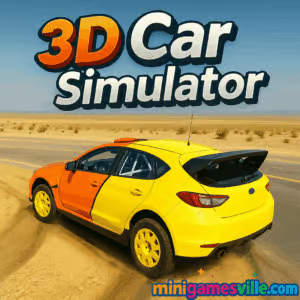
Ready to drive? Click Play and jump straight into 3D Car Simulator on minigamesville.com. 3D Car Simulator is a free online driving sandbox that runs right in your browser, perfect for quick laps, long drifts, and open‑world cruising. If you want a realistic feel with easy pick‑up‑and‑play controls, this browser game is the perfect pit stop. Try 3D Car Simulator unblocked at school or work where allowed, and see how fast you can go.
About 3D Car Simulator
3D Car Simulator is a casual 3D driving game focused on pure car physics, big open maps, and stress‑free exploration. You choose a vehicle, pick a map, and make your own fun: speed runs, drift lines, stunt jumps, or scenic drives. The pace is yours, the road is wide, and the learning curve is friendly. Whether you are on desktop or mobile, 3D Car Simulator keeps the action smooth with responsive steering and clean visuals.
History of 3D Car Simulator
3D Car Simulator grew out of the web’s WebGL driving boom, where physics‑based racers moved from plugins to modern browsers. The game embraced a simple format, three vehicles and multiple maps, letting the physics and car feel lead the experience. Regular web tech improvements have kept this browser game feeling crisp and quick to load.
Style & Vibe
The vibe is chill and arcadey: bright roads, wide corners, and ramps that invite big air. The UI stays minimal so you can focus on the road, smoke, and speedometer needle. It is the kind of online racer you open for a five‑minute break and end up playing for half an hour.

Gameplay in 3D Car Simulator
Pick a car, choose a map, and drive. The handling favors smooth weight transfer with enough grip to learn lines and enough slip to link drifts. You will find long highways for top‑speed pulls, city blocks for handbrake turns, and ramps for stunts. There is no grind or currency to manage, just instant driving fun. Push your limits by setting personal challenges like no‑brake laps, drift‑only corners, or time‑to‑checkpoint routes using landmarks.
Game Modes
- Free Drive: the core open‑world mode for cruising, drifting, and stunts.
- Self‑Timed Runs: use the in‑game timer or your own stopwatch to set PBs between landmarks.
- Challenge Yourself: create drift lines, top‑speed targets, or no‑crash routes on each map.
How to Play
- Press Play, then select your vehicle and map.
- Start slow to feel the brakes, turn‑in, and handbrake bite.
- Use camera toggle to find your favorite view.
- Pick a route, then aim for clean lines or stylish slides.
- Repeat with a different car or map and try to beat your best runs.
Controls
- Drive: WASD or Arrow keys
- Handbrake: Space
- Nitro or Boost: Shift, if available
- Reset/Flip Car: R
- Change Camera: C
- Mute/Unmute: M
- Mobile: on‑screen pedals and steering, tap for brake and drift
Device Compatibility & Browser Support
3D Car Simulator runs in modern browsers on desktop and mobile. For best performance, use the latest Chrome, Edge, Firefox, or Safari with hardware acceleration enabled. Close heavy background tabs, and if you are on a laptop, plug in for a stable frame rate.
Mobile vs. Desktop Gameplay
- Desktop: full keyboard precision, higher frame rates, and easier long drifts.
- Mobile: quick sessions with touch controls, great for casual cruising and short stunt runs.
Can I Play Offline?
You need an internet connection to load the game. After assets load, some browsers may cache files, but a reliable connection is recommended.
Can I Play Unblocked?
3D Car Simulator is a browser game and often works unblocked. Network rules vary by school or workplace. If blocked, try a different browser, an HTTPS connection, or ask an administrator to allow minigamesville.com.
- Browser: Play 3D Car Simulator free on minigamesville.com.
- Mobile apps: There is no official Google Play or App Store release for 3D Car Simulator.
- Want a mobile alternative? Try Asphalt Legends:
Tips & Tricks
Beginner Tips
- Feather the throttle on corner exit to prevent snap oversteer.
- Tap the handbrake to start a drift, then steer into the slide and modulate gas.
- Use camera views to find one that helps you read corners.
- Learn the maps by landmarks so you can set repeatable time trials.
- Brake in a straight line before turn‑in for a clean apex.
Advanced Strategies
- Link drifts by releasing the handbrake early and using throttle to carry angle.
- Scandinavian flick: quick steer opposite, then into the corner to rotate the car.
- Trail braking: hold light brake into the apex to keep the nose planted.
- Use ramps diagonally for lower airtime and faster landings.
- Benchmark cars on the same route to compare physics and top speed.
Features
- 🚗 Three distinct vehicles with different grip and weight
- 🗺️ Multiple open maps built for speed, drifts, and jumps
- 🎥 Switchable camera views for comfort and control
- 💨 Handbrake drifts and smoky tires for style points
- ⏱️ Easy self‑timed runs for personal records
- 🎮 Smooth keyboard and touch controls
- ⚙️ Lightweight, quick‑loading browser performance
- 🔁 Instant restarts to perfect your line
Unlockables & Secrets
There is no currency grind. The fun is in finding hidden stunt spots, stringing drift sections together, and creating custom routes. Try reverse laps, no‑brake challenges, or all‑ramp runs for extra replay value.
Cheats & Mods
3D Car Simulator is tuned for fair play. Browser extensions that alter gameplay can cause crashes or bans. If you want more challenge, set house rules like no handbrake or time caps rather than using cheats.
Walkthrough Summary
- Start with the most stable car and learn one map.
- Set a baseline time on a loop using clear landmarks.
- Practice braking points and exit throttle to lower your time.
- Swap to a more powerful car and compare PBs.
- Master drift lines, then go for stunt jumps and stylish replays.
Scoring, Records & Progression
There is no global leaderboard in 3D Car Simulator, so make your own. Track PBs, top speed snapshots, or clean‑lap counts. Progression here is skill based, not menu based, which keeps the game focused on driving.
Why Play 3D Car Simulator
If you want a low‑friction driving fix without downloads, 3D Car Simulator delivers. It is quick to load, easy to learn, and satisfying at high speed. As an online browser game, it is perfect for practice laps, drift training, or just zoning out on a long highway.
Pros & Cons of 3D Car Simulator
- Pros: instant play, smooth physics, open maps, friendly controls, unblocked in many networks.
- Cons: no formal career mode, no built‑in leaderboards, visuals are minimalist compared to premium racers.
- Keep your browser updated and enable hardware acceleration.
- Close heavy tabs and streaming apps to free CPU/GPU resources.
- On mobile, disable battery saver to prevent frame drops.
- If you see input lag, switch to a different browser or clear cache.
Similar games to 3D Car Simulator
- Drift Boss — one‑button drifting that rewards timing and patience.
- Swerve — tight lane‑switching and quick reflex driving.
- Superbike Hero — classic motorcycle racing across international circuits.
- Moto X3M Bike Race Game — physics‑based bike trials with wild traps.
- Moto Maniac 2 — balance and precision through tricky obstacle courses.
- Shortcut Race — collect planks and create speed‑boosting shortcuts mid‑race.
- Stickman Biker — minimalist bike physics with satisfying flow.
FAQ
Is 3D Car Simulator free?
Yes, 3D Car Simulator is free to play online in your browser on minigamesville.com.
Does 3D Car Simulator have multiple cars and maps?
Yes, you can switch between several vehicles and open maps suited for speed, drifts, and stunts.
Can I save progress in 3D Car Simulator?
There is no account system. Keep your own PBs and routes, and return anytime to improve them.
Is 3D Car Simulator unblocked?
It often works on restricted networks, but access depends on local filters. If blocked, try another browser or ask for the site to be allowed.
What are the best settings for smooth play?
Use an updated browser, enable hardware acceleration, close heavy tabs, and play on a stable connection.
Are there official mobile apps for 3D Car Simulator?
No, there is no official mobile app. If you want a mobile racer, try Asphalt Legends on Google Play and the App Store.
Conclusion
3D Car Simulator keeps the focus on driving. Clean physics, roomy maps, and quick loading make it a great browser game to relax with or practice drifting. Whether you are new to online driving games or just want a casual sandbox, this one hits the sweet spot.
Fire up your engine and play 3D Car Simulator right here on minigamesville.com. Set a route, chase a PB, or lay down drift smoke. The road is open, the car is yours, and the next run starts now.

 Loading...
 English
 Shqip
Shqip
 বাংলা
বাংলা
 Български
 简体中文
简体中文
 Hrvatski
 Čeština
 Dansk
Dansk
 Nederlands
 Suomi
Suomi
 Ελληνικά
 हिन्दी
 Magyar
 Bahasa Indonesia
 日本語
日本語
 한국어
한국어
 Lietuvių
 Bahasa Melayu
 Norsk
Norsk
 Polski
 Português do Brasil
 Română
 Slovenčina
 Slovenščina
 Svenska
 ไทย
ไทย
 Türkçe
 Українська
 اردو
اردو
 Tiếng Việt
 isiZulu
 Español
 Français
 Deutsch
 العربية
 Italiano
 فارسی
فارسی
 Русский