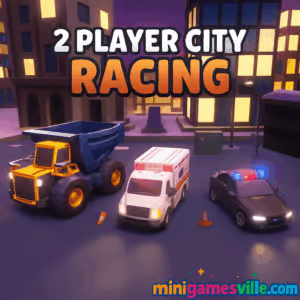
Ready to race? Click Play and jump into 2 Player City Racing right here on minigamesville.com. 2 Player City Racing is a fast, split-screen street racer built for instant fun in your browser. This online, unblocked racing game drops you into neon city circuits, quick drifts, and head-to-head sprints with a friend or solo. If you love arcade-style car games, tight turns, and boost-to-win moments, hit the gas and start your next lap now.
About 2 Player City Racing
2 Player City Racing is a lightweight browser game that balances quick pick-up sessions with satisfying racing physics. It blends classic arcade handling with modern WebGL visuals, so you can battle a buddy on the same keyboard or chase personal bests solo. Expect short tracks, responsive cars, and just enough challenge to keep you retrying one more race.
History of 2 Player City Racing
Local two-player racers have been favorites since the couch co-op era. 2 Player City Racing brings that spirit to the browser with split-screen duels, bite-size tracks, and streamlined performance. It is designed to load fast, run smoothly on mainstream laptops, and let you race without downloads or sign-ups.
Style & Vibe
Bright cityscapes, glowy checkpoints, and clean UI cues make each sprint easy to read at speed. Cars snap into drifts with a satisfying slide, and collisions feel arcadey, not punishing.

Gameplay in 2 Player City Racing
The loop is simple and addictive. Choose a car, learn each corner, time your acceleration out of turns, and use clean lines to shave seconds. The physics favor momentum, so early braking and smooth inputs beat constant tapping. Traffic and obstacles appear on some routes, pushing you to adapt mid-race. Win races, unlock tracks, and master tighter laps as difficulty ramps up.
Game Modes
- Single Player, race against AI and chase gold times.
- Two Player Split Screen, challenge a friend on the same device in local multiplayer.
- Time Attack, replay tracks to perfect lines and set records.
- Free Drive or Practice, learn corners without pressure when available.
How to Play
- Press Play, then select 1-Player or 2-Player.
- Pick a car and a track. Start with an easier circuit to learn braking points.
- Drive smooth. Brake before the apex, then accelerate out for maximum speed.
- Use boosts or nitro if shown. Save them for long straights or final sprints.
- Finish first to unlock new routes and keep improving your lap times.
Controls
Most versions use a familiar layout:
- Player 1, Arrow keys to steer and accelerate, with an extra key for nitro if shown.
- Player 2, WASD to steer and accelerate, with an extra key for nitro if shown.
Tip, watch the on-screen prompt at the start of each race for the exact mapping used in your build.
Device Compatibility & Browser Support
2 Player City Racing runs in modern browsers like Chrome, Edge, Firefox, and Safari. Enable hardware acceleration and keep your browser updated for best performance. Laptops and desktops deliver the smoothest split-screen frame rate. On mobile browsers, single-player works on many devices, though smaller screens may limit visibility.
Mobile vs. Desktop Gameplay
- Desktop, best for split-screen, stable FPS, and precise keyboard control.
- Mobile, fine for casual solo runs. Use landscape mode, close background tabs, and keep battery saver off for smoother play.
Can I Play Offline?
This is a browser game, so an internet connection is required to load and play.
Can I Play Unblocked?
2 Player City Racing is an online HTML5 racing game that usually works on school and work networks, but access depends on local filters. If your network blocks games, try loading over HTTPS, refresh the page, or switch browsers. You should only play where it is allowed.
- Browser, play 2 Player City Racing on minigamesville.com.
- Official mobile apps, none for this exact title on Google Play or the App Store as of August 19, 2025.
- Want a high-quality mobile racer, try Real Racing 3:
Tips & Tricks
Beginner Tips
- Brake early, enter slow, exit fast. Keep steering input smooth to hold speed.
- Memorize corner order. Most tracks have one risky turn that decides the race.
- Leave space in 2-player battles. Rubbing costs momentum and time.
- Watch ghost lines or tire marks to pick better racing lines.
- Save boosts for straights or the final dash to the finish.
Advanced Strategies
- Trail brake into tighter corners to rotate the car without oversteer.
- Feather the throttle mid-drift to keep grip and avoid sliding wide.
- Short-shift or lift slightly before bumps to keep the car planted.
- In split-screen, force opponents to the outside and protect your inside line.
- Reset fast after mistakes. A clean second lap can still win.
Features
- 🚗 Local split-screen racing for two on one keyboard
- 🌆 Stylish neon-city tracks and quick restarts
- ⚙️ Arcadey physics with approachable drifting
- ⏱️ Time attack for personal best chasers
- 🧭 Clear mini-map and corner signage
- 💨 Nitro or boost zones on select layouts
- 🔊 Punchy engine audio and satisfying slide cues
- 🖥️ Runs in browser, no download required
Unlockables & Secrets
Win races to unlock new tracks and faster cars when available. Shaving tenths off each sector is the fastest path to new content. Some builds hide small shortcuts in wide corners, so explore the outside and inside edges during practice laps.
Cheats & Mods
There are no built-in cheats. Browser mods or tampering can break saves, cause lag, or ruin fair play, so stick to the official version on minigamesville.com.
Walkthrough Summary
Start on the simplest track, focus on early braking, then add throttle as you pass the apex. Once you can complete two clean laps in a row, move to the next track and repeat. In 2 Player City Racing, consistency beats risky dives, so aim for tidy lines and boost only when you can keep the car straight.
Scoring, Records & Progression
Your goal is first place and faster lap times. Clean laps reduce mistakes, which translates into better finishing positions, which then open up additional routes and vehicles when included in the build you are playing.
Why Play 2 Player City Racing
Instant load, classic split-screen fun, and city circuits you can learn in minutes. 2 Player City Racing is perfect for quick breaks, school chill time, or after-work showdowns.
Pros & Cons of 2 Player City Racing
- Pros, quick races, easy controls, two-player browser mode, no downloads.
- Cons, simple car roster, short tracks, and limited tuning depth compared to full PC racers.
- As of August 19, 2025, keep Chrome or Edge updated for the best WebGL performance.
- Enable hardware acceleration in browser settings.
- Close extra tabs and apps, especially on older laptops.
- On integrated graphics, set system power mode to High Performance.
- If input feels laggy, reduce zoom to 90 percent and play in full screen.
Similar games to 2 Player City Racing
- Stock Car Hero, top-down oval racing with pack drafting and timing-based overtakes.
- Parking Fury 3D, Night Thief, stealthy city driving where precision beats pure speed.
- Drive Mad, physics-heavy obstacle runs that reward throttle control and balance.
- Midnight Drive, stylish night cruising with smooth handling and mellow vibes.
- Speed King, snappy arcade sprints focused on learning corner flow.
- House of Hazards, not a racer, but a hilarious local multiplayer chaos fix between races.
FAQ
What is 2 Player City Racing?
2 Player City Racing is a split-screen arcade racer you can play online in your browser, solo or with a friend on the same device.
Is 2 Player City Racing free to play?
Yes, you can play free in your browser on minigamesville.com without downloads.
Does 2 Player City Racing support controllers?
Some browsers map gamepads to keyboard input, but the game is tuned for keyboard. Check your browser’s gamepad support if you want to try a controller.
How do I drift better?
Brake before the turn, point toward the apex, and roll on the throttle smoothly. Over-steering wastes speed, so keep inputs gentle.
Why is my game lagging?
Close extra tabs, switch to full screen, and enable hardware acceleration. On laptops, plug into power and set performance mode to High.
Can I play unblocked at school?
The game is often accessible as an HTML5 title, but availability depends on your network filters. Only play where it is allowed.
Is there a mobile app for 2 Player City Racing?
There is no official mobile app for this exact game. If you want mobile racing, try Real Racing 3 on Google Play and the App Store using the links above.
Conclusion
2 Player City Racing nails what makes quick browser racing fun, clean drift-friendly physics, compact tracks, and instant two-player showdowns. Whether you have five minutes or a full study hall, it is easy to dive in, trade wins, and chase faster laps.
Ready to line up at the lights, again, and again, until you shave that last tenth, Click Play and race 2 Player City Racing on minigamesville.com. Invite a friend, claim the inside line, and own the city streets today.

 Loading...
 English
 Shqip
Shqip
 বাংলা
বাংলা
 Български
 简体中文
简体中文
 Hrvatski
 Čeština
 Dansk
Dansk
 Nederlands
 Suomi
Suomi
 Ελληνικά
 हिन्दी
 Magyar
 Bahasa Indonesia
 日本語
日本語
 한국어
한국어
 Lietuvių
 Bahasa Melayu
 Norsk
Norsk
 Polski
 Português do Brasil
 Română
 Slovenčina
 Slovenščina
 Svenska
 ไทย
ไทย
 Türkçe
 Українська
 اردو
اردو
 Tiếng Việt
 isiZulu
 Español
 Français
 Deutsch
 العربية
 Italiano
 فارسی
فارسی
 Русский