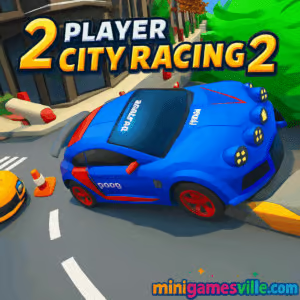
Ready to race right now? Click Play above and jump into 2 Player City Racing 2 on minigamesville.com. 2 Player City Racing 2 is a fast, head-to-head street racing browser game that you can enjoy online with a friend on the same keyboard or solo against AI rivals. If you are hunting for an unblocked city racer with easy controls, punchy physics, and plenty of drift-heavy corners, this one hits the gas. Start your engines and see who owns the night.
About 2 Player City Racing 2
2 Player City Racing 2 is a slick, arcade-style car racing game that focuses on split screen competition. You get tight urban tracks, simple upgrades, and a clean loop that rewards clean lines and perfect timing. Because it runs directly in the browser, there is nothing to download. Just load the page, pick a ride, and race. The sequel adds smarter AI, more track variety, and sharper visuals that make each corner feel alive. Whether you are practicing solo or battling a friend, 2 Player City Racing 2 keeps races quick and replayable so you can grind for better times and bragging rights.
History of 2 Player City Racing 2
The original 2 Player City Racing became a favorite for couch duels thanks to its low barrier to entry and split screen fun. 2 Player City Racing 2 polishes that core, expands the city layout, and tweaks the handling for a smoother drift-and-boost rhythm. The result keeps the pick-up-and-play spirit, while offering a more refined challenge curve for both casual racers and time trial chasers.
Style & Vibe
Expect neon-lit streets, reflective asphalt, and compact tracks designed for close quarters trading of paint. The soundtrack leans energetic, and the UI stays minimalist so you can focus on racing lines, not menus. Street racing energy with beginner-friendly tuning is the mood here.

Gameplay in 2 Player City Racing 2
Each race in 2 Player City Racing 2 is quick and tactical. You launch off the line, weave through tight city bends, and time boosts you collect from the road. Winning grants coins that unlock new cars or incremental upgrades like top speed, acceleration, and handling. Physics are arcadey with a forgiving drift, so you can throw the rear out and still recover if your line gets messy. AI rivals block smartly on higher difficulties, which nudges you to plan passes, save boost for straights, and take corners late apex to defend. The split screen mode keeps frame pacing snappy so both players can trade leads without slowdown.
Game Modes
- Career Races: Progress through a ladder of city circuits, earn coins, and improve your car.
- Time Trial: Race solo against the clock to set cleaner laps and master braking points.
- 2 Player Split Screen: Sit side by side and battle on the same device with mirrored HUD.
- Quick Race: Jump into a single event for instant action without commitment.
How to Play
- Press Play, choose single player or 2 player.
- Pick a car. Early on, favor balanced handling over top speed.
- Learn the track on your first lap, then push braking points later each lap.
- Collect boost pickups and deploy on long straights or after corner exits.
- Use coins after races to upgrade acceleration and grip first, then top speed.
Controls
- Player 1: WASD to steer, accelerate, and brake. Boost key shown on screen during play.
- Player 2: Arrow keys to steer, accelerate, and brake. Boost key shown on screen during play.
- Universal: Pause or reset prompts appear in the HUD. Look for on-screen icons if you forget.
Device Compatibility & Browser Support
2 Player City Racing 2 runs online in modern browsers. For best performance, use the latest version of Chrome, Edge, Firefox, or Safari. Enable hardware acceleration in your browser settings. Close extra tabs and background apps if you notice stutter, especially in split screen.
Mobile vs. Desktop Gameplay
Desktop delivers the ideal split screen experience and the tightest control feel. On mobile, the game can run in the browser for quick solo sessions, but screen space is limited for two players on one device. If you want couch competition, desktop or laptop is the way to go.
Can I Play Offline?
No. 2 Player City Racing 2 is a browser game that requires an internet connection to load and run.
Can I Play Unblocked?
Yes in most cases. Because it runs directly in the browser, many networks allow it. If your school or workplace blocks games, try loading it over HTTPS on minigamesville.com or switch to a personal network.
- Browser: Play instantly on MiniGamesVille.
- Android (similar game): Try 2 Player Racing 3D, an action-packed split-screen racing game that lets two people compete on the same device.
- iOS (similar game): While not the same as split-screen, consider trying a fast-paced mobile racer like **Real Racing 3**, which offers rich graphics and multiplayer modes through online play.
Tips & Tricks
Beginner Tips
- Feather the throttle out of tight corners to keep traction and avoid scrubbing speed.
- Upgrade acceleration first since it helps every exit and mistake recovery.
- Use inside lines to defend. Make rivals pass around the outside where it is slower.
- Save boost for after a clean corner exit, not mid-turn.
- Brake in a straight line, then roll back on throttle as you unwind the steering.
Advanced Strategies
- Memorize track segments and set micro goals like hitting the same curb each lap.
- Short shift before hairpins to reduce wheelspin and launch cleaner.
- Bait AI into late braking by moving to the inside early, then cut back for exit speed.
- In split screen, use peripheral vision cues from your rival to time blocks without oversteering.
- Tune your upgrade order per track. Technical tracks favor handling and acceleration, high-speed tracks favor top speed.
Features
- 🏁 Split screen 2 player racing right in your browser
- 🚗 Unlockable cars and simple upgrade path
- 🌃 Neon city circuits with tight, replayable layouts
- ⚡ Boost pickups for tactical passes and fast laps
- 🎮 Easy, responsive controls for quick onboarding
- 🧠 Smarter AI at higher difficulties keeps races tight
- ⏱️ Time trials for clean lap hunters
- 💻 Online, unblocked friendly play with no downloads
Unlockables & Secrets
Win races to earn coins and open new cars. Some tracks reveal faster routes if you clip apexes cleanly and carry speed through linked corners. Keep an eye on trackside arrows and surface color shifts that hint at better lines.
Cheats & Mods
There are no built-in cheats in 2 Player City Racing 2. Third-party mods or tampered builds can break performance or create unfair play. Stick to the official game on minigamesville.com for the best experience.
Walkthrough Summary
Start with a balanced starter car and run a few Time Trials to learn braking points. Enter Career Races, finish top three to bank coins, and upgrade acceleration and handling first. Once you know each track’s rhythm, jump into 2 Player mode and challenge a friend. Repeat the loop to unlock faster cars and shave seconds off your lap times.
Scoring, Records & Progression
Your performance is measured by race position, lap times, and career progression. Faster finishes award more coins. Track personal bests in Time Trial, then try to beat them with cleaner lines and smarter boost timing. The skill curve is steady, so every upgrade and technique tweak translates to better results.
Why Play 2 Player City Racing 2
If you want instant split screen fun without installs, 2 Player City Racing 2 delivers. It is beginner-friendly, yet has enough nuance to keep you chasing perfect laps. The quick restart loop, responsive handling, and city track design make it a go-to for short breaks or long rivalry sessions.
Pros & Cons of 2 Player City Racing 2
- Pros: Instant browser play, smooth split screen, satisfying drift and boost flow, fair AI.
- Cons: Minimal car tuning depth, mobile screen space is tight for two players.
- Update your browser to the newest build for best WebGL performance.
- Enable hardware acceleration in settings.
- Use full screen mode to reduce distractions and input lag.
- Close heavy background tabs and apps before launching split screen.
- If stutter appears, lower system animations in your OS settings.
Similar games to 2 Player City Racing 2
- Parking Fury 3D: Night Thief — stealthy night drives and precise car control in a neon city.
- Drive Mad — short, physics-based driving levels that reward balance and timing.
- Stock Car Hero — oval racing with slipstream strategy and lane management.
- Midnight Drive — stylish late-night cruising with relaxing city vibes.
- Speed King — straight-line speed tests that demand perfect reactions and upgrades.
FAQ
What is 2 Player City Racing 2?
2 Player City Racing 2 is an online split-screen racing browser game where you compete in short city circuits solo or with a friend.
Is 2 Player City Racing 2 unblocked?
In many networks, yes. If blocked, try loading it on minigamesville.com over HTTPS or use a different connection.
How do I go faster in 2 Player City Racing 2?
Upgrade acceleration and handling first, carry speed through apexes, and use boost on straights after clean exits.
Does 2 Player City Racing 2 have car customization?
It focuses on performance upgrades like speed, acceleration, and grip rather than cosmetic tuning.
Can I play 2 Player City Racing 2 on mobile?
Yes in a modern mobile browser for solo runs. For local two-player racing, desktop split screen is recommended.
Conclusion
For quick, competitive street racing you can launch in seconds, 2 Player City Racing 2 is a perfect pick. It blends approachable handling with satisfying upgrades and delivers the kind of split-screen thrills that make friendly rivalries last.
Ready to claim the city? Hit Play above and race 2 Player City Racing 2 on minigamesville.com. Grab a friend, pick your rides, and settle the score one clean lap at a time.

 Loading...
 English
 Shqip
Shqip
 বাংলা
বাংলা
 Български
 简体中文
简体中文
 Hrvatski
 Čeština
 Dansk
Dansk
 Nederlands
 Suomi
Suomi
 Ελληνικά
 हिन्दी
 Magyar
 Bahasa Indonesia
 日本語
日本語
 한국어
한국어
 Lietuvių
 Bahasa Melayu
 Norsk
Norsk
 Polski
 Português do Brasil
 Română
 Slovenčina
 Slovenščina
 Svenska
 ไทย
ไทย
 Türkçe
 Українська
 اردو
اردو
 Tiếng Việt
 isiZulu
 Español
 Français
 Deutsch
 العربية
 Italiano
 فارسی
فارسی
 Русский