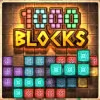
1000 Blocks is a quick-to-learn, hard-to-master block puzzle browser game that you can play online for free. If you love clever grid challenges, clean visuals, and satisfying clears, this one checks all the boxes. Drop shapes, complete lines, and chase a fresh high score every run. Whether you are on a laptop at home or looking for an unblocked puzzle during a study break, this lightweight title loads fast and plays smoothly. Ready to relax, refocus, and rack up combos? Press play above, then use the tips below to sharpen your strategy and keep the board clear longer.
About 1000 Blocks
This colorful block puzzle centers on placing shapes onto a fixed grid to clear full rows or columns. You are given a set of pieces, you position them to avoid dead zones, and you score by completing lines. The loop is calm and tactical, perfect for short sessions or extended marathons where each move builds toward a personal record. The difficulty scales as the board fills, which keeps the tension fun without feeling punishing.
History of 1000 Blocks
Block placement puzzlers have delighted players since the 8-bit era, and modern HTML5 versions refined that formula for instant play in any major browser. 1000 Blocks follows that lineage with touch and mouse support, smooth animations, and a session-based score chase that feels great on both desktop and mobile.
Style & Vibe of 1000 Blocks
Expect a clean UI, bright color palette, and crisp sound cues that reward each line clear. The vibe is mindful and relaxing, with zero clutter on screen. You can slip into the flow, plan two or three turns ahead, and enjoy a satisfying pop every time your strategy pays off.
Gameplay in 1000 Blocks
The core loop is simple: place the available pieces, form full lines, create space, repeat. The challenge comes from spatial planning, shape economy, and momentum. Smart players bank open lanes, avoid trapping corners, and chain clears for higher scoring bursts. The run ends when no piece fits, so every placement matters.
Game Modes
- Classic Endless: Pure score chase with a steady stream of shapes. Great for practicing fundamentals.
- Time Attack: Make fast, accurate placements before the timer ticks down. Pace and precision both count.
- Daily Challenge: A curated seed with shared conditions, perfect for friendly competition.
- Limited Moves: Fewer placements, higher pressure. Plan multi-line clears to stretch your run.
How to Play
- Look at your current set of shapes and scan the grid for high-value placements.
- Prioritize keeping the center open and preserve at least one long lane for future line clears.
- Place a piece, clear any complete rows or columns, then reassess the new board state.
- Chain clears by aligning multiple lines at once to spike your score.
- Continue until no remaining piece fits on the board.
Controls for 1000 Blocks
- Mouse: Click and drag a piece to the grid, release to place.
- Touch: Tap and hold a piece, drag to position, lift to drop.
- Keyboard: Some versions support arrow keys to nudge a held piece before placement.
- Audio: Toggle sound in the game UI if available.
Device Compatibility & Browser Support for 1000 Blocks
This HTML5 puzzle runs in modern browsers with no download required. It is lightweight, starts quickly, and handles inputs smoothly on Chrome, Edge, Firefox, and Safari.
Mobile vs. Desktop Gameplay
- Mobile: Tap controls feel natural, quick sessions are perfect during short breaks.
- Desktop: Larger grid view aids long-term planning, mouse precision helps optimize tight placements.
Can I Play Offline?
The standard web version needs an internet connection to load. After loading, some browsers can cache assets for brief offline play, but features like saving progress may vary. For best results, keep a connection active.
Can I Play Unblocked?
Many school or workplace networks limit gaming sites. If you need unblocked access, use a trusted educational break site or request allowlisting through your administrator. Always follow your local rules and guidelines.
Tips & Tricks for 1000 Blocks
Beginner Tips
- Keep the middle of the board open so you can pivot when awkward shapes appear.
- Place big pieces first, then tuck smaller ones into gaps.
- Avoid single-square holes that only one shape can fill.
- Build lines on multiple fronts to set up chain clears.
- Scan for two-turn plans, not just the current move.
- Leave space for a 1×4 or 2×3 piece, those arrive often.
- Do not chase every clear immediately. Sometimes saving space is the better play.
- Take a breath after each clear and reassess the board.
Advanced Strategies
- Reservoir lanes: Maintain one vertical and one horizontal lane for emergency placements.
- Edge anchoring: Build from the sides toward the center to prevent isolated pockets.
- Combo shaping: Place with intent, lining up two or more clears in back-to-back turns.
- Shape probability: Expect common rectangles and lines, keep slots sized to fit them.
- Risk timing: When the board is open, take creative placements to set up future combos. When it is tight, prioritize survival.
- Gap discipline: Avoid L-shaped crannies unless you can fill them within the next set.
- Endgame prep: As the bag depletes, switch to conservative moves that guarantee at least one more placement.
- Score spikes: Aim for multi-line clears. One big swing often beats several small ones.
Features of 1000 Blocks
- 🧩 Clean, relaxing block puzzle gameplay that rewards planning
- ⚡ Quick loads and instant restarts for rapid attempts
- 📱 Smooth touch controls on phones and tablets
- 🖱️ Precise mouse input with crisp animations
- 🔊 Pleasant sound effects with optional mute toggle
- 🏆 Score chase loop with combo potential and big clears
- 🎯 Multiple modes for casual play or time-pressured runs
- 🌈 Friendly color palette that keeps the board readable
Rules of 1000 Blocks
- Place pieces only within empty cells on the grid.
- Complete a full row or column to clear those cells and score points.
- You receive a fresh set of pieces after placing the current set.
- The game ends when no current piece fits anywhere on the board.
- Chain clears in a single or consecutive placements grant higher scores.
Unlockables & Secrets in 1000 Blocks
- Color themes or skins may unlock after streak milestones.
- Daily or weekly badges appear for consistent play in challenge mode.
- Hidden streak banners can pop when you chain multiple clears without a dead turn.
Cheats & Mods for 1000 Blocks
There are no legitimate cheat codes for this browser game, and external mods can break saves or create security risks. For a safer edge, learn advanced placement patterns and practice time management. Compete on fair terms to keep your records meaningful.
Walkthrough Summary for 1000 Blocks
Open by stabilizing the board. Use larger shapes to carve structure along the edges, then clear the center to maintain mobility. Midgame, think in pairs of moves that produce back-to-back clears. In the late game, tighten your placements, defend your reservoir lanes, and prioritize survival over risky combos unless a clear spike is guaranteed.
Scoring, Records & Progression in 1000 Blocks
Points come from lines cleared, with bonuses for multi-line clears and consecutive chains. Personal bests are tracked per session. Improve by expanding your opening repertoire, reducing wasted cells, and learning how to convert awkward shapes into future opportunities rather than board blockers.
Why Play 1000 Blocks
If you enjoy calm strategy, this online puzzle is a perfect fit. It blends meditative rhythm with smart decision making, and its short sessions make it a great focus reset during the day.
Pros & Cons of 1000 Blocks
- Pros: Accessible mechanics, fast loads, satisfying clears, excellent on touch and mouse.
- Cons: Luck can influence late-game piece flow, and perfectionists may restart often after misplacements.
- Keep your browser updated for smoother rendering and input latency improvements.
- Close extra tabs and background streams to reduce memory pressure during long runs.
- Enable hardware acceleration in browser settings for steadier frame pacing.
- On mobile, low power mode can throttle performance. If play feels sluggish, disable it temporarily.
Similar Games to 1000 Blocks
- 1010 Classic: A grid-based block puzzle with endless mode and clean visuals, great for line-clearing fundamentals.
- Block Champ: A strategic browser game with ice and lightning tiles that shake up standard placement patterns.
- Woodoku: A wood-themed block puzzle that pairs calm aesthetics with tight spatial planning.
- Hex FRVR: Hexagonal grid placements create fresh angles and unique clearing combos for puzzle fans.
- Block Blast: Fast-paced block placement with combo-driven scoring and punchy sound design.
- Tetris: The iconic falling-block experience, perfect for learning piece foresight and line cadence.
- Blockudoku: Sudoku-style grid logic meets block placement, ideal for players who like methodical clears.
- Trizzle: Match and grow matryoshka dolls on a grid, a playful twist on match logic and positioning.
- Jewel Shuffle: Polished match gameplay with smooth cascades, great for quick score chases.
- Puyo Puyo: Chain colorful blobs to create satisfying avalanche clears, a classic combo builder.
- Dr. Mario: Pill-matching on a grid encourages smart stacking and responsive clears.
- Merge Blocks 2048: Combine numbered tiles to reach target values, a brainy take on grid optimization.
- TenTrix: Piece placement on a 10×10 grid with a focus on efficient space management.
- Sudoku Blocks: Hybrid puzzle where you clear zones, rows, and columns using block groups.
- Lines FRVR: Minimalist line-clearing with a soothing aesthetic for relaxed play sessions.
1000 Blocks FAQ
Q
What is the goal?
A
Place shapes to complete full rows or columns, clear space, and push your score as high as possible.
Q
Is this an online unblocked game?
A
It is an online browser game. Unblocked availability depends on your network policies, so follow local rules or request allowlisting if needed.
Q
Do I need to download anything?
A
No download is required. It runs in-browser with standard HTML5.
Q
Does it save my progress?
A
It tracks your current run and high scores per session. Persistent saves can vary by version and browser storage settings.
Q
Can I rotate pieces?
A
Most placements use fixed orientations. Plan around piece shapes as presented and craft lanes that fit them.
Q
Are there power-ups?
A
Some versions add limited-use clears or theme perks. Core play focuses on smart placements and line clears.
Q
What browsers work best?
A
Chrome, Edge, Firefox, and Safari handle it well. Keep your browser updated for best performance.
Q
Any beginner strategy to start?
A
Protect the center, place large pieces first, and leave at least one long lane open at all times.
Conclusion: Ready to Stack in 1000 Blocks?
This calming grid puzzler delivers quick satisfaction and deep replay value. The controls are instant, the feedback feels great, and each session teaches smarter placements for your next run.
Load the game, set a personal goal, and start building your best board. Whether you are chasing a new record or sneaking in a relaxing break, 1000 Blocks is a sweet pick for bite-size strategy in your browser.

 Loading...
 English
 Shqip
Shqip
 বাংলা
বাংলা
 Български
 简体中文
简体中文
 Hrvatski
 Čeština
 Dansk
Dansk
 Nederlands
 Suomi
Suomi
 Ελληνικά
 हिन्दी
 Magyar
 Bahasa Indonesia
 日本語
日本語
 한국어
한국어
 Lietuvių
 Bahasa Melayu
 Norsk
Norsk
 Polski
 Português do Brasil
 Română
 Slovenčina
 Slovenščina
 Svenska
 ไทย
ไทย
 Türkçe
 Українська
 اردو
اردو
 Tiếng Việt
 isiZulu
 Español
 Français
 Deutsch
 العربية
 Italiano
 فارسی
فارسی
 Русский