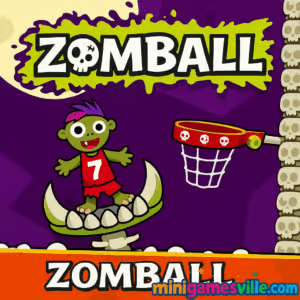
Play Zomball on Minigamesville.com now. Smash high scores in this fast, arcade-style browser game where zombies meet hoops and crazy physics. Zomball is an easy-to-learn, hard-to-master online skill challenge, perfect when you want quick, unblocked fun in your browser. Line up the shot, set your power, and sink basket after basket while managing quirky limb-throwing mechanics and escalating angles. If you are hunting for a bite-sized sports game with a spooky twist, tap the Play button above and start your Zomball run today.
About Zomball
Zomball blends basketball timing with physics puzzle precision. Each throw matters, streaks multiply your score, and misses get punished. The result is a tight, replayable arcade loop that feels great on desktop and mobile browsers. Whether you have two minutes or twenty, Zomball is the kind of online game that keeps you saying just one more shot.
History of Zomball
Arcade-style basketball flickers have been a staple of web gaming for years. Zomball takes that familiar formula and injects it with macabre humor and smooth physics, creating a modern browser game that thrives on quick sessions, leaderboard chasing, and playful, slightly ghoulish vibes.
Style & Vibe
Expect bold colors, cartoony zombies, and exaggerated animations that celebrate every swish and wince at every brick. The sound effects punctuate clutch shots, and the UI stays clean so the focus remains on your arc and timing.

Gameplay in Zomball
Zomball keeps the core loop simple. You get a set of attempts. Drag or swipe to choose your angle and power. Release to shoot. Make consecutive baskets to ramp up your multiplier and watch your score climb. Miss, and you lose an attempt, which adds tension and forces smarter shot selection. As you progress, arcs get trickier, windups longer, and tiny adjustments start to matter. The physics feel consistent, so practice pays off fast.
Game Modes
- Endless Score Chase: The classic mode, aim for the longest make-streak and highest score before you run out of attempts.
- Trick Shots: Situational arcs and tighter windows that reward pinpoint accuracy.
- Time Rush: Beat the clock by chaining quick makes to extend your timer.
How to Play
- Press and hold to aim your shot. Watch the arc indicator or visualize your trajectory.
- Adjust power by dragging longer for stronger throws and shorter for soft touch.
- Release to fire. Make the basket to keep your streak and multiplier alive.
- Adapt to tougher angles and micro adjust until you find a repeatable rhythm.
- Break personal bests, then go again. Zomball rewards repetition and quick learning.
Controls
- Desktop: Click and drag with the mouse to set angle and power, release to shoot.
- Mobile/Tablet: Touch and swipe to aim, lift your finger to release.
- Mute/Audio: Use the on-screen sound toggle if you prefer silent sessions.
Device Compatibility & Browser Support
Zomball runs in modern browsers with WebGL and canvas support. For best performance use current versions of Chrome, Edge, Firefox, or Safari. On mobile, it plays smoothly in iOS Safari and Android Chrome. Because it is a browser game, Zomball loads quickly and requires no large downloads.
Mobile vs. Desktop Gameplay
Desktop gives you fine-grained control with a mouse, which can help on high multipliers. Mobile swiping feels intuitive and great for short sessions. Both playstyles are competitive, so choose whichever is more comfortable for you.
Can I Play Offline?
Zomball runs online. You need an active internet connection to load and play.
Can I Play Unblocked?
Yes. Zomball is an unblocked browser game on Minigamesville.com, so most school and work networks that allow standard gaming websites will let it run. If your network uses extra filters, try switching browsers or device.
- Browser: Play Zomball free on Minigamesville.com in your desktop or mobile browser.
- iOS and Android: There is no official Zomball app at this time. Want a mobile zombie fix? Try Plants vs. Zombies 2 on:
Tips & Tricks
Beginner Tips
- Start soft. Shorter drags help you learn arc sensitivity without overshooting.
- Focus on rhythm. Consistent timing leads to steadier streaks in Zomball.
- Aim for the front rim when unsure. A gentle arc often catches a friendly bounce.
- Reset your hand position between shots to avoid accidental over-powering.
- Silence distractions. Concentration is key during long multiplier chains.
Advanced Strategies
- Micro adjust power by millimeters. High multipliers live in tiny corrections.
- Memorize anchor cues, like where your cursor aligns with UI elements for perfect arcs.
- Bank on momentum. After a make, shoot quickly while your muscle memory is hot.
- Practice recovery shots. Learn a safe power band to stabilize streaks after a miss.
- Chase clean swishes. Some modes reward no-rim shots with extra points.
Features
- 🧟 Quirky zombie basketball theme with tongue-in-cheek humor
- 🏀 Snappy, satisfying flick-to-shoot mechanics
- 📈 Score multipliers that reward long, clutch streaks
- 🧩 Trick-shot setups that test your precision and patience
- ⚙️ Smooth physics that feel fair and repeatable
- 💻 Plays instantly in your browser, no download required
- 📱 Optimized for both desktop and mobile touch controls
- 🔁 High replay value with bite-sized runs and leaderboard potential
Unlockables & Secrets
Keep an eye out for cosmetic tweaks and special shot prompts. Some modes introduce bonus targets or perfect-swish rewards that add extra points. Long streaks may surface subtle audio or visual flourishes, a fun nod to consistency.
Cheats & Mods
There are no official cheats for Zomball. Avoid third-party extensions or modified files that claim to alter physics or provide unlimited shots. They can harm your device or cause performance issues. Play fair and enjoy the authentic skill curve.
Walkthrough Summary
Begin with gentle arcs to calibrate power. Once you find a repeatable release, commit to it for five to ten shots. If you start missing, pause, relax your grip, and re-center your cursor or finger. In trick-shot scenarios, visualize the bounce point, then under-power slightly to let the rim work for you. Protect your multiplier at all costs.
Scoring, Records & Progression
Scores in Zomball hinge on consecutive makes. Each clean make boosts your multiplier, which skyrockets your points per shot. Misses reset your flow and eat into attempts. Aim for consistent streaks rather than flashy power throws, and track personal bests to measure real improvement over time.
Why Play Zomball
If you love quick arcade challenges, physics-based basketball, and a cheeky horror theme, Zomball is your perfect five-minute break. It runs instantly, teaches itself in a minute, and still leaves room for mastery long after. That sweet spot of simple rules and deep skill is why Zomball keeps players coming back.
Pros & Cons of Zomball
- Pros: Fast load, crisp physics, great for short sessions, satisfying streak mechanics.
- Cons: Misses can feel punishing, precision can be tough on small screens, no offline mode.
- Use an up-to-date browser and close heavy tabs before long streak attempts.
- On laptops, plug in power and enable hardware acceleration for smoother frames.
- On mobile, disable low-power mode and play in portrait if the UI supports it.
- Clear cached site data if you notice odd input lag or audio stutters.
Similar games to Zomball
- Perfect Dunk — pure basketball flick timing with clean arcs and quick-fire shots.
- Flick Goal — soccer physics and curve shots that scratch the same precision itch.
- Pocket Hockey — puck-sliding angles and banks for clever, satisfying scores.
- Ping Pong Chaos — chaotic table tennis with party-ready mechanics.
- Space Ballz — sci-fi ball physics with twitchy reactions and obstacle dodging.
- Double Bounce — precision bounces that reward patience and trajectory planning.
- Blumgi Castle — explosive projectile physics for fans of arc mastery and timing.
FAQ
What is Zomball?
Zomball is a free online browser game that mixes basketball flick mechanics with a playful zombie theme.
Is Zomball unblocked at school or work?
In most cases yes, since it runs in-browser on Minigamesville.com. Some networks may still restrict games, so availability can vary.
Does Zomball have multiple modes?
Core play centers on an endless score chase, with trick-shot and time-focused variations that emphasize accuracy and speed.
What are the controls?
Click or tap, drag to set angle and power, then release to shoot. It is simple to learn and precise at high streaks.
Can I play Zomball offline?
No, you need an internet connection because it is a web-based game.
Is Zomball free?
Yes, Zomball is free to play in your browser with no download required.
What devices does Zomball support?
It plays on modern desktop and mobile browsers, including Chrome, Edge, Firefox, and Safari.
Conclusion
Zomball delivers quick, satisfying sessions that feel great on any device. Tight physics, a fun zombie twist, and rewarding streak multipliers make it a perfect browser pick when you crave a fast fix of arcade basketball.
Ready to chase a new personal best? Hit Play on Zomball above, take your shot on Minigamesville.com, and keep those streaks alive. Your next clean swish is one perfect release away.

 Loading...
 English
 Shqip
Shqip
 বাংলা
বাংলা
 Български
 简体中文
简体中文
 Hrvatski
 Čeština
 Dansk
Dansk
 Nederlands
 Suomi
Suomi
 Ελληνικά
 हिन्दी
 Magyar
 Bahasa Indonesia
 日本語
日本語
 한국어
한국어
 Lietuvių
 Bahasa Melayu
 Norsk
Norsk
 Polski
 Português do Brasil
 Română
 Slovenčina
 Slovenščina
 Svenska
 ไทย
ไทย
 Türkçe
 Українська
 اردو
اردو
 Tiếng Việt
 isiZulu
 Español
 Français
 Deutsch
 العربية
 Italiano
 فارسی
فارسی
 Русский