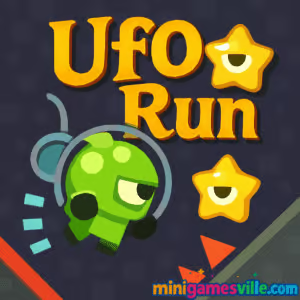
About Ufo Run
Ufo Run is an HTML5 arcade runner focused on tight controls, clean physics, and short, replayable sessions. You pilot a tiny saucer through twisting corridors, collect stars to boost your score, and survive for as long as you can. The loop is simple to learn and hard to master, which makes Ufo Run perfect for quick study breaks or marathon score chases.
History of Ufo Run
Ufo Run grew out of the golden age of one-button browser games, where responsive physics and fair obstacle patterns made replayability the star. It carries that spirit forward with a modern HTML5 build that runs smoothly without downloads or logins, directly in your favorite browser.
Style & Vibe
Expect crisp, neon-lit caves, bouncy sound effects, and a satisfying thruster hum that sells every near miss. The minimal UI keeps your eyes on the tunnel while subtle glow trails make close calls feel heroic.

Gameplay in Ufo Run
The saucer falls naturally, and a press of the key, click, or tap applies thrust. Each micro-correction matters. Stars nudge your score higher, while walls, spikes, and tight gaps punish sloppy lines. Momentum management is the core skill: rise just enough to clear danger, then release to settle back into the safe path. Difficulty scales smoothly, so every run trains your muscle memory and your nerves.
Game Modes
- Classic Endless: Pure survival and score chasing with increasing challenge.
- Self‑Set Challenges: Go for star-perfect segments, no‑hit tunnels, or distance goals with friends.
- Speed Runs: Try sprinting the opening stretch to set a warmup PR before your main attempt.
How to Play
- Press Play above to launch Ufo Run on minigamesville.com.
- Hold your key, mouse, or screen to thrust upward, release to descend.
- Thread through gaps, avoid spikes, and grab stars to build your score.
- Keep calm when the cave narrows, and ride smooth arcs instead of overcorrecting.
- Restart instantly and chase a cleaner line on your next run.
Controls
- Desktop: Space or left mouse to thrust, release to drop. Arrow/WASD not required, but some versions also map Space to thrust for convenience.
- Mobile: Tap and hold anywhere to rise, lift your finger to fall.
Device Compatibility & Browser Support
Ufo Run is an HTML5 browser game that plays great on modern Chromium-based browsers, Firefox, and Safari. No download or sign‑in needed. For the smoothest frame rate, close heavy tabs, enable hardware acceleration, and keep your browser up to date.
Mobile vs. Desktop Gameplay
On mobile, tap‑and‑hold controls feel natural and travel friendly. On desktop, a keyboard or mouse offers ultra‑precise feathering for high‑level scoring. Your best choice depends on whether you prefer fingertip finesse or key taps.
Can I Play Offline?
Ufo Run is designed for online play in your browser. Standard pages do not cache a full offline mode, so plan to play while connected.
Can I Play Unblocked?
Yes, Ufo Run runs in-browser over HTTPS and typically works on school or office networks that allow gaming sites. If a firewall blocks access, try another modern browser or your mobile device’s connection.
- Browser: Play Ufo Run free on minigamesville.com.
- Mobile stores: There is no official iOS or Android app release for Ufo Run. Want a mobile runner with a similar vibe? Try Subway Surfers:
Tips & Tricks
Beginner Tips
- Feather the thrust. Short taps beat long presses in tight sections.
- Enter gaps low, exit gaps high. This keeps more screen space for the next obstacle.
- Commit to a line early. Late corrections cause wall scrapes.
- Practice the first 15 seconds. A clean opener sets your rhythm.
- Chase stars only when safe. Survival multiplies future scoring chances.
Advanced Strategies
- Use micro‑pumps to hover. Rapid mini‑presses hold altitude with finer control.
- Pre‑aim your descent. Release a tick before the gap to let gravity carry you through.
- Read patterns two obstacles ahead. Your current move should set up the next.
- Build a safe cadence. Count presses through the same segment to repeat success.
- When in doubt, under‑thrust. It is easier to nudge up than rescue a high overshoot.
Features
- 🚀 One‑button flight with buttery physics
- ✨ Score‑boosting star pickups and satisfying near‑misses
- 🎯 Fair, learnable obstacle patterns for true skill growth
- ⚡ Instant restarts for rapid improvement loops
- 📱 Plays great on mobile and desktop browsers
- 🔊 Clean audio feedback that reinforces timing
- 🌈 High‑contrast visuals for quick readability
- 🏆 Pure endless mode for global score chasing with friends
Unlockables & Secrets
Ufo Run keeps the focus on performance. Your real unlocks are cleaner lines, deeper runs, and a personal best that keeps creeping upward. Treat the opening cave as your lab and perfect one section at a time.
Cheats & Mods
There are no official cheats for Ufo Run. Third‑party mods can break performance or cause instability, so stick to the legit browser version on minigamesville.com for the best experience.
Walkthrough Summary
Begin with calm, short thrusts to settle into the saucer’s gravity. Use the full width of each gap, not just the center line. When obstacles tighten, aim low on entry, then pulse up and through. Skip risky stars until your path is stable, then scoop them on the way out of a gap.
Scoring, Records & Progression
Score climbs with every meter traveled and every star collected. Your “progress” is consistency: fewer wall kisses, smoother arcs, and better decision‑making under pressure. Track personal bests by distance and by stars collected, and try to beat both in the same run.
Why Play Ufo Run
If you want a lightning‑quick arcade fix you can play anywhere, Ufo Run delivers. Runs last seconds or minutes, yet the skill ceiling stays sky high. It is the kind of online runner you return to daily because every restart feels like a fresh chance at greatness.
Pros & Cons of Ufo Run
- Pros: Instant load, tight physics, readable visuals, great on any device.
- Cons: Punishing for over‑tappers, single core mode may feel minimalist if you want lots of meta systems.
- Use a current browser version and enable hardware acceleration in settings.
- Close heavy tabs or streams before a high‑score session.
- On mobile, switch to full‑screen and Do Not Disturb to avoid input drops.
- If inputs feel sticky, lower system animations or try another browser.
Similar games to Ufo Run
- Canabalt — iconic minimalist runner where timing and momentum rule.
- Swoop Game — glide, dive, and snag gems with silky one‑button flight.
- Color Tunnel — race through a kaleidoscopic tube while dodging obstacles at speed.
- Geometry Dash — rhythm‑based jumping and flying through precision gauntlets.
- Dino Game — the famous offline‑style runner, jump cacti and soar under pterodactyls.
- Flip Runner — parkour‑style flips and jumps with physics you can feel.
- Birdy Rush — quick‑reflex dodging as hazards rain down on a tiny bird.
FAQ
Is Ufo Run free to play?
Yes, Ufo Run is free to play in your browser on minigamesville.com.
Does Ufo Run work on school Chromebooks?
Usually yes, since it runs in‑browser. If your network blocks gaming sites, try from home or on mobile data.
What are the best controls for Ufo Run?
Use short, rhythmic taps. On desktop, Space or mouse feels precise. On mobile, light holds make micro‑adjustments easier.
How do I improve my score in Ufo Run?
Prioritize survival lines, then layer in safe stars. Learn the timing to enter gaps low and exit high.
Is there an end to Ufo Run?
No, it is an endless runner. The challenge rises until a mistake ends your run, then you try again.
Is Ufo Run unblocked?
In most cases, yes. If your network blocks it, switching devices or connections usually solves it.
Conclusion
Ufo Run nails that perfect arcade feeling where a single button carries surprising depth. Clean physics, fair patterns, and instant restarts make every attempt meaningful. Whether you have 60 seconds or an hour, you can chase a personal best and feel improvement.
Ready to thread the needle and light up the cave? Hit Play above and dive into Ufo Run on minigamesville.com. One more run always becomes two, then ten, then your new high score.

 Loading...
 English
 Shqip
Shqip
 বাংলা
বাংলা
 Български
 简体中文
简体中文
 Hrvatski
 Čeština
 Dansk
Dansk
 Nederlands
 Suomi
Suomi
 Ελληνικά
 हिन्दी
 Magyar
 Bahasa Indonesia
 日本語
日本語
 한국어
한국어
 Lietuvių
 Bahasa Melayu
 Norsk
Norsk
 Polski
 Português do Brasil
 Română
 Slovenčina
 Slovenščina
 Svenska
 ไทย
ไทย
 Türkçe
 Українська
 اردو
اردو
 Tiếng Việt
 isiZulu
 Español
 Français
 Deutsch
 العربية
 Italiano
 فارسی
فارسی
 Русский