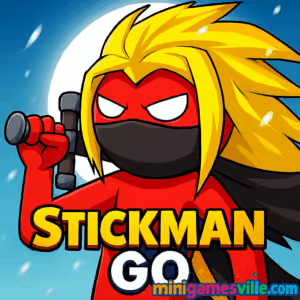
Play Stickman Go right now on minigamesville.com and jump straight into the action. Stickman Go is a fast, skill-based browser game that blends runner, platform, and timing challenges into one crisp package. If you love quick reactions, tight jumps, and simple controls that get tricky fast, this online stickman game is your next obsession. Hit Play, rack up distance, and chase a new high score. Prefer to game at school or work? Stickman Go unblocked usually loads smoothly on modern networks, so you can dash, swap lanes, and survive anytime you find a spare minute.
About Stickman Go
Stickman Go delivers bite-size thrills with a clean look, punchy sound effects, and a focus on reflexes. You guide synchronized stick figures as the stage scrolls, dodging gaps and hazards that scale up in speed and complexity. One small mistake ends the run, which keeps every second tense and every restart addictive.
Designed for instant play, this browser game runs right in your tab. No downloads, no launcher, just click and go. That makes Stickman Go perfect for coffee breaks, bus rides, or late-night score chasing. It is easy to learn in a minute, yet hard to master over hours.
History of Stickman Go
Stickman arcade titles have ruled browser portals for years, and Stickman Go carries that torch with an emphasis on lane-switching and survival. The game’s minimalist art keeps your focus on obstacles and timing, while escalating speed and split-attention challenges reward precision and practice.
Style & Vibe
Minimalist silhouettes, bold platforms, and crisp contrast make every hazard readable at a glance. The vibe is energetic and clean, with satisfying sound cues that reinforce your rhythm.

Gameplay in Stickman Go
Each run starts simple, then ramps into a rapid-fire gauntlet. Your goal: keep your key runner alive while managing mirrored or stacked stickmen across lanes. Platforms split, merge, and drop out. If your lower stickman tumbles into the void, the run ends. If an upper stickman falls through a gap to a lower lane, the pace spikes with extra bodies to track. The longer you last, the faster the level scrolls and the trickier the rhythm becomes.
The game rewards early, deliberate inputs. Anticipate gaps, commit to clean lane changes, and keep your eyes slightly ahead of your lead stickman. Small corrections beat last-second panic jumps every time.
Game Modes
- Endless Run: Survive as long as you can while speed increases.
- Checkpoint Chase: Hit pre-set markers to bank progress and push a personal best.
- Time Attack: Last a fixed duration with minimal mistakes to set a new record.
- Hardcore: Faster scroll speed and tighter gaps for veterans.
How to Play
- Press Play on the game frame and watch the first platforms scroll in.
- Use your lane-switch buttons to align with solid ground.
- Prioritize the lowest stickman. If the bottom falls, the run ends.
- Read one platform ahead. Commit early to safe lanes.
- Stack streaks of clean transitions to push speed and score.
Controls
- Desktop: Arrow keys or A/D to switch lanes. Space to confirm prompts. R to restart.
- Mobile: Tap left or right on the screen to change lanes. Tap the on-screen replay button to retry.
Device Compatibility & Browser Support
Stickman Go plays smoothly in modern browsers like Chrome, Edge, Firefox, and Safari on desktop and mobile. For the best results, keep only one game tab open, enable hardware acceleration, and close heavy background apps or streams.
Mobile vs. Desktop Gameplay
On desktop you get crisp keyboard control and a wider field of view, which helps with early reads. On mobile, touch controls feel immediate and travel-friendly. If you struggle with speed on a phone, reduce motion settings and increase screen brightness to make edges pop.
Can I Play Offline?
You need an internet connection to load and save a new run. After that, keep the tab active for uninterrupted play.
Can I Play Unblocked?
Yes, Stickman Go is an HTML5 browser game that typically works unblocked on school and office networks. If your network blocks gaming, try a different modern browser, clear your cache, or ask your administrator about allowing minigamesville.com.
- Browser: Play Stickman Go on minigamesville.com.
- Official mobile stores: There is no confirmed iOS or Android release for this exact game.
- Want a similar mobile experience? Try Stickman Legends:
Tips & Tricks
Beginner Tips
- Watch the bottom lane first. Protect it, then adjust the upper lanes.
- Move early. Micro-taps beat last-second, multi-tile shifts.
- Use the center line as a staging point before you commit to either side.
- Count beats. A quiet 1-2 rhythm smooths your inputs as speed rises.
- Restart quickly after short runs to build hand-eye muscle memory.
Advanced Strategies
- Split focus: soft-focus the next platform while peripherally tracking current lanes.
- Route planning: when levels branch, choose the lane with the longest visible solid stretch.
- Chain safe hops to avoid big swings. Large zigzags cause late inputs at high speed.
- Stabilize after saves. If an upper stickman drops a level, pause for one tile to resync timing.
- Practice hard mode to make normal speed feel slower and easier.
Features
- ⚡ Instant, one-tap gameplay that scales in speed and intensity.
- 🎯 Tight lane-switching mechanics that reward early reads.
- 📈 Endless progression with personal best tracking.
- 🕹️ Smooth play on desktop keyboards or mobile touch.
- 🧭 Clean, high-contrast visuals for quick decision making.
- 🔁 Rapid restarts keep the just-one-more-run loop alive.
- 🔊 Crisp audio cues that reinforce timing.
- 🌐 Lightweight HTML5 build that loads fast in your browser.
Unlockables & Secrets
Stickman Go keeps things lean, so the content loop focuses on mastery and score milestones. Aim for streaks without mistakes to see speed variations and tougher lane patterns. Some setups appear only after longer survival times, so stick with a run to discover the trickiest layouts.
Cheats & Mods
There are no built-in cheats. Third-party mods risk performance issues or blocked saves. If you want an easier learning curve, start on standard speed, then graduate to faster modes once your reads feel automatic.
Walkthrough Summary
Learn the lanes on normal speed, keep your eyes one tile ahead, and protect the bottom runner at all costs. Build a rhythm of early switches and short corrections. When an upper stickman drops levels, stabilize, breathe, and re-establish your pattern before speed ramps again.
Scoring, Records & Progression
Your score is time and distance based, influenced by speed and the number of active stickmen you are juggling. High scores save to your browser, so clearing cookies resets local records. Push past your plateau by practicing short sessions daily and reviewing where runs typically end.
Why Play Stickman Go
If you crave fast restarts, razor-sharp timing, and runs that go from calm to chaos in seconds, Stickman Go hits the sweet spot. It is a pure skill test you can boot instantly, a perfect palate cleanser between longer games or study sessions.
Pros & Cons of Stickman Go
- Pros: instant play, clean visuals, tight controls, great for short sessions, satisfying mastery loop.
- Cons: no deep meta or long-form progression, single core mode can feel punishing until you learn the rhythm.
- Keep your browser updated for smoother WebGL performance.
- Enable hardware acceleration in settings.
- Close extra tabs or streaming apps while chasing high speed.
- On mobile, disable battery saver to prevent frame dips.
Similar games to Stickman Go
- Trampoline Stickman – springy physics jumps where timing and angle mean everything.
- Stick Duel Battle – 1v1 stickman arenas with quirky weapons and ragdoll chaos.
- Short Life – survive brutal obstacle courses with precise movement and timing.
- Short Ride – physics platforming on wheels, packed with hilarious hazards.
- Stickman Boxing KO Champion – quick-hit combat with dodge and punch rhythm.
- Stickman Biker – balance, throttle, and lean to clear tricky tracks.
- Poor Bunny – rapid-fire arcade dodging that rewards cool nerves and sharp reads.
- My Friend Pedro – stylish slow-mo stickman shooting with acrobatic flair.
FAQ
Is Stickman Go free to play?
Yes, you can play the full browser game for free on minigamesville.com without downloads.
What genre is Stickman Go?
It is an online stickman runner and platform game focused on lane switching, reflexes, and survival scoring.
Does Stickman Go work on school Wi-Fi?
In most cases yes. It is a lightweight HTML5 browser game that usually runs unblocked on modern networks.
How long is a typical run?
Most early runs last under a minute while you learn the rhythm. As you improve, several-minute high-speed runs become common.
Can I save progress?
Your best scores save locally in your browser. Clearing cookies may reset them.
Is there a mobile app for Stickman Go?
There is no confirmed official app for this exact game. For a similar mobile option, try Stickman Legends on the App Store and Google Play using the links above.
Conclusion
Stickman Go proves that simple can be thrilling. The lane-switching core stays fresh as speed climbs, turning every second into a clutch moment. If you want a clean, fast, skill-first experience, this browser game is an easy pick.
Ready to set a new personal best? Fire up Stickman Go on minigamesville.com, keep that bottom runner safe, and ride the rush from warm-up to warp speed.

 Loading...
 English
 Shqip
Shqip
 বাংলা
বাংলা
 Български
 简体中文
简体中文
 Hrvatski
 Čeština
 Dansk
Dansk
 Nederlands
 Suomi
Suomi
 Ελληνικά
 हिन्दी
 Magyar
 Bahasa Indonesia
 日本語
日本語
 한국어
한국어
 Lietuvių
 Bahasa Melayu
 Norsk
Norsk
 Polski
 Português do Brasil
 Română
 Slovenčina
 Slovenščina
 Svenska
 ไทย
ไทย
 Türkçe
 Українська
 اردو
اردو
 Tiếng Việt
 isiZulu
 Español
 Français
 Deutsch
 العربية
 Italiano
 فارسی
فارسی
 Русский