Ready to play? Click the big Play button above and jump into Wordy Pop on minigamesville.com right now. Wordy Pop is a fast, friendly word puzzle you can enjoy online in your browser, unblocked in most networks, and perfect for a quick mental workout. Build words before the board fills, chain combos, blast rows, and chase a new high score. If you love quick-fire vocabulary challenges, this browser game belongs in your daily rotation. Hit Play, then come back to this review for tips, controls, and pro strategies.
About Wordy Pop
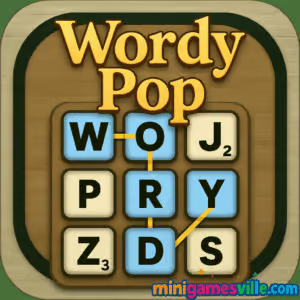
Wordy Pop blends classic word search energy with arcade pressure. Letters bubble up the grid, you connect them to form valid words, and powerups help you clear space at clutch moments. It is designed for instant play on desktop and mobile browsers, no downloads required. The pace ramps up as you score, which keeps every round fresh and replayable. This is a clean, accessible online word game with just enough strategy to reward smart planning.
History of Wordy Pop
Wordy Pop grew out of the modern wave of HTML5 word games that brought classic letter-linking and Scrabble-like scoring to the browser. As the genre evolved toward shorter, session-based challenges, this title leaned into quick rounds, responsive touch controls, and powerups that feel satisfying without getting in the way of core word-building.
Style & Vibe
Bright colors, readable tiles, and crisp UI keep your focus where it should be, on spotting words fast. Sound effects and subtle animations give feedback when you chain letters or trigger a bomb, while the minimalist HUD avoids clutter so you can think on your feet.

Gameplay in Wordy Pop
In Wordy Pop, letters rise up the board. You select adjacent tiles to form a valid word, then release to submit. Correct words clear those tiles and score points. Longer words and rarer letters earn bigger rewards, and streaks can trigger multipliers. As time passes, new rows appear faster, which turns gentle warming-up into an exciting scramble. Powerups, like bombs and shuffles, buy breathing room, but smart pathing and board awareness do the heavy lifting.
Game Modes
- Classic Endless: Survive as long as you can while difficulty escalates.
- Time Attack: Beat the clock with rapid, high-value word chains.
- Daily Challenge: A short, themed puzzle for a quick skill check.
- Practice: Casual pace to learn patterns and experiment with routes.
How to Play
- Scan the bottom rows for easy 3 to 4 letter starters to stabilize the board.
- Build upward, chaining adjacent letters to submit valid words.
- Prioritize long vowels and high-value consonants to unlock multipliers.
- When space gets tight, pop a bomb to clear a row or shuffle to expose vowels.
- Keep lanes open, especially the center column, to avoid a sudden overflow.
Controls
- Desktop: Click or click-and-drag across adjacent letters to select, release to submit.
- Mobile: Tap or swipe through adjacent letters, lift your finger to submit.
- Powerups: Tap or click the icon, then the target row or area.
- Pause/Audio: Use the in-game buttons for quick toggles.
Device Compatibility & Browser Support
Wordy Pop runs smoothly in modern browsers like Chrome, Safari, Edge, and Firefox. On mobile, play in portrait for faster thumb movement. On desktop, a mouse offers surgical precision for long chains.
Mobile vs. Desktop Gameplay
- Mobile: Great for micro-sessions, intuitive swiping, slightly smaller field of view.
- Desktop: Best for precision and long combos, easier to manage rising rows at high speed.
Can I Play Offline?
No, Wordy Pop requires an active internet connection in your browser on minigamesville.com to load and save progress during a session.
Can I Play Unblocked?
As an HTML5 browser game, Wordy Pop is typically unblocked on personal networks. If a school or workplace filter restricts it, check with your administrator, then try another modern browser.
- Browser: Play Wordy Pop directly on minigamesville.com, no download needed.
- Official mobile apps: As of August 19, 2025, there are no official App Store or Google Play apps for Wordy Pop.
- Looking for a similar mobile experience?
Tips & Tricks
Beginner Tips
- Open with common 3 letter words to create space, then level up to longer chains.
- Favor rows that are about to overflow to prevent instant game over.
- Use S, R, E endings to extend basic roots into higher scoring forms.
- Save a bomb for emergencies when two rows are near the top.
Advanced Strategies
- Route Planning: Mentally map two words ahead so your first clear sets up the second.
- Vowel Anchors: Keep at least one A or E in each column for flexible extensions.
- Multiplier Management: Chase rare letters when they do not collapse your board shape.
- Row Cycling: Nudge growth by clearing selectively so fresh letters spawn where you want them.
Features
- 🧠 Fast, skill-based word building with escalating tension
- 💥 Satisfying bombs and shuffles for tactical saves
- ⌛ Short rounds that fit any schedule
- 📱 Touch friendly on phones and tablets, crisp on desktop
- 🎯 Combo streaks and smart multipliers for high-score chasers
- 🎨 Clean, readable tiles and a distraction-free interface
- 📈 Daily challenges for consistent improvement
- 🔁 Endless replay value with dynamic letter drops
Unlockables & Secrets
Expect optional powerups that unlock as you score, including row-clearing bombs, board shuffles, and temporary slowdowns. The real secret is pattern recognition: save promising letter clusters and build around them rather than clearing them too early.
Cheats & Mods
Third-party cheats and mods can break your session or corrupt saves. For the best experience and fair leaderboards, stick to the official browser version on minigamesville.com and sharpen your skills with the strategies above.
Walkthrough Summary
Early game: clear quick 3 letter words on the bottom row to stop the first overflow. Mid game: target 4 to 5 letter chains and angle your clears to open lanes in the center. Late game: preserve bombs for back-to-back row clears, then sprint with mid-length words to stabilize before going for one final high-value chain.
Scoring, Records & Progression
Longer words mean more points, and streaks add multipliers. Consonant-heavy words usually pay better, but do not choke your grid with leftover consonants. Track personal bests by session and try to beat your time-to-top metric, the moment when rows start spawning faster than you can clear them.
Why Play Wordy Pop
Wordy Pop is perfect when you want a brain-boosting browser game that respects your time. It plays beautifully online, unblocked in most environments, and rewards both quick thinking and long-term skill growth.
Pros & Cons of Wordy Pop
- Pros: instant play in browser, snappy controls, satisfying powerups, high replay value.
- Cons: no offline mode, late-game pace can feel intense while learning, limited persistence between sessions.
- Use an up-to-date browser and enable hardware acceleration.
- Close unused tabs to free memory for smoother animations.
- On mobile, disable low-power mode during play for better touch response.
- If input feels laggy, switch to an incognito window to rule out extensions.
Similar games to Wordy Pop
- Wordslide — slide letters to form words in a relaxing, brainy pace.
- Bubble Pop Adventures — classic bubble popping with clever angles and chain reactions.
- Bubble Shooter — timeless aim-and-match puzzle for quick reflex sessions.
- Puzzle Blocks Classic — fit block shapes to clear lines and plan efficient placements.
- Ball Sort Soccer — organize balls by color, a tidy-up puzzle with sports flair.
- Thief Puzzle — stretchy logic challenges where timing and pathing solve each scene.
- Color Water Sort 3D — pour and match colors for a zen sorting challenge.
- Suika Sort — stack and merge with satisfying physics-based twists.
FAQ
Is Wordy Pop free to play?
Yes, Wordy Pop is free to play online in your browser on minigamesville.com.
Does Wordy Pop have an offline mode?
No, you need an internet connection to load and play the browser version.
Can I play Wordy Pop unblocked at school or work?
In many networks it works unblocked. If it is restricted, ask your administrator to allow minigamesville.com.
What browsers work best for Wordy Pop?
Current versions of Chrome, Edge, Safari, and Firefox provide the smoothest experience.
Are there official mobile apps for Wordy Pop?
No official iOS or Android apps exist for Wordy Pop as of August 19, 2025. For a similar mobile word puzzle, try Wordscapes on the App Store or Google Play.
How do I score higher in Wordy Pop?
Prioritize longer words, maintain streaks, and use bombs only when two rows are about to overflow.
Conclusion
Whether you have two minutes or twenty, Wordy Pop delivers that sweet spot where vocabulary, pattern recognition, and fast decision-making collide. It is quick to learn, surprisingly deep to master, and perfectly tuned for casual sessions or competitive score chasing.
Ready to test your word power? Hit Play above to start Wordy Pop on minigamesville.com, then use our tips to climb the leaderboard. Sharpen your skills, pop those letters, and set a new personal best today.

 Loading...
 English
 Shqip
Shqip
 বাংলা
বাংলা
 Български
 简体中文
简体中文
 Hrvatski
 Čeština
 Dansk
Dansk
 Nederlands
 Suomi
Suomi
 Ελληνικά
 हिन्दी
 Magyar
 Bahasa Indonesia
 日本語
日本語
 한국어
한국어
 Lietuvių
 Bahasa Melayu
 Norsk
Norsk
 Polski
 Português do Brasil
 Română
 Slovenčina
 Slovenščina
 Svenska
 ไทย
ไทย
 Türkçe
 Українська
 اردو
اردو
 Tiếng Việt
 isiZulu
 Español
 Français
 Deutsch
 العربية
 Italiano
 فارسی
فارسی
 Русский