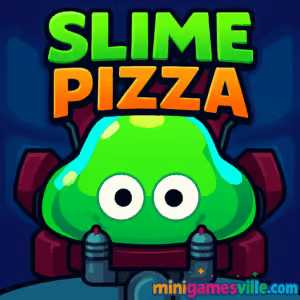
Play Slime Pizza right now on MinigamesVille. Tap the Start button above and dive into this sticky platform adventure in your browser. Slime Pizza is a fast, physics-driven platformer with arcade vibes, tight rooms, and clever hazards that reward skillful slingshot moves. If you are hunting for an online, unblocked browser game that feels fresh and responsive, this one delivers. Grab slices, dodge lasers, and stick to every surface while you race for the exit. Ready to make the perfect delivery? Hit Play and enjoy Slime Pizza on minigamesville.com.
About Slime Pizza
Slime Pizza blends precision platforming with puzzle-like room design. You control a gelatinous courier whose ship has exploded, scattering precious pizza slices across a sprawling lab. Every jump is a slingshot, every wall is a landing pad, and every room layers new hazards. The result is a compact action platformer that is easy to learn and surprisingly deep, perfect for short browser sessions or marathon slice hunts.
History of Slime Pizza
Slime Pizza first arrived on mobile in 2018 from Neutronized, published by Nitrome, then found a second life as a browser game fans can enjoy online. Its sticky movement, secret rooms, and slice-based checkpoints made it a favorite for speedrunners and precision-platform fans. Today, you can play Slime Pizza unblocked in your browser for a quick nostalgia hit or a full run to 100 percent pizza completion.
Style & Vibe
Expect colorful pixel art, bouncy juice on every collision, and catchy chiptunes that keep the pace high. Levels flow room to room, with bold color palettes, readable traps, and playful animation that makes even your mistakes feel fun.

Gameplay in Slime Pizza
The core mechanic is a slingshot fling. Click or tap, pull opposite the direction you want to go, then release to launch. Your slime sticks to floors, walls, and ceilings, letting you chain quick rebounds around saws, turrets, lasers, and patrolling bots. Pizza slices fuel progress, unlocking checkpoints and encouraging exploration. Secret rooms hide behind cracked walls and suspicious dead ends. Smart physics, generous coyote-time stickiness, and short rooms make fail, learn, and try again loops feel great.
Game Modes
- Story rooms: classic progression across themed lab areas.
- Slice hunt: replay rooms to find hidden slices and unlock checkpoints.
- Speedrun: chase your best time with clean movement and risky routes.
- No-hit challenges: self-imposed runs avoiding damage for bragging rights.
How to Play
- Launch the game above on MinigamesVille and wait for the loading bar to complete.
- From a safe surface, click or tap and drag opposite your target path.
- Release to fling. Stick to the next surface, assess hazards, repeat.
- Collect pizza slices and keys, then reach the exit door to advance.
- Use slices to activate checkpoints so you respawn deeper in the lab.
Controls
- Desktop: mouse or trackpad to click, drag, and release to fling.
- Mobile: touch, drag, and release to fling. Tap UI buttons for pause and settings.
- Tip: short drags give micro-adjustments, long drags clear wide gaps.
Device Compatibility & Browser Support
Slime Pizza runs in modern browsers that support HTML5 canvas and WebGL. Best results on Chrome, Edge, Firefox, or Safari, both desktop and mobile. Progress may save locally in your browser storage, so keep cookies and site data enabled for minigamesville.com.
Mobile vs. Desktop Gameplay
On mobile, the slingshot feels natural and quick for short sessions. On desktop, a mouse offers pixel-perfect aim that is ideal for speed or high-precision rooms. Either way, Slime Pizza is smooth as an online browser game without downloads.
Can I Play Offline?
No. Slime Pizza is designed for in-browser play and requires an internet connection to load and save progress reliably.
Can I Play Unblocked?
Yes. Slime Pizza is available as an unblocked browser game on MinigamesVille. If your network restricts gaming, try a different device or a non-school network and ensure HTTPS is enabled.
- Browser: Play on minigamesville.com in your desktop or mobile browser.
- iOS: Official App Store listing is available. Download Slime Pizza on the App Store.
- Android: The official Google Play listing may be unavailable in some regions. Want a similar feel on Android and iOS? Try the daily-platformer classic Leap Day:
Tips & Tricks
Beginner Tips
- Keep drags short to micro-adjust around lasers and moving saws.
- Stick, scout, then move. Surfaces are safe checkpoints between hazards.
- Spend slices on checkpoints before tough rooms to reduce backtracking.
- Walls with tiny cracks often hide secret pizza or shortcuts.
- Learn enemy tells, like patrol pauses or turret windups, before committing.
Advanced Strategies
- Chain rebounds: aim to land on ceilings to avoid floor traps entirely.
- Pre-aim doors: drag while the transition starts so you exit into a perfect arc.
- Damage routing: if a hit is unavoidable, plan it near a checkpoint to minimize loss.
- Slice economy: unlock only essential checkpoints on clean runs to keep totals high.
- Speed tech: shallow-angle flings maintain momentum and reduce stick time.
Features
- 🧪 Sticky slingshot physics with satisfying wall and ceiling grabs
- 🍕 Slice collection that powers checkpoints and completion goals
- 🔎 Secret rooms and hidden routes for explorers
- ⚡ Tight, replayable rooms built for quick attempts
- 🎵 Retro chiptune soundtrack that keeps the action upbeat
- 🎯 Precision-friendly mouse and touch controls
- 📱 Plays in-browser, no download required
- 🏁 Great for speedruns and 100 percent slice hunts
Unlockables & Secrets
Most rewards are the pizza slices themselves, which unlock deeper checkpoints and help mark full completion. Look for alternate paths behind cracked tiles, suspicious alcoves, and doors that are slightly off the main route. Revisit earlier rooms after you learn advanced movement to snag tricky slices you missed.
Cheats & Mods
There are no official cheat codes for Slime Pizza in the browser version. Stick to practice and clean movement for the best times. Avoid third-party extensions that claim to modify gameplay. They can break saves or hurt performance.
Walkthrough Summary
Move room to room collecting enough slices to activate checkpoints. Prioritize learning hazard timing, then optimize routes that minimize risky rebounds. After your first clear, replay sections to uncover secrets and refine movement lines for faster exits.
Scoring, Records & Progression
Progress is tied to rooms cleared and slices collected. Personal records usually come from shaving seconds off door-to-door transitions and reducing unnecessary sticks. Aim for fewer, cleaner flings to speed up while staying safe.
Why Play Slime Pizza
Slime Pizza nails the feel of a quick, satisfying platform adventure that runs beautifully as an online game. Its sticky physics and compact rooms make it perfect for both casual slice hunts and intense speed chasing. If you like clever hazards, satisfying movement, and browser games that just feel right, this one is a must-play.
Pros & Cons of Slime Pizza
- Pros: responsive slingshot controls, smart room design, great secrets, perfect for short sessions.
- Cons: single core mode, later rooms can spike in difficulty, completionists may need repeat runs.
- Use a modern browser with hardware acceleration enabled.
- Close extra tabs and disable heavy extensions while you play.
- If sound or inputs stutter, switch to a private window or clear cached site data.
- Allow cookies and local storage so your progress saves reliably.
Similar games to Slime Pizza
FAQ
Is Slime Pizza free to play online?
Yes, you can play Slime Pizza free in your browser on MinigamesVille without any downloads.
Does Slime Pizza save my progress?
Progress usually saves locally in your browser. Keep cookies and site storage enabled so your checkpoints persist.
How long does Slime Pizza take to beat?
First clears can take about an hour or two, depending on how many slices you hunt and how comfortable you are with the slingshot controls.
What happens if the game lags?
Close extra tabs, disable heavy extensions, and make sure hardware acceleration is on. Switching browsers can also help.
Is Slime Pizza an unblocked game at school?
It loads as an unblocked browser game on MinigamesVille, though school networks can vary. Try on a personal network if it is restricted.
Can I use a controller?
Slime Pizza is built for mouse or touch. Some browser gamepads can simulate clicks, but a mouse or touchscreen gives the best accuracy.
Conclusion
Sticky walls, slick rebounds, and clever hazards make Slime Pizza a joy to master. Whether you are chasing every last slice or speedrunning doors, the physics feel spot on and the rooms invite just one more try.
Ready to deliver? Scroll up and press Play to launch Slime Pizza on MinigamesVille. Keep those slices coming, keep the slime moving, and enjoy one of the most satisfying platform experiences you can play online right now.

 Loading...
 English
 Shqip
Shqip
 বাংলা
বাংলা
 Български
 简体中文
简体中文
 Hrvatski
 Čeština
 Dansk
Dansk
 Nederlands
 Suomi
Suomi
 Ελληνικά
 हिन्दी
 Magyar
 Bahasa Indonesia
 日本語
日本語
 한국어
한국어
 Lietuvių
 Bahasa Melayu
 Norsk
Norsk
 Polski
 Português do Brasil
 Română
 Slovenčina
 Slovenščina
 Svenska
 ไทย
ไทย
 Türkçe
 Українська
 اردو
اردو
 Tiếng Việt
 isiZulu
 Español
 Français
 Deutsch
 العربية
 Italiano
 فارسی
فارسی
 Русский