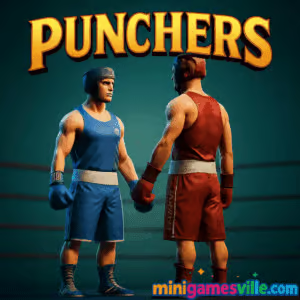
Play Punchers right now on MiniGamesVille and jump into a crisp, 3D boxing ring built for quick reflexes and satisfying knockouts. Punchers is a fast, physics-driven boxing browser game you can play online for free, no install. Whether you are here for a short spar or a full-on brawl, the ragdoll hits, sharp timing, and local multiplayer make every round a highlight. Ready to glove up and land that clean counter? Scroll up, press play, and let Punchers on minigamesville.com become your new go-to unblocked boxing fix.
About Punchers
Punchers is a 3D boxing game with simple controls, surprisingly deep timing, and punchy ragdoll reactions that reward accuracy over button mashing. It shines as an online browser game: load the page, pick a corner, and trade jabs and crosses against AI or a friend on the same keyboard. Rounds feel snappy, the ring space encourages footwork, and every clean connection looks and sounds impactful. If you enjoy quick, replayable sports action, Punchers delivers in spades.
History of Punchers
Emerging in the early 2020s as a Unity WebGL project from an indie creator, Punchers built a fan base thanks to its clean visuals, responsive physics, and local 2-player mode. Since then it has seen tweaks to balance and performance, keeping the core feel intact while refining hit reactions and input responsiveness for modern browsers.
Style & Vibe
Minimal UI, bright lights, and a compact ring keep your focus on distance, angles, and punch timing. Expect crunchy impact sounds, camera shake on big connects, and slow-mo flourishes that highlight momentum swings. Punchers looks sporty, not gory, so it works well for quick casual play at home, school, or the office break.

Gameplay in Punchers
The magic of Punchers lies in timing and space. Throwing back-to-back punches drains stamina and extends recovery frames, so careless swings leave you wide open. Smart players jab to measure distance, slip to bait, then fire a cross or hook as a counter. Ragdoll physics sell every hit, from glancing taps to clean KOs. You can fight the AI for warmups, then invite a friend for local 1v1 bragging rights. Matches are short, which makes Punchers perfect for snack-size sessions and quick rematches.
Game Modes
- Solo vs. AI: Pick your corner and test combos, defense, and counter timing against a CPU opponent.
- Local 2 Player: Share a keyboard and square up. Best for friendly rivalries and quick tournaments.
- Practice: Experiment with movement, feints, and stamina rhythm without pressure.
How to Play
- Start a match, choose Solo or 2 Player, then select your corner.
- Circle your opponent with small steps. Lead with the jab to find range.
- Bait a whiff, then counter with a straight or a quick two-punch combo.
- Manage stamina. Back off for a beat if your arms feel heavy.
- Chain light shots into a clean power punch to score the knockdown.
Controls
Default layouts can vary by build, but common keys are:
- Movement: WASD or Arrow Keys
- Punches: Y and U, or R and T, or J and K for left and right fist
- Block/Dodge: Brief back step or directional tap to slip at the last moment
- Mobile touch: Virtual stick to move, tap left or right side to punch, swipe to slip
Tip: Check the in-game controls icon before your first round, then stick with one layout so your muscle memory locks in.
Device Compatibility & Browser Support
Punchers runs in modern browsers that support WebGL and hardware acceleration. For the smoothest experience, use the latest Chrome, Edge, or Firefox on desktop. Laptops with integrated graphics handle it fine at default settings. On mobile, close background tabs and apps to keep frame rate steady.
Mobile vs. Desktop Gameplay
Desktop offers tighter movement and quicker punch confirms with a keyboard. Mobile touch controls work for casual rounds, and the game still looks clean, but precise slips and counters are easier on a physical keyboard.
Can I Play Offline?
No. Punchers is an online browser game that loads assets from the web. You need an active internet connection to start and refresh the game.
Can I Play Unblocked?
Yes, many players enjoy Punchers unblocked at school or work because it runs in the browser and needs no downloads. If your network restricts game sites, try a different browser profile or a non-school network.
- Browser: Play Punchers free on minigamesville.com, right on this page.
- Official mobile apps: No official Google Play or App Store release for Punchers at this time.
- Want a mobile boxing app? Try Real Boxing 2 on
Google Play
and
App Store.
Tips & Tricks
Beginner Tips
- Open with single jabs, not combos. Read reactions before committing.
- Step off-line after throwing. A tiny sidestep avoids counters.
- Keep combos to two punches early. Save stamina for defense.
- Watch shoulders, not gloves. Shoulder twitches telegraph incoming shots.
- After a clean hit, wait a beat. Chasing every connect often whiffs.
Advanced Strategies
- Feint cadence: Half-tap forward to fake pressure, then slip and counter when they swing.
- Counter windows: Aim your straight just after their recovery. Do not trade into their second punch.
- Ring craft: Herd opponents to the ropes with lateral steps, then cut them off and fire the cross.
- Stamina traps: Let them throw, make them miss, then punish with a short two-piece.
- Combo rule: Light, light, pause, heavy. The pause keeps you safe and keeps damage efficient.
Features
- 🥊 Snappy 3D boxing with ragdoll hit reactions
- 🧠 Timing-based combat that rewards patience and reads
- 👬 Local 2-player duels on one keyboard
- ⚡ Short rounds for quick rematches and office breaks
- 🔉 Punchy audio with satisfying impact feedback
- 📱 Browser-based, unblocked friendly, no install
- 🎮 Flexible key layouts across versions
- 🧭 Clean UI that keeps focus on footwork and angles
Unlockables & Secrets
Punchers keeps it lean. The depth comes from mastery, not menus. Explore the settings and practice mode to tweak round flow and sharpen timing, then bring that knowledge into live matches.
Cheats & Mods
Third-party scripts or mods can break WebGL builds and ruin fair play. For stable performance and a level match, stick to the default browser version on minigamesville.com.
Walkthrough Summary
First, land jabs to measure range. Second, bait a swing by hovering just at their edge. Third, slip and return a straight. Repeat the pattern until you earn a knockdown. If you get tagged, step back, breathe, and reset your stance before engaging again.
Scoring, Records & Progression
Most rounds end by KO or decision after short exchanges. Track personal progress by how often you draw counters, conserve stamina, and avoid getting clipped while exiting combos. Aim for fewer missed punches each match.
Why Play Punchers
It is easy to learn, hard to master, and perfect for five-minute breaks or one-hour grudge matches. Punchers captures the rhythm of boxing without heavy menus or grind. If you want a clean, skill-first online boxing experience in your browser, this is it.
Pros & Cons of Punchers
- Pros: Crisp physics, great hit feedback, instant play in browser, tight local multiplayer.
- Cons: Minimal progression systems, local PvP only, touch controls feel looser than keyboard.
- Use the latest Chrome or Edge with hardware acceleration on.
- Close extra tabs and background apps before a match.
- If inputs feel delayed, switch to a new tab, wait two seconds, then refocus the game canvas.
- On laptops, plug in for higher CPU/GPU boost clocks.
Similar games to Punchers
- Balance Duel — physics-based duels where timing and tiny nudges decide everything.
- Ping Pong Chaos — chaotic 2-player sports with one-button madness and hilarious rallies.
- Rumble Rush — a quick-fire arena brawler that rewards positioning and bursts of damage.
- House of Hazards — party-style physics traps and frantic multiplayer showdowns.
- Stick Defenders — merge, upgrade, and fend off waves in a fast stick-figure combat setup.
FAQ
Is Punchers free to play?
Yes, Punchers is free to play online in your browser on minigamesville.com.
Does Punchers work on school Chromebooks?
In many cases yes, since it runs in the browser. If the network blocks game sites, try a personal network or play at home.
Is there online multiplayer?
Punchers focuses on solo vs AI and local 2-player on one keyboard.
What are the default controls?
Movement is usually WASD or Arrow Keys, and punches map to two nearby keys like Y and U or R and T. Check the in-game controls panel for your build.
Can I save progress?
Punchers is session-based. Treat it like a pick-up-and-play boxing match rather than a long RPG grind.
How do I reduce lag?
Update your browser, close background tabs, keep hardware acceleration on, and plug in your laptop for better performance.
Is Punchers unblocked?
Yes, the game itself is unblocked in many environments because it is a pure browser game. Network rules vary by location.
Conclusion
Punchers nails that sweet spot between arcade fun and boxing fundamentals. Clean visuals, honest physics, and quick rounds make it perfect for casual sparring or competitive couch duels. If you want a no-friction boxing browser game that feels great from the first bell, you have found it.
Your corner is ready. Tape up, step in, and play Punchers on minigamesville.com for free. One round usually turns into five, and we will not blame you when the rematch button becomes your new favorite.

 Loading...
 English
 Shqip
Shqip
 বাংলা
বাংলা
 Български
 简体中文
简体中文
 Hrvatski
 Čeština
 Dansk
Dansk
 Nederlands
 Suomi
Suomi
 Ελληνικά
 हिन्दी
 Magyar
 Bahasa Indonesia
 日本語
日本語
 한국어
한국어
 Lietuvių
 Bahasa Melayu
 Norsk
Norsk
 Polski
 Português do Brasil
 Română
 Slovenčina
 Slovenščina
 Svenska
 ไทย
ไทย
 Türkçe
 Українська
 اردو
اردو
 Tiếng Việt
 isiZulu
 Español
 Français
 Deutsch
 العربية
 Italiano
 فارسی
فارسی
 Русский