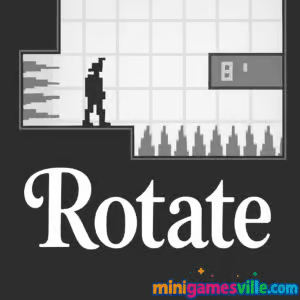
Play Rotate now on Minigamesville.com and start flipping gravity like a pro. Rotate is a fast, skill-based puzzle platformer you can enjoy right in your browser, no download needed. This online, unblocked brain bender turns each level into a revolving maze where one smart spin can be the difference between a clean exit and a spike-filled fail. If you love minimalist platform challenges with tight physics, crisp controls, and quick restarts, jump into Rotate today and see how far your reflexes can go.
About Rotate
Rotate is an HTML5 browser game that mixes puzzle thinking with precision platforming. You guide a tiny hero through hazard-packed rooms, but the twist is control over the whole environment. With a tap of a key, the world swings, gravity shifts, and new paths appear. Each stage teaches a small lesson, building toward devious layouts that reward planning, timing, and calm execution. Whether you are chasing a no-death run or just want a satisfying coffee-break challenge, Rotate delivers lean, replayable fun in the browser.
History of Rotate
The idea of rotating levels has roots in classic web games and indie platformers, and Rotate carries that legacy into modern HTML5. It emphasizes clean visuals, instant retries, and mechanical clarity. Over time, the community has embraced it for speedruns, low-death clears, and creative route-finding.
Style & Vibe
Expect a minimalist, grayscale aesthetic that keeps your focus on spikes, platforms, doors, and momentum. The vibe is cool and focused, perfect for players who enjoy learning by doing.

Gameplay in Rotate
Rotate blends crisp platforming with world-rotation physics. You read the room, move your character, then rotate the level to redirect gravity and transform walls into floors. Spikes, gaps, and narrow corridors push you to commit at the right moment. Most challenges are micro-puzzles solved with two or three well-timed actions. The loop is quick: enter, scout, experiment, fail fast, and master the sequence. That rhythm makes Rotate a perfect browser game for short sessions that still feel meaningful.
Game Modes
- Campaign: Progress through handcrafted levels that escalate in complexity.
- Speedrun-friendly: Chase personal bests by stringing rotations and jumps with zero hesitation.
- Custom play: Practice specific rooms or go for low-death challenges to sharpen consistency.
How to Play
- Scan the room and spot spikes, doors, and safe ledges.
- Move toward a safe platform that sets up your rotation.
- Rotate the world to flip gravity and reveal the next path.
- Time your jump so you fall onto the intended surface, not the spikes.
- Repeat the rotate, move, jump cycle to reach the exit door.
Controls
- Move: A/D or Left/Right arrows
- Jump: W, Up arrow, or Space
- Rotate world: Q and E
- Enter door or interact: S or Down arrow
Device Compatibility & Browser Support
Rotate runs best on modern desktop browsers like Chrome, Edge, Firefox, and Safari. Keep your browser updated for the smoothest frame rate and input response. While some mobile browsers may load the game, the precision and keyboard input make desktop the recommended way to play.
Mobile vs. Desktop Gameplay
Desktop offers the most reliable control with a keyboard, especially for tight sequences and quick back-to-back rotations. On mobile, touch controls can feel less precise for advanced rooms, so consider desktop for serious runs.
Can I Play Offline?
Rotate is a browser-based experience that requires an internet connection to load and save progress. Once loaded, performance still depends on your browser session, so staying online is recommended.
Can I Play Unblocked?
Rotate is an online HTML5 game with no install, which often helps it remain playable on school or work networks. Access depends on local policies. If it is blocked, check with your network admin for approved learning or recreation sites.
There are no official mobile store releases for this exact Rotate build. Want a great gravity-flip alternative on mobile? Try VVVVVV:
Tips & Tricks
Beginner Tips
- Pause and plan. Visualize where gravity will send you after each rotation.
- Use small setup jumps to adjust your landing angle before you rotate.
- Rotate early, not late. Committing a beat sooner often lines up safer landings.
- Learn spike hitboxes by testing in low-risk rooms first.
- Retry quickly. Your first solution is rarely your fastest.
Advanced Strategies
- Chain rotations midair to preserve momentum and skip micro-platforms.
- Buffer inputs so your move or jump triggers the instant you land.
- Create checkpoints in your mind. Break a room into two or three safe segments.
- Route for consistency, then optimize for speed once you have a clear, safe line.
- Practice low-death clears to build nerves for late-level precision.
Features
- 🧭 360-degree world rotation with gravity flips
- 🎯 Tight, responsive platform controls
- 🧩 Room-by-room puzzle design that teaches through play
- ⚡ Instant restarts for rapid improvement loops
- 🏁 Speedrun-friendly layouts and short level cadence
- 🎮 Keyboard-first feel for precise inputs
- 🌐 Plays in-browser, no download required
- 🔄 Perfect for quick sessions or deep mastery runs
Unlockables & Secrets
Rotate rewards exploration. Expect hidden routes that shave seconds, platforms that only make sense after a rotation preview, and safer fallback paths when a risky skip is not worth the attempt. Keep experimenting and you will find clever alternates.
Cheats & Mods
There are no official cheat codes or sanctioned mods for this browser version of Rotate. To keep your run legit and stable, play as designed and lean on practice. If the game includes a level editor or custom room options, use those to drill tricky concepts rather than seeking external hacks.
Walkthrough Summary
Entering a new room, do a quick sight read. Identify safe ledges, spike clusters, and the door. Move to a neutral platform, rotate once to line up the biggest safe surface, then commit to the sequence. If you die, note the exact action that failed and adjust by a few frames or a cleaner angle. Repeat until the room feels automatic.
Scoring, Records & Progression
Rotate tracks your progress by level completion. Many players set personal goals like minimum deaths, fastest total time, or zero-mistake streaks. Keep a simple log or use a timer to measure improvement between sessions.
Why Play Rotate
If you want a sharp, browser-friendly puzzle platformer with a fresh twist, Rotate is an excellent pick. It is quick to learn, tough to master, and generous with that one-more-try flow that keeps you chasing cleaner clears.
Pros & Cons of Rotate
- Pros: Unique rotation mechanic, instant retries, snappy controls, short but meaty rooms that respect your time.
- Cons: Precision favors keyboard, later rooms can feel punishing until the rotation rhythm clicks.
- Use the latest version of Chrome, Edge, Firefox, or Safari.
- Enable hardware acceleration in your browser settings.
- Close heavy tabs and pause background streams.
- Disable aggressive extensions or try an incognito window for a clean test.
- If input feels delayed, toggle VSync settings at the OS or GPU level and retest.
Similar games to Rotate
- Big Tower Tiny Square — precision platforming with tight jumps and a towering climb.
- Big Tower Tiny Square 2 — tougher layouts and trickier cycles for returning climbers.
- Slime Laboratory — gooey physics and hazards that test timing and patience.
- Circloo XL — circular momentum puzzles where angle and flow are everything.
- Kori Walk — quirky step-by-step platforming that rewards careful planning.
- House of Hazards — chaotic platform traps perfect for quick-fire fun with friends.
FAQ
Is Rotate free to play?
Yes, Rotate is a free browser game on Minigamesville, playable online with no download.
Does Rotate support controllers?
Rotate is designed around keyboard input for precision. Some controllers can be mapped, but a keyboard is recommended.
How long does it take to finish Rotate?
Skilled players can clear the full set of rooms in a short session, but perfecting routes or low-death runs can take much longer.
Is Rotate safe for school devices?
Rotate runs in-browser and does not require installation. Availability depends on your school’s web policies.
Can I pause in the middle of a tricky room?
You can step away between attempts, and most browsers will hold your spot if you keep the tab open.
What makes Rotate different from a standard platformer?
The rotation mechanic changes gravity, turning the level itself into your primary tool for traversal.
Conclusion
Rotate is a polished browser platformer that turns every room into a tiny physics puzzle. Clean visuals, instant restarts, and that addictive rotate, land, repeat loop make it perfect for both short breaks and deep practice sessions.
Ready to flip your perspective and your personal bests? Play Rotate on Minigamesville.com now, and see how far a clever rotation can take you.

 Loading...
 English
 Shqip
Shqip
 বাংলা
বাংলা
 Български
 简体中文
简体中文
 Hrvatski
 Čeština
 Dansk
Dansk
 Nederlands
 Suomi
Suomi
 Ελληνικά
 हिन्दी
 Magyar
 Bahasa Indonesia
 日本語
日本語
 한국어
한국어
 Lietuvių
 Bahasa Melayu
 Norsk
Norsk
 Polski
 Português do Brasil
 Română
 Slovenčina
 Slovenščina
 Svenska
 ไทย
ไทย
 Türkçe
 Українська
 اردو
اردو
 Tiếng Việt
 isiZulu
 Español
 Français
 Deutsch
 العربية
 Italiano
 فارسی
فارسی
 Русский