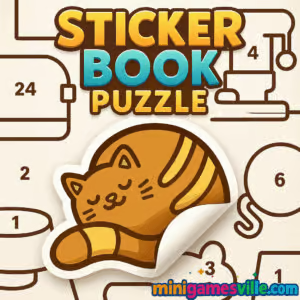
Play Sticker Book Puzzle on MinigamesVille now. Tap or click the big Play button above and jump straight into Sticker Book Puzzle on minigamesville.com. This cozy online puzzle browser game turns classic sticker-book creativity into satisfying drag and place challenges. If you love relaxing logic scenes, silhouette matching, and picture assembly, Sticker Book Puzzle will be your new favorite unblocked time filler. Build beautiful scenes, complete collections, and chase perfect scores, then come back tomorrow for more challenges.
About Sticker Book Puzzle
Sticker Book Puzzle blends jigsaw logic with sticker scene crafting. Each level presents a themed backdrop filled with outlines and hints. Your job is to drag, rotate, and snap colorful stickers into the right spots. Simple to learn, hard to master, it rewards careful observation and crisp placement. Because it runs right in your browser, there is no download and no sign-up required. Play Sticker Book Puzzle to relax between tasks, sharpen spatial reasoning, or wind down with a mindful, screen-friendly hobby.
History of Sticker Book Puzzle
Sticker scene play has roots in physical activity books and scrapbooking. Sticker Book Puzzle takes that analog joy and streamlines it for quick, replayable web sessions. Expect modern quality of life touches like soft snap zones, gentle hints, and a clean UI that keeps your focus on finishing the picture.
Style & Vibe
Bright, friendly art and snappy sound effects make each sticker pop. Themes range from cozy interiors to nature scenes, each arranged to help your eye spot silhouettes and color cues. It feels tactile, like peeling and placing a real sticker sheet, only faster.

Gameplay in Sticker Book Puzzle
Every level gives you a pack of stickers and a scene with outlines. Drag a sticker, rotate if needed, and drop it into place. Early stages teach matching by shape and color. Later, you will deal with overlapping elements, layered depth, and subtle shading differences. Scoring rewards precision and speed. Earn stars for accuracy, collectables for streaks, and extra coins for no-hint clears. With each success, you unlock new sticker themes and tougher arrangements that test attention to detail.
Game Modes
- Relaxed Mode: No timer, unlimited undo, great for winding down.
- Time Attack: Finish the scene before the clock hits zero for bonus stars.
- Daily Challenge: One featured scene each day with a shareable score.
- Free Play: Revisit completed scenes to chase flawless runs.
How to Play
- Press Play and choose a scene.
- Drag a sticker from the tray toward a matching outline in the scene.
- Rotate or flip if the silhouette requires it.
- Release to snap. If it does not fit, adjust alignment and try again.
- Place all stickers to complete the picture and earn your star rating.
Controls
- Desktop: Mouse drag to move, scroll or Q/E to rotate, right click or long press to flip if available.
- Mobile/Tablet: Tap and hold to drag, two-finger twist to rotate, double tap to flip when supported.
- UI: Hint button shows a suggested placement. Undo reverts the last move.
Device Compatibility & Browser Support
Sticker Book Puzzle runs smoothly on modern desktops, laptops, Chromebooks, tablets, and phones. For best results, use the latest Chrome, Edge, Safari, or Firefox with hardware acceleration on. Stable internet keeps scenes and sticker packs loading quickly.
Mobile vs. Desktop Gameplay
Desktop gives pixel-perfect control with a mouse, ideal for tight silhouettes. Mobile play is great for couch sessions, with quick taps and intuitive rotation. Both support short levels that fit into a coffee break.
Can I Play Offline?
No. Sticker Book Puzzle is a browser game. It needs an internet connection to load levels and save progress in your session.
Can I Play Unblocked?
Yes, in most cases. Because Sticker Book Puzzle runs in the browser and uses standard web ports, it typically works on school or work networks. If your network blocks gaming sites, try a different connection or ask your administrator to allow minigamesville.com.
- Web: Play Sticker Book Puzzle right here on minigamesville.com.
- Mobile apps: There is no official App Store or Google Play version of Sticker Book Puzzle at this time.
- Want a similar mobile experience? Try A Tiny Sticker Tale:
Tips & Tricks
Beginner Tips
- Place the biggest, most distinctive stickers first to anchor the scene.
- Match by silhouette edges, not colors, when shapes look similar.
- Zoom in for tight fits, then zoom out to verify overall alignment.
- Save hints for the last few tricky pieces to secure three stars.
Advanced Strategies
- Group stickers by theme in the tray to reduce search time.
- Rotate before dragging long pieces to minimize repositioning.
- In Time Attack, solve from center outward to avoid overlap conflicts.
- Replay scenes and map problem spots to improve speed runs.
Features
- 🧩 Peaceful sticker scene puzzles with smart snap zones
- 🎨 Hand‑drawn themes and vivid color palettes
- ⭐ Star ratings, streak bonuses, and leaderboard bragging rights
- 🕹️ Mouse and touch friendly controls for quick play
- ⏱️ Optional timers and daily challenges
- 📚 Collectable sticker packs and themed sets
- 🔄 Replayable scenes for perfect scores
- 🔔 Gentle hints to keep the flow going
Unlockables & Secrets
Earn new sticker packs by finishing scenes with high accuracy. Hidden stars may appear after perfect clears. Some scenes reveal alternate colorways when you complete them under a time limit.
Cheats & Mods
There are no official cheats or mods for Sticker Book Puzzle. Third-party extensions are risky. For legit help, rely on in-game hints and practice runs.
Walkthrough Summary
Start with Relaxed Mode to learn shapes and rotation. Move to Time Attack once you can place anchors quickly. Aim for perfect runs by solving large silhouettes first, then filling gaps with smaller accents. Revisit tough scenes until the solution path feels natural.
Scoring, Records & Progression
Scores come from accuracy, time, and hint usage. Three-star clears unlock new scenes and sticker themes. Keep a streak of no-hint wins to boost your profile total and climb community leaderboards when available.
Why Play Sticker Book Puzzle
Sticker Book Puzzle is relaxing, creative, and snackable. It respects your time, works on nearly any device, and delivers that satisfying click when the final sticker locks into place. Whether you have two minutes or twenty, it fits your day.
Pros & Cons of Sticker Book Puzzle
- Pros: Easy onboarding, cozy visuals, quick sessions, unblocked-friendly web play.
- Cons: Later puzzles can be challenging on small screens, competitive timers may not appeal to pure relaxers.
- Keep your browser updated to the latest version for smoother animations.
- Close heavy background tabs, then reload the game for better input latency.
- On laptops, plug in power or enable high performance mode to avoid frame dips.
- If a level stalls, clear the tab cache and refresh the page.
Similar games to Sticker Book Puzzle
- Brain Test: Tricky Puzzles — bite-size logic riddles that twist your expectations.
- Green — a clever one-screen puzzle where each level has a surprising solution.
- Robot Awake — grid-based logic programming to light up bots in the right order.
- Sudoblocks — a soothing mashup of Sudoku rules and block placement.
- Mini Train — draw and place parts to guide a train safely to the goal.
- Tap It Away — clear 3D block clusters by tapping from the right angles.
- Diff — spot-the-difference scenes that sharpen visual perception.
- The Sort Agency — tidy up rooms by placing items where they belong.
FAQ
What is Sticker Book Puzzle?
Sticker Book Puzzle is a free online browser game where you place stickers to complete themed scenes and earn scores.
Where can I play Sticker Book Puzzle?
You can play Sticker Book Puzzle directly on minigamesville.com in your web browser.
Does Sticker Book Puzzle work on Chromebook?
Yes, Sticker Book Puzzle runs well on modern Chromebooks using Chrome.
Is Sticker Book Puzzle unblocked at school?
In most cases yes, since it is a browser game with no downloads, but availability depends on local network rules.
Are there in-game purchases?
No purchases are required to play the web version of Sticker Book Puzzle.
How do I improve my score?
Place large anchor stickers first, minimize rotation adjustments, avoid hints, and replay scenes to master tricky sections.
Conclusion
Ready to relax, focus, and watch a scene come alive one piece at a time? Sticker Book Puzzle mixes classic sticker fun with smart puzzle design for satisfying short sessions. It is friendly, replayable, and perfect when you want a calm challenge.
Click Play above to start Sticker Book Puzzle on MinigamesVille. Build scenes, chase three stars, and see how fast your skills grow. Your next perfect placement is one drag away.

 Loading...
 English
 Shqip
Shqip
 বাংলা
বাংলা
 Български
 简体中文
简体中文
 Hrvatski
 Čeština
 Dansk
Dansk
 Nederlands
 Suomi
Suomi
 Ελληνικά
 हिन्दी
 Magyar
 Bahasa Indonesia
 日本語
日本語
 한국어
한국어
 Lietuvių
 Bahasa Melayu
 Norsk
Norsk
 Polski
 Português do Brasil
 Română
 Slovenčina
 Slovenščina
 Svenska
 ไทย
ไทย
 Türkçe
 Українська
 اردو
اردو
 Tiếng Việt
 isiZulu
 Español
 Français
 Deutsch
 العربية
 Italiano
 فارسی
فارسی
 Русский