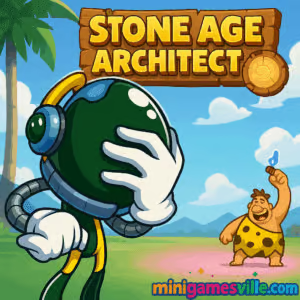
Play Stone Age Architect online now on minigamesville.com and start building smarter in seconds. Stone Age Architect is a clever physics-based tangram browser game that blends prehistoric flair with brain-teasing construction. If you love quick, tactile puzzles you can play unblocked at school or work, this one is a perfect fit. Rotate, place, and balance shaped slabs to complete each structure, then watch the whole build settle under gravity. Ready to test your inner engineer? Hit Play above to try Stone Age Architect on minigamesville.com.
About Stone Age Architect
Stone Age Architect takes the timeless idea of fitting shapes together and dials it up with modern physics and playful Stone Age vibes. Levels are short and satisfying, difficulty scales smoothly, and every solved blueprint feels earned. Because it runs right in your browser, you can jump into a round during a break, then come back later to chase cleaner placements or faster times. Whether you’re new to logic puzzles or a seasoned builder, Stone Age Architect delivers a snappy, low-friction experience that respects your time.
History of Stone Age Architect
The game channels classic tangram concepts and the pick-up-and-play charm of early web puzzlers, updated for today’s HTML5 browsers. The result is a streamlined, touch and mouse-friendly format that loads fast, saves progress locally in many setups, and feels right at home in short sessions.
Style & Vibe
Stone Age Architect features a warm, earthy aesthetic with chunky stone textures and friendly prehistoric themes. The game’s physics-based gameplay creates a satisfying tactile experience, while the clean blueprint outlines and simple shapes make each puzzle feel approachable. The audio is subtle but effective, with gentle sound effects that enhance the building and settling of structures.

Gameplay in Stone Age Architect
Each level hands you a blueprint outline and a set of oddly shaped stone pieces. Your job is to place every piece inside the boundary without letting anything topple out once gravity takes over. The flow feels great: plan your anchor, fill gaps with smaller chunks, then finish with a satisfying final click. Subtle physics make placement matter, so edges, overhangs, and counterweights all come into play. Expect gentle early stages followed by trickier layouts that ask you to rotate, nest, and balance shapes with care.
Game Modes
- Level Campaign: A curated path of puzzles that ramps difficulty and introduces new piece shapes.
- Challenge Targets: Optional goals like fewer moves, tighter time, or pristine fits for extra bragging rights.
- Replay for Stars: Return to any level to perfect your solution and climb your personal bests.
How to Play
- Press Play and open the next blueprint.
- Select a stone piece, then drag it into the outline.
- Rotate as needed using on-screen buttons or the assigned keys.
- Release to drop, then fine tune small adjustments before committing.
- When all pieces fit, let gravity settle the stack and claim your win.
Controls
- Mouse or Touch: Tap or click to pick up a piece, drag to move.
- Rotate: Use the on-screen rotate icons or keyboard hints shown in the UI, commonly R, Q/E, or arrow keys.
- Reset/Undo: Use the level UI buttons to undo the last move or restart for a cleaner run.
Device Compatibility & Browser Support
Stone Age Architect is an HTML5 browser game, so it runs instantly on modern Chrome, Edge, Safari, and Firefox. It performs great on desktop and laptops, and it’s surprisingly comfortable on tablets thanks to larger touch targets. For the smoothest experience, keep your browser updated and close extra tabs if you’re on older hardware.
Mobile vs. Desktop Gameplay
- Desktop: Precise mouse rotation and quick piece nudging make speed runs easier.
- Mobile/Tablet: Touch controls feel natural for dragging and placing, and the relaxed pace suits couch play.
Can I Play Offline?
Stone Age Architect is built for the web, so an internet connection is required to load the game. After loading, some browsers may cache assets, but plan on being online for consistent play and progress saving.
Can I Play Unblocked?
Yes, many players enjoy Stone Age Architect unblocked right in the browser on minigamesville.com. Since it runs with no downloads and uses standard HTTPS, it typically works on school and office networks. Your local network policies may vary.
- Browser: Play free on minigamesville.com.
- Mobile: There are no official iOS or Google Play listings for Stone Age Architect at this time. Want a polished mobile alternative in the same prehistoric theme? Try Stone Age: Digital Edition on App Store and Google Play.
Tips & Tricks
Beginner Tips
- Start with a stable base. Flat edges down first, weird corners later.
- Pre-visualize rotations before you drag. It saves a lot of rework.
- Fill small pockets with tiny pieces to prevent late-game gaps.
- Zoom your browser in if you need finer control on laptops.
Advanced Strategies
- Use counterweights. A heavy piece on one side can balance a risky overhang.
- Place from inside out. Lock the core, then cap the perimeter to avoid bulges.
- Chase fewer moves by batching rotations before you place.
- Replay levels to learn anchor spots that create perfect fits.
Features
- 🧩 Physics-driven tangram puzzles that feel great to solve
- 🪨 Charming Stone Age theme with chunky, readable pieces
- ⚡ Fast, no-download browser play that loads in seconds
- ⭐ Optional goals for cleaner fits, fewer moves, or faster clears
- 🎯 Smooth difficulty curve with plenty of replay value
- 🖱️ Mouse and touch friendly controls for any device
- 📈 Progress tracking so you can perfect past blueprints
- 🔁 Instant restarts that keep the puzzle flow snappy
Unlockables & Secrets
As you progress, expect trickier shapes, tighter outlines, and occasional layouts that reward creative stacking. Replays can reveal smarter piece orders that shave moves off your best runs.
Cheats & Mods
Stone Age Architect is balanced around fair play. There are no supported cheats or mods in the browser version, and any unofficial tools can break saves or performance. For the best experience, practice levels and refine your order of operations.
Walkthrough Summary
Anchor a flat piece, use medium tiles to bridge the center, then finish with small shapes to fill arches and corners. If the stack wobbles, swap a heavy piece lower to stabilize. When in doubt, restart quickly and try a different rotation order.
Scoring, Records & Progression
Progress comes from completing blueprints and improving personal bests. Track your clean fits and low-move clears to set your own records. Returning later with fresh eyes often unlocks tighter solutions.
Why Play Stone Age Architect
If you want a chill puzzle that still makes you think, Stone Age Architect hits the sweet spot. It is easy to learn, tough to master, and perfect for bite-size sessions. You get authentic physics, satisfying rotations, and a cozy Stone Age wrapper, all in a lightweight online format.
Pros & Cons of Stone Age Architect
- Pros: Fast load times, intuitive controls, smart physics, great for short breaks, runs on almost any device.
- Cons: Later levels can be demanding, precision on small laptop touchpads may require zooming, no offline mode.
- Keep your browser updated for the best canvas performance.
- Enable hardware acceleration in settings if it was turned off.
- Close heavy tabs and streaming apps to free system memory.
- On mobile, disable battery saver while playing to avoid input lag.
Similar games to Stone Age Architect
- Mini Train — place tracks and shapes to guide a tiny train across physics-based gaps.
- Castle Blocks — stack pieces into sturdy towers without losing balance.
- Robot Awake — route beams and flip tiles to light up robots in tight logic puzzles.
- Sudoblocks — fit blocks smartly to clear lines while planning three moves ahead.
- Babel Tower — clicker-builder with stacking strategy and a towering pay-off.
- Village Builder — relaxing build-and-place gameplay with satisfying growth loops.
- Mini Train — a second shout for the physics fans who crave precision routing.
FAQ
Is Stone Age Architect free to play?
Yes, you can play free in your browser on minigamesville.com with no download.
Does Stone Age Architect work on school networks?
Many schools allow it since it is a lightweight HTML5 title, though access depends on local filters.
How long is a typical level?
Most levels take 30 to 90 seconds once you understand the layout, with later puzzles asking for a few extra attempts.
Can I save progress?
Progress is usually stored locally in your browser. Clearing cache or switching devices may reset it.
What if the pieces feel hard to place?
Zoom your browser to 110–125 percent for finer control, or try full-screen for more room.
Is Stone Age Architect the same as the board game app?
No, this is a browser puzzle game. If you want a full mobile board game experience, try Stone Age: Digital Edition on App Store and Google Play.
Conclusion
Short, smart, and satisfyingly tactile, Stone Age Architect nails the feeling of tinkering with real pieces while keeping everything breezy and accessible. The physics are fair, the layouts are clever, and every solved outline delivers a tiny rush.
Ready to build like a prehistoric pro? Scroll up and press Play to start Stone Age Architect on minigamesville.com. Whether you have two minutes or twenty, this online puzzle is a great way to flex your brain and unwind.

 Loading...
 English
 Shqip
Shqip
 বাংলা
বাংলা
 Български
 简体中文
简体中文
 Hrvatski
 Čeština
 Dansk
Dansk
 Nederlands
 Suomi
Suomi
 Ελληνικά
 हिन्दी
 Magyar
 Bahasa Indonesia
 日本語
日本語
 한국어
한국어
 Lietuvių
 Bahasa Melayu
 Norsk
Norsk
 Polski
 Português do Brasil
 Română
 Slovenčina
 Slovenščina
 Svenska
 ไทย
ไทย
 Türkçe
 Українська
 اردو
اردو
 Tiếng Việt
 isiZulu
 Español
 Français
 Deutsch
 العربية
 Italiano
 فارسی
فارسی
 Русский