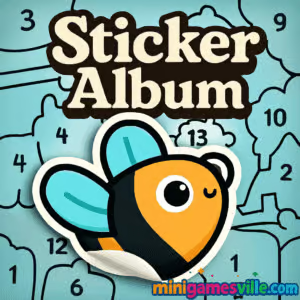
Play now: Click the Play button above to jump into Sticker Album on minigamesville.com. This relaxing browser game lets you place cute stickers into the perfect spots and complete charming scenes. If you enjoy cozy, low-stress puzzle experiences, Sticker Album online is a great pick. It loads fast, runs right in your browser, and works unblocked in most school or office networks. Build out every page, use hints when needed, and see how quickly you can finish your album. Ready to unwind and create something adorable in Sticker Album? Press Play and start decorating.
About Sticker Album
Sticker Album is a casual puzzle game built around a simple idea: drag, drop, and snap stickers onto lightly outlined shapes to finish a themed page. The vibe is calm and creative, perfect for quick breaks or a longer chill session. As a browser game, Sticker Album runs without downloads, so you can hop in from any device. The appeal sits between a jigsaw, a hidden object puzzle, and a coloring book. Whether you call it a sticker puzzle or a cozy logic game, Sticker Album online gives you that satisfying click when every piece lands just right.
History of Sticker Album
Digital sticker books have taken off as tactile, feel-good alternatives to classic puzzles. Sticker Album follows that trend with intuitive drag-and-drop play and themed pages that feel nostalgic. It leans into modern HTML5 for smooth, lightweight performance while keeping the joy of completing a collection at the center.
Style & Vibe
Expect soft colors, crisp outlines, and a soothing soundtrack. Each page feels like a mini art project where every placed sticker brings the scene to life.

Gameplay in Sticker Album
The loop is beautifully simple. Pick a page, drag a sticker, and line it up with the matching silhouette. Pieces snap into place when aligned, and the final image completes once you place every sticker. Difficulty scales with scene complexity, shape similarity, and occasional small pieces. If you get stuck, a hint highlights where the chosen sticker belongs. Sticker Album keeps the tempo friendly, so you can play at your own pace without timers or pressure.
Game Modes
- Page Sets: Work through themed chapters, one illustrated page at a time.
- Free Play: Revisit completed pages to relax or speed-run for a personal best.
- Challenge Pages: Trickier outlines and tighter fits, great for puzzle fans.
How to Play
- Pick a page from the album.
- Select a sticker from the tray.
- Drag it toward the matching silhouette on the page.
- Release when it lines up. It will snap if positioned correctly.
- Use the hint button if a shape stumps you.
- Place all stickers to complete the page and reveal the final scene.
Controls
- Desktop: Click and hold to drag, release to drop. Scroll or swipe to view the page if it pans.
- Mobile: Tap and hold to drag, lift to drop. Pinch to zoom if your browser supports it.
Device Compatibility & Browser Support
Sticker Album is an HTML5 puzzle that runs in modern browsers. It performs well on Chrome, Safari, Firefox, and Edge. On mobile, use updated Chrome or Safari for the smoothest drag controls. If you experience input lag, close extra tabs, switch to performance mode, or toggle hardware acceleration in your browser settings.
Mobile vs. Desktop Gameplay
- Mobile: Touch controls feel natural for dragging stickers, perfect for quick sessions.
- Desktop: Mouse accuracy helps with tight outlines and tiny details.
Can I Play Offline?
Sticker Album is a browser game, so you need an internet connection to load the page and assets. After loading, limited play may continue while assets stay cached, but a reliable connection gives the best experience.
Can I Play Unblocked?
Yes, Sticker Album runs in-browser without downloads, which helps it remain accessible on many networks. If your environment restricts gaming, try reloading over HTTPS, switching browsers, or using a personal connection.
- Browser: Play free on minigamesville.com.
- Mobile apps: There are no official App Store or Google Play releases for Sticker Album at this time.
- Want a similar collection-style mobile game? Try Merge Zoo:
Tips & Tricks
Beginner Tips
- Start with edges and large shapes. They anchor the scene and make smaller fits easier.
- Use quick taps to preview sticker outlines before you commit to a placement.
- Save hints for late-game pieces with similar silhouettes.
- Zoom in on mobile for small stickers to improve precision.
Advanced Strategies
- Group by color or theme. Sorting your tray mentally reduces scanning time.
- Match negative space. Look at what is missing on the page rather than focusing only on the sticker.
- Rotate your perspective. Slight panning or zooming often reveals the correct orientation.
- Speed-run pages you know to set personal bests and sharpen your eye.
Features
- 🧩 Satisfying drag-and-drop sticker placement
- 🎨 Cozy art direction with themed pages
- 💡 Optional hints when you get stuck
- ⚡ Smooth HTML5 performance in your browser
- 📱 Playable on desktop and mobile
- 🔁 Replay pages for faster times or pure relaxation
- 🔇 Calming soundscape you can mute if you prefer silence
- 🌟 Zero downloads, quick start
Unlockables & Secrets
Sticker Album focuses on page completion. Some themed sets feel like collections, and finishing entire sets is a satisfying milestone. Replaying pages is a great way to practice recognition and spot small highlights you missed the first time.
Cheats & Mods
There are no official cheats or mods for Sticker Album. Browser extensions that alter gameplay can cause performance issues. For the smoothest results, play as intended on minigamesville.com.
Walkthrough Summary
Work from bold outlines to subtle ones, lock in large anchor stickers, then fill in mid-size pieces and micro details. When two shapes seem plausible, compare edges, not just the silhouette. If you stall, use a hint to keep momentum and avoid guessy misdrops.
Scoring, Records & Progression
Sticker Album tracks your progress by completed pages. Treat completion time as a personal record if you like to optimize. Aim for clean runs without hints for an extra challenge, then revisit pages to beat your best times.
Why Play Sticker Album
If you love calm, satisfying interactions, Sticker Album is your perfect coffee-break companion. It blends the ease of a coloring book with the logic of a silhouette puzzle. No timers, no pressure, just pure placement joy. Sticker Album unblocked in your browser means instant fun wherever you are.
Pros & Cons of Sticker Album
- Pros: relaxing gameplay, quick loading, intuitive controls, great on any device, helpful hints.
- Cons: minimal progression systems, no global leaderboard, advanced players may want harder late-game pages.
- Keep your browser current for the best HTML5 performance.
- Close unused tabs and background apps to free memory.
- On desktop, enable hardware acceleration in settings for smoother drag response.
- On mobile, disable battery saver while playing to avoid throttling.
Similar games to Sticker Album
- The Sort Agency – clever sorting puzzles where you organize items by hidden rules.
- Tap It Away – clear blocks layer by layer to reveal the object underneath.
- Bee Sort by Sam – relaxing color-sorting with honey-sweet logic.
- Merge Zoo – collect cute creatures and merge your way to a thriving zoo.
- Wordsmith – form words from letter tiles in a clean, satisfying word puzzle.
- Green – minimalist logic levels where you find the rule to paint the screen green.
- Robot Awake – grid-based logic that powers up robots with precise moves.
FAQ
What is Sticker Album?
Sticker Album is a cozy browser puzzle where you drag stickers onto matching outlines to complete illustrated pages.
Is Sticker Album free to play?
Yes, you can play Sticker Album free online on minigamesville.com.
Does Sticker Album have a timer?
No timer by default, which keeps the experience calm. You can still speed-run pages for personal bests.
Can I play Sticker Album on my phone?
Yes, it runs in mobile browsers. Use the latest Chrome or Safari for smooth touch controls.
Does it work unblocked at school?
Sticker Album is an HTML5 game, so it often works on restricted networks. If blocked, try a different browser or connection.
Are there hints in Sticker Album?
Yes, a hint highlights the correct spot when you are unsure where a sticker belongs.
Is there an app for Sticker Album?
There is no official mobile app for Sticker Album right now. For a mobile alternative, try Merge Zoo on the App Store or Google Play.
How do I improve performance?
Update your browser, close extra tabs, and enable hardware acceleration on desktop. On mobile, turn off battery saver during play.
Conclusion
Sticker Album is a breezy, feel-good puzzle that shines in short bursts and longer chill sessions. It turns simple drag-and-drop into a creative flow where every placed sticker nudges the art toward completion. If you want a calm brain teaser you can open anywhere, Sticker Album online is a winner.
Ready to decorate your first page? Hit Play above to start Sticker Album on minigamesville.com, complete your collection, and enjoy that satisfying snap as every sticker finds its home.

 Loading...
 English
 Shqip
Shqip
 বাংলা
বাংলা
 Български
 简体中文
简体中文
 Hrvatski
 Čeština
 Dansk
Dansk
 Nederlands
 Suomi
Suomi
 Ελληνικά
 हिन्दी
 Magyar
 Bahasa Indonesia
 日本語
日本語
 한국어
한국어
 Lietuvių
 Bahasa Melayu
 Norsk
Norsk
 Polski
 Português do Brasil
 Română
 Slovenčina
 Slovenščina
 Svenska
 ไทย
ไทย
 Türkçe
 Українська
 اردو
اردو
 Tiếng Việt
 isiZulu
 Español
 Français
 Deutsch
 العربية
 Italiano
 فارسی
فارسی
 Русский