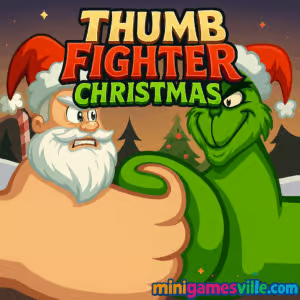
Ready to rumble? Click Play and jump into Thumb Fighter Christmas on minigamesville.com right now. This festive two player fighting browser game turns classic thumb wars into a hilarious holiday showdown you can enjoy online, unblocked, and free. Thumb Fighter Christmas keeps the one-button charm of the original while wrapping it in cozy winter vibes, quick reflex duels, and laugh-out-loud moments. Whether you spar against the CPU or challenge a friend on the same keyboard, every bout is a jolly sprint to victory. Hit Play above to start your merry melee and see why Thumb Fighter Christmas is the holiday party favorite.
About Thumb Fighter Christmas
Thumb Fighter Christmas is a light, fast, and highly replayable 2 player fighting game built for quick matches in your browser. It features snappy physics, a simple control scheme, and a lineup of cheerful seasonal thumbs that smack, feint, and bob for position until someone’s health bar drops to zero. It is perfect for classroom breaks, office cooldowns, and couch competitions. Because it runs in a modern browser, you can play online with no download, and the action feels immediate whether you are on a laptop, Chromebook, or mobile device.
History of Thumb Fighter Christmas
The holiday edition riffs on the wildly popular Thumb Fighter, a pick-up-and-play duel that has entertained millions with its minimalist thumb-wrestling formula. Thumb Fighter Christmas takes that formula and sprinkles it with seasonal skins, snowy backdrops, and cheery effects to deliver a gift-wrapped brawler that stays true to the easy, one-key rhythm fans love.
Style & Vibe
Expect bold colors, playful animations, and snow-dusted arenas. Audio cues pop with each clean hit, and the interface keeps your focus on the duel. It is streamlined, silly, and perfect for quick-fire sessions.

Gameplay in Thumb Fighter Christmas
Matches are brisk. Each player controls a thumb that lunges to poke, retreat, and bait the opponent. Land hits to chip away the rival health bar, avoid wild swings, and time your counters. The physics lean toward arcade fun, so momentum and spacing matter without feeling punishing. Best for short sessions, but dangerously addictive when friends demand a rematch. Thumb Fighter Christmas thrives on local competition and keeps you coming back for that one more round feeling.
Game Modes
- Versus CPU: Solo practice against a computer opponent, perfect for warmups.
- 2 Player Local: Face a friend on the same keyboard, the definitive way to play.
- Quick Match: Instant jump-in play for rapid duels during short breaks.
How to Play
- Pick 1 Player or 2 Player from the menu.
- Select your holiday thumb style.
- On the bell, tap to jab and release to reset your guard.
- Watch the health bars and manage distance. Land clean hits, then back away.
- Drain the opponent’s health to win the round and claim bragging rights.
Controls
- Keyboard, Player 1: A key to jab.
- Keyboard, Player 2: L key to jab.
- Mobile or touch devices: Tap to attack, lift to reset.
- Menu navigation: Mouse or touch.
Device Compatibility & Browser Support
Thumb Fighter Christmas is an HTML5 browser game that runs smoothly on Chrome, Edge, Firefox, and Safari. It is Chromebook friendly, works on Windows and macOS desktops, and plays well on modern iOS and Android mobile browsers. For the best performance, keep your browser updated and close heavy background tabs while you play.
Mobile vs. Desktop Gameplay
- Desktop: Ideal for 2 player local thanks to A and L keys, snappiest input.
- Mobile: Great for quick solo rounds with tap controls. Best with sound on and portrait lock off.
Can I Play Offline?
This version is designed for in-browser play, so an internet connection is needed to load the game. After loading, limited offline continuity depends on your browser cache. For a true offline thumb-fighting fix on mobile, see the store links in Platforms.
Can I Play Unblocked?
Thumb Fighter Christmas on minigamesville.com is a safe, HTTPS browser game. If you are on a school or work network, access depends on local filters. Try loading the page directly, switch to a different modern browser, or use your mobile data on your phone if your policies allow it.
- Browser: Play instantly on MiniGamesVille.
- Android (official): No official Google Play release under the title “Thumb Fighter Christmas.” However, you can try the related and officially available **Thumb Fighter** game by the same developer on Google Play: Thumb Fighter (Google Play). :contentReference[oaicite:2]{index=2}
- iOS (official): No official App Store release for “Thumb Fighter Christmas” or for “Thumb Fighter” listed. Suggest trying a similar two-player style game available on iOS, such as **2 Player Mini Battles**: 2 Player Mini Battles (App Store).
Tips & Tricks
Beginner Tips
- Bait then poke: Short taps score safer damage than long charges.
- Reset often: Release your key after each jab to avoid overextending.
- Read rhythms: CPU and humans both fall into patterns. Strike on their return.
- Stay centered: Corners limit your retreat and invite counter hits.
- Warm up solo: A few CPU rounds sharpen timing before a 2 player match.
Advanced Strategies
- Micro feints: Tap half presses to fake. Draw out the enemy jab, then punish.
- Spacing control: Hold your ground midstage where your poke connects first.
- Tempo shifts: Alternate rapid pecks with sudden pauses to break defense.
- Win the opener: Early chip leads force the opponent to take bigger risks.
- Mind games: After a clean hit, wait a beat. Many players swing back immediately.
Features
- 🎄 Festive thumb skins and snowy arenas
- 👊 One-key controls that feel tight and responsive
- 🧠 Easy to learn, tough to master timing duels
- 🧑🤝🧑 Local 2 player matches on one keyboard
- 🤖 Solo practice against CPU opponents
- ⚡ Ultra fast rounds for instant rematches
- 📱 Plays in your browser on desktop and mobile
- 🔊 Crisp hit sounds and satisfying feedback
Unlockables & Secrets
Rotate through festive thumbs on the character select screen and try random picks to discover new looks. Some builds rotate themed variations during the season, so check back for fresh styles.
Cheats & Mods
There are no official cheats or mods for Thumb Fighter Christmas in the browser. To keep matches fair and secure, avoid third-party extensions. If you want an easier practice session, start against the CPU to learn timing and distance before challenging friends.
Walkthrough Summary
Start with Versus CPU to learn jab distance. Practice quick taps, then string two pokes only when the rival whiffs. Step into 2 player local and open each round with a light feint to test reactions. When you see a predictable counter, fire a committed poke to grab the life lead and defend smartly until the finish.
Scoring, Records & Progression
Each clean hit removes a chunk of the opponent’s health. Most bouts are a single round race to zero. Track your friendly records by counting streaks, setting best-of series, or timing speed wins. The beauty of Thumb Fighter Christmas is how fast you can reset and run it back.
Why Play Thumb Fighter Christmas
It is instantly fun, deceptively deep, and perfectly suited for quick holiday matchups. If you want a laugh, a hype 2 player browser game, and a festive twist that keeps the room cheering, this is the one to load.
Pros & Cons of Thumb Fighter Christmas
- Pros: Simple one-key controls, great for parties and classrooms, zero download, crisp holiday style, blazing fast rematches.
- Cons: Local only by default, minimal menus, short matches might feel chaotic to complete newcomers.
- Keep Chrome, Edge, or Safari updated to the latest version for smoother input.
- Enable hardware acceleration in browser settings.
- Close heavy tabs and streaming apps while playing.
- On mobile, disable battery saver during play to reduce input lag.
- If audio stutters, reload the page and wait a moment before your first round.
Similar games to Thumb Fighter Christmas
- Ping Pong Chaos — Wild physics ping pong for two players with chaotic rallies.
- Balance Duel — Teeter on platforms and outlast your rival in quick reflex battles.
- Double Bounce — Timing-centric two player taps where one clean bounce wins the point.
- House of Hazards — Hilarious local multiplayer challenges packed with traps and pranks.
- Checkers Multiplayer — Classic head-to-head board strategy you can learn and play fast.
- Pocket Hockey — Aim, bank, and score in quick precision shots against friends.
- Avoid Dying — Skill-based archery puzzles where one mistake ends the run.
FAQ
Is Thumb Fighter Christmas free to play?
Yes, you can play Thumb Fighter Christmas free in your browser on minigamesville.com.
Do I need to create an account to play?
No, just load the page and press Play to jump into a match.
Can I play Thumb Fighter Christmas unblocked at school?
Access depends on your school’s web filters. If gaming sites are allowed, the game runs in-browser with no install required.
Does Thumb Fighter Christmas have online matchmaking?
No, it focuses on local 1v1 and solo CPU play for instant matches.
What are the controls for two players?
Player 1 uses the A key, Player 2 uses the L key. On touch devices, tap to jab.
Is there an official mobile app for the Christmas version?
The holiday variant is browser-first. For mobile, install the original Thumb Fighter on Google Play or the App Store using the links above.
Why does my input feel delayed?
Close background tabs, enable hardware acceleration, and keep your browser updated for the smoothest response.
Conclusion
Thumb Fighter Christmas takes everything lovable about thumb wars and compresses it into fast, festive browser brawls. The controls are instant, the matches are short and punchy, and the seasonal skins keep the mood bright whether you win or demand a rematch.
Ready to throw down? Press Play above to start Thumb Fighter Christmas on minigamesville.com, invite a friend to share the keyboard, and keep the holiday hype rolling round after round.

 Loading...
 English
 Shqip
Shqip
 বাংলা
বাংলা
 Български
 简体中文
简体中文
 Hrvatski
 Čeština
 Dansk
Dansk
 Nederlands
 Suomi
Suomi
 Ελληνικά
 हिन्दी
 Magyar
 Bahasa Indonesia
 日本語
日本語
 한국어
한국어
 Lietuvių
 Bahasa Melayu
 Norsk
Norsk
 Polski
 Português do Brasil
 Română
 Slovenčina
 Slovenščina
 Svenska
 ไทย
ไทย
 Türkçe
 Українська
 اردو
اردو
 Tiếng Việt
 isiZulu
 Español
 Français
 Deutsch
 العربية
 Italiano
 فارسی
فارسی
 Русский