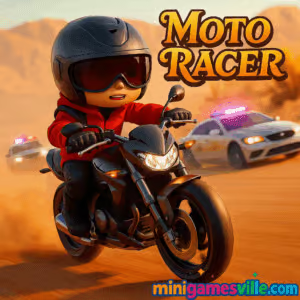
Play Moto Racer on Minigamesville now: hit Start, rev your engine, and tear through traffic in this fast, free online motorcycle browser game right here on minigamesville.com. Moto Racer delivers instant pick-up-and-play thrills, tight controls, and satisfying speed, perfect for quick sessions or long high-score hunts. If you want a clean, unblocked racing fix in your browser, Moto Racer is the ride. Ready to lean into the curve and chase a personal best? Tap Play and let’s roll.
About Moto Racer
Moto Racer is a lightweight arcade motorcycle racing game built for the web. It blends smooth physics with easy controls, giving you that classic lane-split, risk-reward feel. Thread the needle between cars, chain near-misses, and manage your boost to shave seconds off your run. Whether you’re warming up before class or winding down after work, this online racer keeps your reflexes sharp and your heart rate high.
History of Moto Racer
Motorcycle racers have been a staple of arcades and consoles for decades. Moto Racer channels that heritage in a clean HTML5 package tuned for modern browsers. Expect the timeless loop of accelerate, dodge, and upgrade, wrapped in a format that loads fast and plays smoothly on almost any device.
Style & Vibe
Expect bright roadways, punchy bike audio, and crisp UI that stays out of your way so the speed can shine. Visual subtlety meets arcade clarity: you always read gaps quickly and react in time.

Gameplay in Moto Racer
The loop is pure motorcycle arcade bliss. You launch, build speed, and weave through traffic while chasing distance, time extensions, and score multipliers. Close calls grant bonus points, clean lines extend your run, and collected coins unlock new bikes or upgrades. The physics model keeps bikes stable at speed, yet nimble enough to slice through tight gaps. One mistake ends the run, so reading traffic patterns and committing early becomes the key to big scores.
Game Modes
- Endless: Ride as far as you can, build combos with near-misses, and push your limits.
- Time Attack: Race the clock, chain time pickups, and keep the meter alive.
- Challenges: Complete set goals like distance targets, near-miss counts, or clean sections.
- Free Ride: Practice lines without pressure, perfect for learning traffic rhythms.
How to Play
- Select your bike and, if available, tune handling or acceleration.
- Pick a mode, then scan the traffic flow before you accelerate.
- Hug lane edges, plan two moves ahead, and commit early to overtakes.
- Stack near-misses safely to grow score multipliers.
- Use boost on straights after you’ve created space, then reset for the next sequence.
Controls
- Desktop: Arrow keys or WASD to steer and accelerate, Down or S to brake. Space or Shift may trigger nitro if your bike has it. M toggles sound on some keyboards.
- Mobile: On-screen buttons for throttle and brake, tilt or touch steering depending on your browser settings.
- Controller: Some modern browsers support gamepads. If yours is detected, map left stick for steering and face buttons for throttle and brake.
Device Compatibility & Browser Support
Moto Racer runs in modern Chromium browsers, Safari, Firefox, and Edge. It plays nicely on Windows, macOS, Linux, iOS, Android, and Chromebooks. Keep hardware acceleration on for the smoothest frame rate.
Mobile vs. Desktop Gameplay
Desktop gives you granular steering and stable 60 FPS on most machines, great for record runs. Mobile feels more immediate with tilt steering, perfect for quick sprints between tasks. Your progress typically saves in browser storage, so stick to one device if you’re chasing long-term goals.
Can I Play Offline?
You need an internet connection to load Moto Racer. After loading, some browsers may cache assets, but performance and save data are most reliable when connected.
Can I Play Unblocked?
Moto Racer is a browser game on minigamesville.com, which uses standard HTTPS and a clean embed. Availability on school or work networks depends on local filters. If it is blocked, try a personal device on mobile data or ask your administrator to whitelist the domain.
- Browser: Play Moto Racer on minigamesville.com, no download required.
- Official mobile app: There is no confirmed official Moto Racer app on the stores.
- Recommended similar mobile: Traffic Rider on
Google Play and
App Store delivers first-person moto traffic racing with career mode and upgrades.
Tips & Tricks
Beginner Tips
- Start mid-lane, then drift toward the lane edge to open passing angles.
- Lift off before squeezing through gaps, then re-apply throttle after the pass.
- Use gentle steering taps. Over-correction causes avoidable crashes.
- Bank near-misses on straight sections where car spacing is predictable.
- Upgrade handling first, then acceleration. Top speed pays off only if you can place the bike cleanly.
Advanced Strategies
- Chain overtakes in alternating lanes to keep vision clear and reduce reactions to blind spots.
- Feather brake to reset your bike’s line before a risky pass, then burst with boost on exit.
- Read vehicle archetypes. Vans mask traffic, sports cars change lanes more often, trucks create long shadows you can exploit for timing.
- Build a rhythm: pass, settle, scan, commit. Repeating this cadence cuts panic mistakes.
- In Time Attack, think in segments. Spend boost only when the road opens so you convert fuel to clear distance, not wheelspin.
Features
- 🏍️ Responsive motorcycle physics tuned for the web
- ⚡ Near-miss multipliers and satisfying risk-reward loops
- 🛣️ Multiple modes: Endless, Time Attack, Challenges, Free Ride
- 🎨 Bike unlocks and cosmetic upgrades
- 🎧 Punchy engine audio and clean UI
- 📱 Plays great on mobile and desktop
- 💾 Local save in your browser storage
- 🚀 Fast loading with smooth frame pacing
Unlockables & Secrets
Earn coins to unlock faster bikes with sharper handling, then add upgrades to extend runs. Keep an eye out for hidden achievements tied to clean streaks, perfect segments, or long near-miss chains. Small cosmetic touches like paint or wheels help personalize your ride.
Cheats & Mods
There are no official cheats for Moto Racer. Third-party extensions can break performance or saves, and they remove the fun of mastering traffic flow. Stick to fair play, tune your settings, and climb the board the right way.
Walkthrough Summary
Pick a starter bike, run Free Ride to learn steering sensitivity, then jump into Endless to stack safe near-misses. Unlock a handling upgrade, move to Time Attack, and work on clean segmenting. Rotate modes to keep income steady and the skill curve rising.
Scoring, Records & Progression
Score comes from distance, speed, and near-miss chains. Clean sections and streaks grow multipliers fast. Upgrades let you maintain higher speed for longer, which compounds scoring. Set a target pace per segment, then push your best with each new bike.
Why Play Moto Racer
If you love quick, skill-based racing loops, Moto Racer nails the feeling. Runs last as long as your focus does, with a clear path to improve through better lines and smarter risk. It is the perfect online unblocked fix when you want pure motorcycle action in your browser.
Pros & Cons of Moto Racer
- Pros: Snappy controls, fast loads, satisfying near-miss scoring, great on any device.
- Cons: One crash ends a run, so early mistakes can feel punishing. High-end bikes may take time to unlock.
- Use the latest Chrome, Edge, Firefox, or Safari for best results.
- Enable hardware acceleration in browser settings.
- Close extra tabs and pause other downloads to keep frame rate smooth.
- On laptops, plug in for maximum CPU and GPU boost.
- On mobile, disable battery saver and keep at least 15 percent free storage.
Similar games to Moto Racer
- Drive Mad — physics-based vehicle platforming where timing beats power.
- Parking Fury 3D: Night Thief — stealthy city driving with tight handling and clean routes.
- Midnight Drive — neon roads, smooth cruising, and score chasing vibes.
- Stock Car Hero — classic oval racing with drafting and strategic lane picks.
- Speed King — minimalist, high-speed reaction racing that rewards perfect lines.
FAQ
Is Moto Racer free to play?
Moto Racer is free to play in your browser on minigamesville.com.
Does Moto Racer have multiplayer?
The focus is solo score chasing. Some modes compare scores through leaderboards rather than head-to-head racing.
How do I save progress?
Progress saves to your browser storage. If you clear cache or switch devices, your unlocks may reset.
Can I use a controller?
Many browsers detect gamepads. If your controller works in other web games, it will likely work here too.
Will Moto Racer run on a Chromebook?
Yes, it runs well on modern Chromebooks. Keep other tabs closed for a smoother frame rate.
How do I mute or change volume?
Look for a speaker icon in the game UI or press M on desktop. You can also adjust your device volume.
Is Moto Racer unblocked at school?
Access depends on local filters. If blocked, try a different network or request whitelisting for minigamesville.com.
Conclusion
Moto Racer captures everything we love about arcade motorcycle racing in a clean, fast online package. The sensation of speed, the snap of a perfect near-miss, the relief after a risky pass, it all clicks from your very first run.
Your next record is one clean segment away. Fire up Moto Racer on minigamesville.com, thread that opening gap, and ride the rush. When the traffic breaks and the score climbs, you will feel why this browser game keeps players coming back for one more run.

 Loading...
 English
 Shqip
Shqip
 বাংলা
বাংলা
 Български
 简体中文
简体中文
 Hrvatski
 Čeština
 Dansk
Dansk
 Nederlands
 Suomi
Suomi
 Ελληνικά
 हिन्दी
 Magyar
 Bahasa Indonesia
 日本語
日本語
 한국어
한국어
 Lietuvių
 Bahasa Melayu
 Norsk
Norsk
 Polski
 Português do Brasil
 Română
 Slovenčina
 Slovenščina
 Svenska
 ไทย
ไทย
 Türkçe
 Українська
 اردو
اردو
 Tiếng Việt
 isiZulu
 Español
 Français
 Deutsch
 العربية
 Italiano
 فارسی
فارسی
 Русский