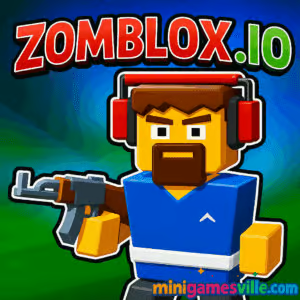
Play Zomblox.io right now on MiniGamesVille and jump straight into wave after wave of blocky undead mayhem. This fast, online zombie shooter is built for quick sessions, crisp controls, and pure browser game fun. If you came here hunting for an unblocked action fix, Zomblox.io has you covered with bite-sized runs, unlockable gear, and satisfying headshots. Click the iframe above to start blasting, then keep reading for tips, modes, controls, and performance advice that will help you survive longer and score bigger.
About Zomblox.io
Zomblox.io is a pick-up-and-play arena survival shooter with chunky voxel visuals, punchy sound effects, and tight movement. You dodge, kite, and mow down waves to bank coins, upgrade weapons, and crank the difficulty. The loop is simple, the skill ceiling is high, and the action scales fast, perfect for a browser game you can play at school, on a Chromebook, or on your home rig.
History of Zomblox.io
The .io wave popularized fast, session-based multiplayer and survival experiences. Zomblox.io follows that spirit with streamlined systems, lightweight performance, and accessible controls, making it a go-to choice for anyone who wants quick zombie action without downloads.
Style & Vibe
Think bright, blocky arenas and cartoon gore that keeps the mood playful, not grim. UI elements are clean, upgrades are readable at a glance, and every run pops with crunchy feedback.

Gameplay in Zomblox.io
Each run starts light, then escalates as the horde thickens. You strafe to line up headshots, scoop coins and powerups, and choose when to risk a reload or sprint to safety. Hits feel weighty, enemies telegraph attacks, and the arena funnels you into clutch movement choices. Win runs to unlock stronger tools, then push for higher waves and record scores. Zomblox.io rewards clean aim, movement discipline, and smart upgrade timing.
Game Modes
- Endless Survival battle waves until you drop, stack multipliers, and chase leaderboard-worthy scores.
- Challenges curated runs with modifiers like limited ammo, faster zombies, or glass-cannon loadouts.
- Time Attack beat a countdown by chaining kills and collecting time pickups.
- Arena Trials short, intense rooms that test dodging and precision.
How to Play
- Press Play in the iframe to load Zomblox.io.
- Choose a mode and starter weapon.
- Move, kite the horde, and grab coins and health packs.
- Buy upgrades between waves to scale damage, reload speed, or survivability.
- Survive as long as possible, then reinvest earnings to push farther next time.
Controls
- Move: WASD or Arrow Keys
- Aim: Mouse
- Shoot: Left Click
- Reload: R
- Dash or Jump: Space
- Switch Weapons: 1–3 or Mouse Wheel
- Interact or Pick Up: F or E
- Mobile: Virtual joystick to move, on-screen buttons to shoot and reload
Device Compatibility & Browser Support
Zomblox.io runs in modern browsers that support WebGL, including Chrome, Edge, Firefox, and Safari. It performs well on desktops and newer Chromebooks, and it is playable on mobile with touch controls.
Mobile vs. Desktop Gameplay
Desktop gives the sharpest aim with mouse control and stable frame rates. Mobile is perfect for quick sessions on the go, with auto-aim assist and simplified UI that keeps the action smooth.
Can I Play Offline?
No, Zomblox.io is an online browser game. An internet connection is required to load assets and save your progress online.
Can I Play Unblocked?
On many school and work networks, Zomblox.io on MiniGamesVille loads without issue. If your network blocks game traffic, try switching browsers, closing VPNs, or using Incognito. When possible, ask your admin to allow minigamesville.com for safe, lightweight game access.
- Browser play Zomblox.io directly on minigamesville.com, no download needed.
- Windows, Mac, Chromebook supported through a modern browser.
- Mobile playable in mobile browsers.
No official Zomblox.io app is available on Google Play or the Apple App Store. Want a mobile-first zombie shooter instead? Try these official links:
Tips & Tricks
Beginner Tips
- Circle-strafe around small packs to keep them clumped for easy headshots.
- Reload behind cover, not while kiting in a straight line.
- Prioritize damage and reload upgrades before movement perks early on.
- Grab coins between waves, not mid-fight, unless you have invulnerability.
- Save your dash for emergencies, not for basic repositioning.
Advanced Strategies
- Learn spawn timings to pre-aim choke points and farm quick multi-kills.
- Stack crit or headshot multipliers, then chain them with explosive pickups.
- Run a hybrid build, one crowd-clear weapon plus a single-target boss shredder.
- Kite in figure-eight patterns to reset lines of sight and avoid corner traps.
- Use dead zones, pillars, and corners to break pathfinding and thin packs safely.
Features
- 🧟 Fast, wave-based zombie survival with rising intensity
- 🔫 Satisfying gunplay and crisp headshot feedback
- 🎯 Upgrade paths for damage, reload, crits, and utility
- 🧱 Chunky voxel art style that keeps action readable
- ⚡ Quick sessions, perfect for short breaks
- 📈 Score multipliers and combo rewards
- 📱 Playable in browser on desktop, mobile, and Chromebook
- 🔒 Progress carries between sessions in the same browser
Unlockables & Secrets
Earn coins to unlock new weapons, buffs, and cosmetics. Keep an eye out for hidden crates between waves. Some arenas include off-path pickups that give you a mid-run power bump if you are willing to detour.
Cheats & Mods
We recommend playing fair. Third-party mods or scripts can break your save, trigger bans, or inject malware. If you want an easier run, try lower wave goals, focus on accuracy upgrades, and practice kiting patterns.
Walkthrough Summary
Start with a reliable rifle, build early damage and reload speed, then buy survivability perks as the horde scales. Swap to a crowd-clear weapon when you see heavy spawns, and use dash only to escape corner traps. Bank coins at the end of a solid run so your next Zomblox.io attempt starts stronger.
Scoring, Records & Progression
Score rises fastest with combo chains and headshots. Staying hit-free keeps your multiplier alive. Push milestones to unlock better gear, then use that gear to set new records. The best Zomblox.io runs blend accuracy, route planning, and calm under pressure.
Why Play Zomblox.io
It loads fast, it feels great, and it turns five spare minutes into a satisfying zombie showdown. Whether you want a quick unblocked shooter or a score-chasing browser game for the weekend, Zomblox.io delivers.
Pros & Cons of Zomblox.io
- Pros responsive controls, clean visuals, rewarding upgrades, short sessions, low system demands.
- Cons simple objectives, runs can feel similar without self-imposed challenges, touch aim is less precise than mouse.
- Enable hardware acceleration in your browser settings for smoother frames.
- Close heavy tabs and background apps to avoid stutters.
- Use Chrome or Edge for the most consistent WebGL performance.
- On mobile, reduce screen brightness and background apps to keep input latency low.
- If the game stalls at load, refresh the page, then try Incognito to bypass cached assets.
Similar games to Zomblox.io
- Horror Dungeon 3D a first-person dungeon crawler with creepy foes and tense exploration.
- Base Defense defend your outpost against relentless waves using upgrades and smart placement.
- Base Defense 2 a sequel that amps up enemies, turrets, and progression depth.
- Stick Defenders merge units and blast incoming attackers in a frantic lane defense.
- Mafia Wars top-down shooting with upgrades, cash looting, and turf battles.
- Plane Wars arcade aerial combat that scratches the shooter itch with slick maneuvering.
- Neon War a glowing bullet-hell challenge with tight hitboxes and high scores.
FAQ
What is Zomblox.io?
Zomblox.io is a free online zombie survival shooter you play in your browser, no download required.
Is Zomblox.io safe to play?
Yes, it runs in your browser on minigamesville.com and does not require installers or registrations.
Does Zomblox.io work on Chromebook?
Yes, it runs in modern browsers on Chromebooks that support WebGL.
How do I save progress in Zomblox.io?
Your progress saves locally in the same browser. Clearing cache or switching devices may reset unlocks.
Can I play Zomblox.io unblocked at school?
Many networks allow it. If blocked, try a different browser, disable VPNs, or ask your admin to allow minigamesville.com.
Are there different game modes?
Yes, you can play endless survival, time challenges, and curated arena trials.
Does Zomblox.io support controllers?
It is designed for mouse and keyboard. Some controllers may work through browser mapping tools, but mouse aim is recommended.
Is Zomblox.io multiplayer?
Core play focuses on solo wave survival. Leaderboards and shared challenges keep competition lively.
Conclusion
Zomblox.io proves how much punch a lightweight browser game can pack. It is fast to load, easy to learn, and hard to put down, perfect for quick sessions and big score hunts.
Ready to test your skills against the horde? Fire up Zomblox.io on MiniGamesVille, stack those multipliers, and see how long you can last. Good luck, survivor.

 Loading...
 English
 Shqip
Shqip
 বাংলা
বাংলা
 Български
 简体中文
简体中文
 Hrvatski
 Čeština
 Dansk
Dansk
 Nederlands
 Suomi
Suomi
 Ελληνικά
 हिन्दी
 Magyar
 Bahasa Indonesia
 日本語
日本語
 한국어
한국어
 Lietuvių
 Bahasa Melayu
 Norsk
Norsk
 Polski
 Português do Brasil
 Română
 Slovenčina
 Slovenščina
 Svenska
 ไทย
ไทย
 Türkçe
 Українська
 اردو
اردو
 Tiếng Việt
 isiZulu
 Español
 Français
 Deutsch
 العربية
 Italiano
 فارسی
فارسی
 Русский