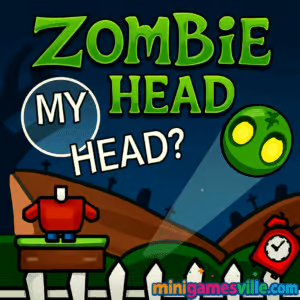
Ready to play now? Click the Play button above and dive into Zombie Head on minigamesville.com. This fast, funny physics puzzle browser game lets you guide a separated noggin back to its body, one clever click at a time. Play Zombie Head online in your browser with zero downloads, quick loads, and smooth performance. If you are looking for a lightweight, unblocked puzzle fix that works at home, school, or the office, this one hits the sweet spot. Tap to start, then keep reading for pro tips, controls, and strategies to master every level.
About Zombie Head
Zombie Head is a bite-sized physics and logic puzzler built for instant play. Your mission is simple on paper, hilarious in practice: remove objects, trigger gadgets, and use gravity so the zombie’s head rolls back onto its body. Each stage layers in new contraptions and trickier layouts, rewarding creative problem solving and clean execution. Because it is an HTML5 browser game, Zombie Head boots fast, runs on modern devices, and feels great with either mouse or touch.
History of Zombie Head
Zombie Head follows the tradition of classic browser physics puzzles where you manipulate the level, not the character, to create the perfect chain reaction. It channels that familiar one-more-try loop with clean visuals, readable hazards, and escalating setups that make even short sessions satisfying.
Style & Vibe
The game leans into a playful Halloween vibe, with goofy undead charm rather than gore. Levels are compact, colorful, and readable at a glance, so you can focus on the physics.

Gameplay in Zombie Head
Every stage starts with the cranium perched somewhere inconvenient. You click to remove breakable blocks, flip switches, pop balloons, or nudge platforms, then watch momentum, slopes, and bumpers do the rest. The best solutions are usually the simplest, but advanced stages invite clever timing and multi-click sequences. Many levels include optional stars to collect, so perfectionists can chase cleaner lines and tighter timing for higher scores. Zombie Head keeps feedback snappy, resets instantly, and makes experimentation painless.
Game Modes
- Level Select: Clear handcrafted stages that ramp up difficulty with new mechanics.
- Star Hunts: Replay levels to grab all stars with fewer clicks or faster chains.
- Speed Runs: Challenge yourself to complete sequences in as few seconds as possible.
How to Play
- Survey the level. Spot the body, the head, any stars, and obvious hazards.
- Plan a path. Identify which blocks or supports to remove first to create a clean slope.
- Click to trigger. Remove blocks or activate gadgets in the right order.
- Let gravity work. The head should roll safely to the body, collecting stars along the way.
- Refine. Missed a star or overshot a ramp? Retry instantly and adjust your click timing.
Controls
- Desktop: Mouse click to remove or activate objects. R to restart if available, or use the on-screen restart.
- Mobile: Tap to remove or activate. Pinpoint taps help on tight supports and small levers.
Device Compatibility & Browser Support
Zombie Head runs in modern browsers like Chrome, Edge, Firefox, and Safari. It uses lightweight HTML5, so there is no download and minimal memory usage. If you use content blockers, allow game scripts for the smoothest physics and audio.
Mobile vs. Desktop Gameplay
- Mobile: Perfect for quick levels and tap precision. Haptics make timing feel punchy.
- Desktop: A larger view helps with star routes, and a mouse can feel faster on rapid multi-step puzzles.
Can I Play Offline?
Zombie Head is an online browser game. You need an internet connection to load the game assets and save progress in your current session.
Can I Play Unblocked?
Zombie Head is an online browser game. You need an internet connection to load the game assets and save progress in your current session.
- Play in your browser at MiniGamesVille on desktop, tablet, and mobile.
- No official iOS or Android app exists for Zombie Head at this time.
- Want a similar physics platform experience on mobile? Try Red Ball 4:
Tips & Tricks
Beginner Tips
- Remove bottom supports first. Dropping a platform into place can create a perfect slope.
- Count to two before the second click. A tiny delay often lines the head up for a safer roll.
- Start by clearing a star-friendly route, then optimize for fewer clicks on replays.
- Restart fast. Quick resets make trial and error your best teacher.
Advanced Strategies
- Chain reactions: Use one removal to swing a pendulum, bump a bumper, then catch a star.
- Edge balancing: Leave thin supports in place to aim the head, then tap them away mid-roll.
- Safe fails: If a star sits near a pit, build a temporary ledge by not removing a key block until the last second.
- Click economy: Solve with fewer interactions to sharpen lines and improve scores.
Features
- 🧠 Satisfying physics puzzles with clean, readable layouts
- 🧩 Click to remove objects and create chain reactions
- ⭐ Optional star challenges for extra mastery
- ⚡ Instant restarts that keep the flow going
- 📱 Desktop and mobile friendly controls
- 🔊 Playful sound cues that reinforce timing
- 🎯 Short levels built for quick sessions
- 🌐 Runs online in your browser, no download
Unlockables & Secrets
Chasing every star is the main meta goal. Some stars require delayed clicks or alternate routes. Watch for levels with multiple bodies or multi-star paths, then experiment with the order you remove supports to unlock tidy, three-star lines.
Cheats & Mods
There are no official cheats for Zombie Head. Third-party mods or scripts can break physics and hurt performance. For the best experience, play the original version on minigamesville.com and use the tips above to improve naturally.
Walkthrough Summary
Early stages teach ramps and momentum. Mid-game introduces moving parts and timing. Late levels combine long slopes, star placements, and hazards that punish over-eager clicks. If you get stuck, focus on sequencing: which single support will create the safest first roll, then what is the next minimal click to steer cleanly to the finish.
Scoring, Records & Progression
Your personal bests come from clean routes, fewer inputs, and full star collections. Replay completed levels to shave seconds and clicks, then track your progress by how consistently you hit three-star clears across the set.
Why Play Zombie Head
It is quick to learn, hard to put down, and always one restart away from the perfect solution. Zombie Head brings back the charm of classic browser physics puzzles with modern, touch-friendly polish.
Pros & Cons of Zombie Head
- Pros: snappy resets, clear physics, short levels, great on mobile, unblocked-friendly design.
- Cons: some late stars can be finicky, a few stages demand tight timing that may take multiple tries.
- Keep your browser updated for the best WebGL and audio support.
- Close extra tabs on low-memory devices for smoother physics.
- If inputs feel off, refresh the page or toggle hardware acceleration in your browser settings.
Similar games to Zombie Head
- Avoid Dying — one-tap timing challenge where clean precision keeps you alive.
- Arrower — grid-based brainteaser that moves arrow blocks into the right targets.
- Blumgi Castle — slingshot physics and satisfying destruction puzzles.
- Drive Mad — balance a bouncy vehicle through tricky physics obstacles.
- Mini Train — place shapes to build safe tracks and get the train home.
- Horror Dungeon 3D — bite-sized dungeon runs with a spooky theme and quick action.
FAQ
What kind of game is Zombie Head?
Zombie Head is an online physics puzzle browser game where you remove objects and use gravity to roll a zombie’s head back to its body.
Is Zombie Head free to play?
Yes, you can play free on minigamesville.com with no download required.
Does Zombie Head work on phones?
Yes, it supports mobile browsers with responsive touch controls and quick restarts.
How do I get all stars in a level?
Plan a route first, then use delayed clicks or alternate supports to guide the head through each star before finishing.
Is there an offline mode?
No, you need an internet connection to load and play since it is a browser game.
Can I play Zombie Head unblocked at school?
Access depends on your school network policy, but many allow HTML5 games. If blocked, try again on a personal or home network.
Are there official mobile apps for Zombie Head?
There are no official iOS or Android apps for this exact title. For a similar physics experience on mobile, try Red Ball 4 using the store links above.
Conclusion
If you love clever physics and clean level design, Zombie Head delivers that perfect snackable puzzle loop. It is easy to pick up, satisfying to master, and even more fun when you chase three-star routes and cleaner click counts.
Hit Play to start rolling in Zombie Head right here on minigamesville.com. Experiment, restart, and celebrate those silky smooth solves. Have fun, and may every click set up the perfect chain reaction.

 Loading...
 English
 Shqip
Shqip
 বাংলা
বাংলা
 Български
 简体中文
简体中文
 Hrvatski
 Čeština
 Dansk
Dansk
 Nederlands
 Suomi
Suomi
 Ελληνικά
 हिन्दी
 Magyar
 Bahasa Indonesia
 日本語
日本語
 한국어
한국어
 Lietuvių
 Bahasa Melayu
 Norsk
Norsk
 Polski
 Português do Brasil
 Română
 Slovenčina
 Slovenščina
 Svenska
 ไทย
ไทย
 Türkçe
 Українська
 اردو
اردو
 Tiếng Việt
 isiZulu
 Español
 Français
 Deutsch
 العربية
 Italiano
 فارسی
فارسی
 Русский