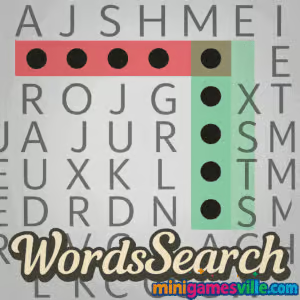
Play WordsSearch on Minigamesville now: click the Start button above and dive into a fast, relaxing word search right in your browser. WordsSearch is a bite-size word puzzle that loads instantly, plays smoothly, and works great as an online, unblocked browser game when you just want a quick brain teaser. If you love classic newspaper-style hunts with a modern polish, you are in the right place. Find every hidden word, race the clock, and build satisfying streaks. Ready to sharpen your vocabulary and reflexes? Press play and let WordsSearch on Minigamesville.com do the rest.
About WordsSearch
WordsSearch distills the timeless word search formula into a clean, mobile-friendly browser experience. You get crisp grids, a curated word list, and intuitive drag selection that feels great with a mouse or fingertip. Sessions are short, replayable, and perfect for a study break or a quick focus reset. Whether you prefer chill, untimed puzzles or a swift time-attack run, WordsSearch gives you just the right level of challenge without downloads or sign-ups.
History of WordsSearch
Word search puzzles have entertained newspaper and magazine readers for decades. The web made them faster to generate and easier to play anywhere. WordsSearch keeps the pencil-on-paper charm, then adds touch-friendly controls, responsive grids, and instant restarts for modern play sessions.
Style & Vibe
WordsSearch features a clean, minimalist design with high-contrast grids and subtle highlights that keep focus on the word hunt. The interface is intuitive, with clear visual feedback for correct selections, making it enjoyable for both casual and competitive players. The game’s aesthetic is simple yet satisfying, with a polished look that complements its fast-paced gameplay.

Gameplay in WordsSearch
Each round of WordsSearch presents a fresh grid and a themed list of words to find. Drag across contiguous letters to highlight a word in any direction: horizontal, vertical, diagonal, or reversed. Correct finds lock in place and update your progress bar. Quick streaks shave seconds off the clock, wrong selections waste a little time, and finishing early boosts your final score. As you advance, larger grids, trickier diagonals, and overlapping letter paths raise the difficulty in a fair, satisfying way.
Game Modes
- Classic: Untimed sessions that let you relax and scan at your pace.
- Timed Rush: Beat the countdown by chaining fast, accurate finds.
- Daily Mix: A rotating theme with a fresh grid for quick practice.
- Challenge Packs: Handpicked sets with tighter layouts and longer words.
How to Play
- Study the word list and scan the grid for letter clusters or unique pairs.
- Click or tap the first letter, then drag through adjacent letters to the last letter.
- Release to submit. Correct words auto-highlight and strike off the list.
- Use streaks: chain multiple finds quickly to earn bonus time and points.
- Clear all words to finish the round and record your best time.
Controls
- Desktop: Click and drag with the left mouse button. Release to confirm.
- Mobile/Tablet: Tap and slide your finger across connected letters. Lift to confirm.
- Undo: If a path feels wrong, backtrack before releasing.
Device Compatibility & Browser Support
WordsSearch runs on modern Chromium-based browsers, Safari, Firefox, and mobile browsers on iOS and Android. No downloads. No accounts. Just press play. For best results, keep one tab focused, enable hardware acceleration, and make sure your browser is up to date.
Mobile vs. Desktop Gameplay
On desktop, larger screens make scanning long lines effortless. On phones, pinch zoom and the natural precision of a fingertip make diagonal finds feel snappy. Both play styles are quick and responsive, so pick whichever device you have handy.
Can I Play Offline?
WordsSearch is an online browser game, so an active internet connection is required. Some browsers can cache assets if you add the page to your home screen, but the game still needs connectivity for full functionality.
Can I Play Unblocked?
Many players can access WordsSearch unblocked at school or work since it runs over HTTPS on a clean domain. If a network filter interferes, try a personal hotspot or a different network. Always follow your local internet rules.
- Browser: Play WordsSearch free on Minigamesville.com.
- Mobile apps: There is no official iOS or Android app for this exact browser title. Prefer a phone app with a similar feel? Try Wordscapes by PeopleFun:
Tips & Tricks
Beginner Tips
- Start with rare letters like Q, X, Z. They act as anchors for quick matches.
- Scan line by line, then column by column to avoid skipping sections.
- Look for prefixes and suffixes such as re-, un-, -ing, -ed to spot longer words.
- Use diagonals early. They are easy to miss when you get tunnel vision.
- If stuck, reverse your scan direction to refresh your perspective.
Advanced Strategies
- Path planning: pre-visualize a chain of two or three words to keep a streak going.
- Pattern matching: search for doubled letters and uncommon letter pairs like PH or TH.
- Edge sweep: many hidden starts sit on the outer frame. Circle the border before the center.
- Time banking: in timed modes, prioritize longer words first to maximize bonus time.
- Error control: release only when you are sure. Mis-selections can cost precious seconds.
Features
- 🧠 Classic word search gameplay with smooth drag selection
- ⏱️ Timed and chill modes for any mood
- 📚 Themed word lists that keep sessions fresh
- 📱 Mobile-friendly layout that feels great on touch
- 🎯 Streak bonuses that reward quick, accurate finds
- 🔁 Instant restarts and endless replay value
- 🌈 Clean, readable visuals with clear highlights
- 🔊 Subtle audio feedback you can mute anytime
Unlockables & Secrets
As you play, expect larger grids, trickier diagonals, and denser overlaps that test pattern recognition. Some themed sets feel easier or harder depending on your vocabulary strengths, which adds variety to your runs.
Cheats & Mods
Third-party scripts or auto-solvers take the fun away and may harm your device. If you want help, lower the difficulty, pause to regroup, or use a hint if available. Earning your best time fairly is far more satisfying.
Walkthrough Summary
Warm up with a Classic grid to learn the letter spacing, then switch to Timed Rush. Begin with diagonals and rare letters, chain two quick words for a streak, and finish with remaining short horizontals. Log your time and immediately replay to beat your record while the pattern is still fresh.
Scoring, Records & Progression
Your score improves through accuracy and speed. Streaks trim time, early finishes grant a bonus, and clean runs with no mis-selections will produce your top leaderboard-worthy times. Track personal bests and aim to shave seconds off each replay.
Why Play WordsSearch
WordsSearch is perfect for a quick mental reset, a vocabulary workout, or a calm focus session. It launches fast, looks clean, and keeps you coming back with endlessly reshuffled grids. If you enjoy word puzzles, crosswords, or casual brain games, this online word search belongs in your daily rotation.
Pros & Cons of WordsSearch
- Pros: instant load, intuitive drag controls, replayable grids, works on any device.
- Cons: requires internet, no deep metagame, larger grids can feel tough on very small screens.
- Keep your browser updated to the latest version for smoother WebGL and canvas rendering.
- Close heavy tabs or extensions before timed runs to reduce input lag.
- On mobile, enable Do Not Disturb to avoid distracting notifications mid-streak.
- If the grid looks cropped, rotate the device or refresh to reflow the layout.
Similar games to WordsSearch
- Wordsmith — connect letters to craft words across clever, escalating levels.
- Word City Uncrossed — relaxing word links with scenic backdrops and steady progression.
- Geography Quiz: Flags and Capitals — test memory with quick-fire trivia that sharpens recall.
- DIFF — a crisp spot-the-difference challenge that rewards sharp eyes.
- Sudoblocks — sudoku meets block puzzle for a satisfying logic workout.
- Green — clever one-screen puzzles that ask you to think laterally.
FAQ
What is WordsSearch?
WordsSearch is a free online word search browser game on Minigamesville where you find hidden words across clean, responsive grids.
Is WordsSearch unblocked?
In many networks it works unblocked. If your network restricts games, try a different connection and follow local rules.
Does WordsSearch cost anything?
No, it plays free in your browser with no download or account required.
What devices can run WordsSearch?
Any modern desktop, laptop, tablet, or phone with an updated browser can run it smoothly.
Are there different modes?
Yes, you can enjoy untimed sessions for relaxation or timed challenges for a quick rush.
Can I save my progress?
Your best times are tied to your current session. If you want a long-term word puzzle app, try the mobile alternative linked above.
Is there a mobile app for WordsSearch?
There is no official app for this exact browser game. For a similar mobile experience, download Wordscapes on Google Play or the App Store using the links above.
Conclusion
If you crave a quick, polished word hunt, WordsSearch nails the formula. It is fast to start, easy to learn, and endlessly replayable, whether you have two minutes or twenty. The clean UI and responsive drag selection make every find feel crisp and rewarding.
Ready to chase a new personal best? Hit play above and start highlighting hidden words in WordsSearch on Minigamesville.com. Share your best time with friends, then come back tomorrow for another satisfying run.

 Loading...
 English
 Shqip
Shqip
 বাংলা
বাংলা
 Български
 简体中文
简体中文
 Hrvatski
 Čeština
 Dansk
Dansk
 Nederlands
 Suomi
Suomi
 Ελληνικά
 हिन्दी
 Magyar
 Bahasa Indonesia
 日本語
日本語
 한국어
한국어
 Lietuvių
 Bahasa Melayu
 Norsk
Norsk
 Polski
 Português do Brasil
 Română
 Slovenčina
 Slovenščina
 Svenska
 ไทย
ไทย
 Türkçe
 Українська
 اردو
اردو
 Tiếng Việt
 isiZulu
 Español
 Français
 Deutsch
 العربية
 Italiano
 فارسی
فارسی
 Русский