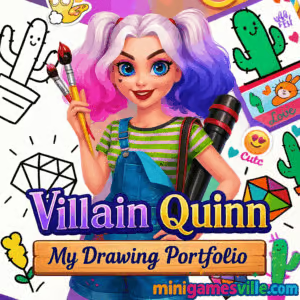
Play Villain Quinn: My Drawing Portfolio right now on minigamesville.com and start coloring your way through a stylish art book. Villain Quinn: My Drawing Portfolio is a creative online browser game that blends casual coloring, artful design, and chill vibes. If you like relaxing, creative play with zero downloads, this unblocked art game is a perfect pick. Jump in, pick a sketch, and bring it to life with vibrant hues, effects and frames. Ready to paint the town? Click play and let your imagination lead the way.
About Villain Quinn: My Drawing Portfolio
Villain Quinn: My Drawing Portfolio celebrates creativity first. You get a curated selection of character and object sketches, a smooth color picker, and two satisfying brush styles that make filling art fast and clean. No timers, no pressure, just a laid-back coloring experience that works beautifully in a browser. Whether you are on laptop, Chromebook, iPhone, or Android, this casual art game loads quickly and keeps focus on the fun. The result is a relaxing session that doubles as a mini digital art studio.
History of Villain Quinn: My Drawing Portfolio
This title grew from the wave of HTML5 creative games that made dress-up, makeup, and coloring experiences accessible across devices. Popular with players who want quick, cozy sessions, Villain Quinn: My Drawing Portfolio found its audience as an easy, tap-to-color activity, and it continues to shine as a lightweight, free browser game on modern sites like minigamesville.com.
Style & Vibe
The vibe is playful and punchy: think bold line art, a mischievous anti-hero aesthetic, and a palette that pops. Effects like watercolor fills, crisp solid colors, stickers, and frames let you turn simple sketches into showcase pieces for your in-game portfolio. It is bright, upbeat, and distinctly shareable.

Gameplay in Villain Quinn: My Drawing Portfolio
Pick a drawing, select a color, then glide your brush over each region to auto-fill or lightly blend. You can swap between solid and watercolor styles, tweak shade intensity, and add decorations like frames and stickers when you are done. The loop is soothing: choose, color, decorate, and move to the next sketch. It is perfect for short breaks and longer chill sessions.
Game Modes
- Portfolio Mode: Choose from a gallery of themed sketches and fill them at your own pace.
- Free-Flow Coloring: Experiment with brushes and shades without timers or score pressure.
How to Play
- Press Play and open the sketch gallery.
- Select a drawing that inspires you.
- Tap the color wheel, then adjust shade and brightness.
- Pick Solid or Watercolor brush, then fill areas with a click or tap.
- Add frames, stickers, and finishing touches.
- Return to the gallery and start your next piece.
Controls
- Desktop: Mouse click to select colors, click or click-drag to apply, UI buttons for brush type, undo, and decorations.
- Mobile/Tablet: Tap to pick colors and tools, tap or drag to fill, tap UI icons for effects.
Device Compatibility & Browser Support
Villain Quinn: My Drawing Portfolio runs in modern browsers like Chrome, Edge, Safari, and Firefox. It works on Windows, macOS, iOS, Android, and Chromebooks. For the smoothest experience, keep your browser updated and ensure hardware acceleration is on.
Mobile vs. Desktop Gameplay
On mobile, taps feel natural for quick fills and casual play. On desktop, a mouse offers extra precision for fine edges. Either way, the UI is clean and finger friendly.
Can I Play Offline?
The game is delivered through the browser, so you need an internet connection to load assets and play.
Can I Play Unblocked?
Yes, Villain Quinn: My Drawing Portfolio is an unblocked HTML5 browser game on minigamesville.com. If a school or work network restricts gaming, try using the direct HTTPS URL or a different compatible browser. Clear your cache if the game frame does not appear.
- Browser: Play free on minigamesville.com.
- Official mobile apps: There is no official iOS or Android app for Villain Quinn: My Drawing Portfolio.
- Try a similar mobile favorite:
Tips & Tricks
Beginner Tips
- Start with solid fills to block in main regions, then switch to watercolor for soft shading.
- Sample colors from elements you like using the picker to keep your palette consistent.
- Use frames that match your dominant color to make the finished piece pop.
- If you overfill, undo or repaint with a lighter shade to blend it back.
Advanced Strategies
- Build triad or complementary color schemes for striking results.
- Layer watercolor strokes at low intensity for gentle gradients.
- Add stickers after framing so you can center the composition clearly.
- Create visual focus by reserving the brightest hues for the character’s face or key accessories.
Features
- 🎨 Relaxing tap-to-color gameplay
- 🖌️ Solid and watercolor brush styles
- 🌈 Wide shade range with easy sliders
- 🖼️ Frames, stickers, and decorative finishes
- ⚡ Fast-loading HTML5 with no download
- 📱 Plays on mobile, tablet, and desktop
- 🔇 No timers, play at your pace
- 🧠 Creative, low-stress session design
Unlockables & Secrets
This is a creativity-first experience. You will find a variety of sketches, frames, and decorations from the start, and the real reward is building out your personal portfolio with different styles and palettes.
Cheats & Mods
There are no official cheats or mods for Villain Quinn: My Drawing Portfolio. Third-party extensions can break performance, so keep it clean for the best results.
Walkthrough Summary
Open the gallery, choose a sketch, block in base colors with Solid, then switch to Watercolor for highlights and shadows. Finish with a frame, sprinkle a few stickers, and move to your next page. Rinse and repeat for a full, colorful portfolio.
Scoring, Records & Progression
There is no score chase here. Progress is personal, measured by the number of finished drawings and the styles you explore. It is designed for repeat sessions and creative experimentation.
Why Play Villain Quinn: My Drawing Portfolio
Because it is pure, cozy creativity. Villain Quinn: My Drawing Portfolio is an online browser game that respects your time, helps you relax, and lets you make something vibrant in a few minutes. It is ideal for quick breaks, art warmups, or unwinding at night.
Pros & Cons of Villain Quinn: My Drawing Portfolio
- Pros: Relaxing flow, easy tools, runs anywhere, fast loading, unblocked on most networks.
- Cons: Minimal challenge curve, limited gallery compared to full art apps, no offline mode.
- Use an up-to-date Chrome or Edge for best WebGL and canvas performance.
- Enable hardware acceleration in browser settings.
- Close heavy background tabs, especially video streams.
- If the canvas looks blurry on high-DPI screens, zoom the page to 100 percent and reload.
- Stuck on loading? Clear cache for the page and disable aggressive content blockers for this tab.
Similar games to Villain Quinn: My Drawing Portfolio
FAQ
Is Villain Quinn: My Drawing Portfolio free to play?
Yes, it is a free online browser game you can play on minigamesville.com with no download.
Does Villain Quinn: My Drawing Portfolio work on school Chromebooks?
In most cases yes, since it is an HTML5 unblocked game. If the network blocks gaming sites, try a different supported browser or reconnect from a home network.
Is there any scoring or timer?
No, the focus is creativity and relaxation. You color at your own pace and decorate finished pieces.
Can I save my artwork?
The game displays finished pieces in your in-session portfolio. For long-term keeps, capture a device screenshot after you finish a page.
Do I need a powerful PC?
No, it runs smoothly on everyday laptops, tablets, and phones. Just keep your browser updated for best performance.
Is Villain Quinn: My Drawing Portfolio available as a mobile app?
No official app exists. If you want a mobile alternative, try Water Sort Puzzle on the App Store or Google Play.
Conclusion
Villain Quinn: My Drawing Portfolio is a chill, colorful break from the everyday grind. Whether you are into sketchbooks or just want a relaxing five-minute creative boost, this unblocked browser game gives you instant art therapy without clutter or complexity.
Ready to color your next masterpiece? Press play on Villain Quinn: My Drawing Portfolio at minigamesville.com, pick a sketch, and let your colors do the talking.

 Loading...
 English
 Shqip
Shqip
 বাংলা
বাংলা
 Български
 简体中文
简体中文
 Hrvatski
 Čeština
 Dansk
Dansk
 Nederlands
 Suomi
Suomi
 Ελληνικά
 हिन्दी
 Magyar
 Bahasa Indonesia
 日本語
日本語
 한국어
한국어
 Lietuvių
 Bahasa Melayu
 Norsk
Norsk
 Polski
 Português do Brasil
 Română
 Slovenčina
 Slovenščina
 Svenska
 ไทย
ไทย
 Türkçe
 Українська
 اردو
اردو
 Tiếng Việt
 isiZulu
 Español
 Français
 Deutsch
 العربية
 Italiano
 فارسی
فارسی
 Русский