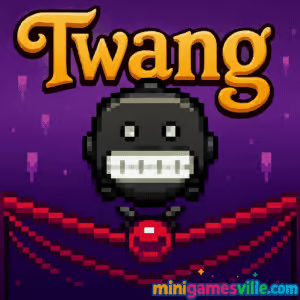
Ready to play right now? Click the big Play button above to launch Twang on minigamesville.com and dive straight into this fast, elastic physics platformer. Twang is a quick-reflex online browser game where you stretch the ground like a rubber band to sling your hero past spikes, gaps, and traps. If you want an unblocked pick-up-and-play challenge that loads in your browser, Twang delivers. Warm up your fingers, time those slings, and aim for flawless runs. Play Twang now and see how far you can fling.
About Twang
Twang takes the simplicity of one-click physics and turns it into a satisfying rhythm of pull, aim, and release. Every level is a mini obstacle course that rewards timing, patience, and a bit of bravado. Because it is a lightweight browser game, Twang loads fast, runs on most devices, and keeps you in a tight loop of attempt, learn, and improve. Whether you have two minutes between classes or twenty minutes to chase a personal best, Twang keeps the fun flowing.
History of Twang
Born from the golden era of physics-based web games, Twang channels that classic sling mechanic where the terrain itself becomes your launcher. Over time, the formula evolved into tighter levels, cleaner visuals, and sharper hitboxes, making Twang a sweet spot for speedrunners and casual players alike. Today, Twang remains a beloved online challenge thanks to quick retries, crisp controls, and levels that always tempt you to try just once more.
Style & Vibe
Clean colors, bouncy animations, and punchy effects make every successful fling feel great. The minimal UI keeps your focus on timing and trajectory, which is exactly where it should be in a skill-first physics platformer.

Gameplay in Twang
The core loop is simple. Press and hold to stretch the surface, aim your release to fling the character, then chain hops to clear hazards. Momentum management is everything. Pull too hard and you overshoot into spikes. Undercharge and you clip a ledge. Level layouts escalate with moving platforms, narrow landings, and trickier hazard timing. Twang shines because every failure teaches you a micro-adjustment for the next attempt.
Game Modes
- Levels: Hand-crafted stages with escalating difficulty and clever traps.
- Endless: A distance-chase variant if included in your build, perfect for quick high-score runs.
- Time Attack: Beat the clock and your best splits, ideal for speedrun practice.
- Challenge Seeds: Daily or rotating layouts when available, great for friendly competition.
How to Play
- Click or tap near your character to stretch the ground. Imagine pulling a slingshot.
- Drag to set direction and power. Aim for safe landings with room for your next fling.
- Release to launch, then chain jumps to maintain momentum.
- Read the hazards. Time moving obstacles and use short hops to adjust mid-route.
- Finish the level as cleanly as possible to improve times and reduce deaths.
Controls
- Mouse: Click and drag to stretch, release to fling.
- Touch: Tap, hold, and drag to aim, lift to launch.
- Keyboard (if supported): R to quick restart, P to pause.
Device Compatibility & Browser Support
Twang runs in modern browsers like Chrome, Edge, Firefox, and Safari. Since the game is lightweight, most desktops, Chromebooks, and recent mobile devices handle it smoothly. For the best experience, keep your browser updated and close heavy background tabs.
Mobile vs. Desktop Gameplay
Touch controls feel natural and are great for quick sessions. Desktop offers finer aim control with a mouse, which can shave seconds off time attacks. If you are chasing perfect lines, desktop precision helps. If you are practicing routes, mobile is wonderfully convenient.
Can I Play Offline?
Twang is an online browser game and needs an internet connection to load. After the page is loaded, some browsers can cache assets, but a fresh session still requires connectivity.
Can I Play Unblocked?
Twang on minigamesville.com is delivered over HTTPS and designed for quick access on school and work networks. Availability depends on local network policies. If your network blocks games, try a different network or talk to your administrator.
- Browser: Play Twang on minigamesville.com directly in your browser, no download needed.
- Official mobile apps: There is no official Twang app on Google Play or the App Store at this time.
- Similar mobile pick: Prefer a mobile platformer with precise taps and tight timing? Try Geometry Dash Lite on App Store or Google Play.
Tips & Tricks
Beginner Tips
- Short pulls control height. Use micro-flings to line up safer landings.
- Watch obstacle cycles for one full loop before committing to a jump.
- Land on flat spots when possible to avoid accidental bounces.
- Restart fast after a mistake. Twang rewards repetition and muscle memory.
Advanced Strategies
- Chain low arcs to keep momentum while staying under spike ceilings.
- Use edge landings to reduce slide time and set up quicker relaunches.
- Bank shots off slopes to redirect mid-sequence without losing speed.
- Route plan: mark three anchor landings and practice until they feel automatic.
Features
- 🎯 Tight one-touch sling mechanics with crisp physics feedback
- ⚡ Instant restarts for rapid improvement loops
- 🧩 Hand-crafted level layouts with escalating hazards
- ⏱️ Optional time-attack runs and personal best chasing
- 📱 Mobile and desktop friendly controls
- 🔊 Satisfying bounce and launch effects that make every fling pop
- 🌈 Minimal, readable visuals that highlight obstacles
- 🏆 Score and speed potential for leaderboard-style rivalry
Unlockables & Secrets
Depending on your build, you may encounter hidden routes, risky shortcuts, and collectible items tucked behind advanced jumps. Completing stages with fewer deaths and faster times often reveals new challenges. Keep experimenting, and do not be afraid to try a bold line when a level hints at one.
Cheats & Mods
Twang is tuned for fair competition. There are no built-in cheats, and third-party mods are not supported in the browser version. To keep your progress safe and your runs valid, play the original version on minigamesville.com.
Walkthrough Summary
Start with steady, low-power flings to learn each level’s rhythm. Identify two to three safe landing pads and use them as anchors. Once the route feels consistent, tighten your lines, use slope banks for speed, and aim for a clean, death-free finish. Twang rewards calm patience, then confident aggression.
Scoring, Records & Progression
Performance is commonly measured by time and mistakes. Fewer deaths and cleaner jumps lead to stronger PBs. If an endless or distance mode is available in your build, aim to chain efficient low arcs and conserve vertical movement to push your record.
Why Play Twang
Twang is easy to learn, hard to master, perfectly snackable, and deeply replayable. The elastic slingshot mechanic feels fresh every time, and the browser-based format means you can jump in instantly. Whether you are chasing a new time or just clearing your head with a quick run, Twang hits that satisfying arcade groove.
Pros & Cons of Twang
- Pros: Instant play in browser, crisp physics, fast retries, great for speedrunners, friendly on school laptops.
- Cons: Precision can be tough on small screens, later levels are punishing, no offline mode.
- Use an up-to-date browser and enable hardware acceleration.
- Close background tabs and streaming apps to reduce input lag.
- On mobile, switch to landscape and raise screen brightness for clearer reads.
- If inputs feel sticky, clear cache and reload the page for a fresh session.
Similar games to Twang
- Parkour Block 6 — First-person jump trials with tight timing across floating platforms.
- Parkour Block 7 — More parkour stages with precise platforming and clutch landings.
- Geometry Dash Lite — Rhythm-based tap platforming where timing is everything.
- Free Rider Jumps — Physics bike jumps that reward smooth arcs and momentum control.
- Wheelie Bike — Balance a wheelie as far as you can without tipping over.
- Eggy Car — Gentle hill climbs with fragile cargo and delicate throttle control.
- Short Life — Ragdoll obstacle platforming with hilarious, deadly traps.
- Short Ride — Bike through brutal courses where timing and caution save lives.
FAQ
What is Twang?
Twang is a physics platformer browser game where you stretch the ground to sling your character across hazards and reach the goal.
Is Twang free to play?
Yes, Twang is free to play online on minigamesville.com with no download required.
Does Twang work on a school Chromebook?
In most cases yes, since it runs in the browser. Access depends on your school’s network rules.
How do I get better at Twang quickly?
Practice short, controlled flings, learn obstacle cycles, and focus on two or three anchor landings per level before going for speed.
Can I play Twang unblocked?
Twang is available on a secure web page and is often accessible on filtered networks, but availability depends on local policies.
Does Twang save my progress?
Progress saving depends on your browser’s local storage. Avoid clearing site data if you want to keep your runs.
Is there a Twang mobile app?
No official app exists. If you want a similar mobile feel, try Geometry Dash Lite on iOS and Android using the links above.
Conclusion
If you crave tight timing, clean physics, and instant retries, Twang is pure arcade happiness. It is the kind of online game you tell yourself you will play for one minute, then realize you just spent half an hour shaving seconds off your best run. The elastic sling mechanic stays fresh because every level invites smarter routes and cleaner arcs.
Ready to fling to victory? Hit Play and launch Twang on minigamesville.com. Master the bounce, dodge the spikes, and post a run you are proud of. See you on the next PB.

 Loading...
 English
 Shqip
Shqip
 বাংলা
বাংলা
 Български
 简体中文
简体中文
 Hrvatski
 Čeština
 Dansk
Dansk
 Nederlands
 Suomi
Suomi
 Ελληνικά
 हिन्दी
 Magyar
 Bahasa Indonesia
 日本語
日本語
 한국어
한국어
 Lietuvių
 Bahasa Melayu
 Norsk
Norsk
 Polski
 Português do Brasil
 Română
 Slovenčina
 Slovenščina
 Svenska
 ไทย
ไทย
 Türkçe
 Українська
 اردو
اردو
 Tiếng Việt
 isiZulu
 Español
 Français
 Deutsch
 العربية
 Italiano
 فارسی
فارسی
 Русский