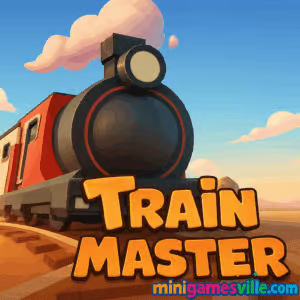
Play Train Master right now on minigamesville.com and start laying perfect tracks. If you love clever physics puzzles and the cozy chaos of guiding locomotives, Train Master is the browser game to boot up. This online, unblocked rail puzzler blends route planning, timing, and quick thinking into snappy levels that feel great on desktop and mobile browsers. Whether you are a casual commuter or a full-on rail strategist, Train Master delivers bite-size challenges with satisfying, clicky controls. Hit play, keep the trains moving, and beat your best time on Minigamesville.
About Train Master
Train Master is a delightful mix of puzzle and strategy where you draw tracks, flip switches, and pace your locomotives to deliver passengers or cargo safely. Each stage layers in new constraints, from tricky hills and bridges to multi-junction crossings. The result: a compact, replayable browser game that rewards clean paths and cool heads. Train Master online is perfect for short breaks and long sessions alike, and it feels right at home on minigamesville.com.
History of Train Master
Train Master follows the modern wave of lightweight HTML5 rail games, built to run smoothly in a tab with no downloads. As browsers improved their WebGL and audio performance, train puzzles like this became faster, sharper, and more tactile. Train Master brings that spirit to life with crisp visuals and intuitive path-drawing that works with a mouse or a finger.
Style & Vibe
Bright colors, clean shapes, and friendly sound effects make each solved route feel like a tiny celebration. You will see crisp tracks, animated switches, and minimal UI that keeps you focused on the rails, not menus.

Gameplay in Train Master
The loop is simple to learn and fun to master. Draw or place tracks to connect stations, set the order in which your train reaches them, and manage speed on slopes or tight turns. New hazards appear as you progress, like moving gates, split tracks, and timing windows that demand precision. Scoring favors efficiency and safety, so smart layouts and well-timed switches beat reckless speed every time.
Game Modes
- Level Mode: Tackle handcrafted stages that escalate from intro routing to multi-train juggling.
- Time Attack: Race the clock to clear objectives with the fewest track pieces.
- Endless: Build, refine, and keep trains running as long as possible without a collision.
- Challenge Rules: Optional modifiers like limited switches or piece caps for extra tension.
How to Play
- Press Play and review the objective, such as deliver all cargo or reach the terminal.
- Drag to place tracks between key nodes. Aim for smooth arcs and short paths.
- Tap or click switches to set their direction before the train arrives.
- Start the train, watch its path, and pause to tweak when needed.
- Finish under par time or piece count to earn a higher rating and unlock the next level.
Controls
- Mouse: Click and drag to lay tracks, click switches to flip, click UI to start or pause.
- Keyboard (if supported): Space to pause or resume, R to restart, number keys to cycle tools.
- Touch: Drag to build, tap to flip switches, tap buttons to control playback.
Device Compatibility & Browser Support
Train Master runs in modern browsers that support HTML5 canvas or WebGL. It plays smoothly on desktop, laptop, Chromebook, and most Android and iOS devices using Chrome, Edge, Safari, or Firefox. Keep your browser updated for the best results.
Mobile vs. Desktop Gameplay
On desktop, mouse precision makes tight junctions easy. On phones and tablets, touch dragging feels natural and the zoomed camera helps you place clean curves. Both are great, so pick whatever you prefer.
Can I Play Offline?
Train Master is a browser game that loads assets from the web, so you need an internet connection to start and to save progress.
Can I Play Unblocked?
Yes, Train Master is an unblocked online game on minigamesville.com in most networks. If your school or office filters games broadly, try a different browser, disable conflicting extensions, or switch to a personal connection.
- Browser: Play instantly on MiniGamesVille.
- Android (official): No official Google Play release exists for “Train Master”. As an alternative, try Train Master 3D, a train management and upgrade simulator.
- iOS (official): No official App Store release exists for “Train Master”. As an alternative, try Train Master 3D, offering similar train-owner gameplay.
Tips & Tricks
Beginner Tips
- Start short and straight. Fewer pieces mean faster trains and easier timing.
- Plan exits from stations before entries to avoid angle-heavy turns.
- Use pauses. Place a segment, preview the route, then resume.
- Reserve at least one switch for emergency rerouting.
- Restart early if your first layout gets messy. Clean tracks beat patchwork fixes.
Advanced Strategies
- Build bypass lines so express trains skip busy hubs.
- Stagger arrivals. A short holding loop can prevent collisions at merges.
- Favor wide arcs over zigzags. Trains keep speed on smooth curves.
- Pre-flip switches based on train order, not proximity.
- Chase par bonuses with dual goals: fewer pieces and fewer switch flips.
Features
- 🚄 Snappy train physics and crisp, readable track art
- 🧩 Clever, compact puzzle design with escalating constraints
- ⏱️ Time attack targets and par challenges for repeat runs
- 🖱️ Intuitive mouse and touch controls for quick edits
- 📈 Scores, medals, and replay value that rewards mastery
- 🔁 Endless-style play for relaxed building between levels
- 🎧 Pleasant sound cues that make perfect routes feel rewarding
- 🌐 Plays in the browser with no downloads
Unlockables & Secrets
Expect cosmetic tweaks and harder variations as you clear levels. Some stages reveal alternate objectives when you meet par conditions. Keep experimenting with path layouts to spot hidden efficiencies.
Cheats & Mods
There are no official cheats for Train Master online. Third-party scripts or mods can break saves or performance, and they may violate site rules. Want higher scores? Refine switch timing and try minimalist track routes.
Walkthrough Summary
Each world introduces one mechanic at a time, then mixes several in finale levels. The simple approach works best: straight lines, early merges, and pre-flipped switches. When you get stuck, rebuild the spine of your route first, then reattach branches.
Scoring, Records & Progression
Clear stages to earn medals based on time, track count, and safe arrivals. Perfect runs unlock tougher variants and give you room to climb community scoreboards where available. Train Master rewards efficient layouts and consistent timing more than speed alone.
Why Play Train Master
It is fast to learn, endlessly tinkerable, and perfect for filling a five-minute break or a full commute. Train Master on Minigamesville packs the right blend of toy-like fun and brainy routing.
Pros & Cons of Train Master
- Pros: Satisfying physics, clean visuals, low friction in the browser, great for short sessions, high replay value.
- Cons: Precision builds on small screens can be tricky, late levels can spike in difficulty if you do not pre-plan.
- Use an up-to-date Chrome, Edge, or Safari and enable hardware acceleration.
- Close heavy tabs, especially video and multi-tab streams.
- If input feels laggy, reduce other extensions, then reload the page.
- On mobile, add Minigamesville to your home screen for a cleaner full-screen view.
Similar games to Train Master
FAQ
What is Train Master?
Train Master is a free browser puzzle game where you build tracks, flip switches, and guide trains safely through each level.
Where can I play Train Master online?
You can play Train Master unblocked on minigamesville.com in your web browser.
Is Train Master safe for kids?
Yes, the gameplay is family friendly and focuses on logic, timing, and problem solving.
Does Train Master have ads or in-app purchases?
As a browser game, it may show lightweight ads, but there are no downloads or required purchases to play.
Can I use a controller with Train Master?
It is designed for mouse and touch. Some browsers map gamepad input, but mouse or touch is recommended.
How long is a typical level?
Most levels take one to three minutes to solve, with tougher ones taking longer as you optimize routes.
Conclusion
Train Master brings the joy of rail tinkering to your browser, with clean visuals, smart constraints, and endlessly replayable routes. It keeps the focus on what matters, building elegant paths and sending trains off on time.
Ready to ride the rails? Play Train Master on minigamesville.com now, set your switches, and craft the perfect line. The next perfect run is a click away.

 Loading...
 English
 Shqip
Shqip
 বাংলা
বাংলা
 Български
 简体中文
简体中文
 Hrvatski
 Čeština
 Dansk
Dansk
 Nederlands
 Suomi
Suomi
 Ελληνικά
 हिन्दी
 Magyar
 Bahasa Indonesia
 日本語
日本語
 한국어
한국어
 Lietuvių
 Bahasa Melayu
 Norsk
Norsk
 Polski
 Português do Brasil
 Română
 Slovenčina
 Slovenščina
 Svenska
 ไทย
ไทย
 Türkçe
 Українська
 اردو
اردو
 Tiếng Việt
 isiZulu
 Español
 Français
 Deutsch
 العربية
 Italiano
 فارسی
فارسی
 Русский