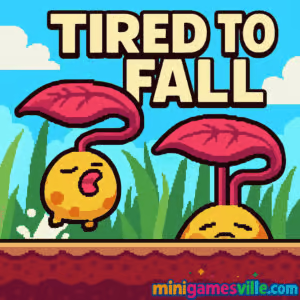
Play Tired to Fall right now on minigamesville.com and see if you can help a sleepy little leaf climb back to its tree. Tired to Fall is a cozy puzzle platformer that blends clever physics with satisfying skill jumps, perfect for quick online sessions in your browser. Hit the Play button above, then come back to this review for tips, controls, and pro strategies. If you are looking for an unblocked browser game that feels polished, charming, and chill, Tired to Fall delivers.
About Tired to Fall
Tired to Fall is an indie puzzle platform game where you launch friendly leaf buddies to create footholds, glide over hazards, and scale towering trees across the seasons. Levels flow like bite-size challenges, each teaching a new interaction or twist. The premise is simple, the physics feel responsive, and the difficulty ramps up in a fair, learnable curve. Whether you play the online web version or mobile ports, the core loop stays crisp and easy to pick up.
History of Tired to Fall
What began as a compact jam project grew into a full series of browser and mobile levels, plus seasonal expansions. The game’s warm pixel art, gentle soundtrack, and smart platform puzzles helped it resonate with casual players and speedrunners alike. Today, Tired to Fall is enjoyed as a free online browser game and as a mobile app, with ongoing quality-of-life tweaks and extra content drops that keep the experience fresh.
Style & Vibe
Expect bright, autumn-tinted palettes, soft ambient tunes, and a friendly, approachable tone. The tiny leaf hero animates with personality, while hazards like chestnuts and acorns pop with clear silhouettes, so reads are instant even on small screens. It feels cozy yet challenging, making Tired to Fall an easy recommendation for relaxing breaks or short puzzle bursts.

Gameplay in Tired to Fall
Each level asks you to reach a glowing goal by combining tight platforming with smart leaf placement. You collect and launch buddies that root into platforms, stack ladders, or bounce in special ways. Momentum and glide timing matter. Early stages teach fundamentals, then introduce ice, cannons, and tricky vertical climbs. Mistakes reset fast, so experimentation is rewarded and flow stays smooth.
Game Modes
- Main campaign: handcrafted levels with escalating mechanics and seasonal themes.
- Session play: perfect for short browser sessions or mobile bursts on the go.
- Replay and speedrun: revisit cleared stages to shave seconds or reduce buddy placements.
How to Play
- Survey the layout and spot safe ledges or anchor points.
- Collect leaf buddies, then launch them to create new platforms or ladders.
- Chain jumps and glides to conserve height, avoid spikes, and reach the exit.
- Refine your path on replays to use fewer launches and cleaner lines.
Controls
- Move: WASD or Arrow keys
- Jump: X or B, hold to glide
- Launch buddy: C or N
- Reset level: R
- Mobile: on-screen joystick or swipe, tap to jump, hold to glide, dedicated button to launch
Device Compatibility & Browser Support
Tired to Fall runs in modern browsers on desktop and mobile. For the best experience, use the latest Chrome, Edge, Firefox, or Safari with hardware acceleration on. Close unused tabs if your device is memory-constrained to keep frame pacing steady.
Mobile vs. Desktop Gameplay
Desktop offers the most precise control for speed lines and ladder stacking. Mobile shines for casual play and quick retries, with touch controls tuned for short sessions. Progress is lightweight, so it is easy to pick up where you left off.
Can I Play Offline?
In a browser, you need an internet connection. On mobile, once the app is installed, most levels play offline. Network access may be needed for optional hints or rewarded ads.
Can I Play Unblocked?
Yes, Tired to Fall is an unblocked browser game for most school and office networks. If you run into a filter, try a different modern browser, clear cached site data, or switch to a personal network.
Tips & Tricks
Beginner Tips
- Place buddies slightly above ledge height to create generous landing zones.
- Hold jump to glide and save vertical height when crossing gaps.
- Stack buddies near walls to form clean ladders before attempting tall climbs.
- Reset fast after a miss. Short loops help you learn timings quicker.
- Watch for gentle funnels in the level art, they often point to intended routes.
Advanced Strategies
- Use momentum saves: short hop into glide, then cancel glide near landing for tighter arcs.
- Double-duty placements: one buddy can be both your landing pad and the base of a ladder.
- Edge snaps: aim launches so platforms slightly protrude, easing upward jumps.
- Route pruning: remove extra placements by combining a longer glide with a corner boost.
- Speed goals: plan sequences that minimize camera scrolling and backtracking.
Features
- 🍂 Cozy puzzle platforming with clear, readable pixel art
- 🧩 Smart physics puzzles built around leaf buddy placements
- ⏱️ Snappy retries and short levels that suit browser play
- 🎧 Relaxing soundtrack that complements focused runs
- 📈 Gentle difficulty curve with fair skill checks
- 📱 Seamless desktop and mobile experiences
- 🔁 Strong replay value for speed and minimal-placement runs
- ❄️ Seasonal twists that refresh mechanics over time
Unlockables & Secrets
While the core goal is reaching the exit, seasoned players hunt cleaner paths, hidden routes, and stylish ladder placements that cut seconds. Try revisiting early stages after you learn advanced glides to discover faster lines.
Cheats & Mods
There are no official cheats for the browser version. Community challenges usually focus on self-imposed rules, like completing levels with fewer buddies or without touching certain tiles.
Walkthrough Summary
Approach each level in layers: chart a safe baseline route, place minimal platforms to prove the path, then iterate to remove extra steps. Anchor buddies where ledges meet corners, use glide to bridge gaps, and save vertical height for the final push to the goal.
Scoring, Records & Progression
Progress is level based. Many players track personal bests like time to clear or fewest buddy placements. If you enjoy chasing records, treat each map like a puzzle to optimize and keep notes on consistent visual lineups for launches.
Why Play Tired to Fall
If you want an online puzzle platformer that feels welcoming yet skillful, Tired to Fall nails that balance. Short stages, instant resets, and charming art make it great for quick breaks, while advanced mechanics give high skill ceiling for mastery.
Pros & Cons of Tired to Fall
- Pros: crisp controls, readable level design, satisfying physics, strong replay value, perfect for browser sessions.
- Cons: touch inputs are less precise for speed lines, late-game climbs can be demanding, minimal story beats by design.
- Keep your browser updated and enable hardware acceleration for smoother physics.
- On laptops, plug in for higher CPU clocks, then lock 60 fps with fewer background tabs.
- On mobile, disable battery savers while playing to reduce input latency.
Similar games to Tired to Fall
- Klung — swing and latch through tight platforming trials with a sticky, stretchy arm.
- Big Tower Tiny Square — a precision vertical climb packed with devious traps and clean timing checks.
- Big Tower Tiny Square 2 — the sequel brings tougher layouts and trickier jumps for veterans.
- Slime Laboratory — glide and squish through physics-based levels with clever hazards.
- Kori Walk — plan each step in puzzle-platform stages that reward careful timing.
- Circloo XL — momentum-driven minimal puzzles where tight control and flow are key.
- House of Hazards — chaotic obstacle courses perfect for quick multiplayer laughs.
FAQ
Is Tired to Fall free to play?
Tired to Fall is free to play as an online browser game on minigamesville.com, with optional mobile versions available on the app stores.
Does Tired to Fall work on school Wi-Fi?
Yes, it is an unblocked browser game on most networks. If your district blocks gaming, try a personal hotspot or play on mobile.
What genre is Tired to Fall?
It is a physics-driven puzzle platformer with short handcrafted levels and fast retries.
Are there in-app purchases?
Mobile builds focus on free access and light ads. There are no required purchases to enjoy the core progression.
Can I use a controller?
Keyboard is the default on desktop. Some browsers support external controllers, but key input offers the best precision for climbs.
Will my progress save?
Browser progress is stored locally. Clearing cookies or switching devices may reset unlocks. Mobile versions save to your device.
Conclusion
Tired to Fall brings clever physics, clean level design, and cozy vibes together in a slick browser package. It is easy to learn, hard to put down, and just right for short online sessions or longer mastery runs.
Ready to climb Back to the top? Press Play above to jump into Tired to Fall on minigamesville.com, then return to this guide for strategies, similar games, and the smoothest path to the goal. Have fun, and leaf no platform unplaced.

 Loading...
 English
 Shqip
Shqip
 বাংলা
বাংলা
 Български
 简体中文
简体中文
 Hrvatski
 Čeština
 Dansk
Dansk
 Nederlands
 Suomi
Suomi
 Ελληνικά
 हिन्दी
 Magyar
 Bahasa Indonesia
 日本語
日本語
 한국어
한국어
 Lietuvių
 Bahasa Melayu
 Norsk
Norsk
 Polski
 Português do Brasil
 Română
 Slovenčina
 Slovenščina
 Svenska
 ไทย
ไทย
 Türkçe
 Українська
 اردو
اردو
 Tiếng Việt
 isiZulu
 Español
 Français
 Deutsch
 العربية
 Italiano
 فارسی
فارسی
 Русский