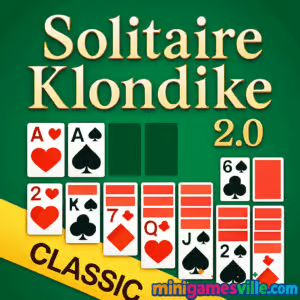
Play Solitaire Klondike 2.0 online now on MiniGamesVille! Click the big green Play button above and dive into a crisp, modern take on the world’s most loved card game. Solitaire Klondike 2.0 is a classic patience card game rebuilt for the browser, fast, unblocked, and great for short breaks or long streaks. Whether you call it Klondike, Classic Solitaire, or just Solitaire, this browser game keeps the feel you love with silky animations and smart quality-of-life features. Ready to relax and sharpen your mind at the same time? Hit Play and enjoy Solitaire Klondike 2.0 on minigamesville.com.
About Solitaire Klondike 2.0
Solitaire Klondike 2.0 keeps the timeless 52-card puzzle intact, then layers in a clean UI, quick moves, and friendly touches like auto-complete and smooth drag or tap controls. It is an easy pick-up-and-play browser game that loads fast, works across devices, and feels just right whether you prefer Draw 1 for a chill session or Draw 3 for a tougher challenge. If you are searching for a free online solitaire that feels authentic and runs unblocked at school or work, Solitaire Klondike 2.0 is a perfect fit.
History of Solitaire Klondike 2.0
Klondike solitaire has been a household card game for generations, popularized on home computers and loved around the world. Solitaire Klondike 2.0 respects that heritage with familiar rules and layouts while updating the look and feel for today’s browsers. Expect snappy play, polished visuals, and a few optional helpers that keep the focus on strategy, not fiddly controls.
Style & Vibe
The presentation is calm and elegant: easy-to-read card faces, subtle animations, and a soothing table backdrop that keeps your eyes on the tableau. Sound cues are soft and satisfying, and the interface stays out of your way so you can get into a flow.

Gameplay in Solitaire Klondike 2.0
Your goal is simple, yet addictive: build four foundation piles from Ace to King by suit. In the tableau, you arrange descending runs that alternate colors, reveal hidden cards, and open empty columns for Kings. Solitaire Klondike 2.0 nails the feel of a premium online solitaire with quick card snaps, clear highlights for legal moves, and optional helpers like undo and auto-complete when the win is guaranteed. The deck draw is configurable for a relaxed or competitive pace, and a timer and move counter give that extra push to beat your personal best.
Game Modes
- Classic Draw 1: Friendly, relaxing runs with a higher win rate.
- Classic Draw 3: Strategic and challenging, great for experienced players.
- Timed Play: Race the clock and chase faster finishes with clean execution.
- Vegas Scoring style: For players who enjoy bankroll-style scoring risk and reward.
How to Play
- Flip cards from the stock to the waste. Choose Draw 1 for casual play or Draw 3 for a tougher puzzle.
- Build descending runs on the tableau that alternate red and black suits.
- Move Aces to the foundations, then stack cards by suit in ascending order to grow each foundation.
- Open empty columns and place Kings there to unlock stuck positions.
- Use undo sparingly to test lines, then auto-complete to finish when the board is solved.
Controls
- Desktop: Click and drag cards, or click to auto-move when a clear destination exists. Space and UI buttons handle undo and hints where available.
- Mobile/Tablet: Tap to select and move cards, long-press to drag stacks. On-screen buttons manage draw, undo, and menu.
Device Compatibility & Browser Support
Solitaire Klondike 2.0 is a lightweight browser game that runs smoothly on modern Chromium-based browsers, Firefox, and Safari. It adapts well to different screen sizes, from widescreen monitors to phones, without clutter.
Mobile vs. Desktop Gameplay
- Mobile: Thumb-friendly tap controls, haptic-like card snaps, and a layout tuned for vertical play.
- Desktop: Precision mouse dragging, faster multi-card moves, and bigger overview for planning.
Can I Play Offline?
Solitaire Klondike 2.0 is an online browser game, so you need an internet connection to load and play.
Can I Play Unblocked?
Yes, on minigamesville.com the game loads over HTTPS and typically works on school or office networks. If your network blocks games, try switching to a different browser, disabling strict extensions, or using your mobile connection.
- Browser: Play Solitaire Klondike 2.0 right here on minigamesville.com.
- Official mobile apps: There is no official Solitaire Klondike 2.0 app at this time.
- Want a mobile alternative? Try Microsoft Solitaire Collection, a respected suite that includes Klondike:
Tips & Tricks
Beginner Tips
- Expose hidden cards first. Moves that flip a face-down card are usually stronger than lateral shuffles.
- Hold back low Foundation moves. Sometimes keeping a 2 or 3 in the tableau keeps options open.
- Prefer building on longer columns. Consolidating runs unlocks deeper cards faster.
- Use empty columns wisely. Save one for a King that frees the most hidden cards.
- Scan the waste pile before drawing again to avoid cycling past key cards.
Advanced Strategies
- Alternate color planning. Before moving, mentally map the next two placements to avoid choking a column.
- Defer auto-moves. Manual play lets you stage sequences and minimize unnecessary flips.
- Control the stock. In Draw 3, count the cycle and time your plays to catch the right card on top.
- Foundation parity. Balance suits so one pile does not starve the tableau of needed colors.
- Time splits. On timed play, favor safe flips early, then sprint with auto-complete at the end.
Features
- 🃏 Classic Klondike rules with modern polish
- ⚡ Fast, responsive moves and smooth animations
- 📊 Optional timer, move counter, and scoring styles
- ♻️ Undo and smart auto-complete to finish solved boards
- 📱 Optimized for mobile and desktop browsers
- 🎚️ Draw 1 and Draw 3 for chill or challenge
- 🔈 Soft audio cues that keep you focused
- 🔒 Unblocked-friendly, no installs or sign-ups
Unlockables & Secrets
Solitaire Klondike 2.0 focuses on clean, replayable solitaire. The joy comes from improving your times, lowering your move counts, and mastering Draw 3. Keep an eye out for auto-complete triggers when all face-down cards are revealed and each suit has a clear path to the foundations.
Cheats & Mods
There are no real cheats for fair solitaire play. Third-party mods or scripts can break your session and harm performance. Stick to built-in helpers like hints and undo to learn stronger lines while keeping the puzzle fun and authentic.
Walkthrough Summary
Start by flipping from the stock and hunting for Aces. Build alternating color runs to uncover face-down cards, then slide Kings into empty columns to unlock more space. Balance your foundations so you do not lock the tableau, and use undo to explore better sequences. When every face-down card is up and the path is clear, trigger auto-complete and enjoy the win.
Scoring, Records & Progression
Chase three personal goals: faster times, fewer moves, and higher scores. Draw 3 rewards efficiency and planning, while Draw 1 invites speedruns. Keep notes on opening patterns you like, then repeat them to push new personal records in Solitaire Klondike 2.0.
Why Play Solitaire Klondike 2.0
It is quick to learn, endlessly replayable, and perfect for micro-breaks. You get the comfort of a familiar card game with a refreshed feel that respects your time. Whether you are a returning player or brand new to solitaire, Solitaire Klondike 2.0 makes every hand feel smooth and satisfying.
Pros & Cons of Solitaire Klondike 2.0
- Pros: Fast loads, clean visuals, great touch and mouse controls, fair difficulty, unblocked browser play.
- Cons: Online connection required, no deep progression system by design.
- Use an up-to-date Chrome, Edge, Firefox, or Safari for best performance.
- Enable hardware acceleration in your browser settings for smoother animations.
- Close heavy tabs, then reload the game if you notice stutter.
- On mobile, switch to portrait for easier one-handed play and clearer card faces.
- Clear cached files occasionally to keep load times snappy.
Similar games to Solitaire Klondike 2.0
- Solitaire Reverse — a clever twist on classic solitaire where your usual habits will be tested.
- Tri Peaks — a fast, combo-driven solitaire variant that rewards quick reads of the board.
- Checkers Multiplayer — classic board strategy, perfect when you want head-to-head tactics.
- Word City Uncrossed — laid-back word linking to unwind between solitaire sessions.
- Wordsmith — a satisfying anagram challenge that keeps your brain in puzzle mode.
FAQ
What is Solitaire Klondike 2.0?
It is a modern browser version of the classic Klondike solitaire card game that plays smoothly online without downloads.
Is Solitaire Klondike 2.0 free?
Yes, you can play it free on minigamesville.com with no installs or sign-ups.
Can I play Solitaire Klondike 2.0 unblocked?
In most cases yes. The game runs over HTTPS on a lightweight page, which helps it load on school or office networks.
Does Solitaire Klondike 2.0 support Draw 1 and Draw 3?
Yes, you can switch between Draw 1 for easier play and Draw 3 for a deeper challenge.
Does it save my best time or score?
It includes a timer and move counter so you can track performance and chase personal records.
Can I play offline?
No, it is an online browser game and requires an internet connection to load.
Is there a mobile app for Solitaire Klondike 2.0?
No official app exists. For phones and tablets, try Microsoft Solitaire Collection on Google Play or the App Store.
Conclusion
Solitaire Klondike 2.0 delivers everything you want from a classic card game in a slick, fast, online package. It is relaxing, replayable, and rewarding when you find that perfect sequence that unlocks the entire tableau.
Ready to play a few hands? Tap Play above and enjoy Solitaire Klondike 2.0 on minigamesville.com. Shuffle up, chase a new personal best, and come back any time for one more satisfying win.

 Loading...
 English
 Shqip
Shqip
 বাংলা
বাংলা
 Български
 简体中文
简体中文
 Hrvatski
 Čeština
 Dansk
Dansk
 Nederlands
 Suomi
Suomi
 Ελληνικά
 हिन्दी
 Magyar
 Bahasa Indonesia
 日本語
日本語
 한국어
한국어
 Lietuvių
 Bahasa Melayu
 Norsk
Norsk
 Polski
 Português do Brasil
 Română
 Slovenčina
 Slovenščina
 Svenska
 ไทย
ไทย
 Türkçe
 Українська
 اردو
اردو
 Tiếng Việt
 isiZulu
 Español
 Français
 Deutsch
 العربية
 Italiano
 فارسی
فارسی
 Русский