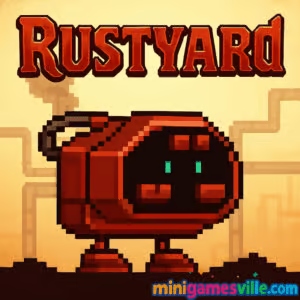
Ready to play Rustyard right now? Click to launch Rustyard on minigamesville.com and dive into a clever physics puzzle platformer that runs right in your browser, no download needed. This online, unblocked browser game blends point and click interactions with satisfying junkyard contraptions. Guide a lovable little robot through hazards, move platforms, spin wheels, and outsmart lasers. If you enjoy brainy challenges with tactile physics, load up Rustyard and start solving.
About Rustyard
Rustyard is a puzzle driven platformer where you do not steer the hero directly. Your robot buddy marches forward, and you reconfigure the environment to keep it safe. That twist keeps every stage fresh, as you juggle timing, physics, and cause and effect. Levels escalate from simple conveyor belts to multi step sequences involving fans, gates, crates, and redirectable beams. Rustyard shines as an online browser game you can finish in short sessions, perfect for school breaks or a quick mental workout at work.
History of Rustyard
Rustyard arrived during the golden age of browser puzzlers, built for quick play and clever level design. It has since found a home on modern HTML5 players so fans can revisit the scrapyard on today’s devices. What stands out years later is how readable the mechanics remain, with clean, toy like interactions that make experimentation rewarding.
Style & Vibe
The look mixes cozy retro pixels with industrial grit. Stacked scrap, flickering caution lights, and clunky machinery sell the junkyard theme, while the robot’s bouncy animations add heart. Expect upbeat, mechanical sound effects that click, whirr, and clank as you solve.

Gameplay in Rustyard
Each level in Rustyard presents a side scrolling obstacle course. Your robot never stops walking unless it hits a cage or wall, so your job is to:
- Click and drag platforms, boxes, and handles to create a safe path.
- Spin wheels to raise gates or power fans, then time your release.
- Insert coins into machines to activate helper bots or moving platforms.
- Redirect beams and lasers to neutralize hazards without frying your pal.
- Pause the robot with catchers, set the scene, then let it go again.
The flow is puzzle first, platform second. Failures are fast and funny, and resets are instant, which encourages tinkering. Rustyard rewards planning two or three moves ahead, lining up physics pieces, and releasing at the perfect moment.
Game Modes
- Level Select: Tackle handcrafted stages in increasing difficulty.
- Challenge Play: Replay completed levels to improve timing or reduce actions.
- Casual Session: Jump in for a few levels for quick brain breaks.
How to Play
- Press the button to release the robot.
- Pan the camera to preview upcoming hazards.
- Drag platforms or spin wheels to open a safe route.
- Use cages or blockers to hold the robot while you set up the next section.
- Time fans and moving parts, then let the robot pass.
- Repeat until it reaches the exit without losing all lives.
Controls
- Mouse or trackpad: Click, drag, and spin interactive elements.
- Arrow keys: Pan the camera view when supported.
- Touchscreens: Tap to interact and swipe to pan on mobile capable browsers.
Device Compatibility & Browser Support
Rustyard runs in modern browsers on desktop, laptop, Chromebook, and many mobile browsers. For best results, use the latest version of Chrome, Edge, Firefox, or Safari with hardware acceleration on. Close extra tabs if you notice input lag.
Mobile vs. Desktop Gameplay
On desktop, precise mouse drags make wheels and sliders feel snappy. On mobile, taps work well for toggles and simple drags, though narrow grabs are easier with a mouse. Both play great for quick sessions, with desktop better for late stage precision.
Can I Play Offline?
No, Rustyard is a web based game and needs an internet connection to load and save progress on your device.
Can I Play Unblocked?
Yes, Rustyard on minigamesville.com is offered as an unblocked browser game. Access can still depend on your school or workplace network rules, so if a page is blocked, try a personal connection.
No official iOS or Android app exists for Rustyard. Want a similar robot themed puzzle adventure on mobile? Try Machinarium by Amanita Design:
Tips & Tricks
Beginner Tips
- Pan ahead before releasing the robot so surprises do not catch you mid action.
- Use cages to park the robot while you set up complex sequences.
- Spin wheels smoothly, not frantically, to dial in gate height or fan speed.
- If timing feels tight, adjust the environment first, then free the robot.
Advanced Strategies
- Think in layers: set up far hazards first, then near ones, so the chain flows cleanly.
- Place movable blocks as guard rails to prevent backtracking.
- Redirect beams to trigger mechanisms safely while shielding the robot.
- Route planning counts: count steps, anticipate stops, and build a repeatable solution.
Features
- 🤖 Charming robot hero with expressive animations
- 🧩 Smart physics puzzles that reward experimentation
- ⚙️ Click, drag, and spin interactions that feel like real toys
- 🚧 Lasers, fans, gates, conveyors, and cages to master
- 🎯 Fast restarts for zero frustration and quick iteration
- 🎵 Industrial soundscape that clicks and whirrs as you solve
- 📱 Runs in your browser on desktop and many mobile devices
- 🎮 Level based progression with plenty of replay value
Unlockables & Secrets
Some versions include optional collectibles and hidden interactions tucked behind crates or off the main path. Grab extras when it is safe, not while hazards are active. If you miss one, replay is quick.
Cheats & Mods
There are no official cheats for Rustyard, and mods are not supported in the browser version. To keep performance smooth, stick to vanilla play and avoid third party scripts or extensions that could break inputs.
Walkthrough Summary
Approach each level as a mini machine. Park the robot, set your first two moves, then your escape move, and release. Common patterns include lifting gates via wheels, using fans as elevators, dropping blocks to bridge gaps, and using coins to activate helper machines. If a timing window feels impossible, you likely missed a way to pause the robot or pre position a platform.
Scoring, Records & Progression
Rustyard tracks level completion and encourages cleaner routes. Challenge yourself to reduce actions, minimize resets, and complete sections without damage. Speedrun style play emerges as you learn optimal setups and timing.
Why Play Rustyard
Rustyard delivers satisfying aha moments in short bursts. Its tactile physics make every click feel meaningful, and the junkyard theme gives each level a playful personality. Whether you are a puzzle pro or just warming up, it is a perfect tab to keep open for quick wins.
Pros & Cons of Rustyard
- Pros: Clever level design, intuitive interactions, fast retries, friendly difficulty curve.
- Cons: Precision drags can be trickier on small touchscreens, later stages ask for tight timing.
- Use an up to date browser with hardware acceleration enabled.
- Disable heavy extensions on the game tab, ad blockers can disrupt inputs.
- Close unnecessary tabs and apps to free memory on low end devices.
- If the game window feels sluggish, reduce other video or stream activity on your network.
Similar games to Rustyard
- Thief Puzzle — Light bulb logic puzzles with playful stickman setups.
- Bad Ice Cream 2 — Arcade style maze puzzling with breakable and buildable ice walls.
- Stealing the Diamond — Choice based comedy heist packed with trial and error gags.
- Escaping the Prison — Interactive story puzzle where every selection branches the outcome.
- Short Life — Ragdoll physics platformer loaded with hilarious traps and timing tests.
- Moto Maniac 2 — Physics bike trials that demand balance, throttle control, and patience.
- Parkour Block 6 — Tight first person jumps and precision platforms for speed fans.
FAQ
What type of game is Rustyard?
Rustyard is a physics puzzle platformer browser game where you manipulate the world so an auto walking robot reaches the exit safely.
Is Rustyard free to play?
Yes, you can play Rustyard online for free on minigamesville.com without downloads.
Does Rustyard save progress?
Progress is stored locally in your browser, so clearing cache or switching devices can reset it.
Can I play Rustyard on a Chromebook?
Yes, modern Chromebooks run Rustyard smoothly in Chrome. Keep tabs light for best performance.
Is there a mobile app for Rustyard?
No, there is no official Rustyard app on iOS or Android. For a similar mobile experience, try Machinarium on the App Store or Google Play.
Why does timing feel tight on some levels?
Usually you can pause the robot or pre position pieces to widen your timing window. Look for cages, blockers, and wheels that hold states.
Conclusion
Rustyard is still a gem for puzzle lovers. The click and drag physics feel great, the robot is adorable, and each level is a little machine waiting to be solved. It is the kind of game you can play for five minutes or an hour, always chasing a cleaner run.
Ready to roll through the scrapyard? Hit play on minigamesville.com, load up Rustyard, and see how many clever contraptions you can chain together. Your robot is waiting.

 Loading...
 English
 Shqip
Shqip
 বাংলা
বাংলা
 Български
 简体中文
简体中文
 Hrvatski
 Čeština
 Dansk
Dansk
 Nederlands
 Suomi
Suomi
 Ελληνικά
 हिन्दी
 Magyar
 Bahasa Indonesia
 日本語
日本語
 한국어
한국어
 Lietuvių
 Bahasa Melayu
 Norsk
Norsk
 Polski
 Português do Brasil
 Română
 Slovenčina
 Slovenščina
 Svenska
 ไทย
ไทย
 Türkçe
 Українська
 اردو
اردو
 Tiếng Việt
 isiZulu
 Español
 Français
 Deutsch
 العربية
 Italiano
 فارسی
فارسی
 Русский