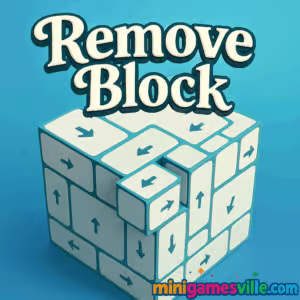
Ready to play? Hit the Play button above to jump into Remove Block on MinigamesVille and start clearing those cubes now. If you love quick-thinking puzzles with satisfying physics, Remove Block is your next favorite browser game. This online block-removal challenge keeps the action snappy, the rules simple, and the strategy deep. Whether you have 2 minutes or 20, Remove Block delivers tight levels that ramp up from chill to brain-bending. Play unblocked at home or on break, test your logic, and chase perfect clears as you master each stage. Let’s dive into how this clever puzzle works and why it deserves a spot in your daily rotation.
About Remove Block
Remove Block is a minimalist physics puzzle where every tap or click matters. Your goal is to remove the right blocks in the right order so gravity and momentum do the rest. Early levels teach you the basics, then the puzzles grow denser with fragile supports, moving parts, and chain reactions that reward careful planning. Because it runs in the browser, Remove Block loads fast, plays smooth, and lets you restart instantly to refine your approach.
History of Remove Block
Remove Block follows in the footsteps of classic block-removal and physics puzzlers that thrived during the Flash era and later on mobile. This modern HTML5 take focuses on clean visuals, crisp physics, and zero-friction play, ideal for quick sessions and speedrunning.
Style & Vibe
Remove Block favors a clean UI, bright contrast, and satisfying block pops. Each cleared piece feels tactile, and the level resets are instant, which makes experimentation fun rather than frustrating.

Gameplay in Remove Block
Each stage places colored blocks in a gravity-driven layout. Remove supportive pieces to guide target objects safely, avoid hazards, or clear the board with the fewest moves. Expect:
- Click-to-remove mechanics that trigger realistic falls and ricochets.
- Limited moves on select stages that push route planning.
- Progressive obstacles like static anchors, slippery surfaces, and delicate pivots.
- Fast restarts so you can iterate until you nail a perfect path.
Game Modes
- Classic Levels: Solve handcrafted puzzles at your own pace and unlock new sets.
- Move Challenge: Beat levels using as few removals as possible to earn top ratings.
- Time Trial: Clear sequences quickly to set personal bests.
How to Play
- Scan the structure and locate key supports that hold weight.
- Start from the safest top or outer edges to prevent early collapse.
- Remove blocks in a planned sequence so gravity carries targets into safe zones.
- If the structure tips wrong, restart and adjust the order or timing.
Controls
- Desktop: Left click to remove a block. Click the restart button to reset the level.
- Mobile: Tap to remove. Tap the on-screen reset to try again.
Device Compatibility & Browser Support
Remove Block runs online in modern browsers like Chrome, Edge, Firefox, and Safari. For the smoothest experience, keep your browser updated and close extra tabs while you play.
Mobile vs. Desktop Gameplay
- Mobile: One-thumb taps make it perfect for quick sessions. Haptics on some devices add satisfying feedback.
- Desktop: A larger screen helps you read angles and micro-supports for tighter move counts.
Can I Play Offline?
Remove Block is a browser game and requires an internet connection to load levels and save progress. After a refresh or new session, you will need to be online again.
Can I Play Unblocked?
Remove Block plays directly in your browser on MinigamesVille with no downloads. If your school or workplace restricts gaming sites, try a personal device or a different network. At home, it should be fully accessible and unblocked.
- Browser: Play Remove Block right here on MinigamesVille.
- Mobile apps: There are no official App Store or Google Play links for Remove Block at this time.
If you want a mobile fix with similar logic, try Unblock Me by Kiragames:
Tips & Tricks
Beginner Tips
- Trace the final path first. Know where your goal piece must end before removing anything.
- Remove from the top or outer edges to reduce chaos.
- Watch how blocks tilt when weight shifts. That hint tells you the next safe removal.
- Restart fast. Iteration is part of the puzzle, not a penalty.
Advanced Strategies
- Force controlled collapses by leaving one last stabilizer until the end.
- Preload momentum. Nudge a lean, then remove the critical support to swing pieces into place.
- Plan double-duty moves. One removal that clears space and redirects weight beats two separate clicks.
- Route for perfection. Save your sequence when you find a low-move solution and replicate it consistently.
Features
- 🧩 Minimalist, readable layouts that make strategy the star
- ⚙️ Polished physics for satisfying chain reactions
- ⚡ Instant restarts to learn by doing
- 🎯 Move and time challenges for replay value
- 📈 Gradual difficulty curve with smart teaching moments
- 📱 Smooth touch play on phones and tablets
- 🌐 100 percent browser-based, no downloads
- 🔁 Short-session friendly for break-time wins
Unlockables & Secrets
Chase perfect clears to unlock tougher level batches and brag-worthy personal bests. Some stages reward ultra-efficient routes, so experiment with alternate sequences to discover hidden low-move paths.
Cheats & Mods
There are no official cheats or mods for Remove Block. Third-party scripts can break performance or your progress. Sticking to legit play keeps the physics consistent and the challenge fair.
Walkthrough Summary
Start by removing non-load-bearing pieces, then chip away at minor supports so mass shifts toward your target path. Save the final critical block for the moment when gravity will complete the solve. If the structure collapses early, reverse your last two removals or change where you begin.
Scoring, Records & Progression
Your success typically hinges on move count and time. Set personal records by routing a stable sequence and repeating it reliably. As you progress, levels add variance in weight and balance that reward precision.
Why Play Remove Block
It is instantly approachable, yet endlessly tinkerable. Remove Block is perfect when you want a clean, unblocked browser game that respects your time and your brainpower. Short levels, quick restarts, and smart physics make it a satisfying daily puzzle.
Pros & Cons of Remove Block
- Pros: Quick to learn, crisp physics, fast restarts, great on mobile or desktop.
- Cons: Difficulty spikes can appear mid-pack, visual variety is intentionally minimal, and offline play is not supported.
- Update your browser for the best WebGL and JavaScript performance.
- Close unused tabs and background apps, especially on older laptops or phones.
- Disable heavy extensions while playing, then re-enable them afterward.
- On mobile, switch to a stable WiFi connection for smoother level loads.
Similar games to Remove Block
- Tap It Away — 3D tap-to-clear block puzzler with rotating shapes and satisfying pops.
- Robot Awake — Grid-based logic where mirrors and lasers power up robots in tight puzzles.
- Green — A clever one-screen puzzle series that changes rules every level.
- Mini Train — Physics builder, place pieces to guide a train safely to the station.
- Sudoblocks — Sudoku-meets-blocks fusion that rewards spatial planning.
- Arrower — Move directional blocks to shepherd the main cube to the goal.
FAQ
What is Remove Block?
Remove Block is an online physics puzzle where you remove blocks in sequence so gravity solves the rest.
Is Remove Block free?
Yes, it is a free browser game you can play on MinigamesVille without downloads.
Does Remove Block have different modes?
Yes, you can play classic levels at your pace, move-limited challenges, and timed runs for personal bests.
Can I play Remove Block on my phone?
Yes, it runs in mobile browsers, and the tap controls feel natural on touchscreens.
Can I play Remove Block unblocked at school?
It depends on the network. On unrestricted networks, it runs in the browser with no installs.
Is there an app for Remove Block?
No official app is available. For a similar mobile experience, try Unblock Me on the App Store and Google Play.
How do I restart a level?
Use the on-screen reset control. Instant restarts help you refine your sequence quickly.
Conclusion
Remove Block trims puzzle gaming down to the essentials: smart sequencing, clean physics, and instant retries. It is the kind of browser game you can open for a quick win, then keep playing because the next idea is just one click away.
Ready to test your plan, adjust your sequence, and watch the perfect collapse? Scroll up, press Play, and clear your next level in Remove Block right here on MinigamesVille.

 Loading...
 English
 Shqip
Shqip
 বাংলা
বাংলা
 Български
 简体中文
简体中文
 Hrvatski
 Čeština
 Dansk
Dansk
 Nederlands
 Suomi
Suomi
 Ελληνικά
 हिन्दी
 Magyar
 Bahasa Indonesia
 日本語
日本語
 한국어
한국어
 Lietuvių
 Bahasa Melayu
 Norsk
Norsk
 Polski
 Português do Brasil
 Română
 Slovenčina
 Slovenščina
 Svenska
 ไทย
ไทย
 Türkçe
 Українська
 اردو
اردو
 Tiếng Việt
 isiZulu
 Español
 Français
 Deutsch
 العربية
 Italiano
 فارسی
فارسی
 Русский